Improve your SEO
Help search engines find, understand, and rank your store so the right shoppers discover you.
SEO (search engine optimization) is how you help Google and other search engines understand your store, so the right people find you when they search. A little effort here brings free, ongoing traffic.
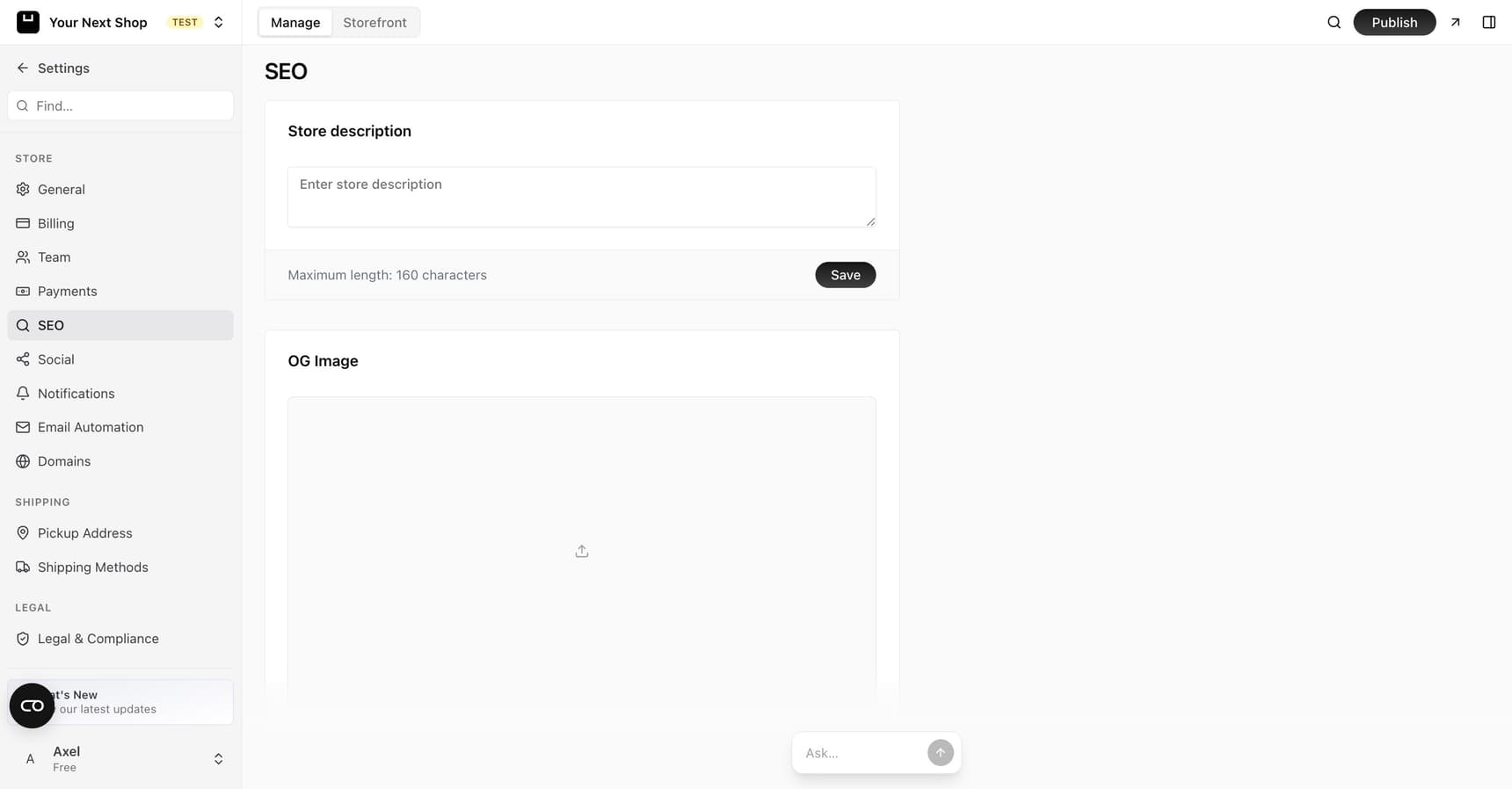
What SEO actually does
When someone searches for something you sell, search engines decide which pages to show. SEO is simply making your store easy for them to understand and trust, so your pages appear for the right searches. Unlike ads, this traffic is free and keeps coming as long as your pages stay helpful.
The good news: YNS handles a lot of the technical groundwork for you. When your store is created, it's already built with a search-friendly structure and the basics in place – so most of your effort goes into clear titles, good descriptions, and helpful content.
Tip: Not sure if your basics are covered? You can ask the AI Assistant general questions about your store while you set things up.
Set page titles and descriptions
For your store and its pages, you can set:
- Page title – the headline that shows in search results. Make it clear and include what you sell.
- Meta description – a short summary under the title that tells people why to click. Aim for around 160 characters so it isn't cut off.
| Field | Where it shows | Best practice |
|---|---|---|
| Page title | The clickable headline in search results and browser tabs | Lead with what you sell; keep it clear and not too long |
| Meta description | The short summary under the title in search results | Give a real reason to click; stay around 160 characters |
Tip: Write titles and descriptions for real people, not robots. A clear, honest description earns more clicks than one stuffed with keywords.
Add a sharing image
You can set a sharing image that appears when someone posts a link to your store on social media or in a chat. A good image makes your links look professional and gets more clicks.
This image is sometimes called an OG image. When it's missing, links can look plain or broken; when it's set, your store looks polished everywhere it's shared.
Note: Use a clear, well-sized image that represents your brand – your logo or a clean product shot both work well. See Logo and branding for setting your store's overall look.
Automatic sitemap and structured data
YNS does several things behind the scenes so you don't have to:
- Sitemap – YNS creates a list of your pages automatically, helping search engines discover everything you've published. You don't have to set this up yourself.
- Structured data – your store automatically includes the behind-the-scenes details search engines use to understand your products, so pages can show richer results.
- Meta basics – the core tags search engines and social platforms read are generated for you.
This means the technical heavy lifting is handled, leaving you free to focus on clear writing and good products.
Tips for products and blog posts
- Give each product a descriptive name and a unique description – avoid copying the manufacturer's text word for word.
- Use clear, specific titles on blog posts that match what people search for.
- Add good photos and helpful detail – search engines favor pages that genuinely help shoppers.
- Answer real questions in your blog so you show up when people search for them.
Common mistakes to avoid
- Keyword stuffing – cramming in search terms reads badly and can backfire. Write naturally.
- Duplicate descriptions – reusing the same text across products gives search engines nothing unique to rank.
- Thin pages – a product with a one-line description and no photo has little for a search engine to work with.
FAQ
Do I need to set up SEO myself?
The technical basics – a sitemap, structured data, and core meta tags – are handled automatically when your store is created. Your job is the human part: clear titles, honest descriptions, good photos, and helpful content. That's where most of the ranking difference comes from.
Can AI help with my SEO?
You can ask the AI Assistant general questions about your store as you work – it's a handy second pair of eyes. Your store's search-friendly structure is also generated for you when it's created, so the technical basics are covered from the start.
How long does SEO take to work?
SEO is a slow burn, not an instant switch. Search engines need time to find and rank new pages, so it can take weeks before you see steady traffic. The upside is that, once it works, it keeps bringing visitors for free.
What's the single most important thing?
Helpful, specific content. Clear titles and descriptions matter, but pages that genuinely answer what shoppers are looking for are what search engines reward most. Write for people first.
What's next
- Write content that attracts searchers – see Write a blog.
- Set your store's logo and sharing look – see Logo and branding.
- Give each product a strong description – see Add a product.