Collect product reviews
Let customers leave reviews, moderate what appears, and build trust that turns browsers into buyers.
Reviews build trust. When shoppers see real feedback from other customers, they feel more confident buying – and honest reviews can be the nudge that turns a browser into a buyer.
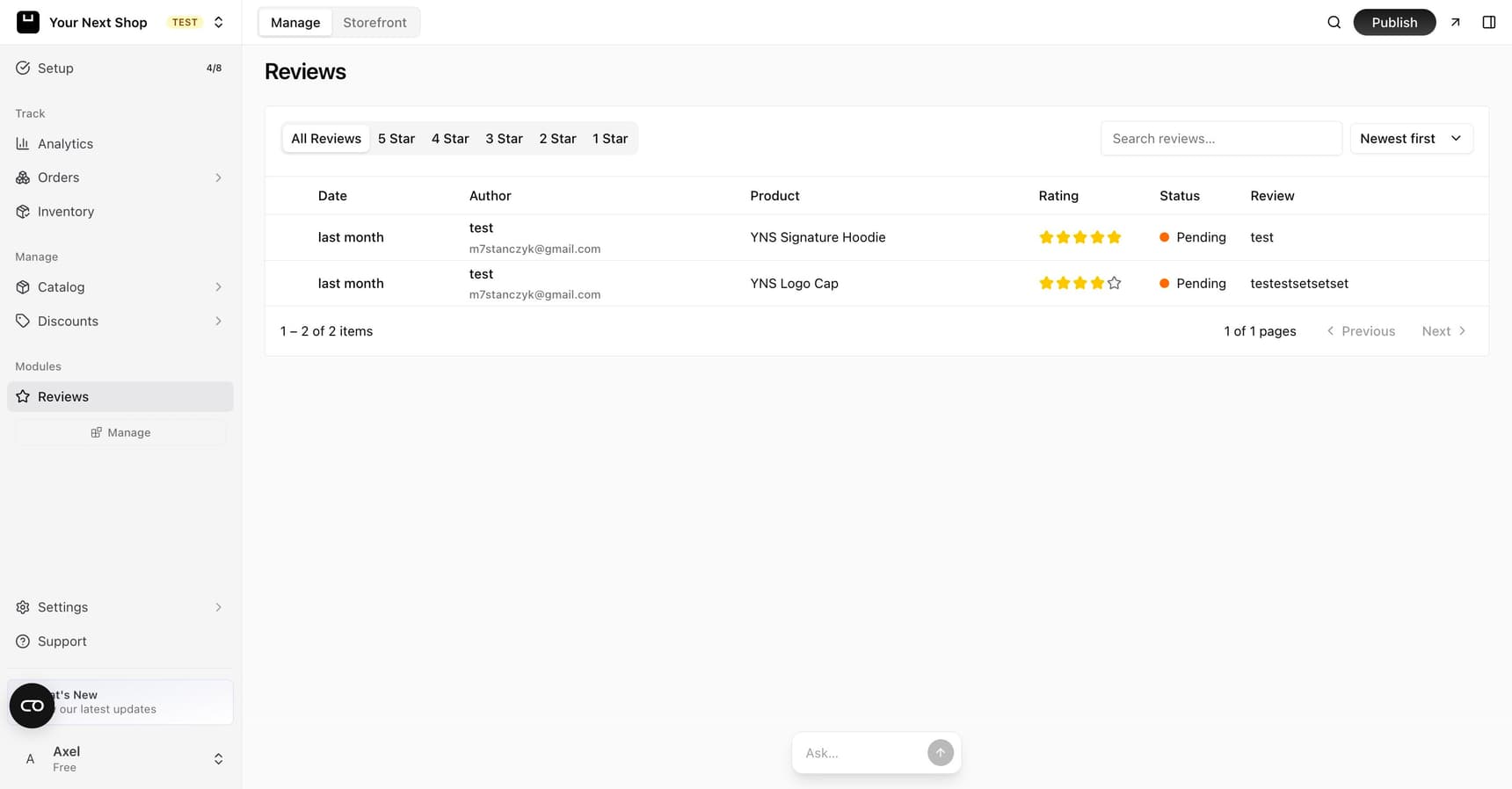
Why reviews matter
Most shoppers read reviews before they buy, especially from a store they're visiting for the first time. Reviews do a few things at once:
- Build confidence – seeing that real people bought and liked a product removes doubt.
- Answer questions – reviewers often mention sizing, quality, or how something works in real life.
- Add fresh content – genuine reviews give your product pages helpful, ever-changing detail that search engines value too.
Turn on reviews
Reviews are an optional feature you can switch on from your dashboard. Once enabled, a reviews section appears on your product pages where customers can rate and comment.
Note: Reviews are most useful once you have a handful per product. Don't worry if it's quiet at first – focus on asking happy customers, and the reviews will follow.
How customers leave reviews
After reviews are on, customers can:
- Give a star rating to show how happy they were.
- Write a short review describing what they liked or didn't.
This usually happens on the product page or after they've bought the item.
Approve or hold reviews
You stay in control of what appears on your store. New reviews come in unapproved, hidden from shoppers, and you decide what happens:
| Action | Result |
|---|---|
| Approve | The review is published on the product page |
| Leave unapproved | The review stays hidden from shoppers – you can approve it later |
You can filter reviews by star rating to find and handle them quickly – for example, checking new low-star reviews first so you can respond promptly.
Tip: Approve honest reviews even when they aren't perfect. A mix of ratings looks more genuine than only five-star reviews, and a thoughtful reply to a critical review shows you care.
What to leave unapproved
Moderation is about quality and safety, not silencing criticism. It's fair to leave reviews unapproved when they're:
- Spam or fake – unrelated promotions or reviews that clearly aren't from real customers.
- Abusive or offensive – personal attacks or inappropriate language.
- Off-topic – comments that aren't about the product at all.
Rejecting honest negative feedback just because it's critical backfires – shoppers trust a store more when they see a few imperfect reviews alongside the good ones.
Tips for getting more reviews
- Ask happy customers to leave a review after they receive their order.
- Keep the process quick – the fewer steps, the better.
- Respond politely to any negative feedback, and thank people for positive reviews too.
- Time the ask well – reach out once someone has had the product long enough to form an opinion.
Common mistakes to avoid
- Showing only five-star reviews – it looks staged and shoppers notice.
- Ignoring negative reviews – a calm, helpful reply often impresses other readers more than the complaint itself.
- Never asking – most happy customers won't think to leave a review unless you invite them.
FAQ
How do I get my first reviews?
Reach out to recent, happy customers and ask directly – a short, friendly message after delivery works best. Keep the ask simple and the process quick. The first few reviews are the hardest; once a product has some, more tend to follow.
Should I publish negative reviews?
Yes, as long as they're honest and on-topic. A mix of ratings makes your store look real, and a thoughtful reply to a critical review can win more trust than the review costs you. Only leave reviews unapproved when they're spam, abusive, or unrelated to the product.
Can I reply to a review?
A polite reply to a critical review shows future shoppers that you stand behind your products and handle issues well. Thanking customers for positive reviews is a nice touch too. Either way, keep replies calm and helpful.
Do reviews help my store show up in search?
Genuine reviews add fresh, relevant detail to your product pages, which search engines tend to favor. They also reassure shoppers who arrive from search. See Improve your SEO for more.
What's next
- Reviews show up on your product pages – see Add a product.
- Reward customers who keep coming back – see Run a loyalty program.
- Bring shoppers in from search – see Improve your SEO.