Write a blog
Publish posts to attract visitors, share updates, and turn readers into customers through search.
A blog is one of the best free ways to bring new visitors to your store. You can share product news, how-to guides, and stories that help people find you through search – and turn readers into customers.
Why a blog is worth your time
Unlike an ad, a blog post keeps working long after you publish it. A helpful guide can bring in visitors for months or years, completely for free. A good blog does three jobs at once:
- Brings in new visitors – people searching for answers find your post, then discover your store.
- Builds trust – useful, honest content shows you know your products and your customers.
- Gives you something to share – every post is a reason to post on social media or send a newsletter.
Tip: Do it with AI – not sure what to write or how to start? In the blog post editor, use the AI draft option to generate a post from a short idea, then edit it to sound like you. AI is great for a first draft, but your own voice and real experience are what make a post worth reading.
Create a post
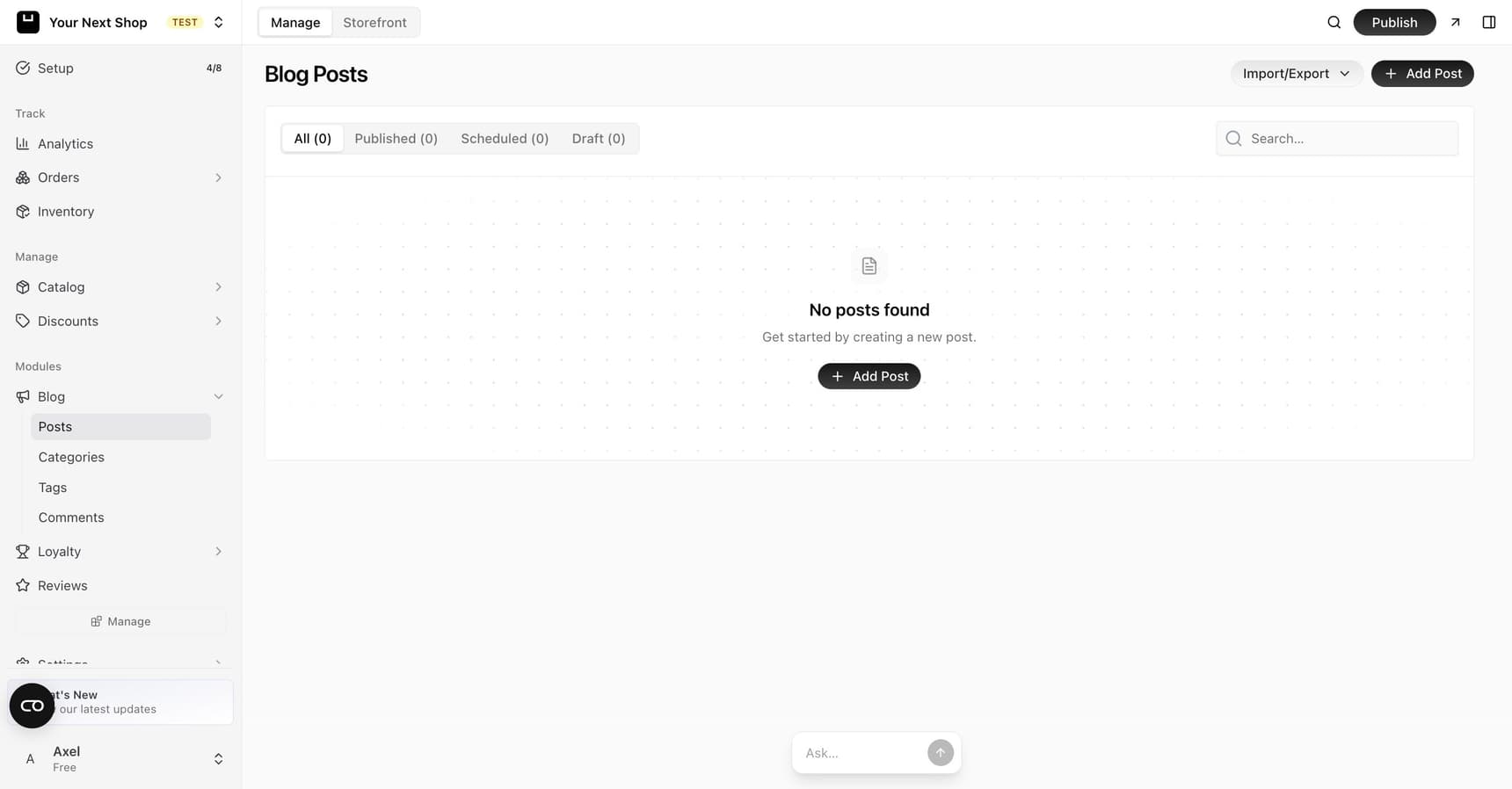
Head to the blog section of your dashboard and create a new post. Each post has a few key parts:
| Part | What it's for |
|---|---|
| Title | Clear and descriptive, so readers and search engines know what the post is about |
| Body | Your content, written in the rich-text editor with headings, lists, links, and images |
| Featured image | The main photo shown at the top of the post and in previews on your store and social media |
| Categories | Broad groupings (like "Guides" or "News") that help visitors browse by topic |
| Tags | More specific labels for related posts, so readers can find similar content |
Writing in the editor
The rich-text editor works much like a word processor. You can:
- Add headings to break long posts into scannable sections.
- Make lists so steps and tips are easy to follow.
- Insert links to your products, other posts, or trusted sources.
- Add images to illustrate a point or show a product in use.
- Embed a product so readers can buy it without leaving the post – image, price, and an add-to-cart button, always in step with your catalog.
Tip: Break up your writing with headings and short paragraphs. Most people skim before they read, so clear structure keeps them on the page.
Embedding one specific variant. When you embed a product with options, you can pick a single one – one scent from ten, one colorway, one size. The post then shows that variant's own photo, name, and exact price, instead of making the reader work out which of ten things you meant. Leave the variant unset to embed the product as a whole.
Pasting from Word or Google Docs. Paste freely. Fonts, colors, and spacing from the other document are stripped out, so what lands in the post is your text in your store's styling – not a paragraph that looks subtly wrong forever.
Visual and HTML modes. The toggle above the editor switches between the visual editor and the underlying HTML. Most of the time you'll never need it; when a paragraph is behaving oddly, or you want to check exactly what you pasted, HTML mode is where you see and fix it.
Draft, publish, or schedule
You control when a post goes live:
| Status | What it means |
|---|---|
| Draft | Saved privately so you can keep working – no one else can see it |
| Published | Live on your store for anyone to read |
| Scheduled | Set to go live automatically at a future date and time |
Scheduling is handy when you want to line up posts in advance, like a product launch or a seasonal sale. You can write several posts in one sitting and let them publish on a steady rhythm without you having to remember.
When to use each status
- Use Draft while you're still writing, waiting on a photo, or want a second look before it's public.
- Use Scheduled when the post is finished but timed to something – a sale, a holiday, or a new arrival.
- Use Published when it's ready and there's no reason to wait.
Translate your posts
If your store sells in more than one language, your blog can follow. Each post has a Translations tab where you write – or AI-generate – the title, content, slug, and SEO text for every language you've enabled.
When you turn a new language on, your published posts are translated automatically along with your catalog. Drafts are skipped on purpose: a draft translated today would be a translation of an unfinished post. Publish first, then translate.
See Sell in multiple languages for the wider picture.
Categories, tags, and comments
As your blog grows, structure helps readers find more of what they came for:
- Categories group posts into a handful of broad topics. Keep these few and meaningful.
- Tags are more specific labels for related posts. They connect related posts across categories.
- Comments let readers respond to your posts. You can review and moderate them so the conversation stays useful.
Note: Don't over-organize. A few clear categories beat dozens of overlapping ones that confuse visitors and dilute your topics.
Tips for better posts
- Write about real questions – answer the things your customers actually ask before they buy.
- Use a clear, specific title – match the words people would type into a search.
- Add a featured image to every post – it looks better in previews and on social media.
- Link to your products where it naturally fits, so readers can shop without hunting.
- Publish on a rhythm – a steady trickle of posts beats one big burst and then silence.
Common mistakes to avoid
- Writing only about yourself – readers come for help, not a sales pitch. Lead with what's useful to them.
- Forgetting the featured image – a post with no image looks unfinished when shared.
- Stuffing in keywords – write for people first; search engines reward posts that genuinely help.
FAQ
How often should I publish?
There's no magic number. A steady rhythm you can keep up – like one or two posts a month – beats a flurry of posts followed by months of silence. Consistency matters more than volume.
Can AI write my blog posts for me?
AI can draft and outline posts from a short brief, which is a great way to beat the blank page. Always read it through and edit it in your own voice, adding real detail and experience. Readers and search engines both favor content that feels genuine.
Do blog posts help my store show up in search?
Yes. Each helpful post is another page search engines can find and rank, often for questions your product pages don't cover. See Improve your SEO for how to give every post the best chance.
Should I let people comment on my posts?
Comments can build community and surface good questions, but they need a little moderation to keep them useful. If you'd rather not manage them, it's fine to keep comments off and focus on the writing.
What's next
- Help search engines find your posts – see Improve your SEO.
- Turn readers into subscribers – see Send newsletters & grow subscribers.
- Build other store pages like an About or FAQ – see Pages and content.