Best Ecommerce Platform for Small Business in 2026
 Jakub Neander
Oct 28, 202612 min read
The best ecommerce platform for a small business is the one that gets you to your first 100 orders with the least friction, and doesn't punish you when you grow. For most stores that means Shopify, Squarespace or a free-to-start option like Square Online or Big Cartel. For founders who want a custom storefront, it can mean a developer-first platform. This guide compares the real costs, fees and trade-offs so you can pick in an afternoon, not a month.
Bias disclosure: We build Your Next Store, one of the platforms covered here. We'll say plainly where it fits and where another platform is the better choice. Prices below were checked in October 2026 and change often, so confirm them on each vendor's pricing page before you commit.
The short answer
| If you are... | Start with | Why |
|---|---|---|
| Selling a handful of products and want it live this week | Square Online or Big Cartel | Free to start, little to configure |
| A design-led brand or creator with a few dozen products | Squarespace | Strong templates, site and store in one place |
| Planning to grow catalog, channels and apps | Shopify | Biggest app ecosystem and the most documentation |
| Already running a website that you control | WooCommerce | Free plugin that adds a store to WordPress |
| A developer, or hiring one, who wants a custom Next.js storefront | Your Next Store | Open-source storefront, 0% platform transaction fees, AI assistant in the admin |
Everything below explains how we got there and where each option breaks.
What "best for small business" should mean
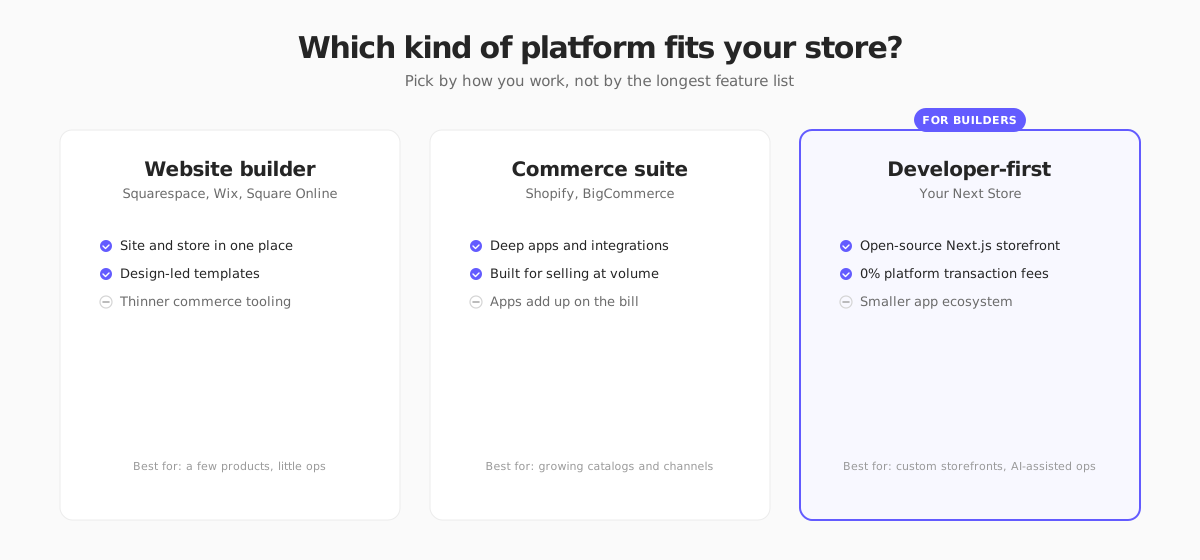
Feature lists are the wrong way to choose. A small business has limited time, limited cash and usually one or two people doing everything. Judge platforms on six things:
- Total monthly cost, including the apps you will actually need, not just the plan price.
- Transaction fees on top of card processing. This is where small stores lose money without noticing.
- Time to first sale. Can you launch in days, and can you do it without a developer?
- Day-to-day operations: orders, inventory, shipping labels, discounts, email.
- Room to grow. Can you add products, markets, currencies and staff without replatforming?
- Exit options. Can you export your products, customers and orders if you leave?
If you want the cost side in more detail, see how much an ecommerce website costs and how to start an online store.
Shopify: the default for a reason
Shopify is the platform most small businesses end up on, and the reason is simple: almost everything you will need already exists as an app, a theme or a tutorial.
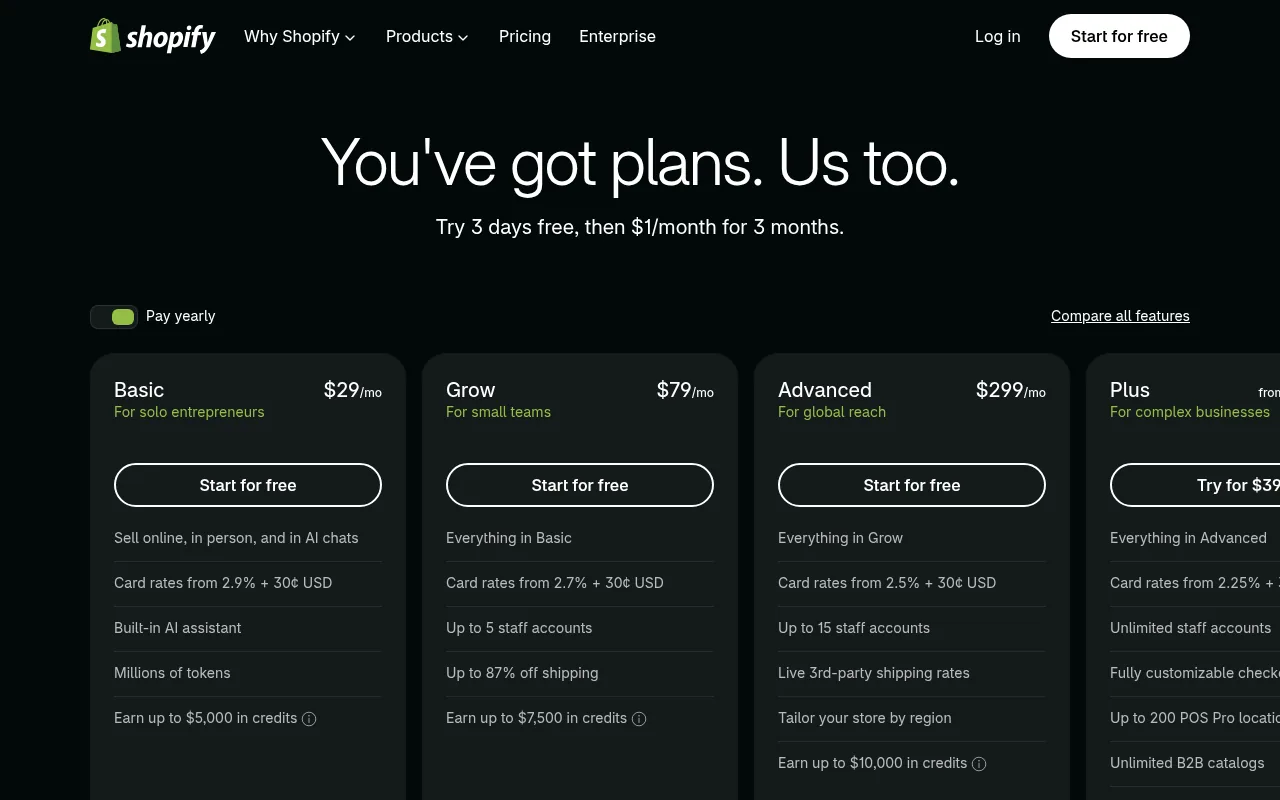
What it costs. When we checked, Shopify's pricing page listed Basic at $29 a month, Grow at $79 and Advanced at $299, with card rates starting at 2.9% + 30¢ on Basic and falling on the higher plans. Shopify also runs introductory trial offers that change, so read the current page.
Strengths
- Huge app store and theme market, so most needs are a click away
- Strong built-in checkout, shipping and POS for selling in person
- Plenty of freelancers and agencies who know it
Weaknesses
- Apps add up. Many small stores end up paying for reviews, subscriptions, email and page builders on top of the plan
- If you use a payment provider other than Shopify Payments, Shopify charges an additional transaction fee. Our breakdown of what Shopify takes from a $100 sale shows the math
- Deep customization of the checkout and storefront is limited on lower plans
Pick it if you expect to grow and want the lowest-risk, most-documented path.
Squarespace: best for design-led brands
Squarespace is the choice when how the site looks matters as much as how it sells: photographers, makers, boutique brands, anyone who wants a polished site and a store in one tool.
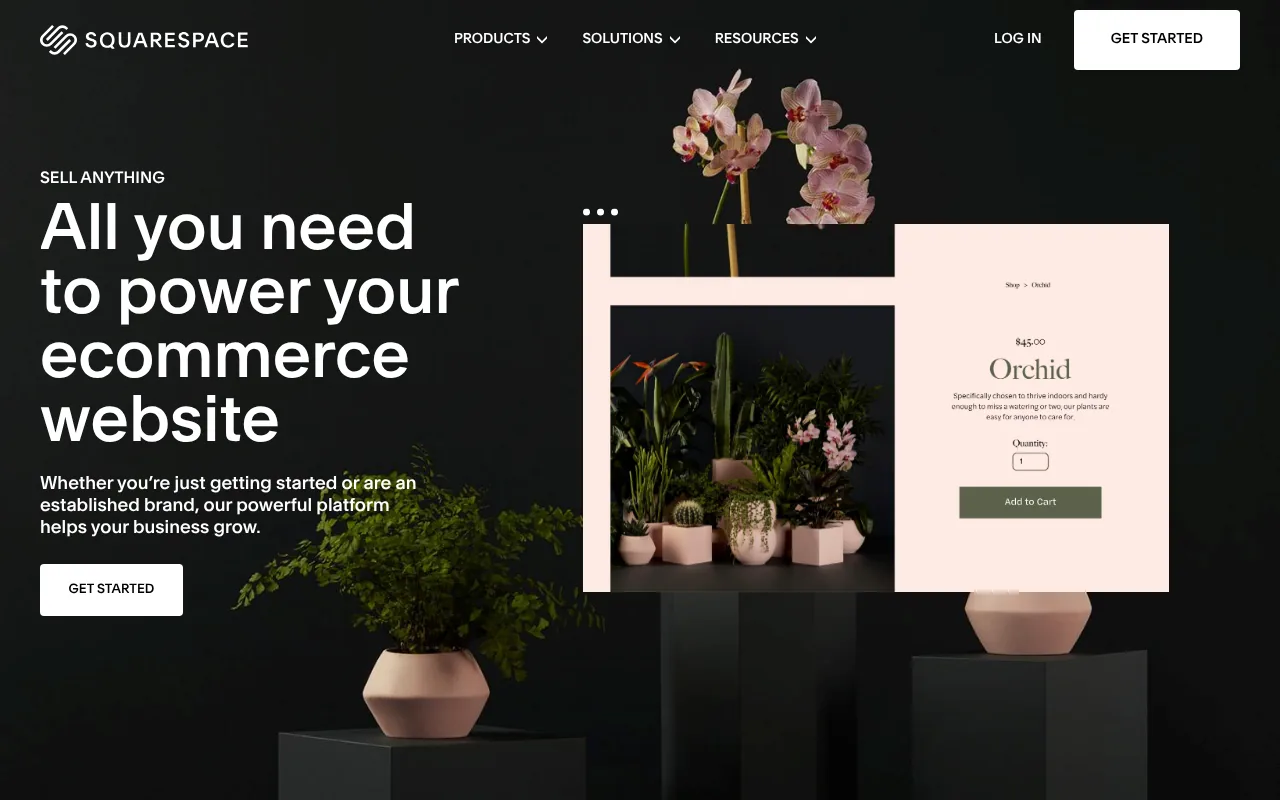
What it costs. Squarespace's commerce plans listed Basic at $25 a month ($19 billed annually) with a 2% transaction fee, and Core at $39 ($29 annually) with 0% fees, plus standard card processing. If you will sell at all, budget for Core so you avoid the fee.
Strengths
- Best-in-class templates with little design work
- One bill for domain, site, blog and store
- Good fit for a small catalog with strong visuals
Weaknesses
- Fewer integrations and less flexibility for complex catalogs, variants and wholesale
- Smaller third-party ecosystem than Shopify
Pick it if you care about design first and sell a modest number of products.
Wix: flexible and familiar
Wix is a general website builder with an ecommerce layer and an increasing amount of AI help for building your site.
Costs. You can start building for free, but to accept payments you will need a paid plan. Check Wix's current plan page for ecommerce prices, since they vary by country and billing term.
Strengths: very flexible drag-and-drop editor, many templates, large app market.
Weaknesses: the freedom makes it easy to build a site that is slow or inconsistent, and moving a Wix store to another platform later usually means exporting products and rebuilding the design. If you are already on Wix and weighing a move, see our Wix ecommerce alternatives.
Pick it if you want full control over layout and your store is part of a bigger marketing site.
Square Online: easiest if you sell in person too
Square Online is aimed at businesses that already take payments with Square, such as cafés, boutiques and market stalls, and want an online store tied to the same inventory.
Costs. Square advertises a free plan to start, with paid plans for more features. Payments are processed through Square, with its own rates. Square availability and features vary by country, so check that your market is supported.
Strengths: one inventory for in-store and online, simple to set up, free to start.
Weaknesses: you are tied to Square for payments, and design and extension options are narrower than Shopify or Squarespace.
Pick it if you have a physical shop or stall and want the online side to just work.
Big Cartel: simple and made for makers
Big Cartel is a small, focused platform for artists, musicians and independent makers selling a limited catalog.

Costs. Its homepage advertises plans starting at $0. Paid tiers raise the product limits and add features. Check current limits, because the free tier caps how many products you can list.
Strengths: very simple, affordable, no pressure to buy add-ons.
Weaknesses: limited features for growth, a smaller theme and app selection, and few options for complex shipping or tax setups.
Pick it if you sell a small range of your own work and want the simplest possible store. Our Big Cartel alternatives guide covers what to do when you outgrow it.
WooCommerce: free software, real costs
WooCommerce is a free plugin that turns a WordPress site into a store. The software costs nothing, but everything around it does.
Costs. Hosting, a domain, security, backups, a theme, paid extensions and your time. A basic store can be cheap, but you are the one who keeps it updated and secure.
Strengths: total control, no platform transaction fee, huge plugin library, great if you already run WordPress.
Weaknesses: maintenance, plugin conflicts and performance tuning are on you. Read our Shopify vs WooCommerce comparison for the trade-offs side by side.
Pick it if you already know WordPress, or have someone who does.
BigCommerce: the structured Shopify alternative
BigCommerce sits between Shopify and enterprise platforms, with strong built-in features for B2B and large catalogs. Its pricing page listed Core at $39 a month ($29 billed annually) with a sales cap of about $30,000 a year, then higher tiers as revenue grows. That revenue-based tiering is worth understanding before you choose it: growth moves you up the price ladder automatically. See our BigCommerce alternatives if the model doesn't fit.
Your Next Store: for founders who want a custom storefront
Your Next Store is built differently from the platforms above. It has two parts: a managed commerce backend (products, carts, orders, customers, inventory, admin and an AI assistant) and an open-source Next.js storefront you can edit and deploy yourself, for example on Vercel. Payments run through Stripe.
Costs. There is no free plan. Starter is $30 a month, Growth is $60 and Pro is $360, with lower per-month rates on yearly billing. All plans charge 0% platform transaction fees. Stripe's standard processing fees still apply.
Strengths
- Full control over the storefront code, in a modern stack
- 0% platform transaction fees on every plan
- An AI assistant in the admin for products, descriptions and bulk imports
Weaknesses
- A much smaller app and theme ecosystem than Shopify
- Stripe is required for payments
- Best if you or someone on your team is comfortable with Next.js. If you want a no-code drag-and-drop editor, choose a website builder instead
Pick it if you want a custom storefront and a lean backend, or you build with AI coding tools and want a commerce API underneath. Our guide to the best ecommerce platforms for developers goes deeper.
Side-by-side comparison
| Platform | Starting cost* | Transaction fee on top of card rates | Best for | Main trade-off |
|---|---|---|---|---|
| Shopify | $29/mo (Basic) | Extra fee if you use an outside payment provider | Growth, apps | Apps add cost |
| Squarespace | $19 to $25/mo (Basic) | 2% on Basic, 0% on Core | Design-led brands | Narrower ecosystem |
| Wix | Free to build, paid to sell | Varies by plan | Flexible sites | Easy to over-customize |
| Square Online | Free plan | Square processing rates | Shops that sell in person | Tied to Square |
| Big Cartel | From $0 | Varies by plan | Makers, small catalogs | Limited growth tools |
| WooCommerce | Software free, hosting extra | None from WooCommerce | WordPress owners | You maintain it |
| BigCommerce | $29 to $39/mo (Core) | Varies | B2B, bigger catalogs | Revenue-based tiers |
| Your Next Store | $30/mo (Starter) | 0% | Custom Next.js storefronts | Smaller ecosystem, Stripe only |
*Prices checked October 2026. Annual billing is usually cheaper. Taxes, apps and payment processing are extra.
How to choose in 30 minutes
- Write down your first 90 days: how many products, where you sell (online, in person, marketplaces) and who is doing the work.
- Add up real costs for two finalists: plan, apps you need, payment processing and a domain. Use your expected monthly sales, not the sticker price.
- Check country support. Payments, tax tools and shipping options differ by country. If you sell in the EU, confirm VAT and OSS handling; our EU VAT OSS guide explains the basics.
- Build a test store on each finalist with five real products. Time how long it takes to get to a working checkout.
- Place a test order and check the emails, tax and shipping.
- Check the exit. Make sure you can export products, customers and orders.
Mistakes small businesses make
- Choosing for features they will never use. Pick for the first year, not the fifth.
- Ignoring transaction fees. A 2% fee on $5,000 a month is $100 a month.
- Underestimating apps. Add the cost of each essential app before you decide.
- Skipping the checkout test. The checkout is where you earn the money.
- Over-customizing early. Launch with defaults. Improve with real customer data.
FAQ
What is the cheapest ecommerce platform for a small business?
Free-to-start options such as Square Online and Big Cartel have the lowest entry cost, and WooCommerce is free software with hosting costs. The cheapest option on paper is not always cheapest in practice. Count transaction fees, apps and your own time.
Which ecommerce platform is easiest for beginners?
Shopify, Squarespace and Square Online are the easiest for non-technical owners. All three let you launch from a template and manage products without code.
Can I switch platforms later?
Yes, and most platforms let you export products and customers as CSV files. Order history and design are harder to move, and URLs may change, so plan redirects to protect your search rankings.
Do I need a developer to start?
Not with a website builder or Shopify. A developer helps if you want a custom storefront, unusual checkout logic or deep integrations, which is where a developer-first platform makes sense.
The bottom line
For most small businesses, Shopify is the safe default, Squarespace is the design pick and Square Online or Big Cartel are the cheap way to start. Choose the one you can launch on this week, test the checkout yourself, and move later only if your business, not a feature list, demands it.