How to Start an Online Store in 2026: A Beginner's Playbook
 Jakub Neander
Apr 21, 202614 min read
Starting your first online store in 2026 is genuinely easier than it's ever been. An AI builder can put a real storefront live in an afternoon. A payment processor turns your bank account into a business in ten minutes. Shipping labels print from your kitchen. What hasn't changed, and what this guide is about, is the order to do things in, so you don't spend $3,000 on inventory before you've sold a single pre-order. Nine steps, in plain English, written for someone who's never sold anything online before.
Total beginner? If you've never sold online, never registered a business, never used Stripe or Shopify, this post is written for you. Every jargon word is defined the first time it appears, and the only step you absolutely can't skip is Step 1.
Not in the US? Most of this still applies. Steps 1, 2, 3, 5, 6, 7, and 9 are identical worldwide. Step 4 (legal setup) and Step 8 (tax) differ by country, and the equivalents are noted inline.
The 9 Steps, in Order
A lot of advice tells you to "pick a platform" before you've figured out what you're selling or whether anyone wants it. That's the fastest way to waste $2,000 on a pretty website nobody visits. Here is the order that actually works:
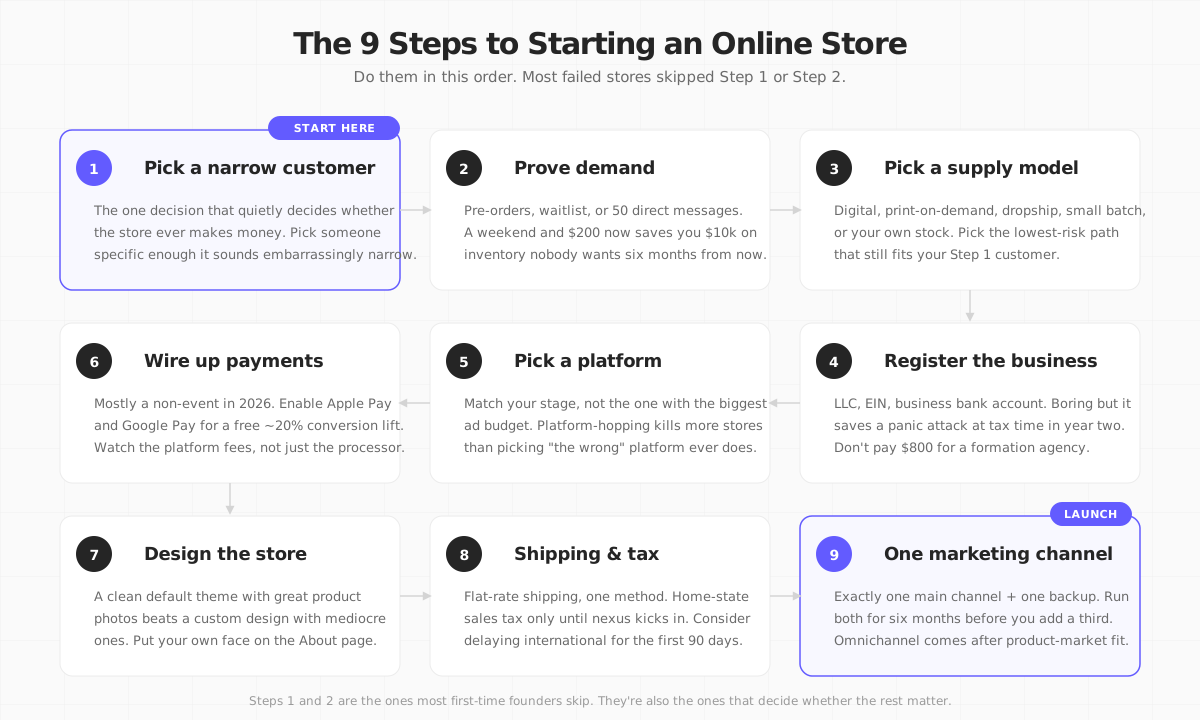
- Pick a narrow kind of customer, not a product category.
- Prove demand before you spend real money.
- Decide how you'll get the product (make, source, print-on-demand, dropship, or digital).
- Register the business and handle the boring legal stuff.
- Pick a platform that matches your stage, not the one with the biggest ad budget.
- Wire up payments. This is smaller than it sounds.
- Design a store that doesn't need a designer.
- Figure out shipping and tax before launch, not after the first angry email.
- Launch with one marketing channel. Exactly one.
The long version starts now.
Step 1: Pick a Narrow Kind of Customer
The first real decision isn't "what should I sell." It's "who am I selling to, specifically enough that they'll pick me over a chain."
A good answer is almost embarrassingly narrow: "people who bike to work in rainy cities and want office-appropriate rainwear," or "new parents who want second-hand baby clothes in 12-packs without the Facebook Marketplace nonsense." A bad answer is "women aged 25–45 who care about wellness."
Why this matters more than the product: your only real advantage as a small store is that you can care about one kind of customer more than a giant company ever will. The moment your pitch could fit on a Gap billboard without changing anything, you've lost your edge.
Three tests for whether your customer pick is narrow enough:
- Can you name three subreddits, Discord servers, or Instagram accounts where this person already hangs out?
- Is there a specific complaint they make that nobody big has fixed?
- Could you, with a straight face, say "this store is for X," and would X know you meant them?
If any of those is "no," keep narrowing. The category you sell is downstream of the customer: pick the person first, the product second.
Your Step 1 exercise (takes 5 minutes): Finish this sentence on paper or in a notes app.
"I sell __________ for __________ who struggle with __________."
If either of the first two blanks is a generic word like "women" or "people who like X," it's not narrow enough yet. Come back after you have a sentence that makes you slightly nervous it's too specific. That nervousness is the signal.

Step 2: Prove Demand Before You Spend Real Money
The most common way a first-time store fails isn't the platform or the product. It's spending $3,000 on inventory, $500 on a logo, and $1,500 on a website before finding out whether anyone wants the thing.
Two numbers to keep in the back of your head while you validate: even on stores that eventually do well, roughly 7 out of 10 people who put something in a cart never check out (Baymard Institute, 19 years of data), and only 2–3 out of every 100 visitors actually buy something. Which is exactly why you want signal before you spend: if almost nobody is interested when it's free to sign up, paid customers aren't magically going to appear.
There are three cheap ways to validate, ranked from weakest to strongest signal:
- A one-page "join the waitlist" site + $100–$200 in ads. Mood board, rough product description, email capture. If fewer than one in 50 visitors sign up, the idea isn't landing. This is weak signal, but weak signal you got in a weekend.
- A "pre-order" page. Same site, but instead of an email, you're asking for a credit card (refundable if you don't ship). Ten real pre-orders beats a thousand likes. This is strong signal.
- 50 direct conversations. Pick 50 people who fit your Step 1 customer. DM, email, or talk to them at an event. Ask if they'd buy it. Five genuine "yes, when can I pay you" replies is green-light; zero means Step 1 needs revisiting.
This step costs a weekend and maybe $200. Skipping it can cost $10,000 in inventory that never moves.
Step 3: Decide How You'll Actually Get the Product
There are five ways to get products to sell. You don't need to understand all the jargon in the industry. Here it is in plain English:
- Digital products. Things people download, not ship. A PDF guide, a Notion template, an online course, a spreadsheet.
- Print-on-demand. A company prints your design on a t-shirt or mug only when someone buys it. You never touch the product.
- Dropshipping. A wholesaler ships the product to the customer when you get an order. You don't hold any stock.
- Made-to-order / small batch. You (or a local maker) make the product after the order, or in small runs.
- Wholesale / your own stock. You buy or make a bunch up front, store it yourself, ship it when orders come in.
| Model | Upfront cash | Per-sale margin | Inventory risk | Good for |
|---|---|---|---|---|
| Digital products | Very low | Very high (~95%) | None | Courses, templates, guides |
| Print-on-demand | Low (~$500) | Low (25–40%) | None | Apparel, mugs, phone cases, stickers |
| Dropshipping | Low | Low (10–25%) | None (but low control) | Gadgets, trend products |
| Made-to-order / small batch | Medium (~$3k) | Medium (40–55%) | Low | Craft goods, apparel capsules |
| Wholesale / your own stock | High ($10k+) | High (55–70%) | High | Proven products, repeat buyers |
Two things nobody tells first-timers:
Digital products are the cheat code. No shipping, no returns, no stock sitting in your closet. If your Step 1 customer would pay for knowledge or a file (a Notion template, a Lightroom preset pack, a meal plan, a Figma kit), start there. You can add physical products later. Our guide to starting a digital products business covers fees, tax and platforms for that route.
Dropshipping is not what Instagram ads make it look like. Profit per sale is thin (often 10–25 cents of every dollar after costs), shipping is slow (2–4 weeks from overseas warehouses), and anyone else can sell the exact same product. It works as a cheap way to test what customers want, but not as a long-term brand. Most of the "dropshipping course" industry on YouTube is selling a dream, not a business. If you're still considering it, our dedicated dropshipping guide covers supplier vetting, real margins, and the shipping-time rules most beginners break.
The category-specific guides at the end of this post go deep on the right supply model for each kind of product. For now: pick the lowest-risk model that fits your Step 1 customer.
Step 4: Register the Business and Handle the Legal Stuff
The boring step that saves you from a panic attack in year two. Do it before you collect your first payment. Don't sell first and register later; it creates tax headaches you'll regret.
In the US, this is the standard stack:
- Form an LLC ("Limited Liability Company") in your home state. An LLC legally separates your personal finances from the business, so if someone sues the business, they can't come after your house. Cost: $50–$500 depending on the state. Takes an afternoon online. You can file directly on your state's Secretary of State website.
- Get an EIN (Employer Identification Number). This is the business version of a Social Security number. It's free from the IRS website and takes about ten minutes. Every business bank account and tax form will ask for it.
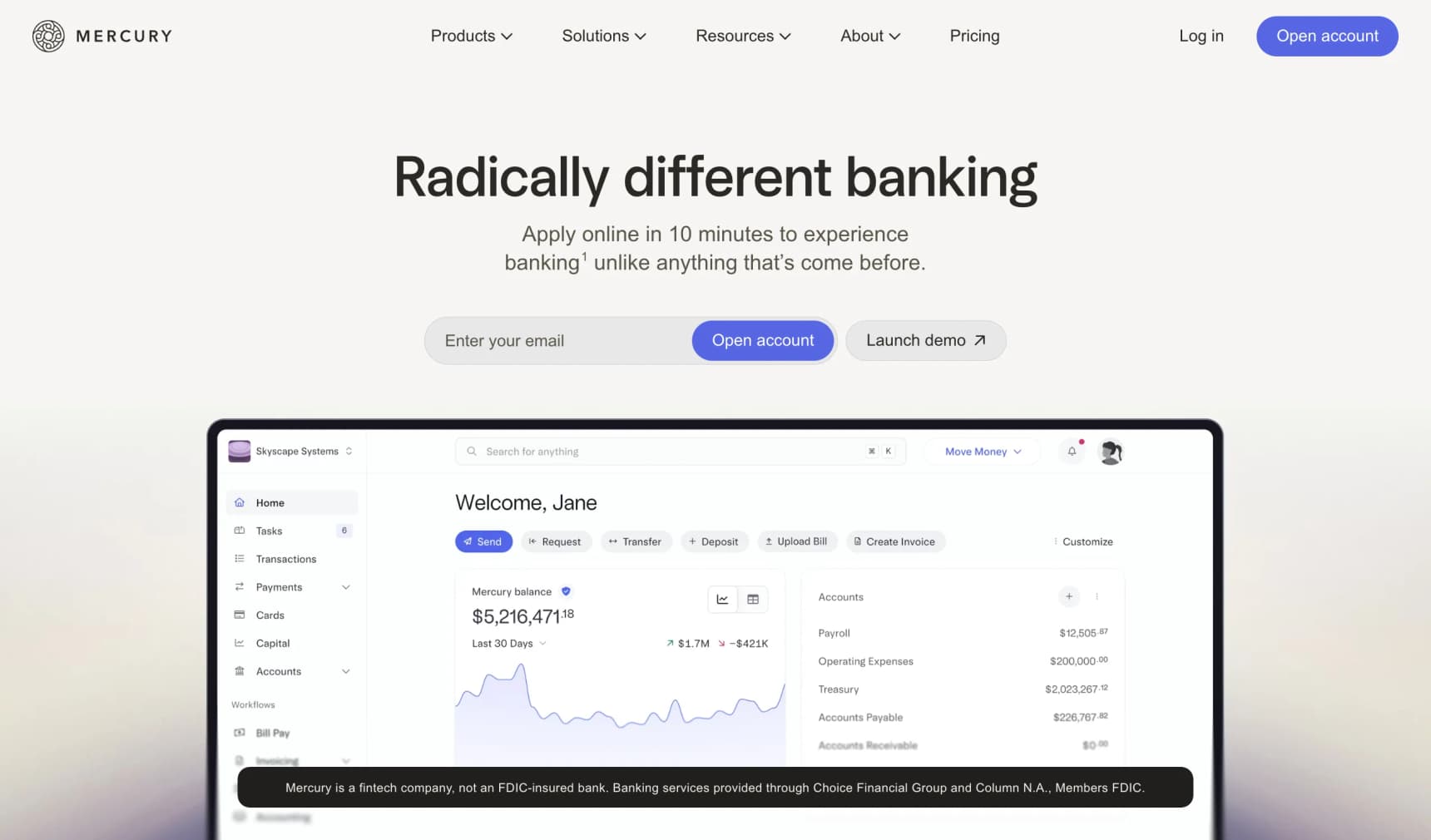
- Open a business bank account. Most online banks (Mercury, Bluevine, Novo) offer them for free. Keep personal and business money separate from day one. Mixing them is the single most common reason first-timers have tax nightmares.
- Register for sales tax in your home state. In the US, once your store is making real money in other states too (typically once you pass $100,000 in sales or 200 orders in a given state in a year), that state will want you to collect and pay sales tax on their residents' orders. Until then, only your home state matters. Tools like Stripe Tax or TaxJar handle the multi-state math automatically once you need it. You don't need them on day one.
Outside the US: the equivalent is forming a Ltd (UK), GmbH (Germany), Sp. z o.o. (Poland), or similar, plus registering for VAT when you cross your country's threshold (for example, £90,000 in the UK, €45,000–€85,000 across most of the EU). Once you start shipping across borders instead of just within one country, a separate set of VAT and customs rules kicks in; our guide to selling internationally covers the EU's OSS scheme, UK import VAT, and US economic nexus in detail.
One thing to resist: don't pay $800 for a business formation agency. The ads are everywhere. Services like Stripe Atlas (for Delaware C-Corps, mainly useful if you plan to raise investor money), LegalZoom, or filing directly on your state's website will do the same thing for a fraction of the price. If you're starting your first online store, you're not raising investor money. File it yourself.
Step 5: Pick a Platform That Matches Your Stage
A "platform" is the software that runs your store: the product pages, the shopping cart, the checkout. You don't build this from scratch. You rent it.
Almost every "how to start an online store" article turns into a thinly disguised Shopify ad at this step. The honest truth is that for a beginner with 1–20 products, there are four realistic options, and they're closer to each other than the marketing would have you believe. Any of them will get you to your first sale. The differences show up later.
| Platform | Starts at | Extra fee per sale (beyond card fees) | Best for |
|---|---|---|---|
| Your Next Store | $25/mo (yearly) | 0% | Beginners who want AI to help build the store |
| Shopify | $39/mo | 0–2% | Biggest app ecosystem, safest default |
| Squarespace | $23/mo | 0% | Cheapest to start, very visual |
| Wix | $27/mo | 0% | Drag-and-drop website builder |
Here's the plain-English version of each:
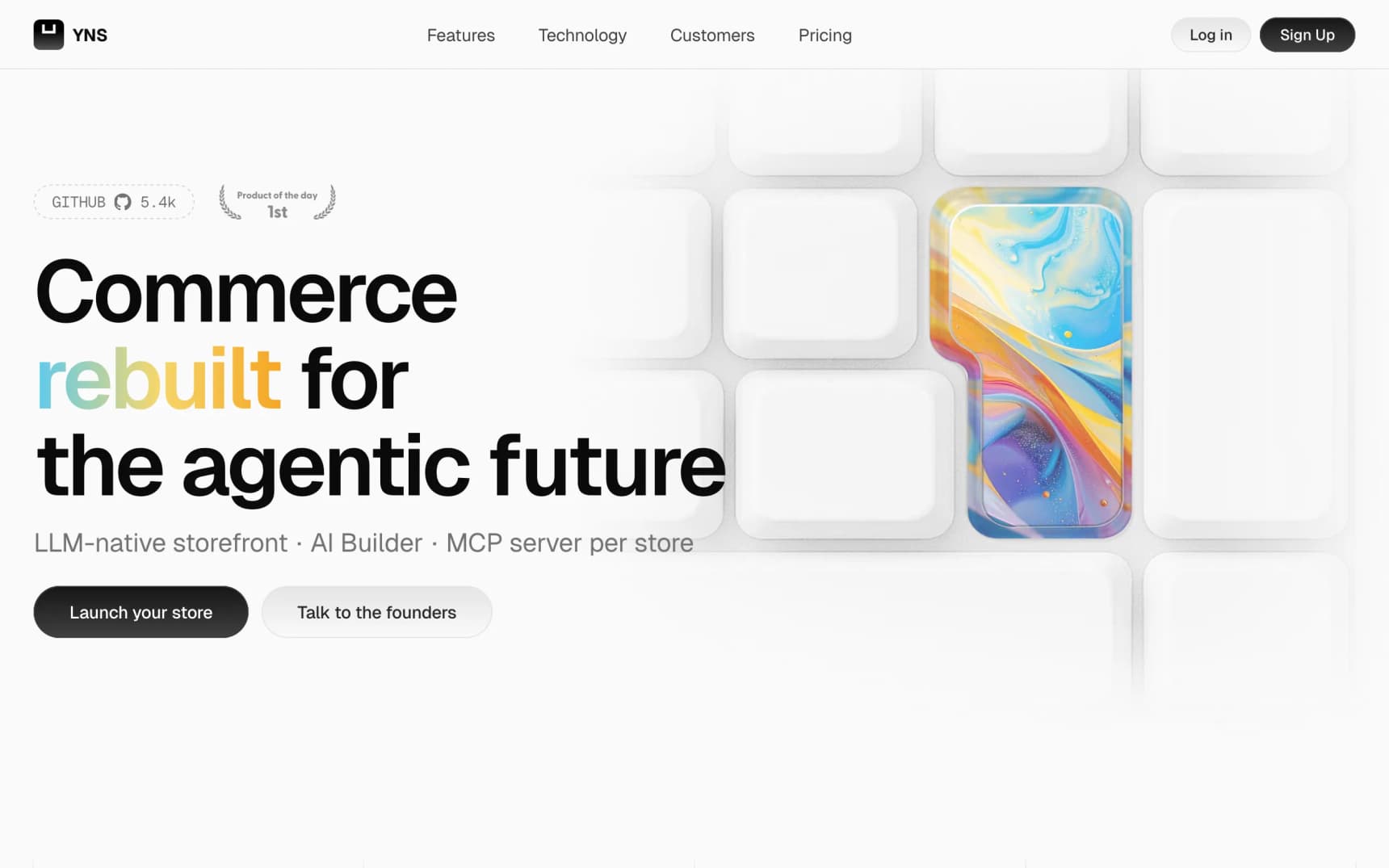
- Your Next Store (full disclosure: my company). You describe what you want in a chat and an AI builds the store with you. Reviews, email, search, and SEO are built in (these are things that cost extra as "apps" on most other platforms). No extra fee per sale beyond what Stripe charges for processing the card. Good fit if you want help getting started and don't want to assemble the store from 15 different apps.
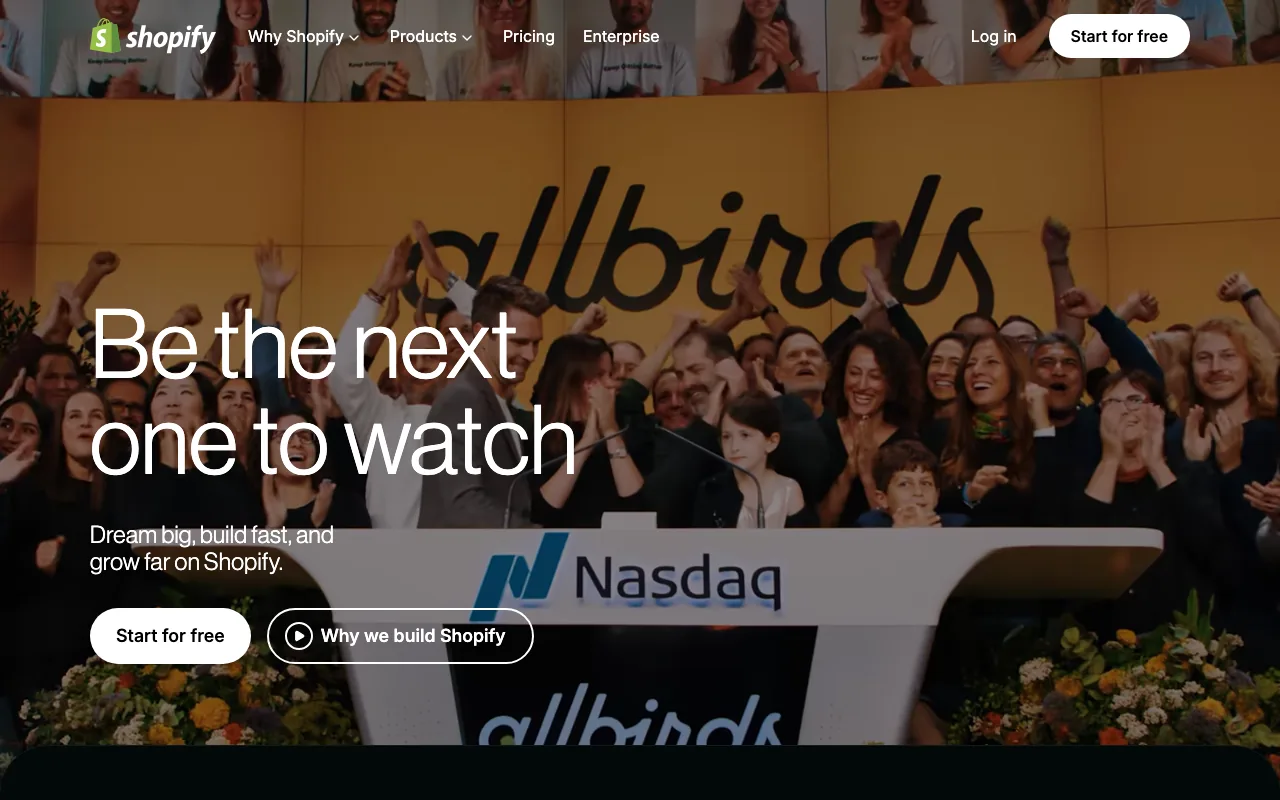
- Shopify. The most popular choice. It just works, and almost every service you'll ever want (email marketing, reviews, subscriptions, customer support) has a Shopify app. The downsides: those apps quickly add $100–$500/month to your bill, and Shopify charges a transaction fee of 0.5–2% on every sale unless you use their own payment system. Our breakdown of how much Shopify actually takes from a $100 sale walks through the real numbers.
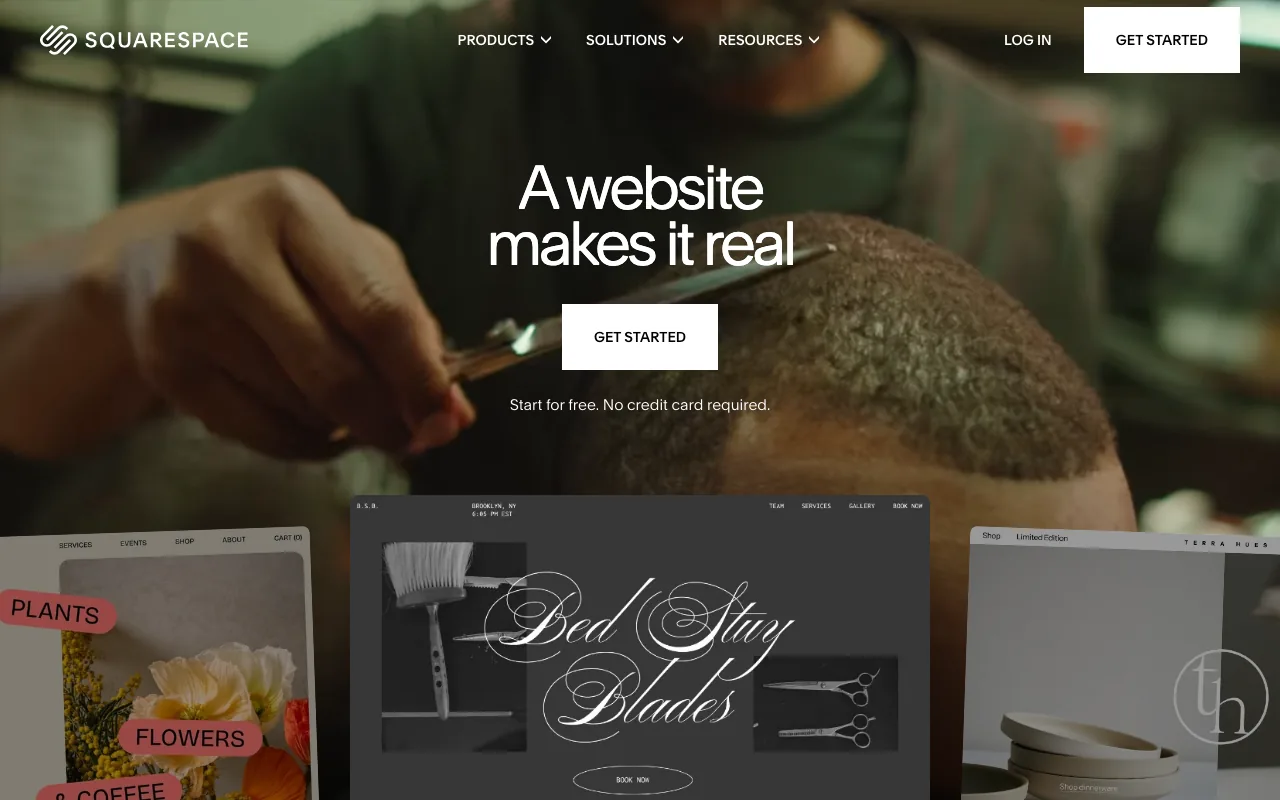
- Squarespace. The cheapest way to get a beautiful site. The templates look great out of the box. The catch: past a simple catalog, you'll hit walls fast. Great for a first drop or a creative portfolio with products attached; hard to grow past that. Our piece on Squarespace commerce alternatives explains when to move.
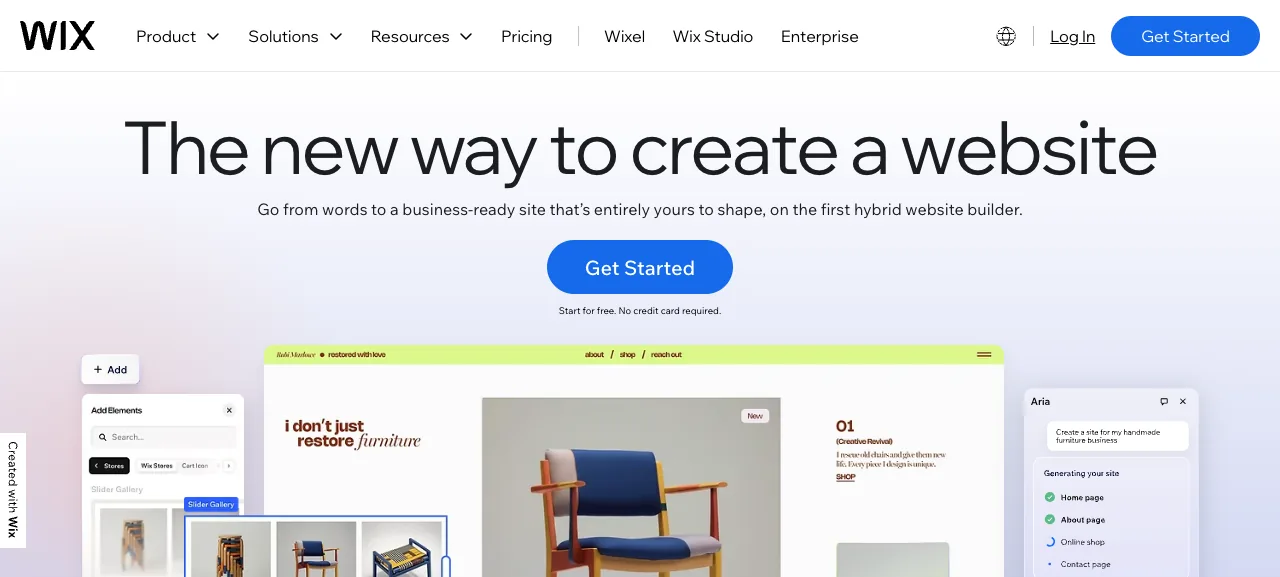
- Wix. Similar story to Squarespace: very visual, drag-and-drop editor, easy for non-technical users. Tends to feel clunky once your catalog grows. See Wix ecommerce alternatives if you're comparing.
If you're totally paralyzed: pick YNS or Shopify. You can't make a catastrophic wrong choice between them. YNS is simpler and cheaper at the start; Shopify has more apps once you scale. Either will take you to your first hundred customers.
One niche worth flagging: if you sell handmade or craft goods to a creative audience, Big Cartel and its alternatives covers the maker-focused tier (Gumroad, Sellfy, Square Online) that this short list skips, with real Lighthouse benchmarks for each.
The one rule that matters more than the choice: pick one and commit for six months. Platform-hopping is the silent productivity killer; every migration costs a week of work and focus that could have gone into getting customers.
Step 6: Wire Up Payments
"Payments" means letting customers pay with a credit card, Apple Pay, or Google Pay. This is the step first-timers dread, and it's mostly a non-event.
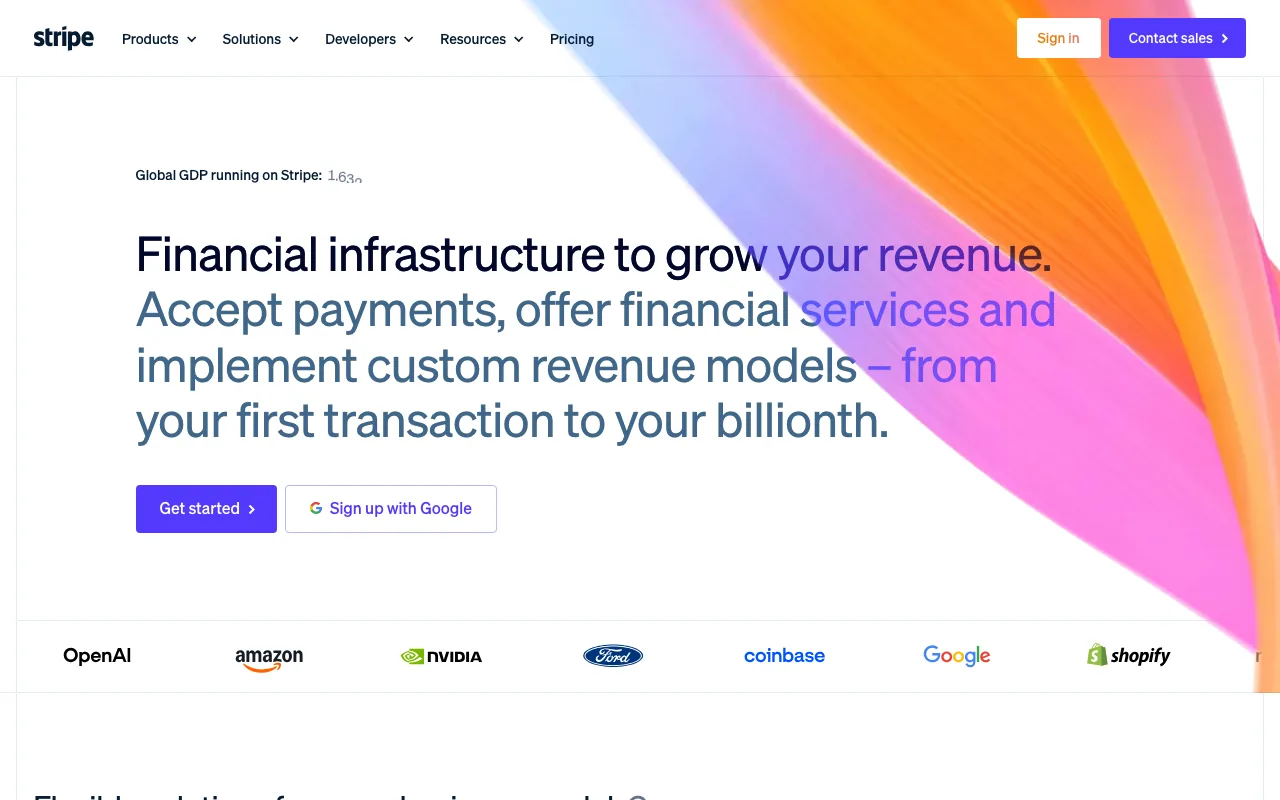
On every platform in Step 5, connecting payments takes about five minutes. You'll be asked to sign up for a payment processor (the service that actually charges the card and deposits the money in your bank account). On Shopify and Squarespace, they offer their own. On YNS and most others, it's Stripe, the most widely used option. You click through a form, enter your bank account details, and it's done.
The things that actually matter:
- Every card processor charges about the same: ~2.9% + $0.30 per sale. Stripe, Shopify Payments, PayPal, and Square are all within a few cents of each other. Don't stress about which one. What matters more is the extra "platform fee" that some platforms add on top. See the table in Step 5.
- Turn on Apple Pay and Google Pay. Customers pay with a fingerprint or face scan instead of typing in 16-digit card numbers. Stripe's own data shows these can convert 20–30% better than card forms. Every platform supports them. This is a free 20% boost in sales for a single toggle.
- Don't worry about sales tax automation until you're making real money. In the US, once you're past $100,000 in sales a year in a state that isn't yours, the state wants tax. Tools like Stripe Tax or TaxJar handle this for you. Until then, your home state's sales tax is all you need to collect.
- Skip crypto payments on your first store. Fewer than 1 in 100 customers will use it, and adding it to your checkout can slow the whole thing down.
Remember: with ~70% of shoppers abandoning their cart before checkout, every friction point you remove directly translates into sales. A smooth checkout with Apple Pay enabled is worth more than most of the "conversion optimization" tricks in any guru's course. If you're ready to go deeper, our checkout optimization playbook walks through the five-layer fix in order.
If you want the full walkthrough of Stripe, from a simple pay-link to a full storefront, we wrote a Stripe selling playbook for that.
Step 7: Design a Store That Doesn't Need a Designer
Here's the truth about online store design in 2026: a clean default theme with great product photos beats a custom design with mediocre photos, every time. The thing that looks "off" about most first-time stores isn't the layout, it's the photography.
Also: roughly three out of four shoppers will visit your store on a phone, not a computer (Statista, 2024). Design for phone screens first. Check every page on your own phone before launch, not just on your laptop.
The design checklist (aggressively short):
- Product photos on a clean background. White, light grey, or one consistent lifestyle setting. Consistency beats variety.
- Three photos per product minimum. One straight-on hero shot, one showing the product in use or on a person, one close-up of the details.
- One hero image on the homepage. Not a slideshow (a "carousel"). Shoppers ignore the second slide about 96% of the time.
- Clear product names. "Merino Crewneck Sweater, Navy" beats "The Classic™." Say what it is.
- A short product description on top, then bullet points for the details.
- A real About page with your face on it. Small stores sell because people trust the founder. Hiding behind a brand name is a rookie mistake.
- Nothing else on launch day. No pre-launch countdown timer. No exit-intent popup. No cookie banner the size of Texas. No "Spin to win" discount wheel. Add these in year two if ever, not week one.
The AI-powered builders inside YNS, Shopify, and Wix can handle the scaffolding of the site in an afternoon. The part that still takes human effort is the photos. Our guide to designing a store in 15 minutes with AI shows what that looks like.
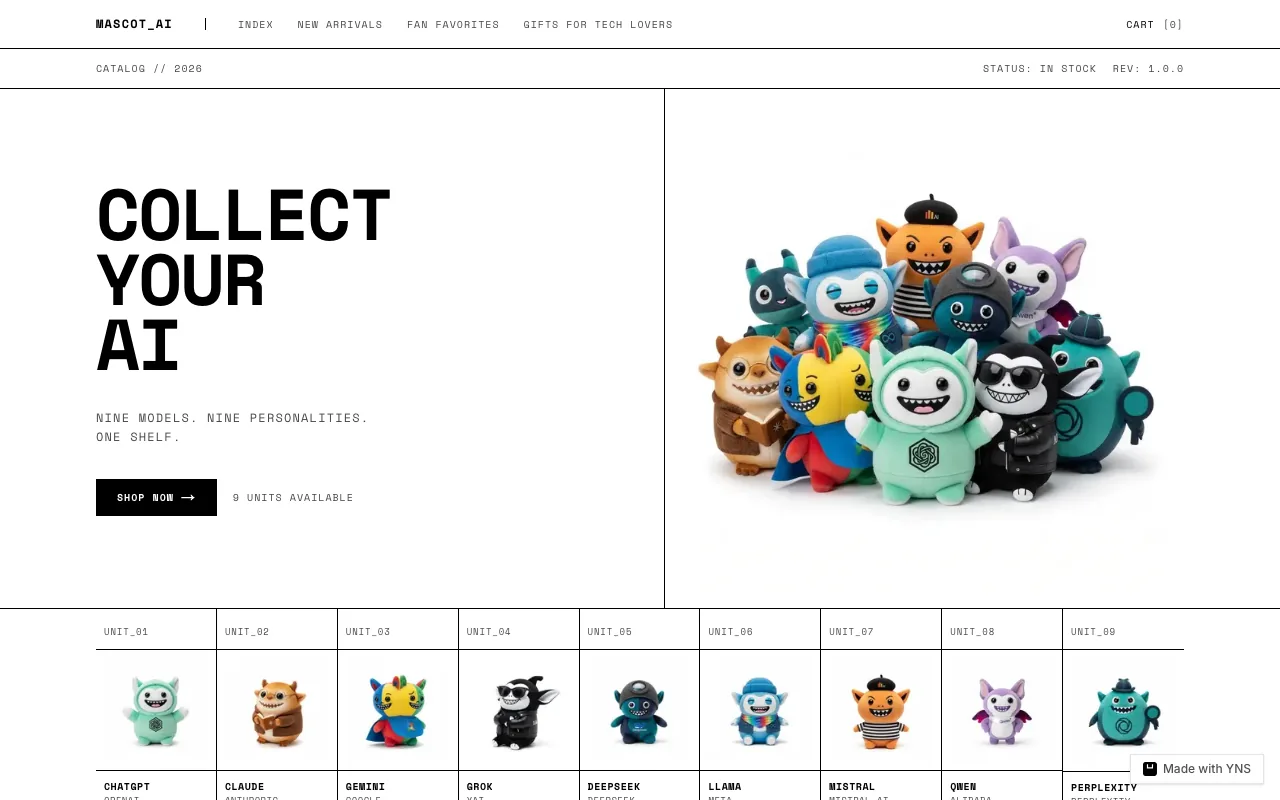
Here's a real store (MASCOT_AI) that was built by a solo founder with an AI builder. Notice the consistency of the photography, the narrow catalog, and the strong point of view: all Step 7 essentials.
Step 8: Figure Out Shipping and Tax Before Launch
The two most common first-month customer emails are "where's my order?" and "why did the price change at checkout?" Both are preventable.
Shipping
Pick one simple shipping rule for launch. The simplest: flat-rate. Something like "$5 shipping on everything, free if you spend more than $50." Customers understand it instantly, and you don't have to explain a weight-based table in every reply.
Rough US shipping costs in 2026:
- USPS Ground Advantage for items under 1 lb: $5–$9
- UPS or FedEx Ground for items 1–5 lb: $10–$18
- International shipping is its own headache: $15–$50, slow delivery, and customs drama every few orders. If you're a one-person operation, consider offering US-only shipping for your first 90 days. You can add countries once the core operation runs smoothly.
Tools like Shippo and Easyship, plus the shipping features built into Shopify and YNS, give you discounted carrier rates (often 20–40% cheaper than if you walked into a post office). Use them. Don't pay retail shipping rates.
Tax
Sales tax in the US is, famously, a mess (the plain-English sales tax guide goes deeper). 45 of the 50 states charge sales tax, each with different rates, and tax is calculated based on the buyer's address, not yours. The rule of thumb for a brand-new store:
- Only your home state matters for now. You collect and pay your home state's sales tax on every order shipped there.
- You can ignore other states until you're big enough for them to notice. The threshold is usually around $100,000 in sales or 200 orders into a given state in one year. Below that, the state doesn't require you to collect their tax.
- Once you cross the threshold, tools like Stripe Tax or TaxJar will calculate the right amount automatically. You don't need to become a tax expert.
One more thing about pricing: in the US, the price shown on your store is before tax, and tax is added at checkout. In Europe, the price shown includes VAT. If you sell to both, your platform should handle this automatically (YNS, Shopify, Squarespace, and Wix all do). If your platform can't, that's a real red flag.
Step 9: Launch With One Marketing Channel
The biggest marketing mistake first-time founders make is trying to do SEO, Instagram, TikTok, email, paid ads, and Amazon all in month one. They don't get good enough at any one of them for it to work. The stores that break through almost always pick one channel and go deep on it first.
Reality check on the money side: getting a single customer through paid ads has gotten meaningfully more expensive over the last few years, with apparel brands often paying $40–$80 to make one sale. That's before the cost of the product. This is why Step 9 is "pick one channel," not "go big on ads."
Pick one main channel based on where your Step 1 customer already spends time, and one backup. Run both for six months before adding a third.
- Instagram or TikTok (free posting). Good if your product is visual and your customer lives on social. Expect 6–12 months of posting 3–5 times a week before it compounds. Most first-timers quit at month three.
- Paid ads on Meta or TikTok. Good after you already have 10–30 pieces of free content that's gotten some engagement. Not a good first move for a new brand with no audience.
- Google search (SEO). Good if your customer types specific things into Google ("vegan wool socks", "beginner guitar capo"). Slow (6–12 months) but cheap and keeps compounding. This very post is an SEO play.
- Creator gifting. Send 50 small creators (5,000–50,000 followers) free product. About 15% will post about it. For most brands under $10k/month, this is the single highest-return channel.
- Pop-up markets and local shops. Often underrated. One weekend at the right pop-up can earn more than a month online and gives you stories to post afterward.
- Email. Not a launch channel (you need customers first), but the highest-return channel once you have them. Start collecting email addresses on day one, even before you have products.
One channel. Six months. Then expand. "Omnichannel from day one" is advice meant for brands that already have real traction, not for the first $1,000 in sales.
What Kind of Store Should You Start? (Cluster Guides)
This pillar covers the how. For the what (category-specific startup costs, supplier shortlists, realistic timelines, and the quirks of each niche), the guides below go deep on individual product categories.
Apparel & fashion:
- How to start a clothing brand: the honest playbook including tech packs, factory minimums, and real math
- How to start a thrift store: sourcing, pricing, and selling secondhand goods online, for the resale side of fashion rather than making new product
- How to start a jeans brand and how to start a jacket brand: denim and outerwear specifics. How to start a fitness apparel brand covers the compression, moisture-wicking, and sizing-matrix specifics of activewear. Streetwear and swimwear guides are next in the /blog/how-to-start-a-* series.
- How to start a sneaker brand: manufacturing paths, trademark basics, and how limited drops actually work, for the sneaker-specific side of footwear.
Beauty & personal care:
- How to start a skincare brand: the three ways to make your product, the FDA rules in plain English, and pricing that actually profits. Makeup, perfume, and haircare guides coming in the same series.
- How to start an essential oils business: sourcing pure oils versus formulating your own blends, and why the EU and UK require a Responsible Person and safety file the US doesn't.
- How to start a peptide store: which peptides you can legally sell (and which will get you shut down), for the copper-peptide and collagen wave.
- How to start a candle business: the boring safety steps, wax choices, and the math that actually works. Plus how to start a soap business, the other classic starter-business category with the lowest barrier to entry.
- How to start a gift basket business: curating and reselling other people's products instead of making your own, plus the cottage-food and alcohol rules that trip up first-timers.
Food & beverage:
- Coffee, tea, chocolate, hot sauce: cottage food laws vary wildly by state. Category guides handle the legal details.
Home & lifestyle:
- How to start a furniture store: freight costs, sourcing models, and an honest read on whether furniture is a good first category. Home decor and pet supplies share the same high-AOV, shipping-complexity profile.
- How to start a bedding brand: why sheets are one of the most commoditized products in ecommerce, and the sourcing, labeling, and margin math that still makes it work.
Digital-first:
- Digital products, print-on-demand, subscription boxes: the models with the lowest inventory risk and the highest margins.
If you haven't picked a category yet, re-read Step 1. The category is downstream of the customer.
What It Actually Costs to Start an Online Store in 2026
The numbers most "how to start" guides won't tell you, pulled from real founder breakdowns and industry reports:
| Your approach | Upfront cost | Monthly spend | What you get |
|---|---|---|---|
| Digital product side project | ~$150 | ~$25 | Domain, platform subscription, one product |
| Print-on-demand / dropship test | ~$500 | ~$75 | 3–5 SKUs, ad testing budget, simple site |
| Small batch / local production | ~$3,000 | ~$250 | One capsule, real photography, first inventory |
| Serious first drop | ~$12,000 | ~$800 | 50–150 units across 3–5 SKUs, real marketing |
| Full brand launch | $30,000+ | $2,500+ | Factory run, PR, paid ads, photo shoots, staff |
Two warnings buried in that table:
- The $30,000+ launch almost never earns back year one. Plan for 18 months of cash flow before the P&L turns green.
- Only the first two rows are actually low-risk. Every row below "print-on-demand" has real inventory risk. If you're betting money you can't afford to lose, stay in the top two rows until you've proven demand.
The website itself is a rounding error in all of this. $25–$40/month for a platform. A hundred bucks a year for a domain. The rest is inventory, marketing, and patience. If you want the full path-by-path breakdown with Year 1 and Year 2 totals, see how much an ecommerce website actually costs.
Common Mistakes to Avoid
Patterns that show up over and over in first-time stores. None of these are fatal by themselves, but they're the ones that most often send founders back to the drawing board:
- Picking the product before the customer. Step 1, again.
- Spending on branding before demand is proven. A $1,500 logo doesn't make anyone buy. Test the idea first.
- Overbuying stock on the first run. Buy what you can realistically sell in 60 days, not 12 months.
- Launching with 40 different products. Three is plenty. Add more once you know what sells.
- Trying to run six marketing channels at once. One. Six months. Then add a second. (See Step 9.)
- Ignoring email marketing. It's the highest-return channel online. Collect email addresses from day one.
- Switching platforms in month three. The cost of rebuilding the store is almost always higher than whatever problem you're escaping.
- Forgetting about returns and refunds. Build 10–20% of your sales into your costs as a refund reserve. The average return rate for apparel is around 26% per a 2023 National Retail Federation study.
- Not talking to actual customers. Your first 20 buyers are worth more than any course on marketing. Email each of them personally.
- Treating the store as the business. The store is just the distribution point. The business is the product, the customer, and the relationship you build with them.
The Bottom Line
If you remember one thing from this post, remember this: most first stores don't fail because the founder picked the wrong platform. They fail because the founder skipped Step 1.
The founders who succeed are weirdly narrow. They know exactly which person they're selling to. They validate demand before they spend. They pick a platform, any platform, and stop second-guessing it. They launch on one marketing channel and commit to it. They treat their first 20 customers like gold. They don't buy a logo before they have revenue.
Everything else, platform choice, shipping rules, tax compliance, design tweaks, is a rounding error next to Step 1.
You don't need permission to start. You don't need a perfect plan. You need a narrow customer, proof they'll pay, and the discipline to not do five things at once. The rest is execution, and execution you can learn as you go.
Your Next 60 Minutes
If this post made you want to actually start, here's a tiny plan for the next hour. Do this and you're already ahead of almost everyone who reads "how to start an online store" articles and then closes the tab.
- Minute 0–15: Step 1 on paper. Finish the sentence: "I sell ___ for ___ who struggle with ___." Write three versions, pick the one that feels slightly too specific.
- Minute 15–30: Find where your person hangs out. List five specific places online your Step 1 customer already spends time: subreddits, Discord servers, Instagram accounts, TikTok niches, Facebook groups. You'll use this list for both Step 2 (validation) and Step 9 (marketing).
- Minute 30–45: Draft a one-line pitch + three bullet points. No landing page yet. Just the words: a headline that names your customer's problem and three bullets on what your store does differently. This is the raw material for everything downstream.
- Minute 45–60: Open a free trial. Pick a platform from Step 5 (YNS, Shopify, Squarespace, or Wix; you can change later) and just start a free trial. Don't buy a domain. Don't design anything. Just poke around for 15 minutes.
That's it. You now have more clarity than most people get in their first month. Come back to Step 2 (proving demand) when you're ready.
FAQ
How much does it cost to start an online store in 2026?
Between $150 and $30,000+, depending mostly on your product supply model. A digital product or print-on-demand side project starts at $150–$500. A small batch with local production runs $3,000. A serious first drop with factory inventory is $10,000–$15,000. A full brand launch is $30,000+. The website itself is a small fraction: $25–$40/month for a platform, $10–$20/year for a domain.
Do I need to register a business before I can sell online?
Yes, before you collect your first payment. In the US, an LLC ($50–$500 depending on state) plus an EIN (free) is the standard stack. This keeps personal and business finances separate and protects your personal assets. You don't need a business plan or investors. Just the paperwork.
What's the best platform for a beginner in 2026?
For non-technical founders with 1–10 products: Your Next Store, Shopify, or Squarespace will all work. YNS has 0% platform transaction fees and Elliot, the AI Builder; Shopify has the deepest app ecosystem; Squarespace is the cheapest to start. For developers: the open-source YNS template or rolling your own Next.js + Stripe stack gives you the most control. Platform choice matters less than people think. Customer selection matters much more.
How long does it take to launch an online store?
On the fast path (digital product or print-on-demand, one SKU, simple platform): 48 hours to first sale. On the standard path (small batch production, real photography, 3–5 SKUs, a marketing runway): 6–12 weeks. On the serious path (factory production, tech packs, PR plan, paid launch): 6–9 months. Most founders try to rush the serious path and regret it.
Can I start an online store with no money?
Technically yes, practically no. A digital product business can start for under $50 (domain + free trial on a platform). Print-on-demand starts around $500 when you factor in ad testing budget. But even the cheapest launch needs roughly $200–$500 to validate demand in Step 2. "$0 to store" content on TikTok usually leaves that part out.
Do I need to know how to code to start an online store?
No, not at all. Every platform in Step 5 (YNS, Shopify, Squarespace, Wix) is designed for non-technical founders. You click, drag, and type. You never see a line of code. The AI builders in YNS, Shopify, and Wix will literally generate the store for you if you describe what you want. If you're curious about the technical side later, we have a separate guide on building a custom store with Next.js, but that's for people who already know how to code.
What should I sell in my online store?
The wrong question. The right question is: who am I selling to, specifically enough that they'd pick me over a chain? (Step 1.) Once you have a narrow customer, the product follows. If you want a category shortlist: digital products, print-on-demand apparel, candles, soap, coffee, and subscription boxes are the six most forgiving starter categories in 2026. But a well-chosen customer in a "boring" category beats a poorly-chosen customer in a trending one every time.
How do I drive traffic to a new online store?
Pick one marketing channel and run it for six months before adding a second (Step 9). For visual products: Instagram or TikTok organic, then paid. For search-driven products: Google / SEO. For most brands under $10k/month: creator gifting is the single highest-ROI channel. The "omnichannel from day one" advice is for brands that already have product-market fit.
Should I use Shopify, or is there something better?
Shopify is the safe default, not the optimal choice. For a non-technical founder with a simple catalog, Shopify works and has the biggest app ecosystem of any platform. The catch: the real cost of Shopify is higher than the sticker price once you add transaction fees and paid apps. YNS, Squarespace, and Wix are all cheaper to run at the same size, and the differences between them become smaller the simpler your store is.
What's the single biggest mistake first-time store owners make?
Spending money on the store before proving anyone wants the product. The order a lot of first-timers follow is: buy a domain → design a logo → buy inventory → build the website → start marketing → realize nobody is buying. The order the 10% who succeed follow is: pick a narrow customer → talk to 50 of them → take pre-orders → then buy inventory, build the website, and launch. The difference is about $5,000 and six months.
Do I need a business plan to start an online store?
No. A business plan is something you write for a bank or an investor, and most first stores don't need either. What you do need is: a specific customer in mind (Step 1), a rough idea of what it costs you to make and ship each product, and a price that covers those costs with room left over for marketing and returns. That can fit on one index card. If you can't fit it on one index card, the plan isn't clear enough yet.
How do I pick a name for my online store?
Shorter is better than clever. Pronounceable is better than cool. Check that the .com domain is available (use Namecheap or Porkbun to check, both cost $10–$15 a year). Check that the name is not trademarked in your country (the USPTO trademark search is free and takes five minutes). Don't spend two weeks on this step. A bad name has stopped roughly zero businesses from succeeding. An unsold inventory pile has stopped thousands.