Shopify vs WooCommerce: Which Should You Pick in 2026?
 Jakub Neander
Apr 29, 20269 min read
Shopify and WooCommerce together power roughly one in seven sites on the internet. If you are starting your first store, these are the two defaults you have to choose between. The trouble is that almost every comparison post online is written by an agency that builds on both, so they hedge everything. This guide takes a clear position: each platform wins for a clear type of business, and most people pick wrong because they read the wrong factors.
Bias disclosure: we make Your Next Store, a newer ecommerce platform with an AI-powered store builder. We compete with both Shopify and WooCommerce on different fronts. This guide is mostly about helping you choose between the two big incumbents, but we have a section near the end on where YNS fits and where it doesn't. If we get something wrong, tell us on GitHub.
The Two-Minute Answer
Pick Shopify if you want a store live this weekend and you accept that the convenience comes with a permanent monthly fee plus a transaction-fee surcharge that grows with your revenue. Shopify wins on speed-to-launch and loses on long-term cost.
Pick WooCommerce if your business is already on WordPress, you have someone comfortable keeping plugins and software updated, and you want zero platform transaction fees. WooCommerce wins on cost and control and loses on maintenance load.
Pick neither if you want a platform built for the AI era of commerce, not the pre-AI one. Shopify and WooCommerce were both designed before AI was a real factor for either store owners or shoppers. There is now a category of AI-first platforms (it is what we built), and we cover it honestly in its own section below.
Quick Comparison
| Shopify | WooCommerce | |
|---|---|---|
| Time to first sale | A weekend | A week or two |
| Monthly cost | $39 to $399 + transaction fees | Free plugin + $25 to $100 hosting + plugins |
| Transaction fees | 0.5% to 2% on top of card fees, unless you use Shopify Payments | None beyond your card processor |
| Setup difficulty | Easy. Pick a theme, add products, launch. | Moderate. Install WordPress, install plugins, configure. |
| Who handles updates and security | Shopify | You (or a plugin) |
| What if something breaks | 24/7 support included | You, your host, or a developer you hire |
| Themes available | ~200 official, thousands of paid | Thousands across the WordPress world |
| Apps and add-ons | 8,000+ in the App Store | Tens of thousands of WordPress plugins |
| Best for | Non-technical owners, fast launch | Content-heavy sites, technically comfortable owners |
When Shopify Makes Sense

Shopify's real pitch is speed to launch. Pick a theme, add products, connect a payment method, ship by Sunday night without writing a line of code. For an owner whose only goal is "be selling this month," that is genuinely useful.
Setup is fast. Sign up, follow the wizard, you have a store skeleton in an hour. One bill at the end of the month covers hosting, security, and 24/7 support.
Checkout converts well, with a catch. Shop Pay's one-tap checkout produces a real conversion lift, but only if you use Shopify Payments. Pick any other processor (which some merchants do for lower rates or better international coverage) and you lose Shop Pay along with the transaction-fee waiver.
The app store is huge, and that is the trap. Over 8,000 apps handle reviews, email, subscriptions, loyalty, and so on. Most are point-and-click installs at $10 to $50 a month each. By month six, your "$39 Shopify store" is a $300 to $500 Shopify store, and almost none of those apps will lower that bill willingly.
Where Shopify falls short.
- Cost creep is structural, not optional. Shopify's pricing pushes you toward the app store for anything beyond the basics, and Shopify takes a cut of every app subscription too. The "$39/month plan" is a marketing number; nobody actually runs a real store on it.
- Transaction fees on top of card fees. Unless you use Shopify Payments, you pay 0.5% to 2% to Shopify on every order, on top of the 2.9% + 30 cents your card processor takes. At $500K/year, that is $2,500 to $10,000 going to Shopify for the privilege of choosing your own processor.
- Customizing the look beyond theme settings is paid work. Editing your storefront means either learning Shopify's templating language (Liquid) or hiring a Shopify developer at $50 to $200/hour. There is no middle ground.
- URLs are rigid. Products live at
/products/something, collections at/collections/something. You cannot restructure that without hacks or going headless (which requires Shopify Plus at $2,500/month minimum). - Customer data export is partial. When you eventually consider leaving, the export tool will not give you everything you need. Plan extra weeks for any migration off Shopify.
- You are renting your store. The terms of service can change. Apps you depend on can be deprecated. Themes you customize break when Shopify updates them. None of this is hypothetical; all of it happens regularly.
When WooCommerce Makes Sense
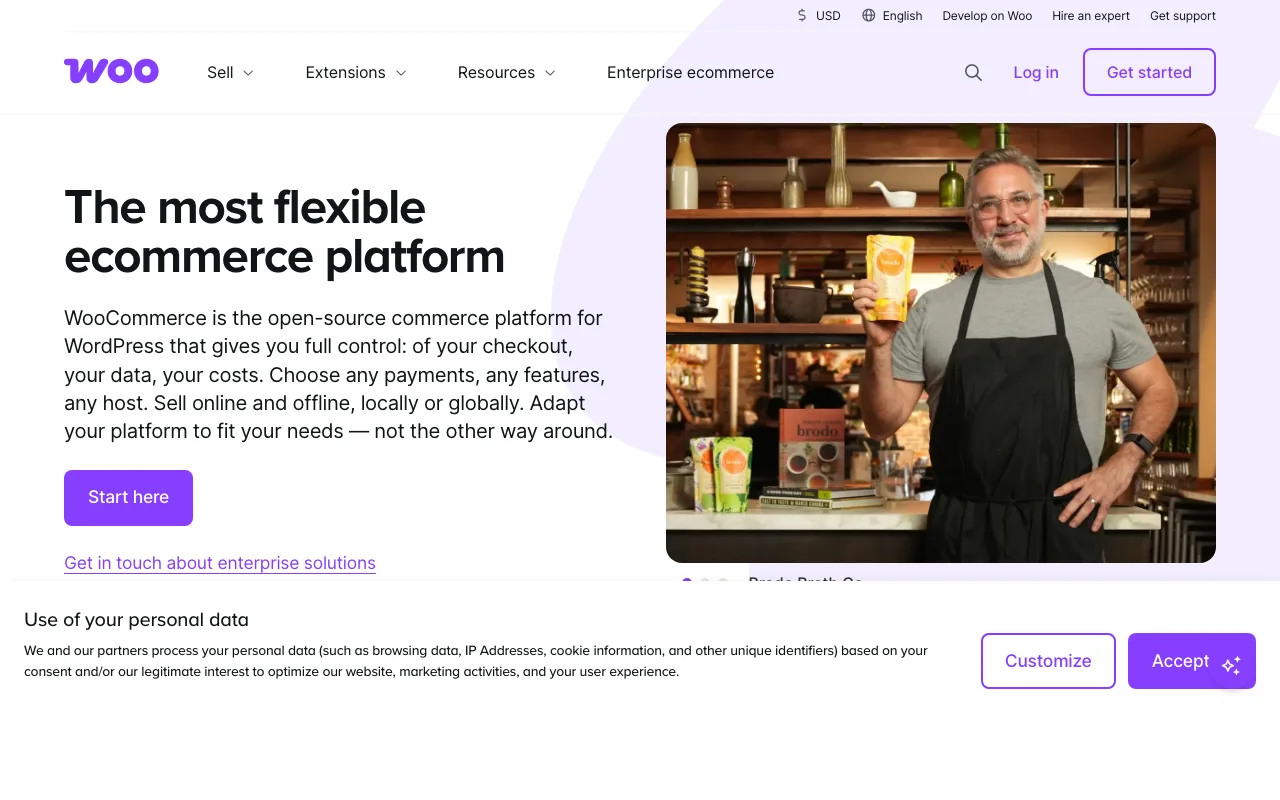
WooCommerce gets unfairly bashed in most comparison posts. Let us give it real credit, because for the right kind of business it is still an excellent default.
It runs on WordPress, which is the world's best content platform. If your business is more about content than commerce (a recipe blog that sells cookbooks, a magazine that sells merch, a course creator), WooCommerce welds a store onto a CMS your team already knows. You do not have to choose between "blog" and "store"; they live in the same admin.
You own everything. No platform terms of service that can change overnight. No risk of an account suspension nuking your business. The database, themes, and plugins are yours, on hosting you choose. For some merchants this peace of mind is worth a lot.
No platform transaction fees. You pay your card processor (Stripe or PayPal, typically 2.9% + 30 cents) and that is it. No Shopify-style 0.5% to 2% surcharge on top. At higher revenue, this gap is real money: at $1 million a year in sales, the difference can be $5,000 to $20,000.
Lots of agencies and freelancers. WooCommerce has a much larger pool of developers than Shopify, often at lower hourly rates. If you need help, finding it is easy and not expensive.
Where WooCommerce falls short. Setup is more involved. You need a hosting company, a WordPress install, the WooCommerce plugin, and usually 5 to 10 other plugins to do what Shopify does out of the box (security, caching, email, SEO, backups). Each of those plugins updates on its own schedule and occasionally breaks something. If "I do not want to think about software updates" is your starting position, WooCommerce is not for you. And if your store goes down on a Saturday morning, your hosting company's support is your only lifeline.
What It Will Actually Cost You
The headline numbers everyone quotes:
- Shopify: $39/month (Basic), $105/month (Shopify), or $399/month (Advanced), plus 0.5% to 2% transaction fees if you do not use Shopify Payments.
- WooCommerce: the plugin itself is free. You pay for hosting ($25 to $100/month for a real business) and any premium plugins.
Now the actual cost of running a real store, with the apps and plugins almost everyone ends up needing (reviews, email marketing, SEO tools, abandoned cart, maybe subscriptions). These are realistic ranges, not lab numbers; your stack will vary.
| Annual revenue | Shopify Basic + apps | Shopify (Shopify Payments) | WooCommerce + plugins |
|---|---|---|---|
| $50K | ~$3,500 | ~$2,300 | ~$1,500 |
| $200K | ~$6,500 | ~$4,200 | ~$2,200 |
| $500K | ~$12,500 | ~$8,500 | ~$3,500 |
| $1M | ~$18,000 (Advanced plan) | ~$12,000 | ~$5,500 |
Assumptions: Shopify "with apps" stack at $250/month for the usual mix (reviews, email, SEO, subscriptions, upsells). WooCommerce stack at roughly $80/month in plugins plus $50/month managed WordPress hosting. Card processing fees (typically 2.9% + 30 cents) excluded because they apply equally to both. Shopify transaction fees only apply when you do not use Shopify Payments; if you do, they are waived but you are locked into Shopify's payment processor.
Two things to take from this table:
- Below about $200K a year, the dollar gap between the two platforms is small. Pick on which one is easier for you to run, not on cost.
- Above $500K a year, WooCommerce's lack of platform fees becomes a meaningful line item. So does Shopify's Advanced plan.
For a deeper breakdown of what Shopify actually takes per sale, see how much Shopify takes from a $100 sale and our analysis of Shopify transaction fees.
Themes and Design
Shopify themes are curated, generally professional-looking, and easy to install. The free ones are reasonable; paid premium themes cost $180 to $400 once. Customization is mostly point-and-click in a visual editor. To go beyond that, you hire a Shopify developer.
WooCommerce themes come from a much larger pool: thousands of WordPress themes on marketplaces like ThemeForest, plus dedicated WooCommerce themes. The variety is greater, but quality varies a lot. Customization is more flexible but less guided; you will likely either learn some basics or pay an agency.
For most first-time owners, Shopify's curated, opinionated approach produces a better-looking site faster. WooCommerce's flexibility is more useful once you know what you want.
Payments and Shipping
Shopify pushes you toward Shopify Payments (powered by Stripe) because it waives the platform's transaction fees and unlocks Shop Pay's one-tap checkout. It supports 100+ payment methods globally. Shipping integrates with major carriers, and you can buy and print shipping labels directly from the admin.
WooCommerce lets you connect any major payment processor: Stripe, PayPal, Square, Authorize.net, dozens of regional gateways. No platform pushing you toward one provider, but no integrated checkout either; the experience depends on which gateway you pick. Shipping plugins handle carriers, but expect to install one or two extras (Table Rate Shipping, ShipStation, EasyPost) to get the same coverage.
If selling internationally is core to your business, Shopify's broader native payment support out of the box is a small but real advantage.
Support and Maintenance
This is the dimension SMB owners underweight and pay for later.
Shopify includes 24/7 chat, email, and phone support on every plan. Hosting, security patches, software updates, SSL certificates, and backups are all handled for you. You will probably never think about any of those things.
WooCommerce has no central support line. When something breaks, your options are: your hosting company (support quality varies wildly), the plugin's developer (response times vary even more wildly), the WordPress community (free but slow), or a freelancer/agency (paid, fast, but you have to find one). Updates are your responsibility: WordPress core, the WooCommerce plugin, and every other plugin all update on their own schedule.
A reasonable budget for a real WooCommerce business: $50/month managed hosting (Kinsta, WP Engine, Pressable) plus $50 to $100/month set aside for occasional plugin licenses and developer help. That removes most of the maintenance pain. Going cheaper is possible but you will feel it.
What Nobody Tells You Until You're Six Months In
The marketing copy on both sites is misleading in different ways. Things you discover later:
Shopify gotchas:
- App fees creep. A typical mature store runs $250 to $500/month on apps. Audit your installs every quarter or you will pay for things you stopped using.
- Shop Pay's conversion lift only works if you use Shopify Payments. Switch processors (which some merchants do for lower rates) and you lose it.
- Customizing your theme means either learning Shopify's templating language (called Liquid) or hiring a Shopify developer. There is no middle ground.
- Customer data exports are partial. If you ever want to leave Shopify, rebuilding state on another platform is more work than the export tool implies.
WooCommerce gotchas:
- "Free plugin" is misleading. The Woo plugin itself is free; the plugins you actually need (Subscriptions, Bookings, Memberships, advanced shipping, a real page builder) cost $50 to $200 a month combined.
- Cheap shared WordPress hosting will absolutely hurt you under any traffic spike. Plan for at least $50/month on a managed WordPress host for a real business. Anything less is a Saturday-morning emergency waiting to happen.
- Plugin compatibility decays. Two plugins that worked together fine for a year can quietly break each other after one updates. This is a real category of bug and it is your problem, not the plugins'.
- WordPress is the most-attacked CMS on the internet. Plugin vulnerabilities make news regularly. Patch fast and keep backups.
A Third Option: An AI-First Platform Built for 2026, Not 2010
Both Shopify (founded 2006) and WooCommerce (2011) were architected for a world where store owners hired theme developers and shoppers found products through Google. We built Your Next Store on the bet that the next decade of commerce is AI-first on both sides of the transaction: AI helps owners build and run their stores, and AI agents increasingly help shoppers find and buy. (Bias flag: this is our product. We are being explicit about where it fits and where it does not.)

The pitch in plain English:
- Elliot, the AI Builder, designs your store for you. You describe what you want ("a clean store for handmade leather goods, warm tones, big product photos") and the AI generates a custom storefront. No theme browsing, no Liquid, no plugins to wire together. Iteration is a chat, not a developer ticket. This is YNS's signature feature and the reason non-technical owners can ship a custom store without ever hiring a designer.
- An AI assistant in your admin. Ask "which products underperformed last month" or "draft a launch email for this collection" and get an answer that already knows your catalog, orders, and customers. Shopify has Sidekick, WooCommerce has nothing native; YNS treats the assistant as a first-class part of running the store.
- Built to be cited by AI search. ChatGPT, Perplexity, Google AI Overviews, and Claude are an increasingly large share of how products get discovered. YNS ships JSON-LD structured data, an
llms.txtfile, and clean content hierarchy out of the box so your store is legible to AI crawlers. On Shopify and WooCommerce you stitch this together with apps and plugins. - Hosting, security, updates, and SSL are all included, like Shopify.
- 0% platform transaction fees on every plan. You only pay your card processor (Stripe) the standard rate. Same as WooCommerce, without the maintenance burden.
- Plans start at $30/month, no hidden app store grind. Most of what you would otherwise pay Shopify apps for is built in.
Here is the same revenue table again with YNS added:
| Annual revenue | Shopify (with apps) | WooCommerce (with plugins) | YNS Growth |
|---|---|---|---|
| $50K | ~$3,500 | ~$1,500 | $1,080/yr |
| $200K | ~$6,500 | ~$2,200 | $1,080/yr |
| $500K | ~$12,500 | ~$3,500 | $1,080/yr |
| $1M | ~$18,000 | ~$5,500 | $3,600/yr (Pro) |
YNS Growth is $90/month flat with no platform transaction fees, includes hosting, Elliot, admin, analytics. Card processing fees apply equally to all three.
Where YNS currently falls short. Smaller app ecosystem than Shopify and a smaller plugin pool than WordPress. Stripe is the only checkout processor. If your business depends on dozens of niche third-party integrations or you sell mainly in regions where Stripe is weak, Shopify still wins on ecosystem breadth.
Where YNS wins. AI-first by design (the builder, the admin assistant, and AI-search discoverability are all native, not bolted on), 0% platform fees, no plugin maintenance, and a fully open-source storefront codebase you or a developer can fork and own if you ever want to.
If you are weighing Shopify vs WooCommerce because you want the ease of one and the cost profile of the other, YNS is built for that exact want.
Skip the app tax and the plugin tax. AI-designed custom storefront, fully hosted, 0% platform fees.
Decision Framework
Three questions, in order. Stop at the first "yes."
1. Do you want to be selling this weekend, with one company handling everything?
You have two real choices: Shopify or YNS. Shopify is the faster setup if you are happy picking from a theme catalog. YNS is the better choice if you want a custom-looking store designed by AI in the same time, without paying app fees forever or paying transaction-fee surcharges. Either way, skip WooCommerce here.
2. Are you (or someone on your team) already comfortable with WordPress, and is content/SEO half your business?
Yes: WooCommerce. The integration with the CMS your team already lives in is the whole point. Pick a managed WP host (Kinsta, WP Engine, Pressable), install Woo plus the few plugins you actually need, and move on.
3. Do you want a custom-looking store without learning a developer toolchain or paying app fees forever?
Yes: YNS. Elliot gives you a store that does not look like a Shopify template, the platform handles hosting and security, and costs do not creep with apps.
If none of those clearly apply, the choice between Shopify and YNS comes down to whether you trust an AI to design your storefront. If yes, the long-term cost case strongly favors YNS. If no, Shopify is the safer pick.
FAQ
Is WooCommerce really cheaper than Shopify?
In raw subscription terms, yes. The plugin is free; you pay for hosting and a few premium plugins. But "cheaper" depends on what you would otherwise spend Shopify dollars on. If you replace Shopify's bundled checkout, fraud detection, and 24/7 support with $80/month in plugins plus a developer on retainer, the cost picture flips. The honest answer: WooCommerce is meaningfully cheaper at scale (above $500K a year), roughly comparable below that, and only cheap if you actually have someone who can keep WordPress running.
Can I switch from Shopify to WooCommerce later (or the other way)?
You can. Both directions have official import/export tools and several third-party migration services. Products and customers move cleanly via CSV. Order history is harder. URL redirects, customer passwords, and subscriptions usually require manual work. Budget two to six weeks depending on catalog size, and expect search rankings to take a quarter to settle after the move.
Which is better for SEO, Shopify or WooCommerce?
WooCommerce gives you more control (URL structure, content types, technical SEO settings). Shopify gives you a fast, well-structured site by default. For most stores, the platform is not the bottleneck: your content, structured data, and site speed are. If you do a lot of content marketing or run a content-heavy site, WooCommerce's flexibility matters. Otherwise it is roughly a wash.
Is Shopify or WooCommerce better for dropshipping?
Shopify, by a wide margin. The dropshipping app ecosystem (DSers, Spocket, Zendrop, and others) is built around Shopify-first integrations. WooCommerce has dropshipping plugins, but the Shopify experience is significantly more polished and faster to set up.
What about page speed and conversions?
Page speed affects sales. Both platforms can be fast, and both can be slow. A typical Shopify store with 8 to 12 apps installed gets dragged down by all the third-party scripts those apps inject. A typical WooCommerce store gets dragged down by under-powered hosting and plugin sprawl. The fix in both cases is the same: install fewer add-ons, pay for decent hosting (Shopify handles this for you, WooCommerce makes it your job), and audit the site speed once a quarter using a free tool like PageSpeed Insights.
What if I am not sure I will stick with my first choice?
Both platforms have decent migration paths in either direction, so it is not a one-way door. That said, the cheapest move is the one you do not have to do. Pick on the question of "which one fits the team I have today," not on long-term what-ifs. If your situation changes, you can move.
The Bottom Line
Shopify is for owners who want a store, not a stack. You pay for it in monthly fees and the occasional design constraint, and for most non-technical merchants the trade is correct.
WooCommerce is for teams that want WordPress with checkout. You pay for it in maintenance and the unspoken assumption that someone on your team can handle a plugin update going wrong. For content-first businesses with someone technical on call, the trade is also correct.
Pick the platform that disappears into the background of your business. The wrong choice is not the platform you will eventually outgrow; it is the platform you will resent every Friday afternoon for two years before you finally migrate.