How to Get Product Reviews: 12 Tactics That Work
 Jakub Neander
Nov 23, 202613 min read
Most happy customers never leave a review. Not because they don't want to, but because nobody asked at the right moment. Learning how to get product reviews is mostly a timing and friction problem: ask after the product has been used, make rating it a single tap, remind once, and never filter who gets asked. This guide covers the request that brings in most reviews, the timing by product type, which incentives are legal in the US, EU and UK, and what to do with reviews once they arrive.
Why Product Reviews Are Worth the Effort
Reviews answer the questions your product page can't: does it run small, does the color match the photos, does it survive a dishwasher. And the first few matter most. Northwestern's Spiegel Research Center found that a product with five reviews is 270% more likely to be bought than a product with none. In a PowerReviews survey of more than 6,500 US shoppers, 44% said they won't buy a product that has no ratings or reviews at all.
That is the uncomfortable math of a new store: the products that need reviews most are the ones with none. The good news is that the gap between zero and five is small and closable, and almost all of it comes from one place. PowerReviews reports that up to 80% of reviews come from post-purchase emails. Widgets, banners and "write a review" buttons help, but the request you send is the engine.
If you want the bigger picture on where reviews sit among other trust signals, our guide to social proof in ecommerce covers how to display them. This post is about getting them in the first place.
How to Get Product Reviews: The Review Request Timeline
Every tactic below fits into one simple sequence. Start the clock at delivery, ask once the product has been used, send one reminder, then reply in public to what comes in.
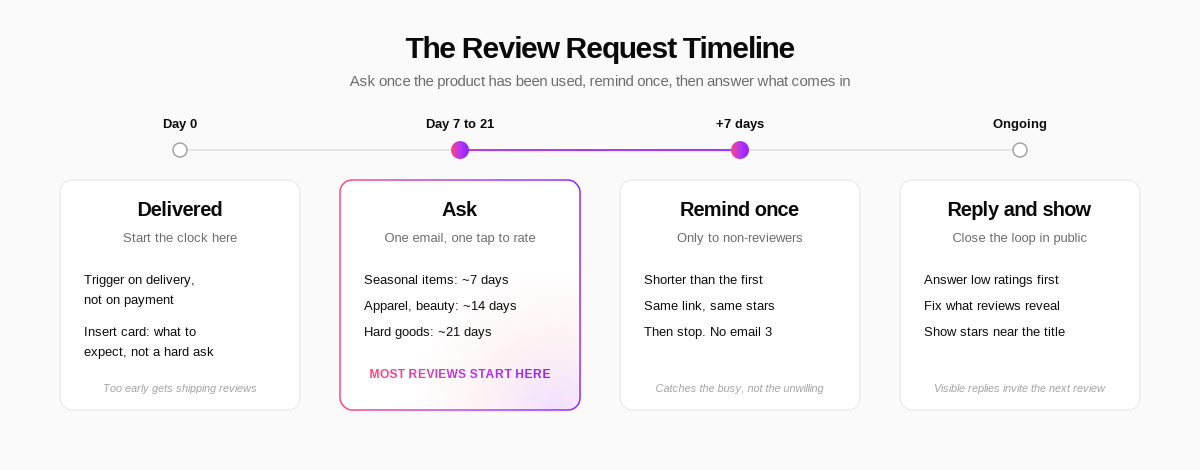
The highlighted step is where most of your reviews will come from, so it gets the most attention below.
12 Ways to Get More Product Reviews
1. Trigger the request on delivery, not on payment
The single most common mistake is asking too early. A review request sent with the order confirmation or a day after payment arrives before the parcel does, so you get reviews of your shipping speed, or nothing.
The research backs this up. In two randomized field experiments with more than 300,000 customers, published in the Journal of Marketing in 2023, researchers found that asking for a review as soon as possible is not the best strategy. Immediate reminders actually made customers less likely to post a review than a group who got no reminder at all, while delayed reminders increased posting. Delayed reviews were also more specific, which is exactly what the next shopper wants to read.
If your platform knows when a parcel is delivered (from carrier tracking or a "delivered" status), use that as the trigger. If it only knows the ship date, add your typical delivery time to the delay.
2. Time the ask by product type
"Wait a while" is not a plan. The right delay depends on how long it takes to form an opinion. PowerReviews, drawing on hundreds of thousands of review requests from its clients, recommends these delays after delivery:
| Product type | Examples | Suggested delay | Why |
|---|---|---|---|
| Seasonal | Holiday decor, costumes | About 7 days | The moment passes quickly |
| Soft goods | Apparel, cosmetics, personal care | About 14 days | A few wears or uses to judge fit and feel |
| Perishables | Food, drinks, flowers, plants | About 14 days | Consumed or judged within days |
| Hard goods | Appliances, electronics, furniture | About 21 days | Setup and real use take longer |
Other guides land in a similar range: Mailchimp suggests 10 to 14 days after delivery, and Judge.me runs from about a week for fashion to three or four weeks for supplements. Treat all of these as starting points and test your own. For products whose results take weeks, like skincare or supplements, a longer delay is reasonable, as long as the customer still remembers the purchase.
3. Write a request that takes ten seconds to answer
Your request email has one job: get the customer from inbox to submitted rating with as little effort as possible. What works:
- Show the product. Photo and name, so the customer knows exactly what you're asking about. For multi-item orders, list each product with its own link.
- Put the stars in the email. A row of five clickable stars that opens the review form with the rating pre-filled turns a task into a tap. The text box can come second.
- No login wall. If the customer has to create an account or remember a password, most won't. A signed link tied to the order is enough to verify the purchase.
- One subject line, plain and specific. "How are the Linen Sheets working out?" beats "We value your feedback!"
- Say why it matters. One line is enough: "Your review helps the next person pick the right size."
- Send it from a person. A real name and a reply-to inbox you read. Some customers will reply with a problem instead of a review, and that is worth hearing too.
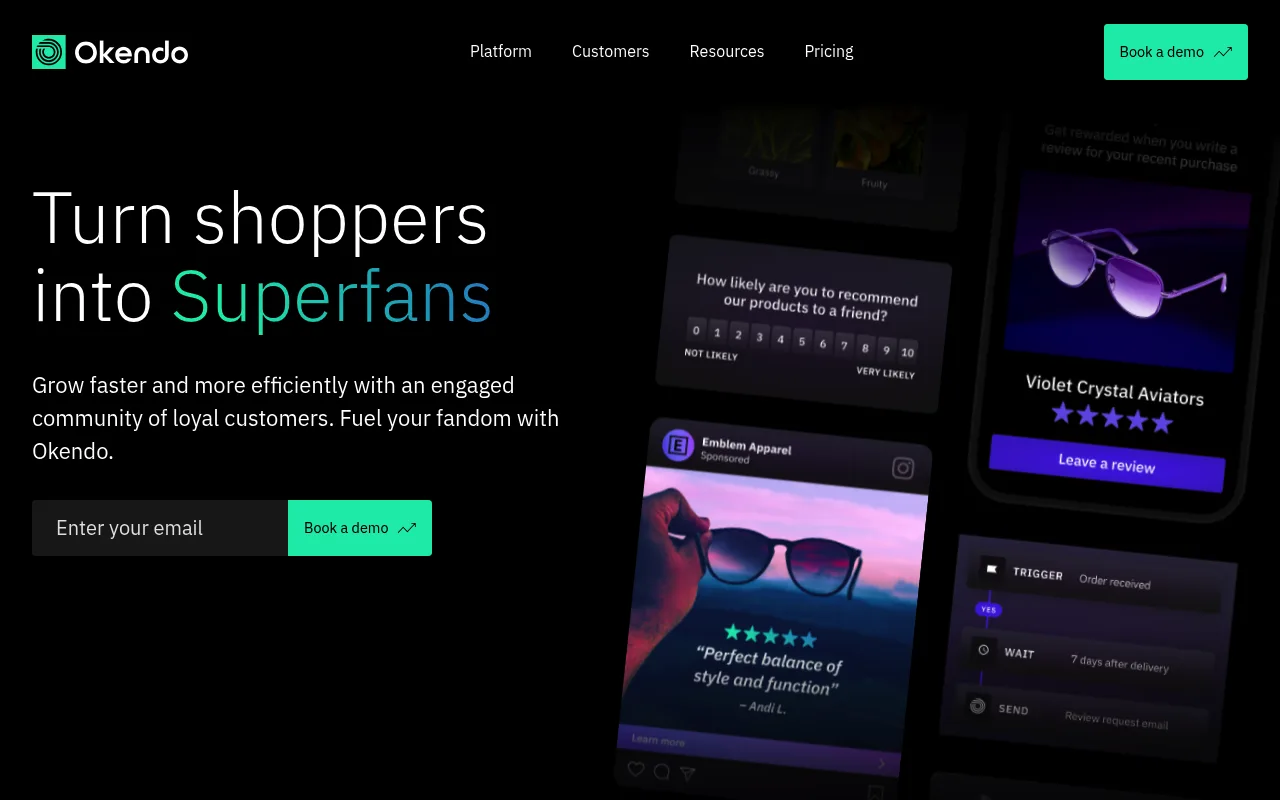
Dedicated review tools build this flow for you. Okendo's homepage even shows the pattern in miniature: trigger on order, wait 7 days after delivery, send the request.
4. Send one reminder, then stop
One follow-up roughly a week after the first request catches customers who meant to review but got busy. PowerReviews' data shows 68% of reviewers respond to the first request, 28% to the second and only 4% to the third. A second reminder adds little and costs you goodwill, unsubscribes and spam complaints.
Make the reminder shorter than the original, send it only to people who haven't reviewed yet, and keep the same one-tap stars.
5. Ask better questions to get better reviews
A blank text box gets "Great product!" A few prompts get reviews that sell. Add optional fields that match what shoppers ask about your category:
- Apparel and shoes: fit (runs small, true to size, runs large), height and usual size
- Beauty: skin type, how long until results
- Home and furniture: assembly time, how it looks in a real room
- Food and drink: what they paired it with, would they reorder
Ask for a photo, but never require one. Customer photos are among the most persuasive content on a product page, and PowerReviews found 52% of shoppers say imagery from previous buyers influences their purchase. Making a photo mandatory, though, kills completion rates.
6. Ask everyone, not just happy customers
It is tempting to send a quick "How did we do?" survey first and invite only the four and five star respondents to review publicly. This is called review gating, and it backfires on three fronts:
- Legally. The FTC says its review rule doesn't specifically ban gating, but the practice could violate the FTC Act. In the EU and UK, showing a filtered set of reviews as if it were all of them is a misleading practice (more below).
- With platforms. Google doesn't allow merchants to selectively solicit positive reviews, and Trustpilot's guidelines for businesses require inviting customers "consistently and fairly", at the same point in the journey whether their experience was good or bad.
- With shoppers. A wall of five stars looks curated. Spiegel found purchase likelihood peaks at an average rating between 4.0 and 4.7 and falls as it approaches 5.0.
Send the same request to every delivered order. If you want to catch problems early, read new low ratings first and reach out, but publish the review either way.
7. Use every touchpoint, not just email
Email does the heavy lifting, but a few extra touchpoints add up:
- Packaging inserts. A card with a short QR code link to the review page. Frame it as "Tell us how it went in a couple of weeks", not "Review us now".
- SMS. For customers who opted into texts, a single short message with the review link. Keep it to one, and respect quiet hours and consent rules where you sell.
- Order history page. A visible "Write a review" button next to delivered items for logged-in customers.
- Support conversations. When a support ticket ends with a happy customer, a polite "Would you mind sharing that in a review?" is fair game, as long as you ask resolved complaints too and don't reserve it for the delighted.
- Repeat purchase emails. Someone reordering is clearly happy. Remind them their earlier order can still be reviewed.
8. Offer incentives only where the rules allow it
Incentives raise response rates, and they are also where most stores get into trouble. The rules differ depending on where the review is posted:
| Where the review appears | Incentives allowed? | Key condition |
|---|---|---|
| Your own store (US) | Yes, with care | Must not depend on the review being positive, and should be disclosed |
| Your own store (UK) | Yes, with care | Incentivised reviews must not be hidden as such |
| Your own store (EU) | Yes, with care | Must not misrepresent reviews; disclose how reviews are collected |
| No | Google bans incentives in exchange for any review | |
| Trustpilot | No | Trustpilot doesn't allow incentivized reviews |
On your own store, the safe pattern is a small, equal reward for any honest review (loyalty points or a modest discount on a future order), stated up front and labeled on the review itself. The FTC's Q&A is explicit that its rule doesn't prohibit incentives as long as they don't require a particular sentiment, but that "failing to disclose incentives could be a violation of the FTC Act." Paying for five-star reviews is banned even if you disclose it.
If you run a loyalty program, award points for submitting a review, never for the rating.
9. Seed new products with honest sampling
A new product starts at zero. Sending free units to real customers, early buyers or creators in exchange for an honest review is a legitimate way to get the first few, if you disclose it. The FTC's endorsement guidance says the connection should be disclosed everywhere the person endorses the product, and that a single disclosure on your home page isn't enough when shoppers read individual reviews. Label each sampled review ("Received this product free for review") right on the review.
Don't tell samplers what to say, don't ask them to delete critical reviews, and don't send products only to people you expect to be positive.
10. Bring the reviews you already have
If you sold on a marketplace, Etsy or another store platform before, those customers already wrote reviews. Most review tools and platforms can import them from a CSV. Keep the original date and author, and mark them clearly if they can't be tied to an order on your current store. A product page with 30 honest imported reviews beats one that starts from zero, and shoppers can see where they came from.
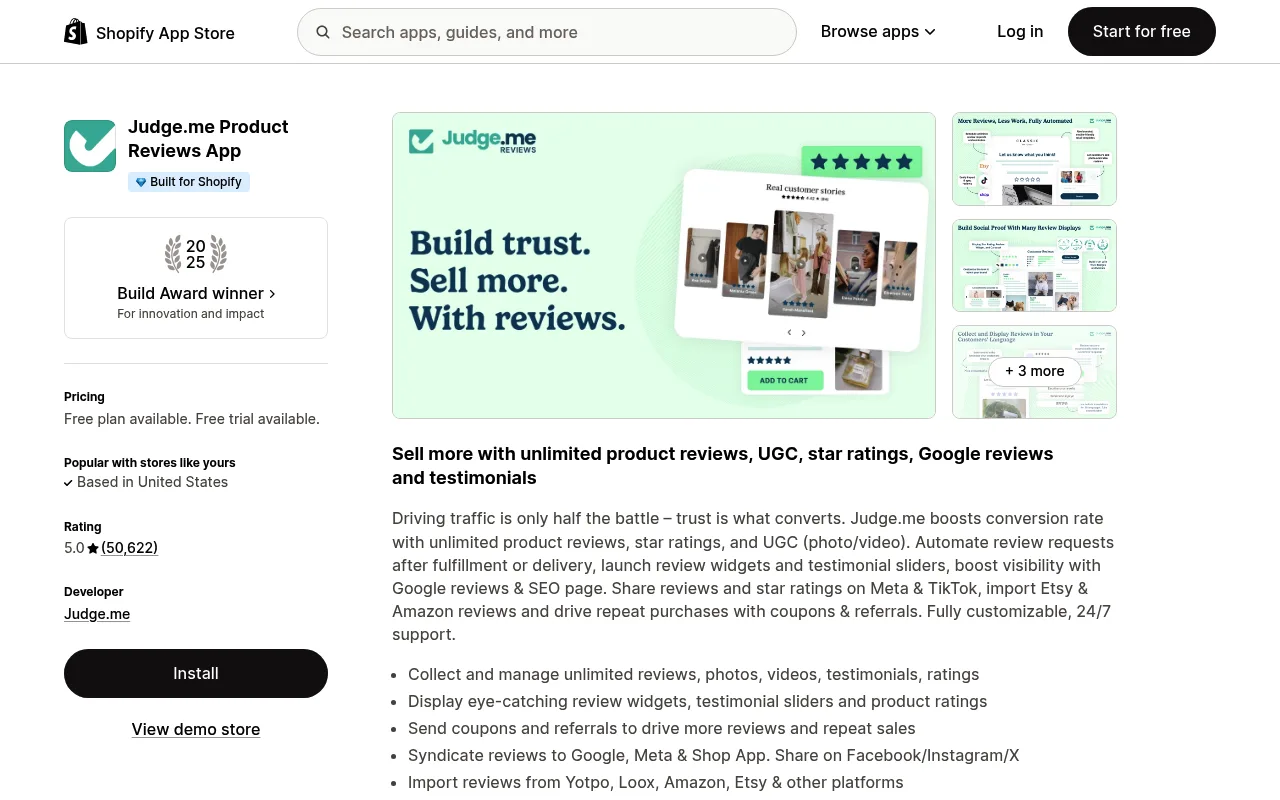
Judge.me, one of the most popular review apps for Shopify, lists imports from Yotpo, Loox, Amazon and Etsy among its core features, alongside automated requests after fulfillment or delivery.
11. Reply to reviews, especially the bad ones
Replies are a review collection tactic, not just customer service. A shopper who sees that you answer reviews knows someone reads them, which makes leaving one feel worthwhile. And critical reviews are an opportunity: PowerReviews found 96% of shoppers seek out negative reviews at least sometimes, so your reply is read by many future buyers.
A good reply to a low rating is short, specific and calm: thank them, acknowledge the actual problem, say what you did or will do, and offer a direct contact. Then fix the issue if the review reveals one (a misleading size chart, a fragile part, a confusing instruction). The best way to get better reviews is to remove the reasons for the bad ones.
12. Show reviews where they earn more reviews
Visible reviews do two jobs: they convince the next shopper, and they show your customers that reviews on your store get read, which makes leaving one feel worth the minute it takes.
- Star rating and count next to the product title, full reviews further down the page. Our product page design guide shows the layout.
- Stars on collection pages, so shoppers compare at a glance.
- Stars in search results. Add review data to your product schema markup so Google can show rich results.
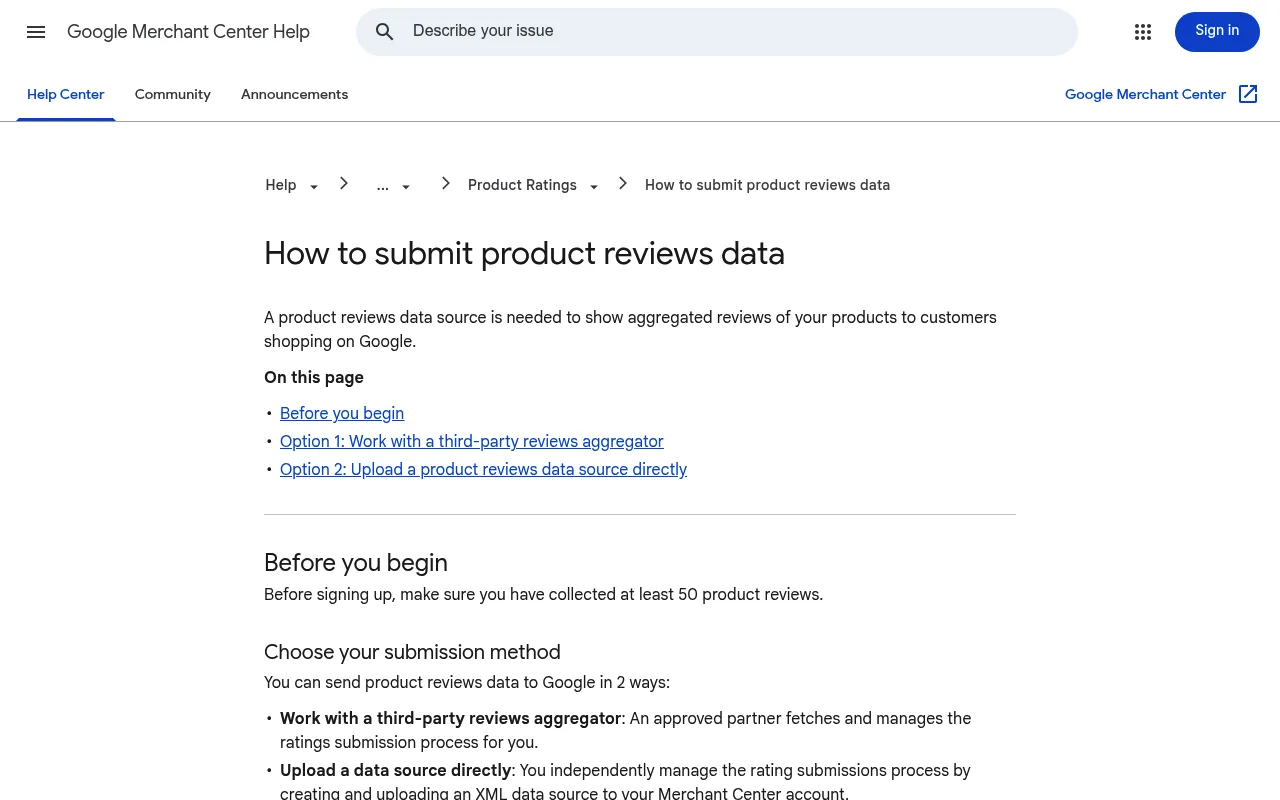
- Stars in Google Shopping. Google's Product Ratings need at least 50 product reviews before you sign up, submitted through an approved aggregator or a direct XML feed refreshed at least monthly. That makes 50 a useful first milestone.
What Not to Do: Review Rules in the US, EU and UK
Getting product reviews is not just about volume. Fake or manipulated reviews are now a legal risk in all three major markets, not only a reputational one. In short:
- United States. The FTC's Rule on the Use of Consumer Reviews and Testimonials, in force since October 21, 2024, bans fake reviews (including AI-generated ones), incentives conditioned on a positive or negative sentiment, undisclosed reviews from employees and their relatives, and suppressing negative reviews through threats or by claiming you show all reviews when you don't. Courts can impose civil penalties for knowing violations.
- European Union. Under the Omnibus Directive (EU) 2019/2161, a store that shows consumer reviews must tell shoppers whether and how it checks that they come from real buyers. Claiming reviews are verified without reasonable steps to check, posting or commissioning fake reviews, and misrepresenting reviews (such as showing only positive ones) are banned.
- United Kingdom. Since 6 April 2025, Schedule 20 of the DMCC Act 2024 bans fake reviews, concealing incentivised reviews and presenting reviews in a misleading way. The CMA's fake reviews guidance expects businesses that publish reviews to take reasonable and proportionate steps to prevent and remove fake ones.
Third-party platforms add their own rules on top, which is why the same tactic can be fine on your store and banned on Google or Trustpilot.
Our social proof guide goes through each law in more detail. For an EU store, a short "How we collect and check reviews" note on your product pages or FAQ covers the disclosure duty.
Always check the current rules where you sell. This guide summarizes US, EU and UK rules on collecting, incentivising and displaying consumer reviews as of November 2026. Rules change and national enforcement varies, so confirm the details with your local consumer protection authority or a legal adviser before you change how you request, reward or publish reviews. This is general information, not legal advice.
How to Measure Your Review Program
You can't improve what you don't count. Track three numbers per month:
- Review rate: reviews received divided by delivered orders in the same period. It tells you whether your requests work. Vendor benchmarks vary widely, so your own trend is the number to watch.
- Coverage: the share of your active products with at least five reviews. This is the number that moves conversion, per the Spiegel research above. If coverage is low, focus requests and sampling on your top sellers first.
- Average rating and distribution: not to push it up artificially, but to spot products where reviews reveal a fixable problem.
Change one thing at a time (delay, subject line, stars in the email) and compare review rate before and after. Our ecommerce A/B testing guide explains why small stores need patience before calling a winner.
Getting Product Reviews on Your Next Store
Most of the tactics above assume a review app bolted onto your store. On Your Next Store, product reviews are a built-in module you switch on from the dashboard, and several of the rules above are part of how it works:
- Requests are triggered by delivery. When reviews are on, every product in the "Your order was delivered" email links to its review page, and a signed-in customer sees a Write a review button on the product page once the order is delivered. No email goes out before the parcel arrives.
- Verified purchases only. Only customers who bought and received the product can review it, once per product per purchase, and not for cancelled or refunded orders.
- Independent moderation. New reviews arrive unpublished, and YNS (not the merchant) decides which are published or removed. You can read every review, filter by star rating to see new low ratings first and reach out to the customer, but you can't quietly delete a bad one. That is a deliberate constraint, and it lines up with the anti-suppression rules above.
- Imports from your old app. Reviews exported from Judge.me, Yotpo or Shopify Product Reviews can be imported from a CSV. They keep their original dates and show as unverified, since there is no order behind them.
- Structured data. Product pages output JSON-LD automatically, so they are ready for rich results.
If your shop runs on another platform, YNS's Review Hub can collect verified reviews for it: your shop reports delivered orders through the API, YNS emails the buyer a review link 7 days later by default (the delay is adjustable), and an embeddable widget shows approved reviews with star-rating data on your product pages. Reviews, invitations and the widget are available on every plan; Premium Review Hub ($10 a month, included in Pro) adds a custom send date up to 60 days ahead, one reminder email and removes the "Reviews by YNS" link. The product reviews help article has the setup, and developers can use the Reviews API.
To be fair about the trade-offs: dedicated review platforms such as Judge.me, Okendo and Yotpo go further on review marketing, with features like syndication to retail partners, Q&A, SMS requests and UGC campaigns. YNS's module also doesn't let you moderate reviews yourself, which some merchants will see as a limitation. If you want independent, verified reviews built into the store with as little setup as possible, it is a strong default. If reviews are a core marketing channel for a large catalog, compare a specialist too. The storefront itself is open source on GitHub.
Whatever tool you use, the playbook is the same: ask everyone, ask after the product has done its job, and make it a single tap. A review is the receipt for a product that kept its promise. Your job is just to hand the customer the pen at the right moment.
FAQ
How do I get my first product reviews?
Email every customer whose order was delivered one to three weeks ago, with a one-tap star rating and no login. For a new product with no buyers yet, send free samples to early customers in exchange for an honest review and label those reviews as sampled. If you have reviews on a marketplace or an old platform, import them. Five reviews on your best sellers is the first goal.
When is the best time to ask for a product review?
After the customer has used the product, which is usually 7 to 21 days after delivery depending on the category: about a week for seasonal items, two weeks for apparel, beauty and food, three weeks for appliances and electronics. Asking right after purchase gets fewer and less useful reviews. Send one reminder about a week after the first request.
Can I offer a discount in exchange for a product review?
On your own store, generally yes in the US, EU and UK, if the discount is offered for any honest review regardless of rating and you disclose it on the review. Offering rewards only for positive reviews is banned. Google and Trustpilot don't allow incentivized reviews at all, so never offer a reward for reviews posted there.
Related Blog Posts
Before you spend more on ads,
check your store.
Get a free 25-point checklist to find what could be holding back your sales, from product pages to checkout.