Ecommerce A/B Testing: What to Test and How
 Jakub Neander
Nov 12, 202613 min read
Most ecommerce A/B tests never had a chance of producing an answer. They were started on a store with too little traffic, stopped the day the dashboard turned green, or tested a button color nobody would notice. Ecommerce A/B testing works, and the biggest stores in the world run thousands of experiments a year, but the method only pays off when you test the right things at the right size. This guide covers what to test first, how to check whether your store has enough traffic, which tools to use, and what to do when it does not.
What Is Ecommerce A/B Testing?
An A/B test splits your visitors at random into two groups. Group A sees the current version of a page (the control). Group B sees a changed version (the variant). You measure a single primary metric, usually conversion rate or revenue per visitor, and when enough visitors have gone through both versions, statistics tell you whether the difference is likely real or just noise.
The random split is the whole point. It is the only way to separate the effect of your change from everything else that happened that week: a newsletter, a competitor's sale, the weather, payday. A before-and-after comparison cannot do that, which is why "we changed the product page and sales went up 8%" proves less than it sounds.
A few related terms you will meet:
- A/B/n test: more than one variant against the control. Each extra variant needs more traffic.
- Multivariate test: several elements changed at once in every combination. It needs far more traffic than an ecommerce store usually has.
- Split URL test: the variant lives on a different URL, useful for testing a whole new page template.
- Holdout: a group that never sees a feature, used to measure its long-term effect, for example of a recommendation widget.
Why Most Ecommerce A/B Tests Fail
Losing tests are normal. Ronny Kohavi, who led experimentation at Microsoft and Airbnb, has said that only about a third of ideas tested at Microsoft improved the metric they targeted, and that the share was lower still at Airbnb (his interview with Lenny Rachitsky walks through the fail rates). Those are teams with excellent researchers. Your ideas will not do better.
That is fine. A test that shows your idea did nothing saves you from shipping it on faith. The tests that genuinely waste money are the ones that cannot produce an answer at all, and they fail for the same few reasons:
- Not enough traffic. The test could never detect the effect it was looking for.
- Stopping early. The variant was ahead after four days, so the test was called. Early leads regress all the time.
- Changes too small to matter. A slightly different shade of the add-to-cart button is not going to move revenue by an amount you can measure.
- Wrong metric. Clicks on a banner went up; revenue did not.
- Broken setup. The variant flickered, crashed on Safari or was served to bots.
The fix for all five is a process, not a better tool.
The Ecommerce A/B Testing Process
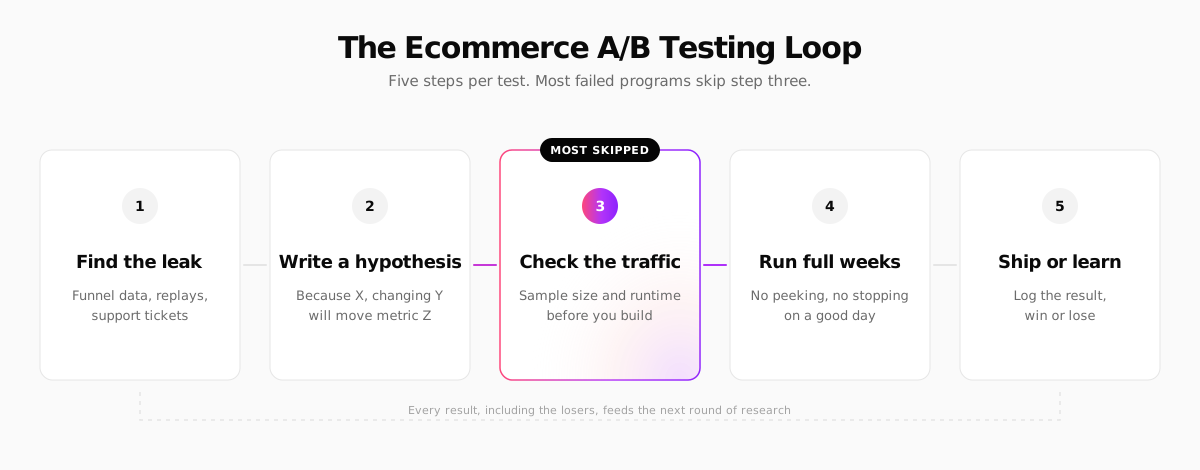
1. Find the leak
Start from data, not from a list of "50 things to test". Your funnel shows where shoppers drop out: product page to cart, cart to checkout, checkout to payment. Session recordings show why. Customer support tickets and post-purchase surveys tell you what confused people. Pick the step with the biggest drop that you can plausibly change. Our guide to ecommerce KPIs covers which numbers to watch to spot it.
2. Write a hypothesis
A good hypothesis has three parts: what you saw, what you will change, and which metric should move.
Because 38% of mobile visitors leave the product page without scrolling past the gallery, moving the price, delivery date and add-to-cart button above the fold will increase mobile add-to-cart rate.
Writing it down stops you from moving the goalposts once results come in. It also turns a losing test into a lesson: you learn that the gallery was not the problem.
3. Check the traffic before you build
This is the step most stores skip, and it decides everything else. Before designing the variant, calculate how many visitors the test needs and how long that will take at your traffic. The next section shows how.
4. Run full weeks
Run every test for at least one full week, preferably two, so weekday and weekend shoppers are both represented. Decide the sample size in advance and do not stop the moment the result looks significant. Checking every day and stopping at the first green number inflates false positives dramatically. If you need to look early, use a tool with sequential testing, which is designed for it.
5. Ship or learn
When the test ends, ship the winner, or keep the control if the variant did not win. Either way, log the hypothesis, the result and the screenshots somewhere your team can search. Six months later, that log is worth more than any single test.
How Much Traffic Do You Need for A/B Testing?
Sample size depends on three things: your baseline conversion rate, the smallest lift you want to detect (the minimum detectable effect), and how sure you want to be. With the usual settings, 80% power and 5% significance, the numbers get large fast.
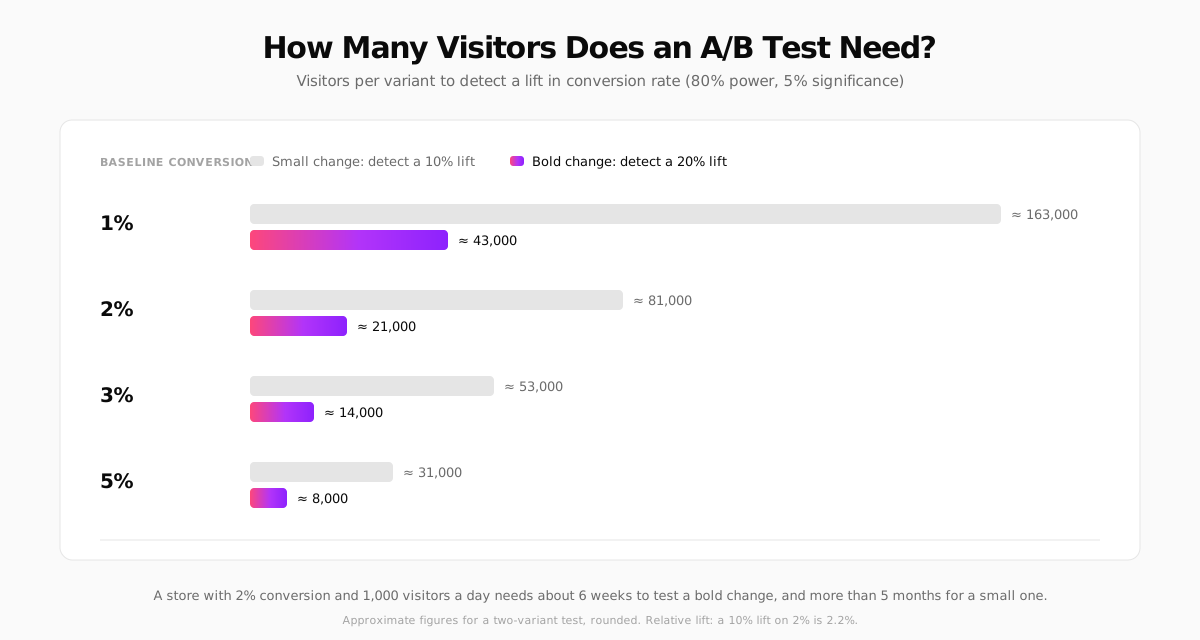
Take a store converting at 3% that wants to detect a 10% relative lift (from 3.0% to 3.3%). Evan Miller's sample size calculator, a free tool most practitioners use, puts that at about 51,000 visitors per variant, so over 100,000 visitors in total.
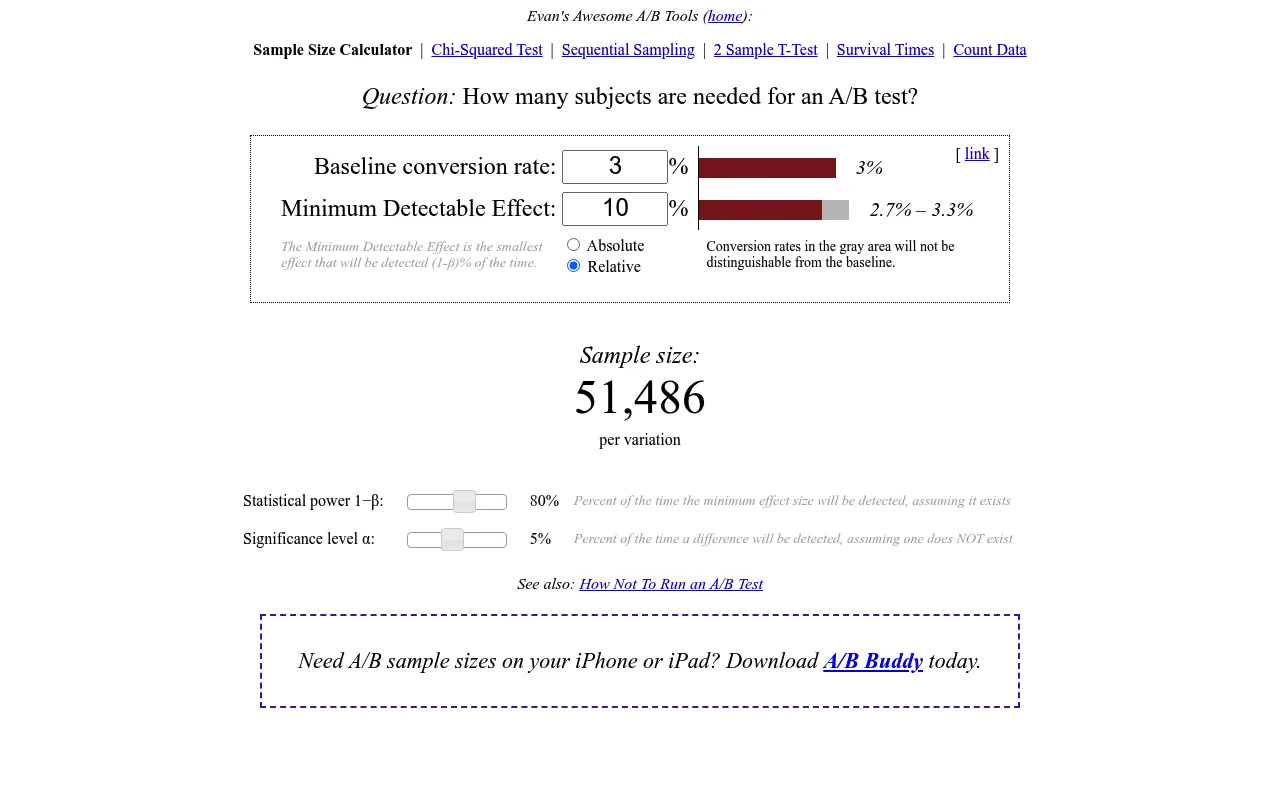
Divide by your daily traffic to get the runtime. At 2,000 visitors a day, that test takes about seven weeks. At 500 visitors a day, it takes over half a year, and by then the season, the catalog and the ad mix have all changed.
The practical rules that follow:
- Under roughly 1,000 orders a month, classic A/B testing is hard. You can still test, but only big changes on your highest-traffic pages.
- Test bold changes. Doubling the lift you are looking for cuts the required sample by about four times. A new product page layout can produce a 20% lift. A new button color cannot.
- Test where the traffic is. A sitewide element (header, cart drawer, product page template) collects visitors from every product. A single landing page does not.
- Pick a metric closer to the change. Add-to-cart rate has a higher baseline than purchase rate, so it needs fewer visitors. Check that purchases did not fall, but use the closer metric to reach a decision.
Run the numbers before you design anything. Put your baseline conversion rate and the lift you hope for into a sample size calculator, then divide by your daily visitors per variant. If the answer is longer than about six weeks, test a bolder change, test a busier page, or skip the test and ship a well-researched improvement instead.
What to Test in Ecommerce: The Ideas With the Best Odds
Below are the areas where tests most often move revenue for online stores, roughly in the order we would start. Treat each as a hypothesis to check against your own funnel, not a guaranteed win.
Product pages
The product page is where most buying decisions happen, and it gets traffic from every channel, so it is usually the best place to start.
- Above-the-fold layout on mobile: price, delivery estimate, reviews summary and add-to-cart visible without scrolling.
- Product photography: lifestyle images first versus product-on-white first, video in the gallery, size reference images.
- Delivery and returns information next to the add-to-cart button instead of in a tab.
- Product description format: bullets versus prose, benefits versus specs. Our guide to writing product descriptions has patterns worth testing.
- Social proof placement: star rating under the title, review highlights near the button.
Our deep dive on product page design covers the layout patterns in more detail.
Pricing, shipping and offers
These tests often produce the largest effects, because they change the economics, not just the presentation.
- Free shipping threshold: $50 versus $75, or free shipping versus a lower product price. Our shipping strategy guide explains how to set a threshold that protects margin.
- Bundles and volume discounts versus single-item pricing.
- Price presentation: "$40" versus "$39.99", or showing the price per unit.
- Discount framing: "20% off" versus "$10 off" at the same value.
Measure these on revenue per visitor or gross profit per visitor, not on conversion rate alone. A free shipping test that lifts conversion by 5% while cutting margin by 8% is a loss.
Price tests need care in the EU. Showing different prices to different visitors at random is legal in most markets, but it can annoy shoppers who notice, and EU rules such as the Omnibus Directive govern how you advertise discounts. Test pricing structures (thresholds, bundles) more readily than the headline price itself.
Cart and checkout
Checkout tests have a short path to revenue, but most stores have less checkout traffic than product page traffic, so the tests take longer.
- Express checkout buttons (Apple Pay, Google Pay, Link) placed above the form.
- Guest checkout prominence versus account creation.
- Showing total cost, including shipping, earlier in the cart.
- Trust signals near the payment step.
Many checkout improvements are well established enough that you can ship them without a test. Our checkout optimization playbook and the guide to reducing cart abandonment list them.
Navigation and search
- Menu structure: categories by product type versus by use case.
- Search bar visibility on mobile: a full search field versus an icon.
- Collection page defaults: sort order, number of products per row, quick add buttons.
What not to test
- Button colors and tiny copy tweaks on a small store. You will not reach significance.
- Things that are simply broken. If the mobile menu does not open on Android, fix it.
- Legal and accessibility requirements. You do not A/B test whether to show the required price information or whether your forms have labels.
- Two things that interact, in parallel, on the same page, unless your tool handles overlapping experiments.
Ecommerce A/B Testing Tools
Google Optimize, once the free default, shut down in September 2023. The market has since split into three groups.
| Tool | Type | Good for | Pricing model |
|---|---|---|---|
| Wingify (VWO and AB Tasty) | Visual editor, client-side and server-side | Marketing teams that want a no-code editor | Paid, traffic-based |
| Optimizely | Enterprise experimentation suite | Large retailers with a dedicated testing team | Enterprise contracts |
| PostHog | Experiments tied to product analytics | Technical teams that want flags, analytics and replays in one tool | Free tier, then usage-based |
| GrowthBook | Open-source, warehouse-native flags and experiments | Developers who want to own the stack | Open source or cloud plans |
| Convert | Visual and code editor | Mid-size stores and agencies | Paid, traffic-based |
Visual editor tools
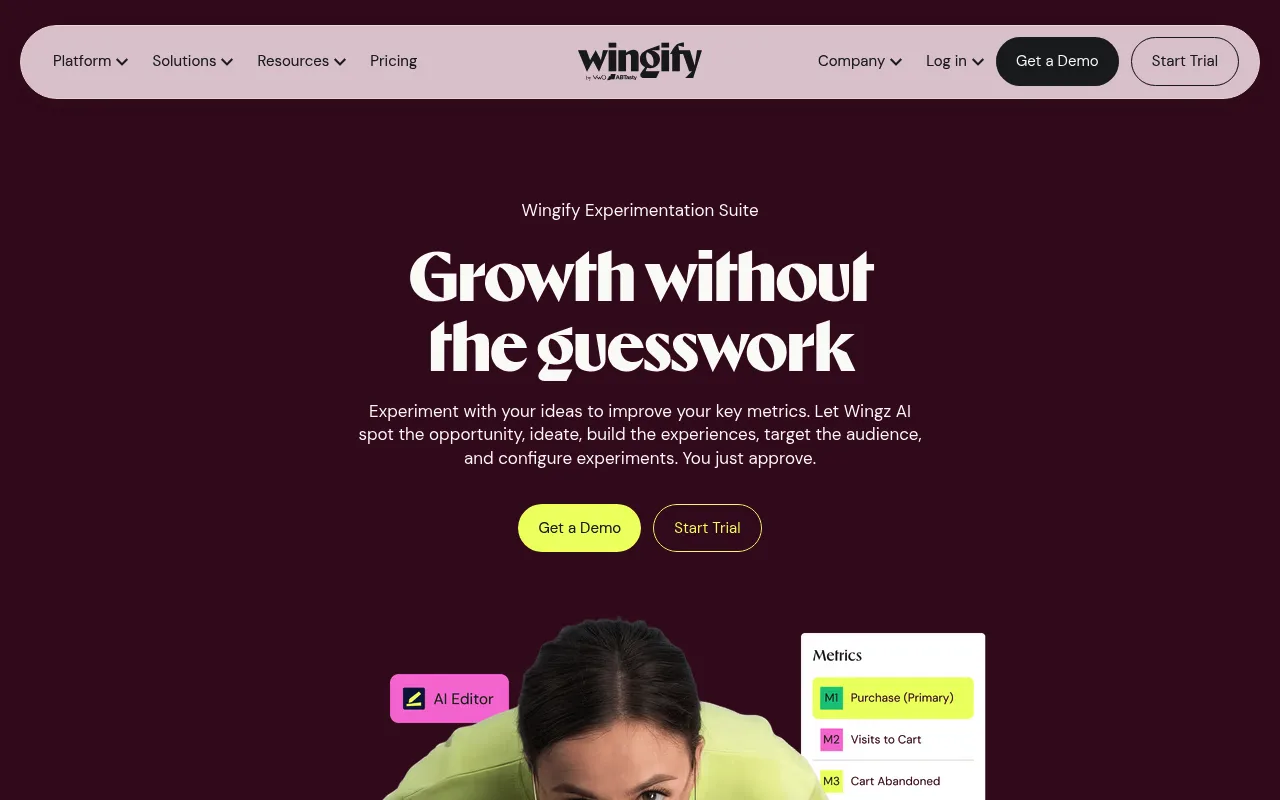
VWO and AB Tasty, two of the best-known visual testing tools, merged under the Wingify brand in 2026. Tools in this group let a marketer change a page in a point-and-click editor, with the variant applied in the browser by a JavaScript snippet. They are fast to start with and need no developer for simple tests.
The trade-off is that the snippet has to load before the page is shown, or visitors see the original version flash before the variant appears. Most tools hide the page briefly to prevent this, which costs load time. Our guide to ecommerce site speed explains why that matters.
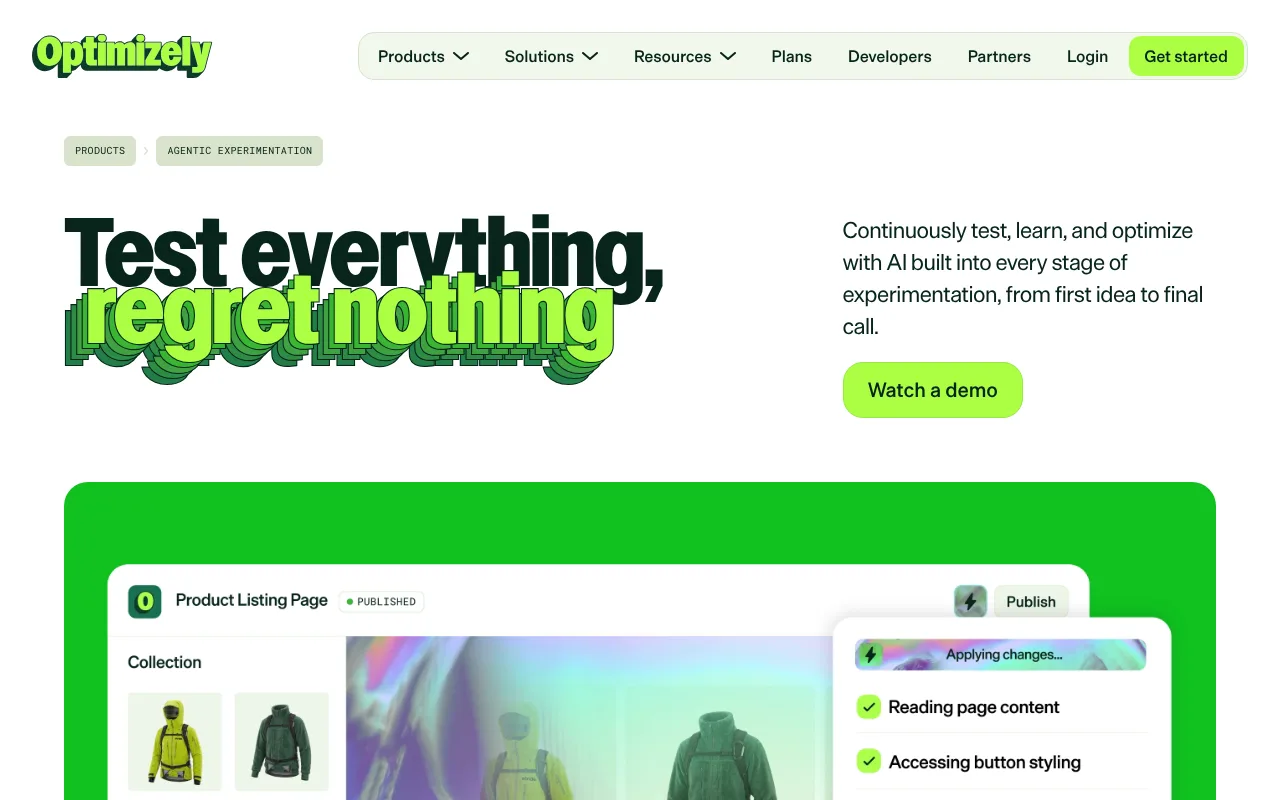
Optimizely sits at the enterprise end, with AI features for suggesting and building experiments and contracts to match.
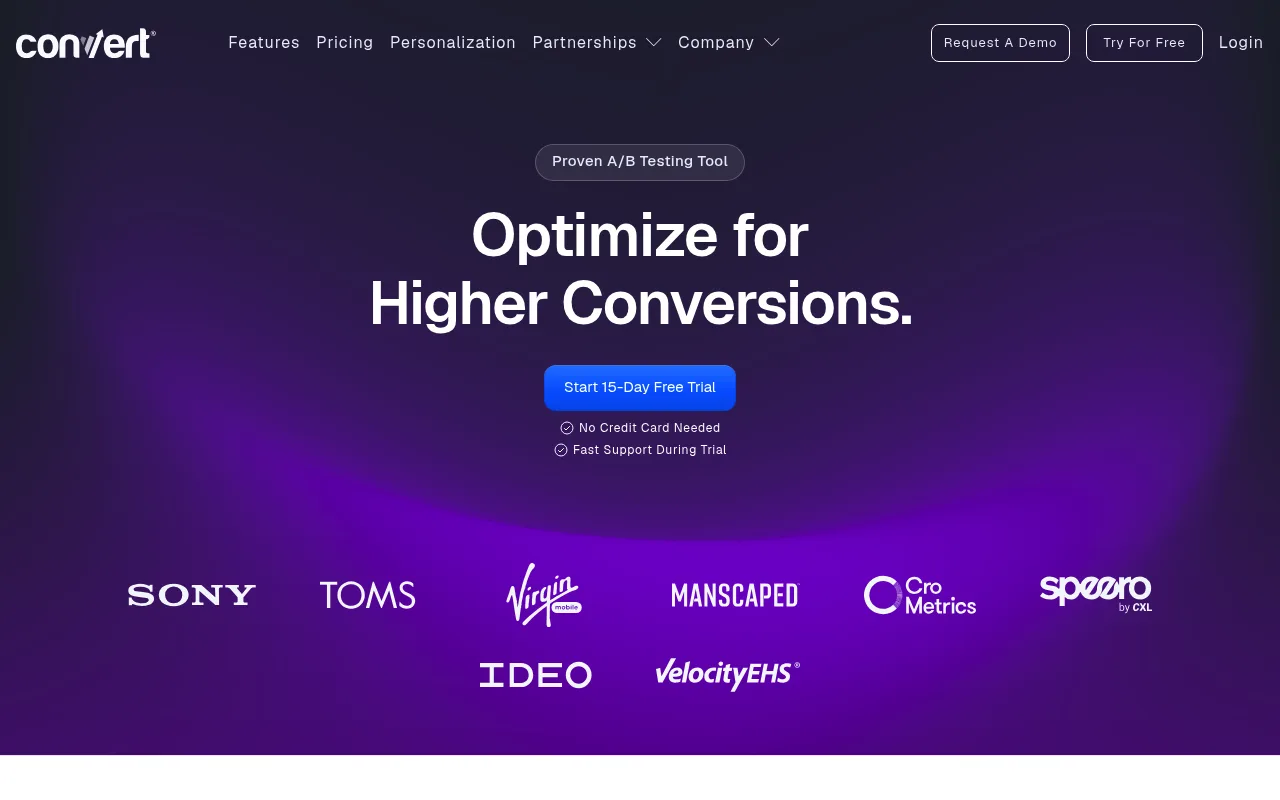
Convert is a common middle ground for mid-size stores and agencies that want a visual editor without enterprise pricing.
Developer-first tools
PostHog and GrowthBook run experiments through feature flags: your code checks which variant a visitor is in and renders it. That can happen on the server, so there is no flicker, and the variant can be anything your code can do, including a different checkout flow or a new pricing rule.
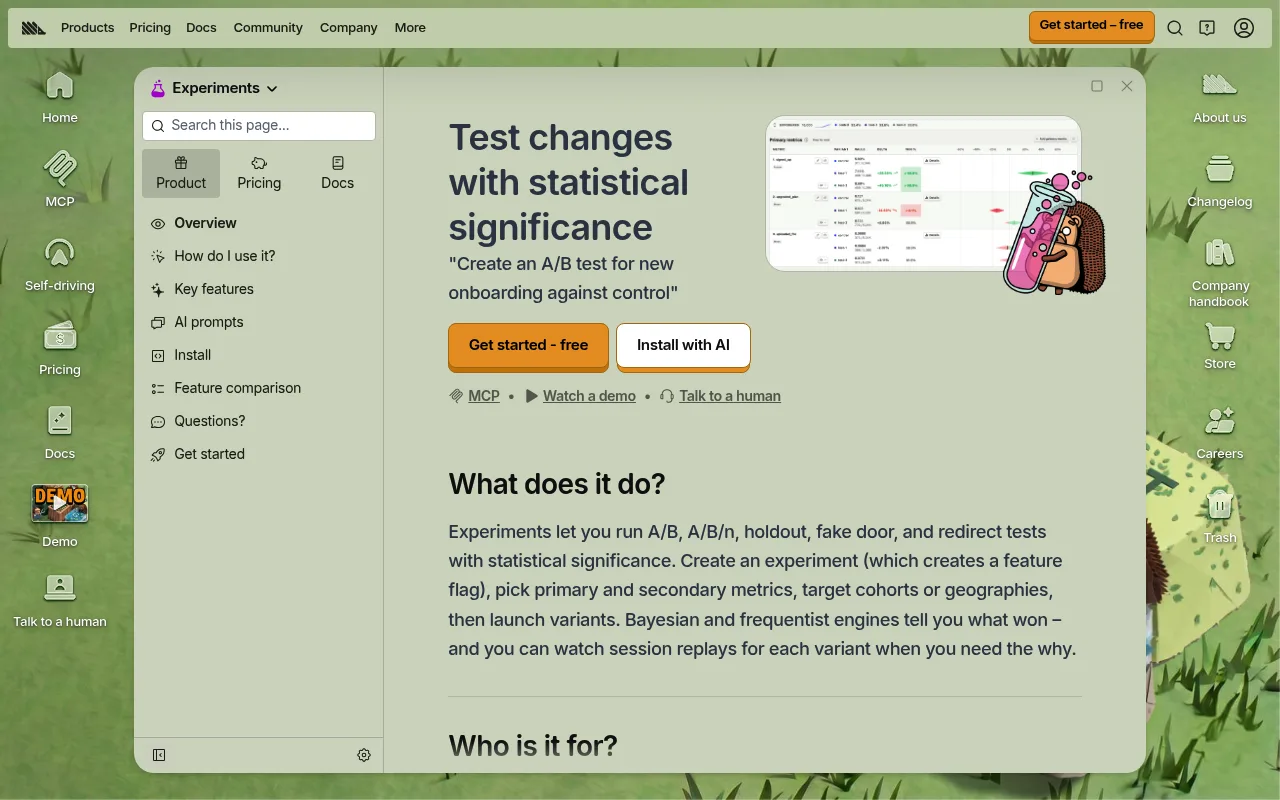
PostHog's pricing bills experiments through feature flag requests, with a free monthly allowance. Its edge is that results sit next to funnels and session replays, so when a variant loses you can watch why.
GrowthBook is open source and reads results from your own data warehouse, which suits teams that already have one.
Running tests in a Next.js store
If your storefront is built on Next.js, server-side testing is straightforward. Vercel's Flags SDK lets you decide the variant in middleware or a server component and still serve prerendered pages, and it works with providers such as PostHog, GrowthBook and Statsig. A minimal version looks like this:
In practice you replace the decide function with your experiment provider's adapter, so the assignment stays sticky per visitor and the exposure is logged for analysis.
How to Read A/B Test Results
When the planned sample size is reached, look at:
- The primary metric and its confidence interval, not just the "chance to win". A result of +6% with an interval from -2% to +14% means you do not know yet.
- Revenue per visitor, even if the primary metric was conversion rate. Some variants convert more people into smaller orders.
- Segments, with caution. Check mobile versus desktop and new versus returning visitors, but treat a segment "win" inside a flat overall result as a new hypothesis to test, not a finding.
- Sample ratio mismatch. If you planned a 50/50 split and got 52/48 on a large sample, something is broken (bots, redirects, a variant that crashes) and the result cannot be trusted.
Then decide. Ship, keep the control, or iterate with a bolder version. "Inconclusive" is a valid answer and usually means the change did not matter enough to measure.
SEO and Privacy: Testing Without Side Effects
Don't hurt search rankings
Google is fine with A/B testing as long as you follow its website testing guidelines:
- Show Googlebot the same variants as everyone else. Serving it a special version is cloaking.
- For split URL tests, add
rel="canonical"on the variant pointing to the original URL, and use temporary (302) redirects, not 301s. - End the test once you have an answer and remove the variant code.
Consent in the EU and UK
Most testing tools store an identifier in the browser so a returning visitor sees the same variant. In the EU and UK, storing that identifier generally falls under the ePrivacy rules on cookies, and regulators have not treated A/B testing as "strictly necessary". In practice, that means running client-side tests only for visitors who accept cookies, or using a server-side setup with a first-party, consented identifier. Either way, your test population is your consenting visitors, which can differ from everyone else. Our guide to cookie consent for ecommerce explains the banner side.
Check the current rules where you sell. This section summarizes EU and UK cookie consent expectations as of November 2026. National regulators interpret the ePrivacy rules differently, and guidance changes, so confirm your setup with your local data protection authority or a privacy specialist. This is general information, not legal advice.
When You Don't Have Enough Traffic to Test
Most small stores are in this position, and pretending otherwise leads to months of inconclusive tests. Better options:
- Ship research-backed best practices. Faster pages, clearer delivery information and express checkout are well established. You do not need to re-prove them on 300 orders a month.
- Watch session recordings and run five-second tests or short user interviews. Five real shoppers will find your worst usability problems.
- Use before-and-after comparisons carefully. Compare the same weekdays, the same traffic mix and a long enough window, and treat the result as a signal, not proof.
- Test in ads first. Headlines, offers and product angles can be tested in Meta or Google ads, where traffic is cheaper to buy, and the winners carried over to the store.
- Save experiments for the big decisions: a new product page template, a free shipping threshold, a new checkout.
A/B Testing on Your Next Store
Your Next Store does not include a built-in A/B testing tool, and we would rather say so up front. What it gives you is the measurement side and an open storefront to run tests on.
- Funnel and conversion data in the admin. The Analytics dashboard has a conversion funnel widget with cart and checkout abandonment, daily conversion rate and value per visitor, and sales by channel. That is where step one, finding the leak, starts. Some traffic widgets depend on your plan (see pricing).
- Testing tools through Google Tag Manager. The tracking add-ons connect a GTM container with no code changes, so you can load a client-side testing snippet from there. Mind the flicker trade-off described above.
- Server-side tests in code. The storefront is an open-source Next.js app, so a developer can add the Flags SDK with PostHog or GrowthBook and run flicker-free tests on product pages, cart and navigation.
- Bold variants without a designer. The AI store builder can produce a redesigned product page from a prompt such as "put delivery date and price above the fold on mobile", which is exactly the kind of bold change worth testing.
FAQ
How long should an ecommerce A/B test run?
Long enough to reach the sample size you calculated before starting, and at least one full week, ideally two, to cover weekday and weekend behavior. Most well-planned ecommerce tests run two to six weeks. If your calculation says several months, change the test instead of waiting.
What is a good conversion lift from an A/B test?
Most winning tests produce single-digit relative lifts, and many tests do not win at all. Treat a reported lift above 20 to 30% with suspicion and check the setup, the sample ratio and whether the test was stopped early before celebrating.
Can small online stores do A/B testing?
Yes, but selectively. With fewer than roughly 1,000 orders a month, only bold changes on high-traffic pages can reach a reliable result in a reasonable time. For everything else, rely on established best practices, session recordings and customer research.
Is A/B testing bad for SEO?
No, if you follow Google's guidelines: no cloaking, rel="canonical" on variant URLs, temporary redirects, and ending tests once they have an answer. Long-running tests that serve a variant to most visitors can look like an attempt to manipulate search results.
The Bottom Line
Ecommerce A/B testing is not a way to generate ideas. It is a way to stop guessing about the few changes big enough to matter. Find the leak, write down what you expect, check that your traffic can answer the question, and let the test run. A store that runs six honest tests a year learns more than one that runs sixty it could never finish.
Related Blog Posts
Before you spend more on ads,
check your store.
Get a free 25-point checklist to find what could be holding back your sales, from product pages to checkout.