Product Schema Markup: Structured Data for Online Stores
 Jakub Neander
Nov 9, 20269 min read
Product schema markup is a block of JSON-LD that tells Google exactly what you sell, for how much and whether it is in stock. It will not push you up the rankings by itself, but it makes your product pages eligible for price, availability, rating and shipping details in search results, and it gives AI shopping assistants clean data to work with. This guide covers the fields that matter, a copy-paste Next.js implementation, variants, and the mistakes that cost stores their rich results.
What Product Schema Markup Is
Product schema markup is structured data that follows the schema.org Product vocabulary. Schema.org is a shared standard that Google, Bing and others read. You add it to a page as a <script type="application/ld+json"> tag. Shoppers never see it, but crawlers parse it as a clean, typed description of the page.
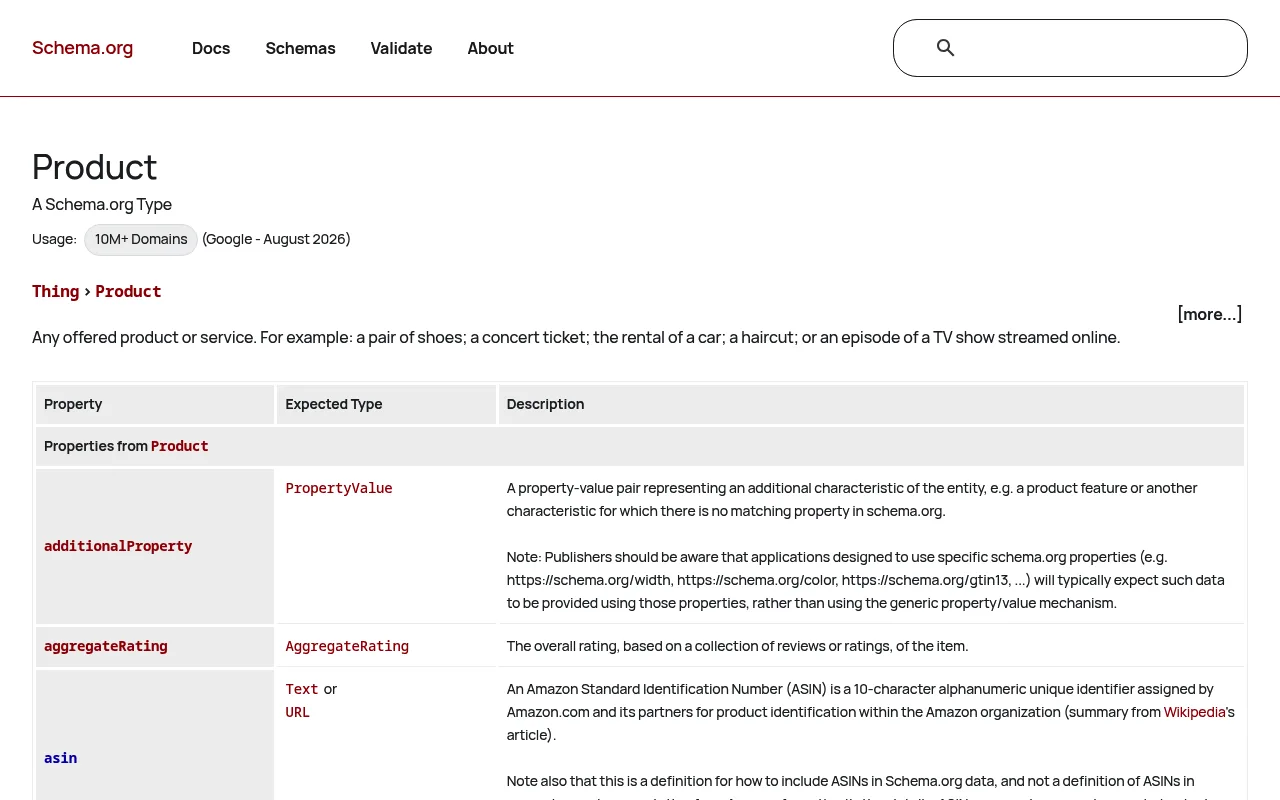
JSON-LD is the format Google recommends, because it sits in one block instead of being woven through your HTML like microdata. Everything below uses JSON-LD.
Two points of vocabulary help:
- Product is the thing: name, images, brand, identifiers.
- Offer is the deal: price, currency, availability, shipping and returns. A product with no offer cannot show a price in results.
Why It Matters: Rich Results and AI Shopping
Google's product structured data documentation explains that with markup, your product information can appear in richer ways across Search, Google Images and Google Lens: price, availability, review ratings, shipping information and more.
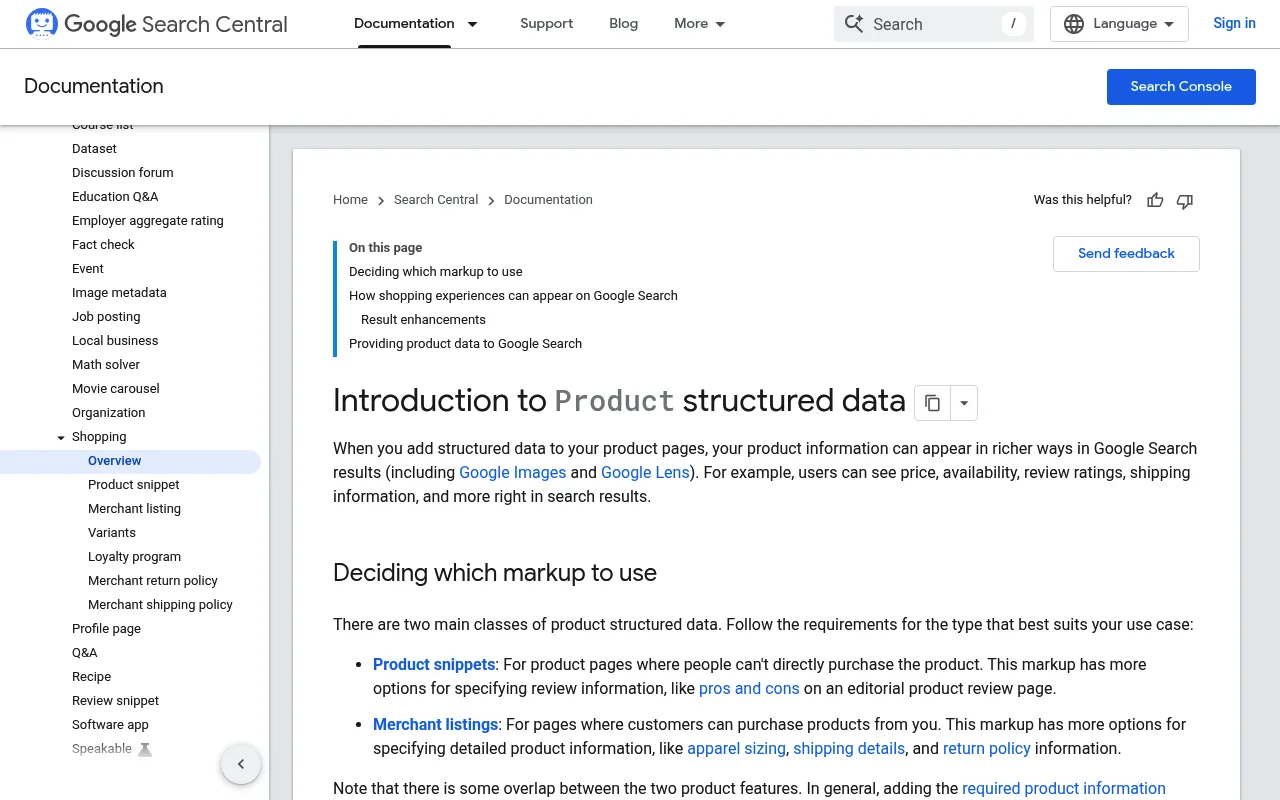
Three reasons to bother:
- Rich results. Stars, price and stock status make a listing take more space and answer questions before the click. Google's own case studies report click-through gains from structured data, though results vary by site and no markup guarantees a rich result.
- Merchant listings and free shopping surfaces. Complete markup lets Google show your products in shopping experiences without a paid campaign. A Merchant Center feed does the same job through a different route, and the two can work together.
- AI search and agents. Assistants that recommend products need reliable price, stock and attribute data. Product schema is the cheapest way to provide it, and the same data feeds ChatGPT Shopping and the wider shift towards agentic commerce.
What it does not do: structured data is not a direct ranking factor. It improves how your result looks and how well machines understand the page. For the wider picture see our ecommerce SEO guide.
Product Snippets vs Merchant Listings
Google splits product markup into two classes, and picking the wrong one is a common early mistake.
| Type | Use it on | What it unlocks |
|---|---|---|
| Product snippet | Pages where people cannot buy the product directly (reviews) | Star ratings, pros and cons on editorial review pages |
| Merchant listing | Pages where shoppers can buy the product from you | Price, availability, shipping, returns, shopping experiences |
Your store's product pages are merchant listings. Only pages where the shopper can buy qualify, and the page should focus on a single product or its variants. Category pages and blog posts should not carry Product markup for the items they list.
The Fields You Need
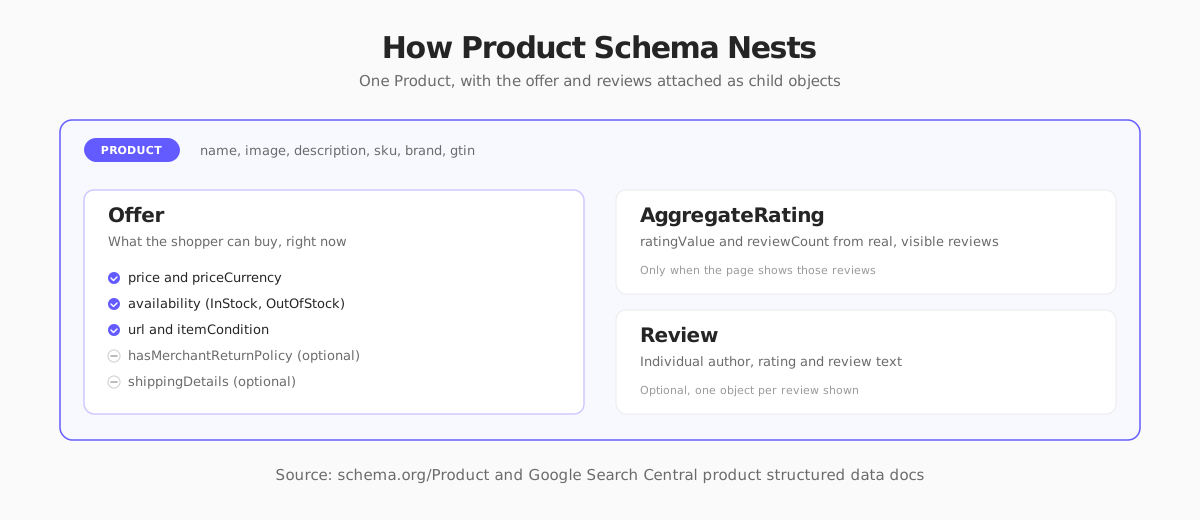
Google's merchant listing requirements are short. These are the required properties:
- Product:
name,imageandoffers - Offer:
price(greater than zero) andpriceCurrency(a three-letter ISO 4217 code such asUSD)
Required gets you eligibility. Recommended fields are where the quality is, and for a store they are worth filling in:
| Field | Why it matters |
|---|---|
description | Context for search and AI answers |
sku, mpn | Your internal and manufacturer identifiers |
gtin (or gtin13, etc.) | The barcode number, which matches your product to others and to feeds |
brand | Brand name as a Brand object |
offers.availability | InStock, OutOfStock, PreOrder and others |
offers.url | The canonical URL of the product page |
offers.itemCondition | NewCondition, RefurbishedCondition or UsedCondition |
offers.priceValidUntil | End of the price's validity, if you set one |
aggregateRating, review | Star rating and review text, from real reviews |
hasMerchantReturnPolicy | Return window and fees, shown in shopping surfaces |
shippingDetails | Shipping rate, destination and delivery time |
Use one availability value per offer, and give price as a plain number without currency symbols or thousands separators.
A Complete Product JSON-LD Example
Here is a full block for a single product with one offer, ratings, shipping and returns:
Note the shipping currency must match the offer's currency, and deliveryTime should appear only once per shipping object. If your policies are the same for every product, you can also define shipping and returns once at the organization level, but product-level markup and Merchant Center settings take precedence over it.
Adding Product Schema in Next.js
In a Next.js App Router storefront, render the JSON-LD in the product page's server component. The Next.js docs on JSON-LD recommend a plain script tag and escaping < to prevent injection from product data.
Three implementation tips:
- Generate it from the same data that renders the page. If the visible price and the schema price come from different sources, they will drift apart. One data object, two outputs.
- Render it on the server. The block should be in the initial HTML, not injected after hydration. Google can render JavaScript, but server output is simpler to debug and works for every crawler.
- Use the
schema-dtspackage (as above) for TypeScript types, so a misspelled property fails at build time instead of silently in Search Console.
Product Variants: Sizes and Colors
If a shoe comes in six sizes, there are two ways to describe it. The simple way is one Product with several offers, which is fine for products whose variants share a page and have no separate identifiers. The better way for most stores is Google's variant model: a ProductGroup that holds the shared details, with each size and color as its own Product that has its own price, SKU and availability.
Give each variant a distinct URL where you can, so the markup and the page agree on which variant is shown. Keep the data for each variant in sync with real stock, since a variant marked in stock that is sold out is a typical mismatch. See Google's variants documentation for the exact rules.
Reviews and Ratings: What Is Allowed
Stars in results are the most wanted rich result, and the most abused. Follow these rules:
- Mark up only reviews that shoppers can see on the page. Hidden or invented ratings break Google's guidelines and risk a manual action.
- Use real aggregate numbers.
ratingValueandreviewCountshould come from your reviews system, not a constant. - Use real reviewer names. A reviewer should be a valid
Person, not promotional text. - Do not copy ratings from other sites onto your product page.
- In the EU, UK and US, fake reviews are also a legal issue. The EU's Omnibus rules require reasonable steps to check that reviews come from real purchasers, and the US FTC's rule on fake reviews took effect in late 2024. See our Omnibus Directive guide for the EU side.
Sale Prices and Currencies
Sale prices trip up many stores. According to Google's documentation, put the active price in price and, if you want to show the original, mark it with a price specification that has priceType set to StrikethroughPrice. Do not set priceType on the active price.
If you sell in several currencies, use a distinct URL for each currency so each page's markup matches what is displayed. Our guide to selling internationally cover the setup. And if priceValidUntil is in the past, the listing may not show, so either keep it current or leave it out.
Common Mistakes That Lose Rich Results
- Price or stock mismatch. The markup says $89 and in stock, the page says $99 and sold out. This is the most common cause of warnings and lost eligibility.
- Markup on category pages. Product schema belongs on product pages, not on listing pages that show a grid of products.
- Missing images or tiny ones. Provide multiple high-resolution images, ideally in 1:1, 4:3 and 16:9.
- Numbers as strings with symbols.
"price": "$89.00"is invalid. Use89.00. - Duplicate or conflicting markup. A theme and a plugin both outputting Product blocks create conflicts. Pick one source.
- Fake or hardcoded ratings. A constant
4.8on every page will eventually be caught. - Markup in client-only JavaScript. If it only exists after hydration, debugging gets harder, and some crawlers miss it.
- Forgetting to update after a redesign. Template changes often drop the script tag silently.
How to Test and Monitor Your Markup
Test before you ship, and keep watching afterwards.
-
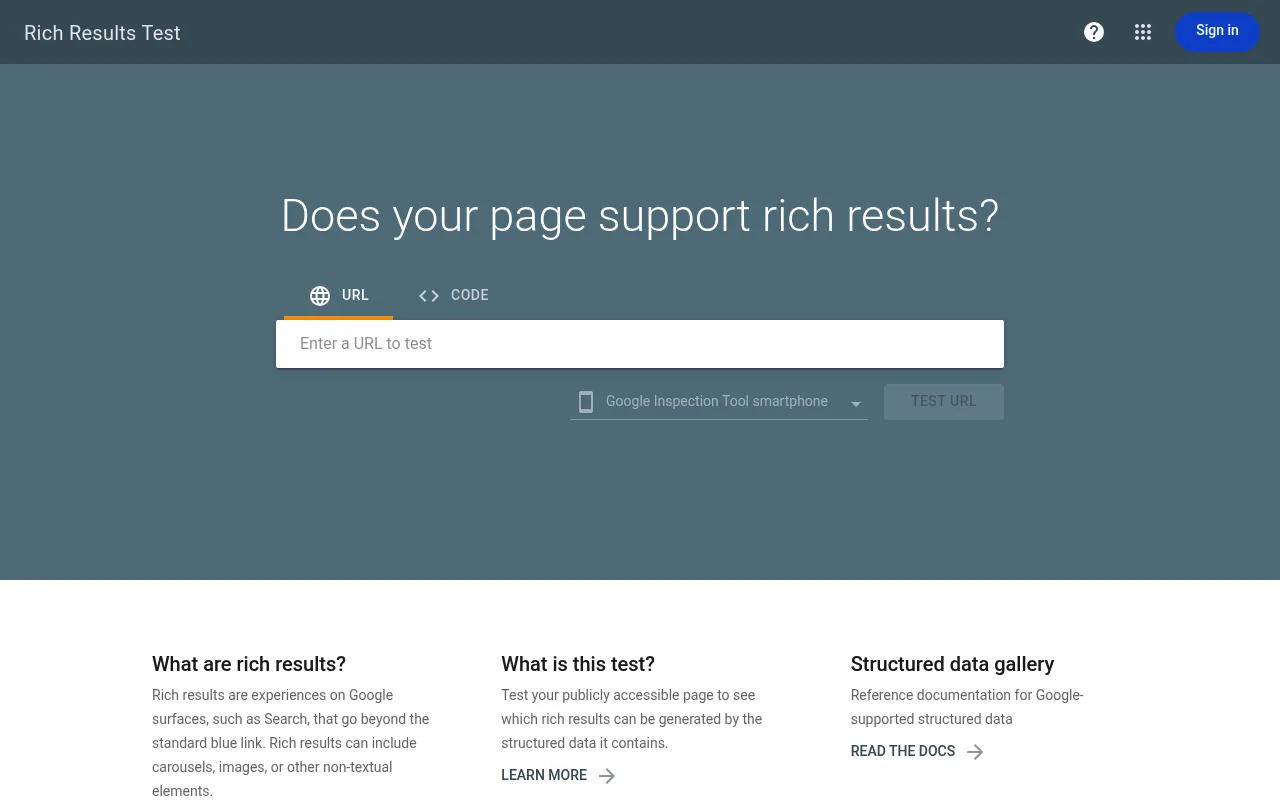
Run the Rich Results Test on a live product URL or a pasted code snippet. It shows which rich result types were detected, plus errors and warnings.
-
Validate generically with the Schema Markup Validator, which checks syntax against schema.org without Google's eligibility rules.
-
Check Search Console. Under Enhancements and Shopping, the Product snippets and Merchant listings reports show errors, warnings and valid items across your whole site. Fix errors first, because they stop eligibility.
-
Spot check after every deploy. Add a test that fetches a few product pages, extracts the JSON-LD and asserts the price and availability match the visible page.
Recrawling takes time. After a fix, use URL Inspection to request indexing for key pages, and expect rich results to appear over days or weeks, not minutes.
Product Schema on Your Next Store
Writing and maintaining this by hand is where most stores slip, because every new product field or template change is another chance for a mismatch. Your Next Store generates structured data from the catalog itself, so Product and Offer markup come from the same data that renders the page. The storefront is a Next.js app rendered with React Server Components, so the JSON-LD arrives in the initial HTML.
If you self-host the open-source storefront, you still read products through the same commerce backend, and you can extend the markup with fields like GTINs, return policies and shipping details using the pattern above. Pair it with the SEO audit to catch pages with missing or inconsistent markup.
Check the current rules where you sell. Google's structured data requirements and consumer review rules change over time and vary by country. This guide reflects Google's documentation and US, EU and UK review rules as of November 2026. Confirm details with Google's documentation and a local legal adviser before relying on them. This is general information, not legal advice.
FAQ
Is product schema markup required for SEO?
No. Google can index and rank a product page without it. But without markup, your page is not eligible for most rich results such as price, availability and review stars, and machines have to guess your data from the page text. For an online store, it is a low-effort addition that is worth making.
What is the minimum product schema Google needs?
For merchant listings, Google requires name, image and an offers object with a price above zero and a priceCurrency. Add availability, url, sku, brand and a GTIN where you have them, because they improve how well Google can match and display the product.
Does product schema improve rankings?
Not directly. Structured data is not a ranking factor, but it can raise click-through rate by making your listing richer, and it helps search engines and AI assistants understand the product. Better clicks and clearer data are the benefit.
JSON-LD or microdata for product pages?
JSON-LD. Google recommends it, it keeps data separate from markup and it is easier to generate from your catalog and to test. Microdata still works but is harder to maintain.
How long until rich results appear?
It varies. After Google recrawls a page it can take days or weeks, and eligibility does not guarantee display. Use Search Console to confirm the markup is detected and error-free.
Related Blog Posts
Before you spend more on ads,
check your store.
Get a free 25-point checklist to find what could be holding back your sales, from product pages to checkout.