Google Shopping vs Meta Ads: Which Pays Off for Ecommerce?
 Jakub Neander
Nov 20, 202615 min read
Google Shopping vs Meta Ads is the wrong fight: one catches people who already want your product, the other makes people want it. Across the tens of thousands of ecommerce brands Triple Whale tracks, its 2026 data puts the median Google Ads ROAS at 3.16 and the median Meta ROAS at 1.88. That looks like a knockout until you ask where Google's searchers heard of you. This guide covers what each channel actually does, which products and price points fit which, how to split a small budget, the feed and tracking setup both need, the EU and UK rules that change the picture, and a framework for deciding where your first dollar goes.
TL;DR
- Google Shopping captures demand. Your product appears when someone searches for it, with a photo and a price. Best for products people already look for by name or type.
- Meta Ads create demand. Your product appears in Instagram and Facebook feeds of people who weren't shopping. Best for new, visual, own-brand products that sell once someone sees them.
- Start free. Google's free listings put your products in the Shopping tab without ad spend. Submit your feed before you spend anything.
- Small budget, one channel. Under roughly $3,000 a month, put most of it into one channel and run it properly rather than splitting it thin across two.
- Tracking decides who wins. Without server-side events and consent signals, both platforms under-report, and Meta suffers more.
Google Shopping vs Meta Ads at a Glance
| Google Shopping (Shopping ads, Performance Max) | Meta Ads (Advantage+ sales campaigns) | |
|---|---|---|
| What the shopper is doing | Searching for a product | Scrolling a feed, watching Reels |
| Job in the funnel | Capture existing demand | Create new demand, retarget visitors |
| Ad format | Product image, title, price, store name | Video, images, carousels, catalog ads |
| What drives results | Feed quality, price, bids | Creative, offer, audience signal |
| Median ROAS, Nov 2025 to Oct 2026 | 3.16 | 1.88 |
| Median CPM, same window | $16.21 | $15.72 |
| Median conversion rate | 3.01% | 1.51% |
| Free option | Free listings on the Shopping tab | Organic posts and shops only, no free ads |
| Data it needs | Merchant Center feed | Meta catalog (for catalog ads) |
| Tracking | Google tag, Enhanced Conversions, Consent Mode | Meta Pixel plus Conversions API |
Two caveats on those benchmarks. Triple Whale's Google figure is for Google Ads as a whole, not Shopping alone, so it likely includes branded search, which is the cheapest traffic any store gets. And both numbers are platform-reported, so each platform credits itself for sales the other one helped create.
Intent Capture vs Demand Creation
The single most useful idea in the Google Shopping vs Meta Ads debate is that the two channels sit at opposite ends of the funnel.
Google Shopping catches people who already want it
Someone types "trail running shoes" into Google. Above or beside the results, a row of products appears, each with a photo, a price, a store name and often a rating. That's a Shopping ad. On the Shopping tab, the same query returns a full grid of products, paid and free mixed together.
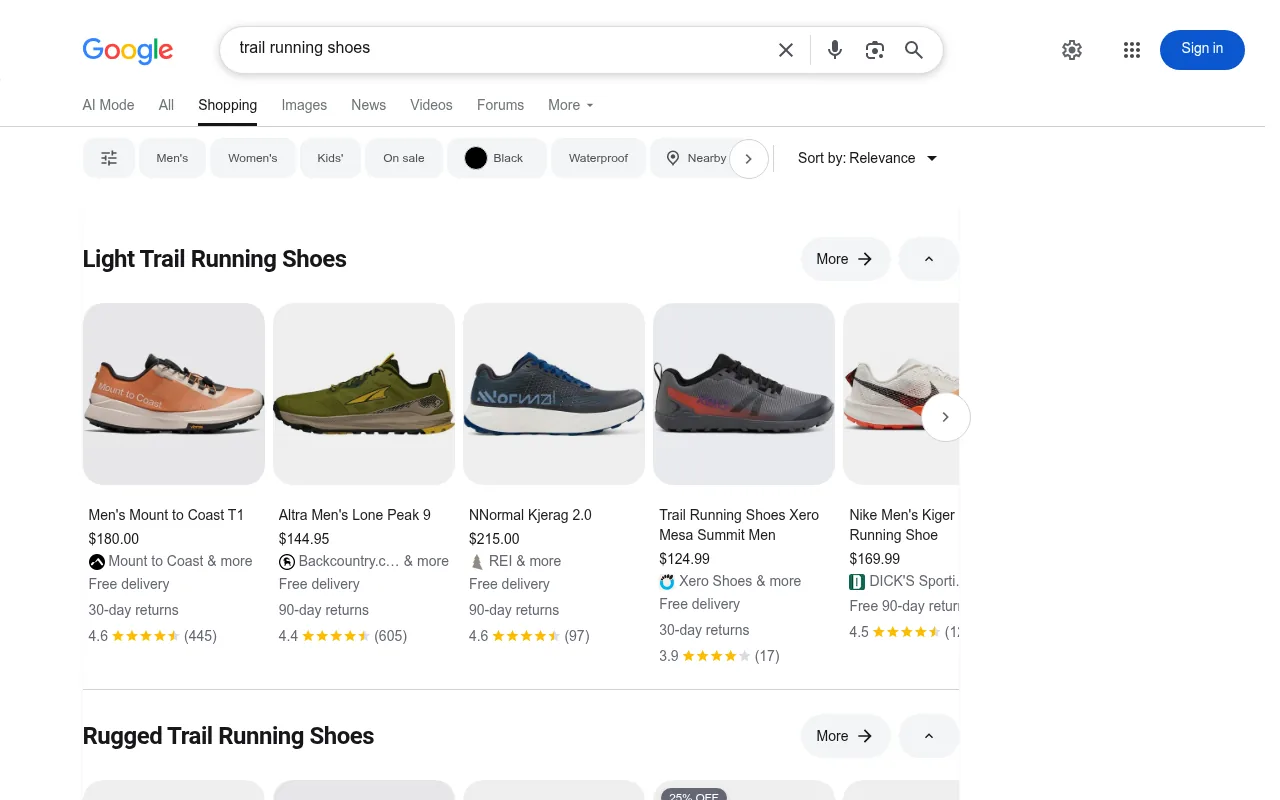
You don't write ad copy and you don't pick keywords. Google matches the search against your product feed and decides when to show you. Your levers are the feed (titles, images, attributes), your price and your bids.
Today, most Shopping spend runs through Performance Max, Google's automated campaign type that places your products across Search, Shopping, YouTube, Display, Gmail and Maps from one budget. Standard Shopping campaigns still exist and give you more control over which products get spend, which many small stores prefer at the start.
The upside is intent. A shopper on the Shopping tab is comparing products they plan to buy. The downside is the ceiling: Google can only sell to people who are already searching. If nobody searches for your product category, there's nothing to capture.
Meta Ads put products in front of people who weren't looking
Meta works the other way round. Nobody opens Instagram to buy a candle, but a 15-second Reel of a candle that smells like a rainy forest can sell one anyway. Meta's algorithm finds people likely to buy based on the signals your pixel sends back, and shows them your ad while they scroll.
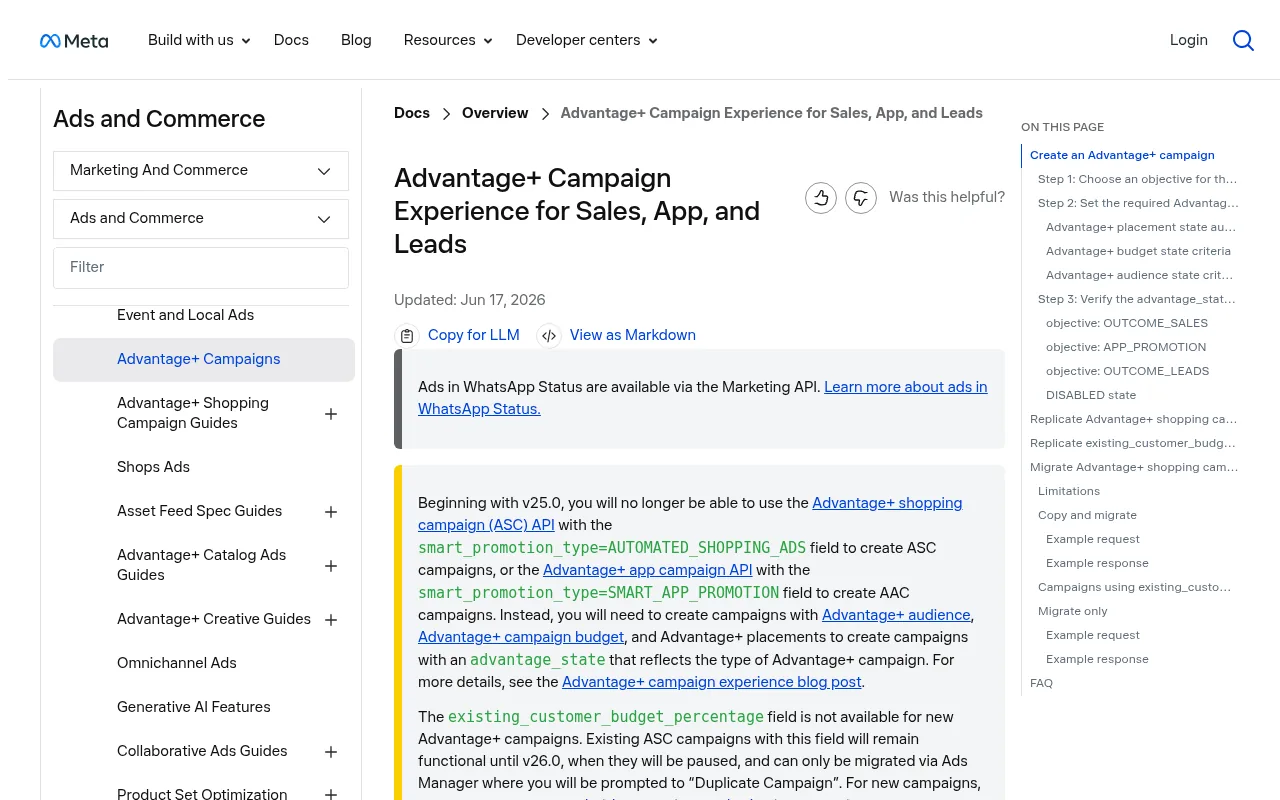
The main ecommerce campaign type is now the Advantage+ sales campaign. Meta folded the older Advantage+ shopping campaigns into it, and its developer docs confirm that new Advantage+ shopping campaigns can no longer be created through the API from v25.0.
Automation pays off here more than on Google: eMarketer's chart of Meta-cited data shows US Advantage+ shopping campaigns returning almost 22% more than the average Meta ad in 2024. Your levers are creative (the video or image itself), the offer and the quality of the conversion data you send back. Targeting is mostly the algorithm's job now.
Meta also does the retargeting most stores need: showing the exact product a visitor viewed, through catalog ads. If that's your main interest, we covered it in depth in ecommerce retargeting.
Why the ROAS gap is partly an illusion
Picture a shopper who sees your Reel on Tuesday, doesn't click, then searches your brand name on Friday and buys through a Shopping ad. Google records a sale. Meta, if it saw no click, may record a view-through at best. Run Meta for a month, switch it off, and the Google ROAS can slip too.
That's why a 3.16 vs 1.88 median doesn't mean Google is "70% better". It means Google sits closer to the checkout. To judge them fairly, watch your total revenue against total ad spend (often called MER or blended ROAS) alongside each platform's own reports.
Which Products Fit Which Channel
Your product matters more than any benchmark.
| Product trait | Leans Google Shopping | Leans Meta Ads |
|---|---|---|
| Search demand | People search it by type or brand ("standing desk", "Hoka Speedgoat") | Few people know to search for it yet |
| Brand | Branded goods with GTINs, resold | Own brand, new category |
| How it sells | Specs and price | A look, a demo, a before/after |
| Price point | Competitive with other sellers | Unique enough that comparison doesn't apply |
| Purchase type | Replacement, need-based, gifting with a clear name | Impulse, lifestyle, identity |
| Margin | Thin margins work if conversion is high | Needs room to pay for testing and creative |
Price points
There is no reliable public dataset tying channel performance to price, so treat these as working rules rather than laws:
- Low price (under about $25): hard on both. Shopping click costs eat a single-item margin, and on Meta you need bundles or a strong average order value to absorb the cost per purchase.
- Middle (roughly $30 to $150): the sweet spot for both. Meta's impulse buy and Google's comparison shopper both live here.
- High (over a few hundred dollars): Google Shopping tends to work better for known products, because buyers research. On Meta, expect longer paths: people see the ad, leave, come back through search. Optimize for add-to-cart or initiate checkout if purchases are too rare to train the algorithm.
Free Google Shopping Listings: Start Here
Before you spend a dollar on either channel, do the one thing that costs nothing. Since 2020, Google has shown merchants' products in the Shopping tab for free, and new Merchant Center accounts are opted in to free listings by default. Free listings can appear on the Shopping tab, in Search, Images, Maps and other Google surfaces, depending on the product and country.
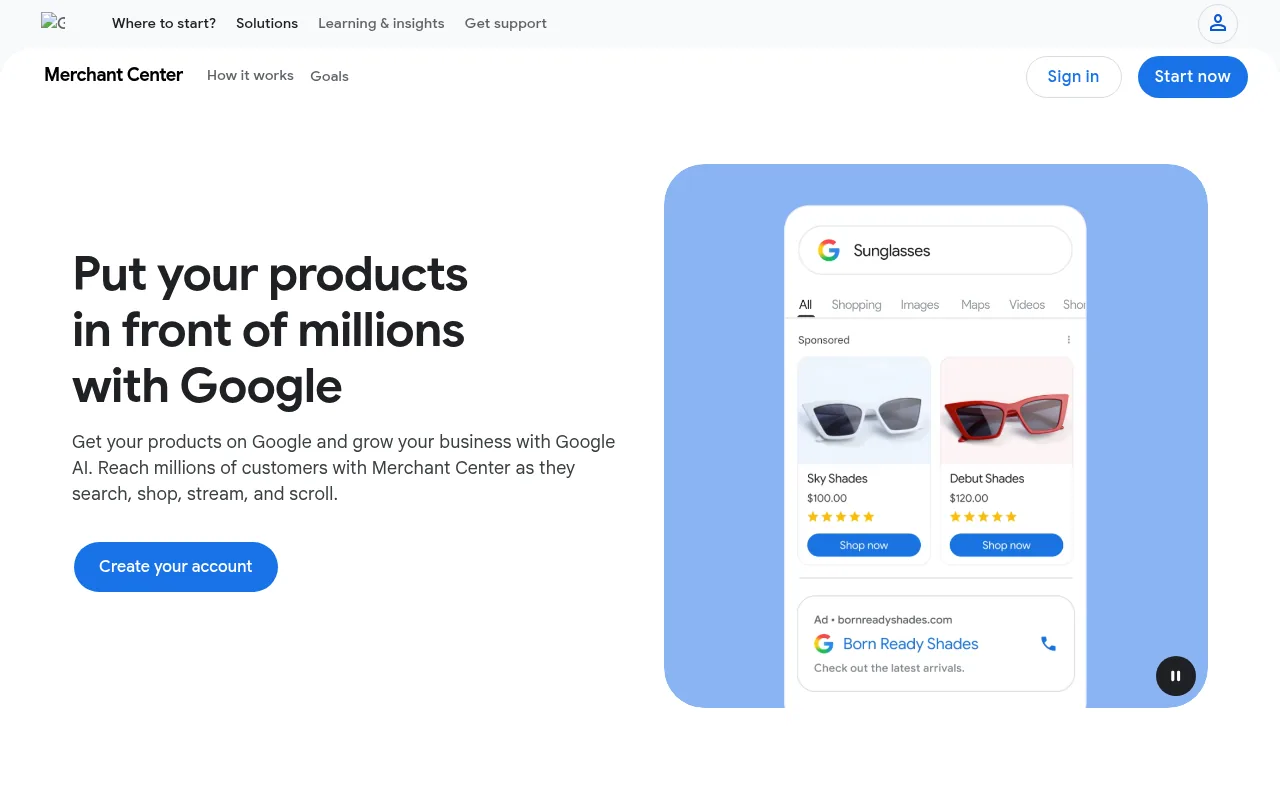
Free listings won't carry a growing store on their own: paid placements sit above them. But they do three things for you:
- They validate the feed. Every disapproval you fix now is one you won't pay to discover later.
- They show demand. Merchant Center reports clicks and impressions for free listings. If your products get impressions without ads, Google Shopping has demand to capture.
- They bring sales. Small, but at zero cost per click.
Meta has no equivalent. Organic posts and a Facebook or Instagram shop are free, but there's no free placement in front of people who aren't already following you.
How to Split a Small Ad Budget
Both platforms need data before their automation works, and the thresholds are very different.
- Google: to use a Target ROAS strategy on Shopping campaigns, Google requires at least 15 conversions per Merchant Center ID in the last 30 days.
- Meta: an ad set generally needs about 50 optimization events in a week to exit the learning phase. Until then, results swing and cost per purchase is usually worse.
Do the math for Meta. If a purchase costs you $30, 50 purchases a week is $1,500 a week, or about $6,400 a month, for a single ad set. Most small stores can't fund that, which is why they either optimize for an earlier event (add to cart) at first or accept that the campaign stays in "learning limited" for a while. On Google, 15 conversions at the same cost is $450 a month. That gap is the strongest argument for starting small stores on Google when demand exists.
A starting split for a store with one main channel decided by the framework below:
| Monthly ad budget | Split | Why |
|---|---|---|
| Under $1,000 | 100% to one channel (plus free listings) | Splitting means neither platform gets enough data to learn |
| $1,000 to $3,000 | About 80/20, main channel / test of the other | Enough to learn on one, enough to see if the other shows life |
| $3,000 to $10,000 | 60/40 to 50/50, by results | Both channels can reach their thresholds; judge on blended return |
| Over $10,000 | Set by incrementality tests | Pause one channel in one region for two weeks and measure the drop |
This is a rule of thumb from how the platforms' learning works, not a published benchmark. If your product is new and nobody searches for it, flip the default and put the larger share into Meta.
Product Feed Requirements: Merchant Center vs Meta Catalog
Both channels run on a product feed: one row per product or variant, with title, price, image and stock status. The difference is how strict each one is.
| Google Merchant Center | Meta catalog | |
|---|---|---|
| Needed for | Shopping ads, Performance Max product ads, free listings | Catalog ads, retargeting, Facebook and Instagram shops |
| Required basics | ID, title, description, link, image, price, availability (spec) | ID, title, description, availability, condition, price, link, image, brand (field reference) |
| Product identifiers | GTIN for products with a manufacturer barcode; otherwise brand and MPN, or "no identifier" for own-brand | Optional, but helps matching |
| Strictness | High: price, availability and landing page must match exactly, or items are disapproved | Moderate: rejects empty required fields |
| Can run ads without it? | No, not for Shopping | Yes, but no catalog or retargeting ads |
Things that get feeds rejected on Google, in rough order of how often you'll meet them:
- Price or stock mismatch between the feed and the product page, especially after a sale starts.
- Missing or invalid GTINs for branded products you resell.
- Images with promotional text, watermarks or placeholders.
- Missing shipping or return policies in Merchant Center.
On Meta, the common failure is the opposite: the feed is accepted, but titles and images were written for Google and look flat in a social feed. Your catalog ads use the same photo, so lifestyle images often beat white-background packshots there. Tighter titles help both; our guide to writing product descriptions applies to feed copy too.
Keep your product IDs stable. Both platforms learn per product ID. Change your SKU scheme and Google treats every product as new, with no history, and your Meta retargeting stops matching viewed products to the catalog.
Tracking: Conversions API, Enhanced Conversions and Consent Mode
Ad platforms optimize toward the conversions you report. Report fewer than really happened and the algorithm learns from a distorted picture. Browser-only tracking loses events to ad blockers, Safari's tracking prevention and shoppers who close the tab on the thank-you page.
Meta: Pixel plus Conversions API
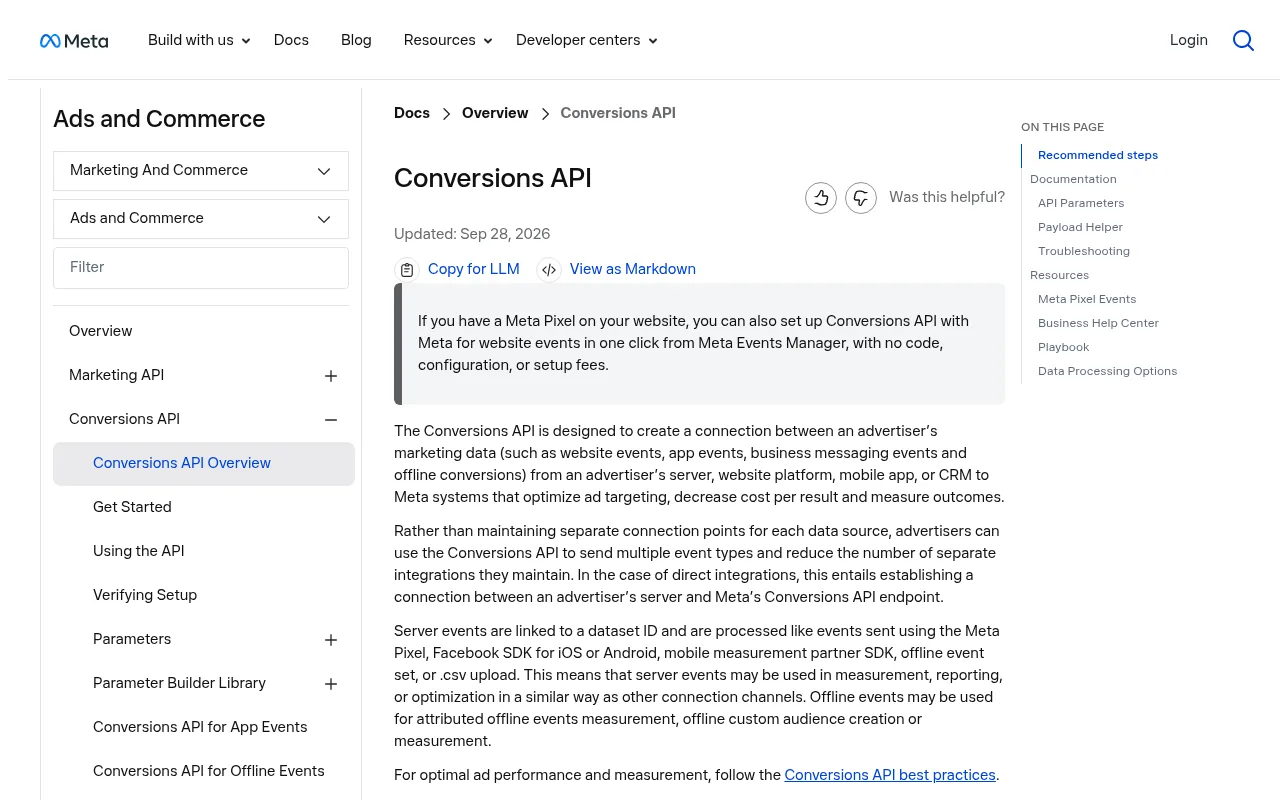
The Meta Pixel runs in the browser. The Conversions API sends the same events from your server. Meta matches the pairs by an event ID and counts each once. Running both is Meta's own recommendation, and it matters more for Meta than for Google, because Meta's optimization relies more heavily on your event data than on what the shopper typed.
Google: Google tag plus Enhanced Conversions
Google's equivalent is Enhanced Conversions: on purchase, the Google tag sends a hashed version of the customer's email (and optionally phone and address) so Google can match the conversion to a signed-in Google account. You turn it on in Google Ads under conversion settings, and set it up through the Google tag, Google Tag Manager or the API.
Consent Mode v2 in the EU and UK
If you sell to the EU, EEA or UK, consent comes first. Since March 2024, Google has required advertisers using its ad products with EEA traffic to send consent signals through Consent Mode v2, and personalized advertising and remarketing need affirmative consent. Without those signals, your remarketing lists stop growing with new EEA users.
In practice, for both platforms:
- A consent banner must block ad tags until the visitor accepts. See our guide to cookie consent for ecommerce for what counts as necessary (ads never do).
- Consent Mode passes the answer to Google, which then models conversions it couldn't observe.
- Server-side events don't get around consent. The Conversions API is not a loophole: if a shopper declined, don't send their events from the server either.
EU and UK Differences That Change the Math
Most comparisons of Google Shopping vs Meta Ads are written for the US. In Europe, two things work differently.
Comparison Shopping Services (CSS)
After the European Commission's antitrust ruling, Shopping ads in the EEA, Switzerland and the UK are placed through Comparison Shopping Services. Google Shopping is one CSS among many, and Google says all of them get the same opportunity to place your ads. You can link your Merchant Center account to a third-party CSS instead.
Why it matters: Google Shopping as a CSS has to run at a margin, and third-party CSS partners often advertise lower effective click costs because that margin isn't added to their bids. The savings figures you'll see quoted (often "up to 20%") come from CSS resellers and vary by provider, so ask for the actual fee structure before switching. Merchant Center accounts can be linked to one CSS at a time.
Meta in Europe
Meta's ads in the EU work with less data than in the US. In November 2024, Meta added a free "less personalized ads" option for users in Europe alongside a paid ad-free subscription, and the UK got its own ad-free subscription in September 2025. Users who choose those options see ads targeted on far less data, or no ads at all. Combined with cookie banners that many shoppers decline, European stores should expect lower measured Meta performance than US benchmarks suggest, and should lean harder on server-side events for shoppers who consent.
Always check the current rules where you sell. This guide summarizes Google and Meta consent requirements and EU and UK ad rules as of November 2026. Platform policies and privacy law change, and they vary by country, so confirm the details with the platforms' help centers and a privacy specialist before you change your tracking setup. This is general information, not legal advice.
A Decision Framework for Google Shopping vs Meta Ads
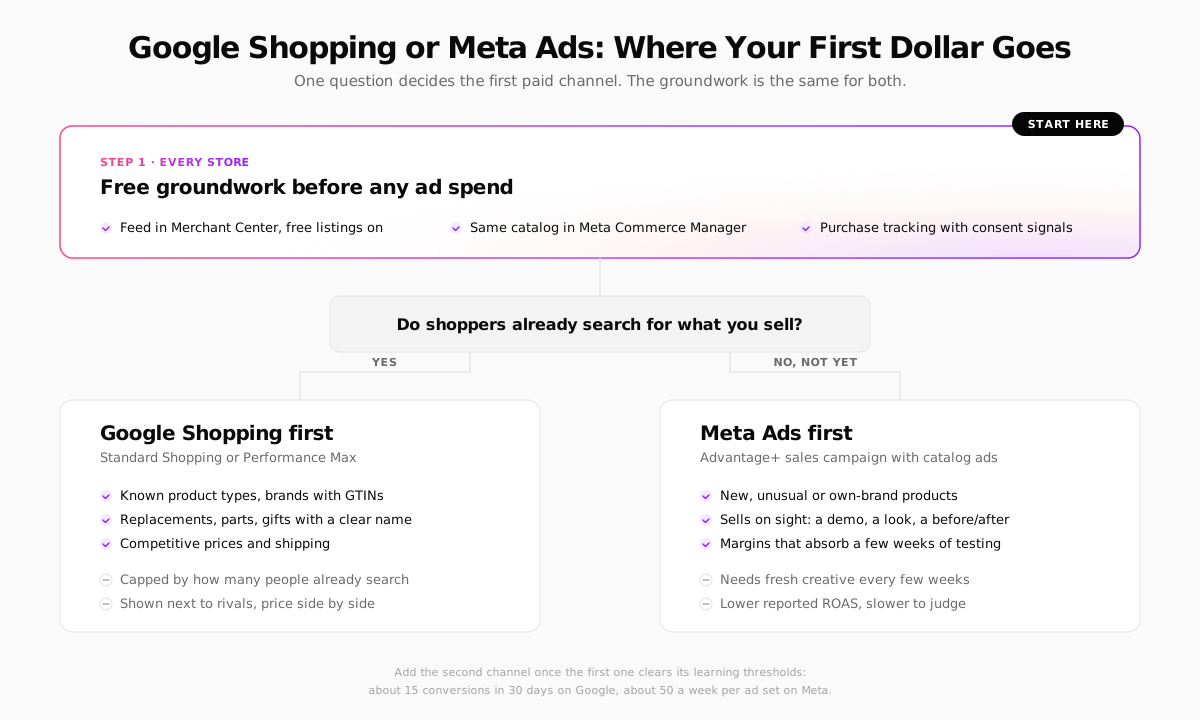
To answer the middle question honestly, check three things:
- Free listing impressions. After two to four weeks, does Merchant Center show your products getting impressions on free listings?
- Search volume. Do Google Trends or a keyword tool show people searching for your product type, not just your brand?
- Price position. Put a typical product into the Shopping tab. If you're 30% more expensive than ten similar listings with no visible reason, Google will make that obvious to every shopper.
Two or three yeses: start with Google Shopping. Mostly no: start with Meta, and treat the first month as a creative test, not a profit test.
What Nobody Tells You Until Month Six
- Performance Max will spend on your brand name. It happily claims sales from people searching your store name, who would have bought anyway. Exclude brand terms or separate them, or PMax will look better than it is.
- Creative fatigue is Meta's real cost. The ad that worked in March stops working in May. Budget for a steady stream of new videos and images, not a one-off shoot. Good product photography is the cheapest input you control.
- Meta's "learning limited" isn't failure. At small budgets, most ad sets never formally exit learning. Judge on two to four weeks of cost per purchase, not on the status label.
- Price changes break Shopping quietly. A sale price on the site that hasn't reached the feed gets products disapproved during the very week you need them. Feeds that re-fetch daily and send sale prices as a separate field avoid it.
- Platform reports will add up to more than 100%. Google and Meta both count the same sale when a shopper touched both. Your store's own orders are the truth; reconcile against them, as covered in our guide to ecommerce analytics.
Running Both Channels on Your Next Store
Most of the groundwork above is plumbing, and Your Next Store handles a good share of it without code:
- Ready-made product feeds. Settings gives you feed URLs for Google Merchant Center and Meta (plus OpenAI) that stay in step with your catalog. The Google feed sends prices with currency, regular and sale price separately, valid GTINs only (own-brand products are marked as having no identifier) and variant groups, and trims titles and descriptions to Google's limits.
- Meta Pixel with server-side events. Connect the Meta Pixel add-on and YNS also reports product views, add-to-carts, checkouts and purchases to Meta from the server, deduplicated against the browser pixel. No separate Conversions API setup.
- Google Tag Manager or a Google tag. Standard GA4 ecommerce events (
view_item,add_to_cart,purchaseand the rest) are pushed for you, so GTM's built-in tags read them as they are. - Consent built in. The cookie banner can be shown only in the countries that need it, blocks every tracking tool until the visitor accepts, and passes Consent Mode signals to Google.
- Sales by Channel. The admin's analytics show which channel actually brought each order, using first and returning visits, so you can compare Google and Meta against your own orders rather than their self-reported numbers.
What you still do yourself: create the Merchant Center and Meta Business accounts, and set up Google Ads conversion tracking with Enhanced Conversions inside Google Tag Manager. As of this writing, YNS sends server-side purchase events to Meta, not to Google Ads.
YNS plans start at $30 a month with 0% platform transaction fees; Stripe's processing fees apply as usual. The storefront is open source too: YNS on GitHub.
FAQ
Is Google Shopping better than Meta Ads for a new ecommerce store?
For products people already search for, yes: Google Shopping usually turns a profit sooner because it reaches buyers mid-search, and it needs far fewer conversions to optimize (15 in 30 days for Target ROAS against roughly 50 a week per Meta ad set). For a new product category nobody searches for yet, Meta is the better first channel, because Google has no demand to capture.
How much should a small store spend on Google Shopping vs Meta Ads?
Under about $1,000 a month, put it all into one channel and turn on Google's free listings. Between $1,000 and $3,000, try an 80/20 split with the main channel taking the larger share. Above that, split by blended results, and use holdout tests to see what each channel really adds.
Do I need both a Merchant Center feed and a Meta catalog?
For Google Shopping ads and free listings, a Merchant Center feed is required. Meta Ads can run without a catalog, but you need one for catalog ads, dynamic retargeting and Facebook and Instagram shops. Most stores should submit both from the same product data.
Can I advertise on Google Shopping in the EU without Google?
Yes. In the EEA, Switzerland and the UK you can run Shopping ads through any Comparison Shopping Service in Google's CSS program, not only through Google Shopping. The ads appear in the same places; the CSS manages bidding and billing.
The Bottom Line
Google Shopping answers demand and Meta creates it. Pick the one your product needs first, feed it clean data, and remember that the channel with the better ROAS is often the one standing closer to the checkout.
Related Blog Posts
Before you spend more on ads,
check your store.
Get a free 25-point checklist to find what could be holding back your sales, from product pages to checkout.