Ecommerce Retargeting: How to Win Back Lost Shoppers
 Jakub Neander
Nov 19, 202612 min read
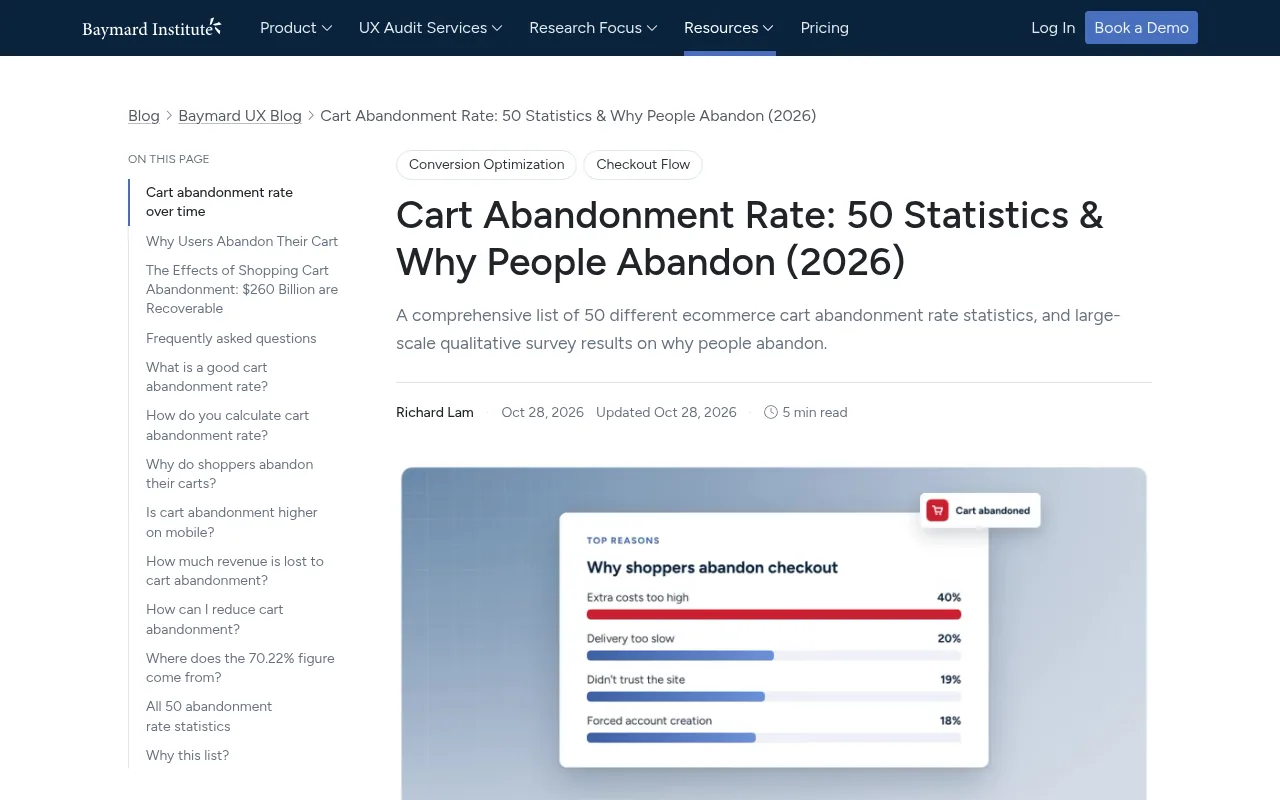
Most of the shoppers you paid to bring in leave without buying, and most of them never tell you who they are. Baymard's average across 50 studies puts cart abandonment at 70.22%, and that only counts the people who got as far as a cart. Ecommerce retargeting is how you reach the rest: ads that follow a shopper from your store to Instagram, YouTube or TikTok and show them what they looked at. This guide covers the audiences to build, the windows to set, the catalog ads that do the work, the tracking that keeps it honest and the consent rules in the US, EU and UK.
What Is Ecommerce Retargeting?
Ecommerce retargeting is advertising aimed at people who have already visited your store. A tag on your site (the Meta Pixel, the Google tag, the TikTok Pixel) records what each visitor does, the ad platform puts them in an audience, and your ads then reach that audience while they browse elsewhere.
You will also hear remarketing. The terms overlap so much that Google Ads has renamed remarketing to "your data" and uses one feature for both. In practice:
- Retargeting usually means paid ads to past visitors, based on what they did on your site.
- Remarketing often means reaching people you already have a relationship with, such as email flows to customers or uploading a customer list to an ad platform.
The distinction matters less than the mechanism. What makes retargeting different from every other ad you run is that you know what the shopper wanted. A cold ad guesses. A retargeting ad can show the exact jacket, in the size they picked, three days after they left.
Where it fits next to email
If a shopper gave you an email address, an abandoned cart email sequence is cheaper and usually performs better: Klaviyo's abandoned cart benchmarks put the average flow at $3.65 revenue per recipient, and you pay nothing per send. But most visitors never type an email. Retargeting ads are how you reach the anonymous majority, and you pay for every impression or click. Run both, and let email handle everyone it can.
How Ecommerce Retargeting Works in 2026
Three pieces have to line up for any retargeting campaign:
- Events. Your store reports what happened: a product view, an add to cart, a checkout started, a purchase. Each event carries the product ID, value and currency.
- Audiences. The ad platform groups visitors by those events and keeps each person for a set number of days (the membership duration or retention window).
- A catalog. For dynamic ads, a product feed tells the platform what each product ID looks like: title, image, price, availability.
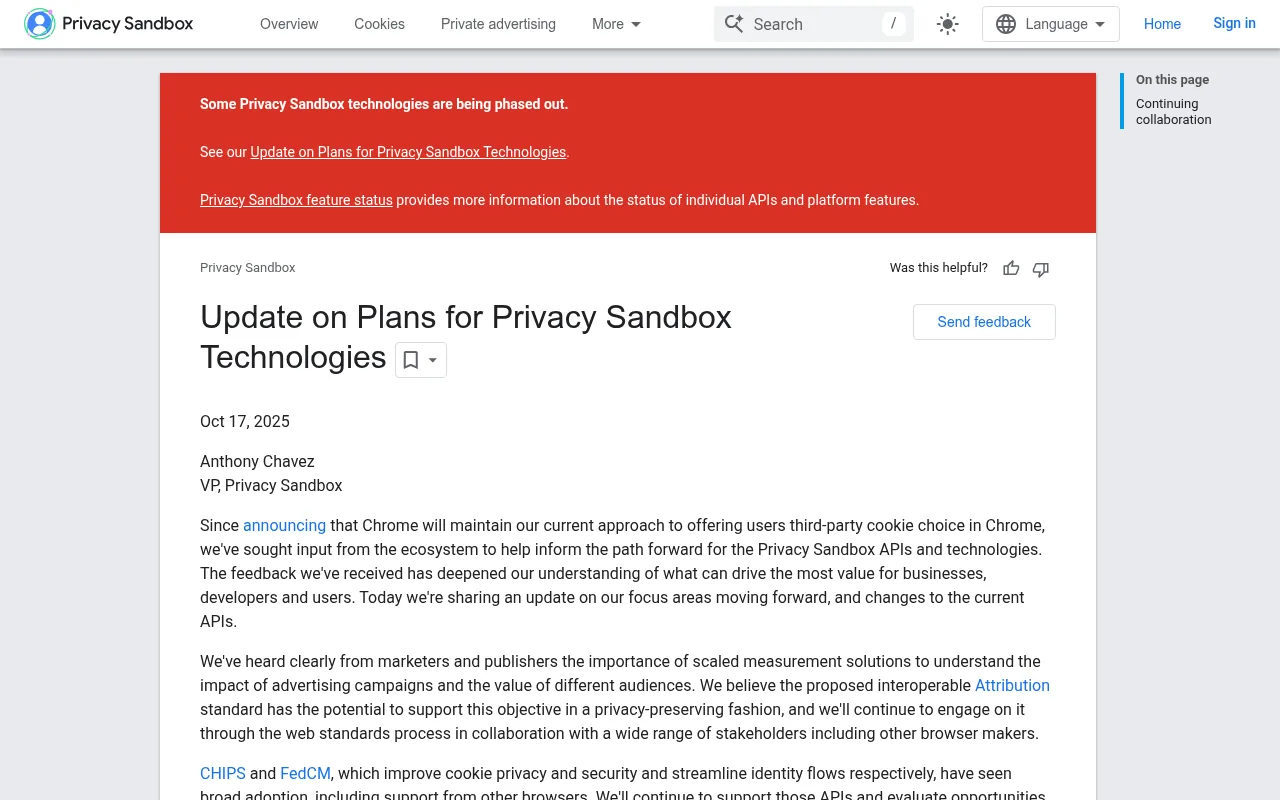
The browser side has been unstable for years, and 2025 settled one big question. Google announced in April 2025 that Chrome would keep third-party cookies and leave the choice with users, and in October it retired most of the Privacy Sandbox APIs that were meant to replace them, citing low adoption.
That does not make tracking easy again. Safari blocks third-party cookies by default and Firefox isolates them per site, ad blockers stop pixels outright, and consent banners in Europe mean a share of visitors never gets tracked at all. The practical answer in 2026 is not a new cookie. It is sending the same events from your server as well as the browser, which we come back to below.
Build Your Ecommerce Retargeting Audiences
The single biggest mistake in ecommerce retargeting is one audience called "all visitors, 180 days" with one ad. A shopper who bounced off your homepage two months ago and a shopper who reached the payment step yesterday need different messages, different budgets and different windows.
Split them by intent:
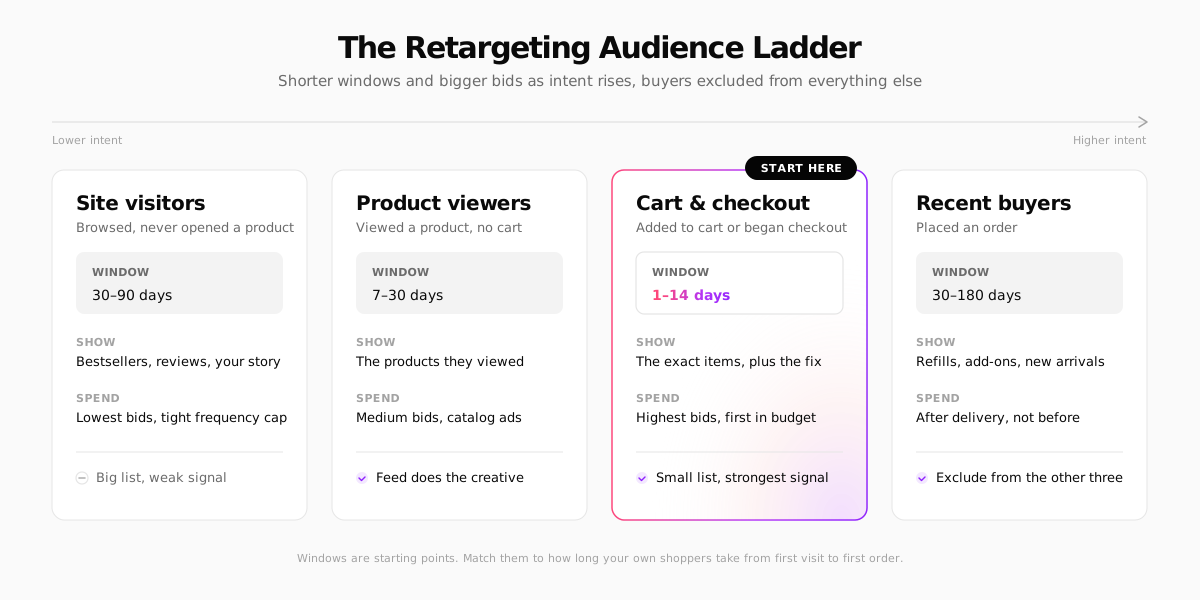
A few rules make the ladder work:
- Each rung excludes the rungs above it. Product viewers exclude anyone who added to cart. Cart abandoners exclude purchasers. Otherwise the same person sees three ads at once and the cheaper audience steals credit.
- Exclude recent buyers from everything except cross-sell. Nothing burns trust faster than an ad for the thing someone bought yesterday. Set the purchase exclusion window to at least your delivery time plus the return window.
- Match windows to your buying cycle, not the platform maximum. Google suggests the membership duration should be similar to the length of your sales cycle. A $25 T-shirt is decided in days. A $1,400 sofa might take six weeks, so a 7-day cart window throws away buyers who were always going to come back.
Platform limits worth knowing
| Platform | Audience source | Default window | Maximum |
|---|---|---|---|
| Google Ads | Website visitor segments | 30 days | 540 days |
| Meta | Website Custom Audiences | Set by you | 180 days |
Two details catch people out. On Google, every new visit to a tagged page resets the visitor's clock, so a regular browser can stay in a 30-day list for months. And on every platform, an audience can only contain visitors your pixel has already seen: install tracking weeks before your first campaign, not on launch day.
Dynamic Product Ads: Let the Catalog Write the Creative
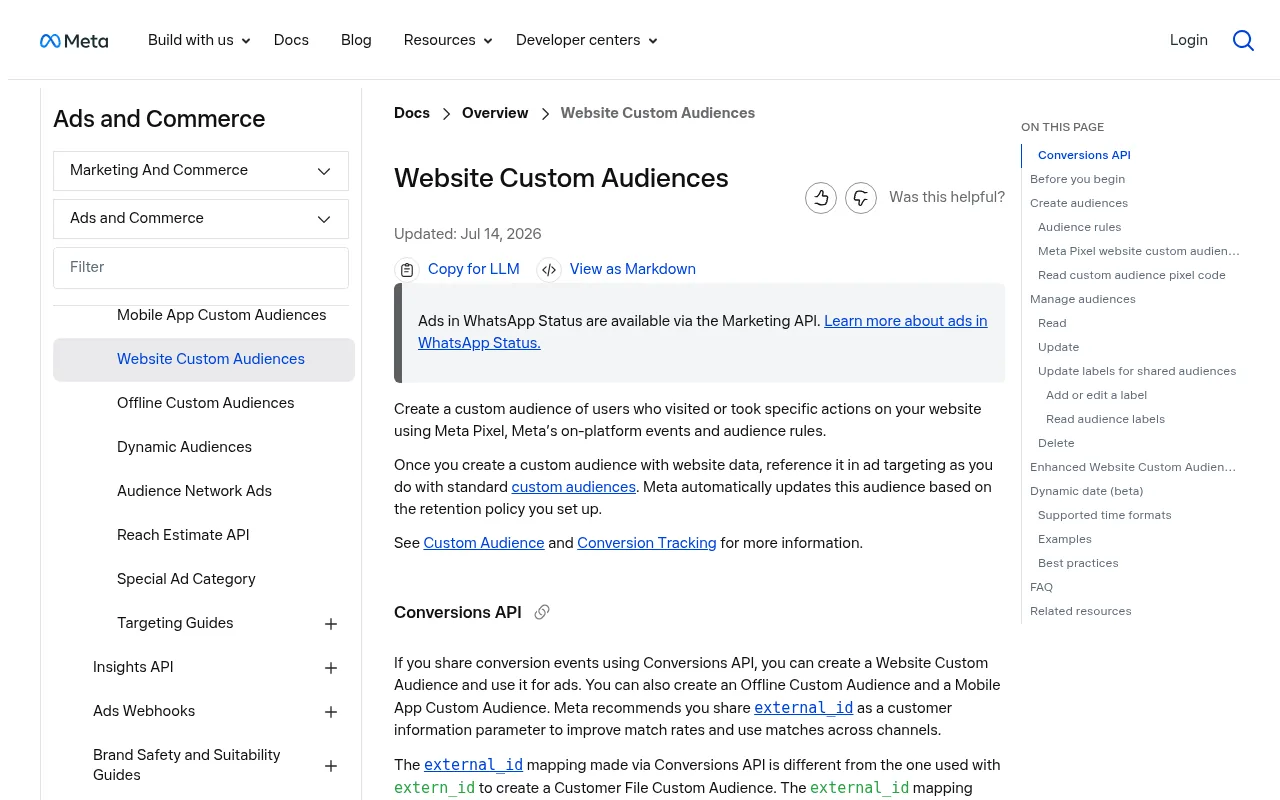
For a store with more than a handful of products, dynamic ads do most of the heavy lifting. Meta calls them Advantage+ catalog ads, Google calls it dynamic remarketing, and both work the same way: the platform reads the product IDs in a shopper's events, looks them up in your feed, and builds the ad from the matching image, title and price.
That only works if the IDs match. Google's documentation for dynamic remarketing events is explicit that the item IDs your tag sends must match the IDs in your Merchant Center feed. Meta matches the content_ids in your Pixel and Conversions API events against the IDs in your catalog the same way.
Here is what a Meta Pixel add-to-cart event looks like when it is built for catalog ads and deduplication:
Three habits keep dynamic ads healthy:
- Keep IDs stable. If you change a SKU and the feed uses SKUs as IDs, the platform sees a brand-new product with no history, and every shopper who viewed the old one drops out of the ad.
- Keep the feed fresh. A dynamic ad showing yesterday's price, or a sold-out size, is worse than no ad. Most platforms re-fetch a scheduled feed daily.
- Fix the feed before the ads. Missing images and vague titles get products rejected from the catalog, and a rejected product cannot be retargeted.
Retargeting Ad Creative That Brings Shoppers Back
Dynamic ads handle the product. You still decide the message around it, and that should change with the rung of the ladder.
Site visitors: earn a second look
They did not engage with a product, so showing them one is a guess. Lead with proof instead: bestsellers, a strong review, what makes the brand different, a clear shipping and returns line. One or two ads a week is plenty.
Product viewers: remind and reassure
Show the products they viewed, plus close alternatives. Add the facts that stop people at the product page: sizing help, delivery time, return policy. A carousel of the viewed product next to similar items works well here.
Cart and checkout: remove the blocker
These shoppers wanted to buy and something stopped them. Baymard's research on why people abandon keeps finding the same causes: extra costs, slow delivery and trust. Your ad should answer the likely objection:
- Shipping cost surprise: state your free shipping threshold.
- Trust: show the review count and the payment methods you accept.
- Timing: say when it arrives if they order today.
Hold back discounts. A coupon in every cart retargeting ad teaches shoppers to abandon on purpose. If you use one, put it at the end of the window, after the reminder has had its chance. The same logic applies to email, and our guide to reducing cart abandonment covers the fixes that belong in the checkout itself, which beat any ad.
Recent buyers: cross-sell, after delivery
Refills, accessories and new arrivals, timed to when the product has arrived and been used. A coffee brand can retarget at day 25 with a reorder ad. An apparel store can show the matching piece after the return window closes.
Frequency, Budget and Bidding
Retargeting audiences are small, which makes them easy to oversaturate. A few working rules:
- Budget from the top of the ladder down. Fund cart and checkout abandoners first, then product viewers. General site visitors get what is left.
- Watch frequency, not just cost. If the same person sees your ad a dozen times a week, you are paying to annoy them. Rotate creative every few weeks and cap frequency where the platform lets you.
- Expect small numbers. A store with 20,000 monthly visitors might have only a few hundred cart abandoners in a week. That is fine. Retargeting is a margin play, not a volume play.
- Keep prospecting running. Retargeting can only recycle the traffic you already have. Cut prospecting and the retargeting pool shrinks a week or two later.
Fix Your Tracking Before You Spend
Every number in a retargeting campaign depends on events reaching the ad platform. Browser pixels lose a share of them to ad blockers, privacy settings and shoppers who close the tab right after paying. Lost add-to-carts mean smaller audiences, and lost purchases mean you keep showing ads to people who already bought.
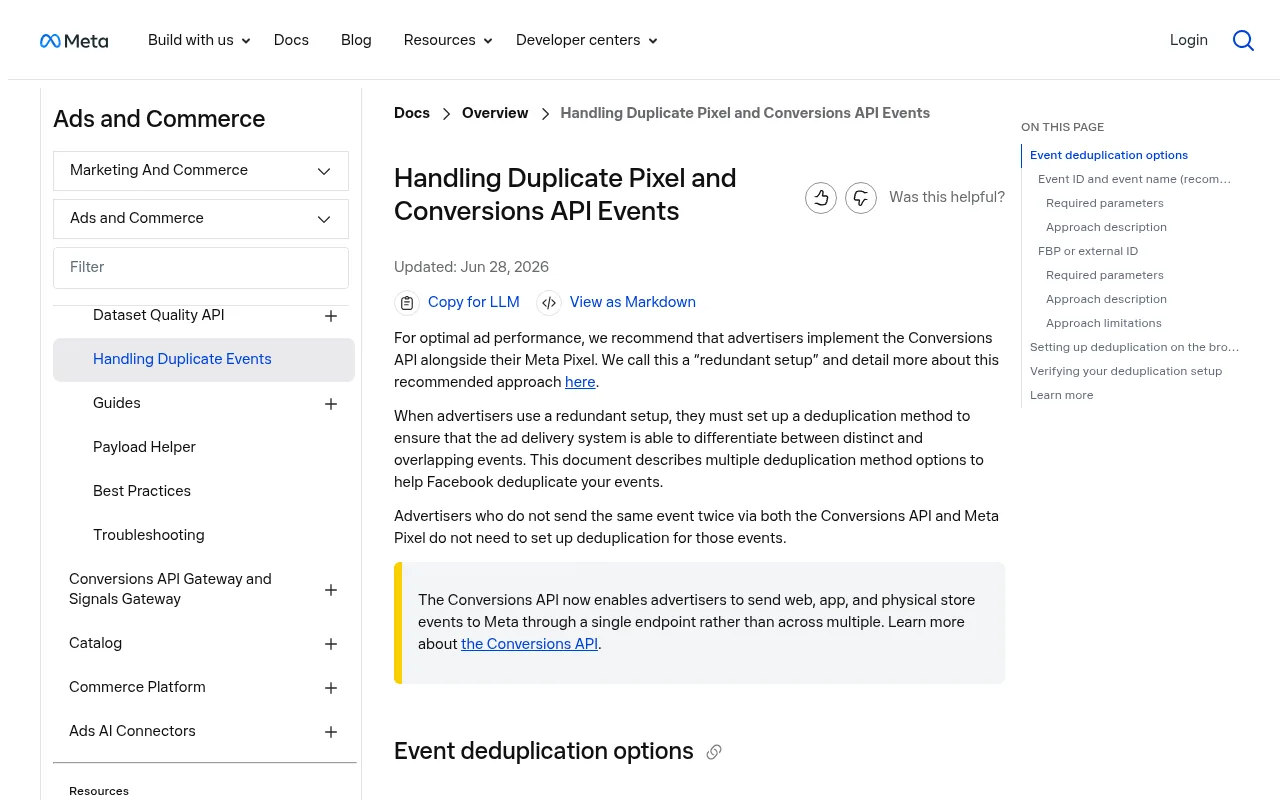
The fix is a redundant setup: the browser pixel and a server-side copy of each event, both carrying the same event ID so the platform counts it once. Meta recommends running the Conversions API alongside the Pixel and documents how to deduplicate the two. TikTok's Events API works the same way, and Google's enhanced conversions follow a similar idea.
Before you launch, check four things:
- Every funnel step fires. Product view, add to cart, checkout started and purchase, with value, currency and product IDs. Meta's Pixel Helper and TikTok's Pixel Helper show events as they fire.
- IDs match the feed. Spot-check a few products against the catalog.
- Purchases are counted once. Reload the thank-you page and make sure no second purchase appears.
- Consent is respected. With the banner declined, nothing should fire.
Retargeting and Privacy: US, EU and UK
Retargeting is exactly the kind of tracking privacy laws were written for, so the rules differ sharply by region.
In the EU, placing advertising cookies or pixels needs prior consent under the ePrivacy rules and GDPR. Google adds its own requirement: to keep using remarketing and ad personalization for visitors in the European Economic Area, advertisers must collect consent and pass the signals to Google through consent mode. Without a working consent setup, your EEA retargeting audiences shrink. Our guide to cookie consent for online stores covers the banner itself.
In the UK, the ICO's guidance on storage and access technologies covers cookies, tracking pixels and similar tools, and treats tracking for online advertising as something that needs consent.
In the US, there is no federal cookie consent rule, but state laws apply. California's CCPA gives consumers the right to opt out of the sale or "sharing" of their data, and sharing means cross-context behavioral advertising, which is what retargeting is. Covered businesses must also honor the Global Privacy Control browser signal as an opt-out. Several other states have similar laws.
Always check the current rules where you sell. This section summarizes US, EU and UK rules on advertising cookies and tracking as of November 2026. Privacy laws change and vary by country and state, so confirm the details with a privacy lawyer or your local data protection authority before you run retargeting campaigns. This is general information, not legal advice.
How to Measure Ecommerce Retargeting
Retargeting looks better in ad dashboards than it is. The audience is full of people who were already likely to buy, and platforms happily take credit for a purchase after someone merely saw an ad. Some of those shoppers would have come back anyway.
Measure it in three layers:
| Metric | What it tells you | Watch out for |
|---|---|---|
| Platform ROAS | Revenue the platform attributes to your ads, divided by spend | Includes view-through conversions that may not be caused by the ad |
| Blended return | Total store revenue divided by total ad spend | Moves with everything, not just retargeting |
| Incremental lift | Orders from shoppers who saw ads versus a holdout who did not | Needs enough volume to read |
The honest test is a holdout: keep a random slice of your cart abandoners out of the campaign for a few weeks and compare their purchase rate with the group that saw ads. The gap is what retargeting actually earned. Both Meta and Google offer lift studies for this once you spend enough, and our guide to ecommerce A/B testing explains how to read results without fooling yourself.
Also compare platform numbers with your own store data. If Meta reports 140 purchases in a week and your store took 90 orders in total, the attribution windows are counting generously.
Common Ecommerce Retargeting Mistakes
- One audience for everyone. Split by intent, as above.
- No purchase exclusion. The fastest way to waste budget and irritate customers.
- Windows copied from a blog post. Including this one. Check how long your shoppers take from first visit to first order, then set windows around that.
- Discounts on every ad. You train shoppers to wait.
- A stale or mismatched feed. Dynamic ads with the wrong price or a dead product link.
- Ignoring consent. In the EU and UK, an audience built without consent is a compliance problem, not a growth hack.
- Judging it by platform ROAS alone. Run a holdout before you scale.
Ecommerce Retargeting With Your Next Store
Your Next Store is a managed commerce platform with an open-source Next.js storefront, and the plumbing that retargeting depends on is built in rather than bolted on.
- Pixels without code. Connect Google Tag Manager, the Meta Pixel and the TikTok Pixel from Add-ons by pasting an ID. The store reports product views, searches, add to cart, checkout started, payment info and purchases to each one, with value, currency and products. You can also ask the AI assistant to connect a pixel for you.
- Server-side events. With the Meta Pixel connected, YNS also sends the funnel to Meta from its servers, deduplicated against the browser copy. The TikTok Pixel add-on does the same through the Events API once you add an access token.
- Product feeds for catalog ads. Ready-made Google Merchant Center, Meta and OpenAI feeds stay in step with your catalog, which is what dynamic remarketing and Advantage+ catalog ads read from.
- Consent that ad platforms understand. The built-in cookie consent banner holds every tracking tool until the visitor accepts, passes Consent Mode signals to Google, respects Do Not Track and Global Privacy Control, and can be shown only in the countries that need it.
- Email for everyone who left an address. The Abandoned Carts module shows abandoned carts and your recovery rate and sends a reminder email, so you only pay for ads to reach the anonymous rest.
Plans start at $30 a month with 0% platform transaction fees, so the budget you save goes into ads rather than a cut of every sale. See pricing, or browse the storefront on GitHub.
Set up the pixels and feeds before you plan to advertise. An audience can only contain shoppers your pixel has already seen, so two weeks of quiet data collection gives your first retargeting campaign something to work with on day one.
FAQ
What is the difference between retargeting and remarketing?
They are often used interchangeably. Retargeting usually means ads shown to past website visitors based on what they did on your store. Remarketing more often means reaching known customers, through email or a customer list uploaded to an ad platform. Google Ads now files both under "your data."
How long should my retargeting window be for ecommerce?
Match it to your buying cycle. As a starting point, try 1 to 14 days for cart and checkout abandoners, 7 to 30 days for product viewers and 30 to 90 days for general visitors, then adjust once you know how long your shoppers take to buy. Google allows up to 540 days and Meta up to 180 for website audiences, but longer is rarely better.
Does retargeting still work without third-party cookies?
Yes. Chrome kept third-party cookies, but Safari blocks them, Firefox isolates them and ad blockers stop many pixels. Sending events from your server as well as the browser, and connecting a product feed, keeps retargeting audiences and attribution far closer to what really happened on your store.
Is ecommerce retargeting worth it for a small store?
Usually, once you have steady traffic. Start with one cart and checkout audience, a dynamic catalog ad and a purchase exclusion. It is cheap to run because the audience is small, and it reaches the shoppers who were closest to buying.
Related Blog Posts

Before you spend more on ads,
check your store.
Get a free 25-point checklist to find what could be holding back your sales, from product pages to checkout.