Manage your plan & billing
View your current plan, browse your invoices, manage your AI credits, and upgrade when you're ready for more.
Your plan determines which features your store can use. From your billing settings you can see what you're on, review your past charges, and upgrade when you're ready for more.
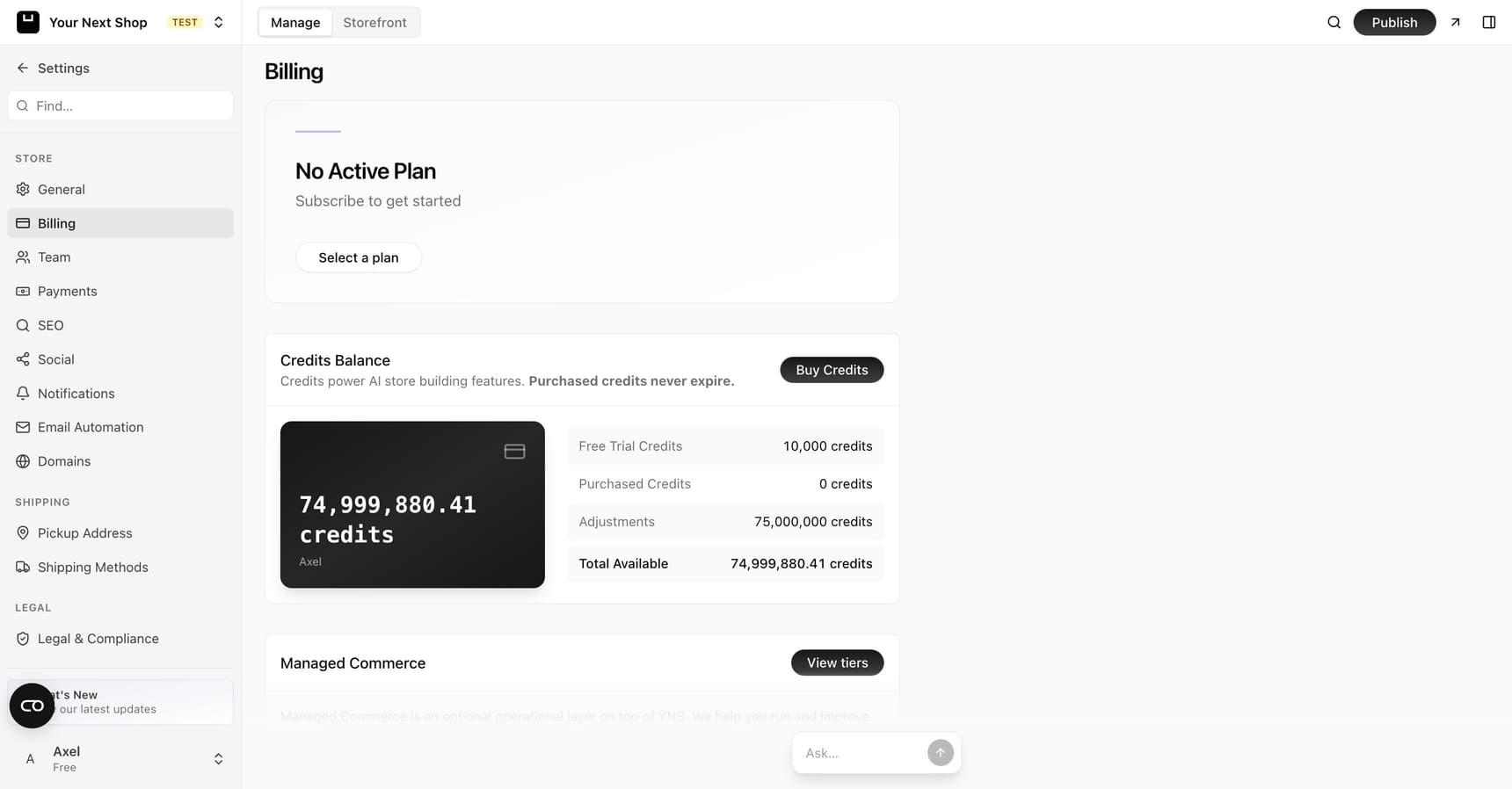
View your current plan
In your billing settings you can see the plan you're on and what it includes. This is the place to check before adding a feature, so you know whether it's covered.
If a feature you want isn't part of your current plan, this is where you'll see what unlocks it.
See your invoices
Your billing history lists your past charges, so you always have a record of what you've paid and when. This is handy for your own bookkeeping and accounting.
Keep these for your records – they're useful at tax time and for keeping track of your business costs.
AI credits
Your billing area also shows your credits balance, which is used for AI features – the AI design builder and the AI Assistant that build and change your store, and shopper-facing AI like Store Chat. As you use these features, credits are drawn from your balance.
Note: Credits are separate from your plan. Your plan unlocks features; credits are what AI work consumes as you go. If your balance runs out, AI features pause until it's topped up – the rest of your store carries on selling as normal.
Add-on subscriptions
Some features are sold on their own subscription alongside your plan, so you can add one without moving your whole store up a tier. Store Chat works this way: $99/month at the standard rate, and included at no extra cost if you're on Pro.
You subscribe, cancel, and resume these from the feature's own page under Settings → Modules. Cancelling leaves the feature running until the end of the period you've already paid for, and the page shows the date it ends – you can resume before then and nothing is interrupted.
The discounted annual rate
Add-on features like Store Chat also offer a lower monthly rate in exchange for a 12-month commitment – you can take that rate either billed yearly upfront, or spread across the 12 months so nothing large hits your card at once.
Cancelling partway through a monthly-billed commitment ends the feature immediately and charges a one-time true-up: the difference between the discounted and standard rate for the months you already used, shown to you before you confirm. If that charge can't be collected, the feature still cancels – support will follow up separately.
Tip: Before subscribing to an add-on feature, check what the next plan up includes. If a plan bundles the feature along with other things you wanted anyway, upgrading can work out cheaper than stacking subscriptions.
If you're on a free Pro trial
Support sometimes grants a store a free trial of Pro. A few days before it ends, a banner appears in your dashboard letting you know how long you have left, so you can subscribe to keep the Pro-only features you've been using. If the trial lapses without a subscription, your store keeps running as normal – it just falls back to the plan you're actually paying for.
Upgrade your plan
When your store grows or you need more features, you can upgrade to a higher plan. Upgrading unlocks the additional capabilities included on that plan.
Tip: Pick the plan that matches how you sell today, not where you hope to be in a year. You can always move up as your needs grow.
When to upgrade
- You've hit a feature you want that isn't included. Check your plan first, then upgrade if the feature lives on a higher tier.
- Your store is growing. More sales and more activity may be a sign it's time for a plan with more room.
- You're relying on AI features heavily. If you build and rework your store often, keep an eye on your credits alongside your plan.
Tip: Do it with AI – ask the AI Assistant in your dashboard what your current plan includes or how many credits you have left, and it can point you in the right direction.
Tips
- Review what's included before upgrading, so you only pay for what you'll use.
- Keep your billing details current to avoid any interruption.
- Save or download invoices you need for your records.
FAQ
What's the difference between a plan and credits?
Your plan decides which features your store can use. Credits are a separate balance that AI store-building features draw from as you use them. You can run low on credits even while staying on the same plan.
Where do I find my past invoices?
In your billing history. It lists what you've paid and when, which is useful for bookkeeping and tax records. You can save or download the ones you need.
What happens if my billing details are out of date?
Out-of-date billing details can cause interruptions to your plan. Keep them current so your store keeps running smoothly.
I was given a free trial of Pro – will I be warned before it ends?
Yes. A warning banner appears in your dashboard once your trial is close to ending, so you have time to subscribe if you want to keep the Pro features. Nothing else about your store is affected if it lapses – it simply returns to your regular plan.
Can I change my plan later?
Yes. You can upgrade whenever you need more features or room to grow. Start with the plan that fits how you sell today and move up as your needs change.
What's next
- Update the rest of your store information – see Edit your store details.
- Build your store with AI – see AI design builder.
- Manage who can access billing – see Invite team members.