Best Ecwid Alternatives & Competitors in 2026 (Free + Paid)
 Jakub Neander
Updated Sep 18, 202615 min read
Ecwid sold a simple promise: start free, paste a store into any site you already have, done. That promise is over. Ecwid stopped offering its free plan to new sellers in March 2025 and closed the remaining free stores on November 20, 2025 unless they moved to the paid Starter plan. Starter is $5 a month and stops at 10 products, and on March 2, 2026 Ecwid raised the price of every plan above it. If you're comparing Ecwid alternatives and competitors now, this guide has the short answer in one table, the free options that still exist, and seven honest picks with prices checked in September 2026.
Bias disclosure: We build Your Next Store, one of the tools on this list. We'll flag it every time, name its weak spots, and credit competitors where they genuinely win. If you need a free plan, YNS isn't it: skip to free Ecwid alternatives.
Ecwid Alternatives at a Glance (September 2026)
| Platform | Price from | Free plan? | Best for |
|---|---|---|---|
| Ecwid (for reference) | $5/mo Starter (10 products) | No, ended 2025 | Embedding a small store in a site you already have |
| Your Next Store | $30/mo | No | A store the AI builds for you, no product cap, 0% platform fees |
| Shopify | $29/mo (annual), $39 monthly | No (3-day trial, then $1/mo for 3 months) | The biggest app store and help ecosystem |
| Squarespace | $29/mo Core (annual) | No (14-day trial) | Beautiful sites with a store, blog and scheduling |
| Wix | $29/mo Core (annual) | Yes, but it can't take payments | Drag-and-drop site building |
| Square Online | $0 | Yes, unlimited products | Selling online and in person with one catalog |
| Big Cartel | $0 | Yes (Gold plan, limited features) | Makers and artists with a small range |
| Gumroad | $0 | Yes, 10% + $0.50 per sale | Digital products and creators |
| Payhip | $0 | Yes, 5% per sale | Ebooks, courses and memberships |
| Sellfy | $22/mo (annual), $29 monthly | No (14-day trial) | An embeddable creator store, like Ecwid used to be |
Prices are public US list prices checked in September 2026. Card processing (typically around 2.9% + $0.30 online in the US) comes on top everywhere.
We measured this. Lighthouse mobile performance, simulated 4G, single run each (May 2026):
- YNS – mascotai.yournextstore.com (real customer): 90/100, LCP 3.0s
- Ecwid – mdemo.company.site (official demo): 62/100, LCP 6.7s
- Ecwid – infinite-apps.company.site (real customer): 43/100, LCP 4.7s, CLS 0.46
A bare-bones Ecwid catalog (tanggula-approved.company.site, a tiny store) scored 100, so the platform isn't doomed to be slow. But the default Ecwid template ships ~2× the LCP of a default YNS storefront. On a 4G phone, the gap is the difference between a shopper waiting two beats and a shopper bouncing.
TL;DR: The Best Ecwid Alternatives
- Easiest if you have zero design skills: Your Next Store. Describe what you sell in plain English, the AI builds a working store. No theme to wrestle. 0% platform transaction fees, no product cap.
- Easiest standalone store builder: Shopify. Biggest help library on the internet, every tutorial you can think of has a Shopify version, and the admin is built for non-developers.
- Easiest if you want it to look beautiful by default: Squarespace. Best out-of-the-box templates of any builder, blog + store + scheduling in one subscription.
- Easiest drag-and-drop with AI assist: Wix. Place elements anywhere on the page, and Wix's AI site generator can scaffold the whole site from a short brief.
- Best free Ecwid alternative: Square Online. Real free plan with unlimited products, syncs with Square POS, made for markets and pop-ups.
- Easiest for digital products (PDFs, music, art, courses): Gumroad. Sign up, upload a file, share a link, done.
- Easiest "drop a store into the website I already have" (the original Ecwid promise): Sellfy or Shoprocket. Embeddable store, no rebuild, 0% platform transaction fees.
Is Ecwid Still Free? What Changed
Short answer: no. Ecwid has no free plan in 2026, and it doesn't advertise a free trial on paid plans either. Here's the timeline:
- March 2025: Ecwid stopped offering the free plan to new sign-ups (FitSmallBusiness).
- November 20, 2025: remaining free-plan stores had to switch to the $5/month Starter plan or be closed and taken offline (same source, which received Ecwid's notice email).
- March 2, 2026: Ecwid raised prices on Venture, Business and Unlimited. Starter stayed at $5.
Ecwid's current plans, as of September 2026:
| Ecwid plan | Monthly | Billed annually | Products | Notable unlocks |
|---|---|---|---|---|
| Starter | $5 | $5/mo | 10 | Basic templates, email support |
| Venture | $35 | $29/mo | 100 | Stock tracking, Facebook and Instagram selling, live chat support |
| Business | $65 | $49/mo | 2,500 | Marketplaces, subscriptions, reviews, per-variation stock, 2 staff accounts, phone support |
| Unlimited | $149 | $119/mo | Unlimited | POS integrations, unlimited staff accounts, priority support |
Ecwid still charges 0% transaction fees on every plan, which is a genuine plus. The squeeze is the product caps: 11 products means $29–$35 a month, and 101 products means $49–$65.
Why People Are Leaving Ecwid in 2026
Ecwid started as the easy "add a store to any website" widget. Then Lightspeed acquired it in 2021 and the trajectory shifted. The product is still functional, but the experience has gotten more frustrating for the audience it was originally built for: solo sellers, side-hustlers, and brand-new merchants.
1. The free plan is gone. Ecwid used to be famous for its "free forever" plan. It was closed to new sellers in 2025 and the last free stores were shut on November 20, 2025 unless they upgraded. Plenty of Trustpilot reviewers describe the switch as abrupt. The entry point is now the $5/month Starter plan with a 10-product cap.
2. The 10-product Starter cap is a tripwire, not a ceiling. Ten products feels like a lot until you list a t-shirt in three designs, a sticker, a sweatshirt and a tote, and you've used your allowance on one product line. The jump to Venture ($35/month, or $29 billed annually) is 6–7× the Starter price. There is no "11 products" middle ground.
3. Stock tracking lives behind a paywall. Starter doesn't include inventory tracking. Venture adds basic stock tracking, and tracking stock per size or color only arrives on Business ($49–$65/month). That's surprising the first time you realize "what's left of what I have" isn't a default feature.
4. Design freedom is limited compared to standalone builders. Ecwid is fundamentally a widget you embed into a site you built somewhere else (Wix, WordPress, your hand-coded HTML page). The store's look inherits the host site. If your host site is mediocre, the store is mediocre. Ecwid's own Instant Site exists, but its design tools are thinner than Wix's or Squarespace's.
5. The pricing tier creep is real. Each Ecwid tier unlocks a different bundle. Want product reviews? Business plan. Want subscriptions? Business plan. Want phone support? Business plan. Want POS? Unlimited plan. By the time you've unlocked everything a Shopify Basic plan ships with, you're often paying more than Shopify Basic.
6. App ecosystem is smaller than the competition. Ecwid has an App Market, but it's a fraction of Shopify's and smaller than Wix's. For niche features (advanced upsells, specific shipping carriers, niche marketing automations), you'll either pay for a high-tier app or do without.
7. Lightspeed framing adds noise for online-only sellers. If you also run a retail shop with Lightspeed POS, the integration is genuinely useful. If you're online-only, the Lightspeed framing in the dashboard and pricing pages is overhead you don't need.
None of this means Ecwid is a bad product. It still does the embeddable-widget thing well, and 0% transaction fees on every plan is genuinely good. But "Ecwid = the free, easy option" is no longer true in 2026.
Free Ecwid Alternatives
"Ecwid alternative free" is one of the most common searches around this topic, so here's the honest list. None of these are literally free: each one makes its money from a per-sale fee, a higher card rate, or tight limits. But none charge a monthly subscription to start.
| Free option | What's free | The catch |
|---|---|---|
| Square Online | Online store with unlimited products, pickup, delivery and shipping | 3.3% + $0.30 per online card payment on the free plan (2.9% + $0.30 on Plus at $49/mo). Plain design |
| Big Cartel | Gold plan, a small shop with limited features | Paid plans (Platinum $15/mo, Diamond $30/mo) needed for a custom domain and more |
| Payhip | Unlimited products and revenue | 5% fee per sale on the free plan (2% on Plus at $29/mo, 0% on Pro at $99/mo). Digital-first |
| Gumroad | Product pages, checkout, file delivery | 10% + $0.50 per direct sale, 30% on sales from its Discover marketplace |
| Shift4Shop | Full-featured store, $0/mo on the End-to-End plan | US merchants only, and you must process through Shift4 Payments |
| WooCommerce | Open-source WordPress plugin | You pay for hosting, and you look after updates, backups and security |
| Wix free plan | A website with Wix branding | Can't accept payments; selling starts on Core at $29/mo |
Our honest read: if you sell physical products and also sell in person, Square Online's free plan is the strongest free Ecwid alternative. For digital products, Payhip's 5% beats Gumroad's 10% + $0.50 on most order sizes. If you just need a handful of products online and want a real shop feel, Big Cartel's free plan is the gentlest start.
The trade with free plans is always the same: you pay per sale instead of per month. Around $500–$1,000 a month in sales, a flat plan with 0% platform fees usually costs less than a free plan with a per-sale fee. Run your own numbers, and see our ecommerce website cost guide for the full math.
How We Ranked These
Most "Ecwid alternative" lists rank by features and forget that the reader probably came to Ecwid for ease, not for an enterprise feature matrix. This list flips that. Every platform below is judged on the same criteria, in this order:
| Criterion | What we checked |
|---|---|
| Setup ease | Can you launch in a weekend, without writing code? |
| Default design quality | Does the store look professional without hiring a designer? |
| Real cost | Subscription + transaction fee + apps you'll actually need |
| Product limits | Are there caps that force upgrades, or do you pay by features? |
| Help and tutorials | Documentation, AI assistance, plain-English support |
| Growth path | When you outgrow the entry plan, what's the next step? |
Ecwid Competitors Compared: Fees and Limits
| Platform | Starting Price | Transaction Fee | Free Plan / Trial | Product Limit |
|---|---|---|---|---|
| Ecwid | $5/mo Starter | 0% platform fee | No free plan, no advertised trial | 10 (Starter) → unlimited (Unlimited, $119–$149/mo) |
| Your Next Store | $30/mo Starter | 0% platform fee | No (paid only) | No product cap |
| Shopify | $29/mo Basic (annual) | 0.6–2% without Shopify Payments | 3-day trial, then $1/mo for 3 months | Unlimited |
| Squarespace | $29/mo Core (annual) | 0% on Core and above (2% on Basic) | 14-day trial | Unlimited |
| Wix | $29/mo Core (annual) | 0% platform fee | Free plan can't sell | Unlimited on commerce plans |
| Square Online | Free; Plus $49/mo | 3.3% + $0.30 on free; 2.9% + $0.30 on Plus | Yes, real free plan | Unlimited |
| Gumroad | Free | 10% + $0.50 per sale | Yes | Unlimited |
| Sellfy | $22/mo Starter (annual) | 0% | 14-day trial | Revenue-tiered (Starter up to $10K/yr in sales) |
Prices reflect public pricing in September 2026. Always confirm renewal rates and processor fees before signing up.
The 7 Best Ecwid Alternatives
1. Your Next Store
Best for: Sellers who don't want to pick a theme, fight an editor, or learn what a "section" is. You describe the store, the AI builds it.

Your Next Store was built around an AI store builder. You open a chat, say what you sell ("organic dog treats, friendly and warm" or "vintage film cameras, minimal and editorial"), and the AI generates a working store: layout, copy, product cards, hero section, even color choices. From there you keep editing by talking to it, or tweak things visually if you prefer.
This is a different category of "no-code" from Ecwid. Ecwid asks you to pick settings. YNS asks you to describe what you want. The gap between "blank dashboard" and "first working store" is shorter when the first move is a sentence, not a setup wizard.
The infrastructure underneath is current: Next.js 16, Partial Prerendering, React Server Components. You don't need to know what any of that means. You will notice that the resulting store loads fast on mobile (the live demo scores in the high 90s on Lighthouse) and looks current, not like a 2018 template.
What it's actually good at:
- AI that ships a working store, not a stock demo
- 0% platform transaction fees on every plan. Stripe processing only
- No product cap on any plan. Sell 5 items or 50,000 on Starter (million.yournextstore.com runs 1,000,000 products)
- High-90s Lighthouse mobile scores by default. See how
- GEO-ready out of the box: structured data, sitemaps, AI discoverability audit, so your products show up when shoppers search with AI assistants like ChatGPT and Perplexity
- Custom domain included from the $30/month Starter plan
- Open-source storefront option if you ever want to own the code: yournextstore on GitHub
Where it falls short, honestly:
- No free plan. Starter is $30/month, $25 more than Ecwid Starter. Not the right pick if you literally cannot spend that yet
- Stripe-only payments at the moment. Apple Pay, Google Pay, Klarna, and Afterpay all work via Stripe, but there is no native PayPal or Square integration
- No embeddable widget. YNS is a standalone store, not a snippet you paste into an existing site
- Smaller app marketplace than Shopify or Wix. If you need a specific niche plugin, check first
- Newer platform. Shopify has a long track record. YNS doesn't. That trade buys you the AI and a modern stack
Pricing: Starter $30/mo, Growth $60/mo, Pro $360/mo. 0% platform transaction fees on every plan.
Outgrowing Ecwid? Open Elliot, describe your store in one sentence, and watch a working version build itself.
2. Shopify
Best for: Sellers who want the safest, most-documented path. If you Google any ecommerce question, the top result is almost always Shopify-flavored.
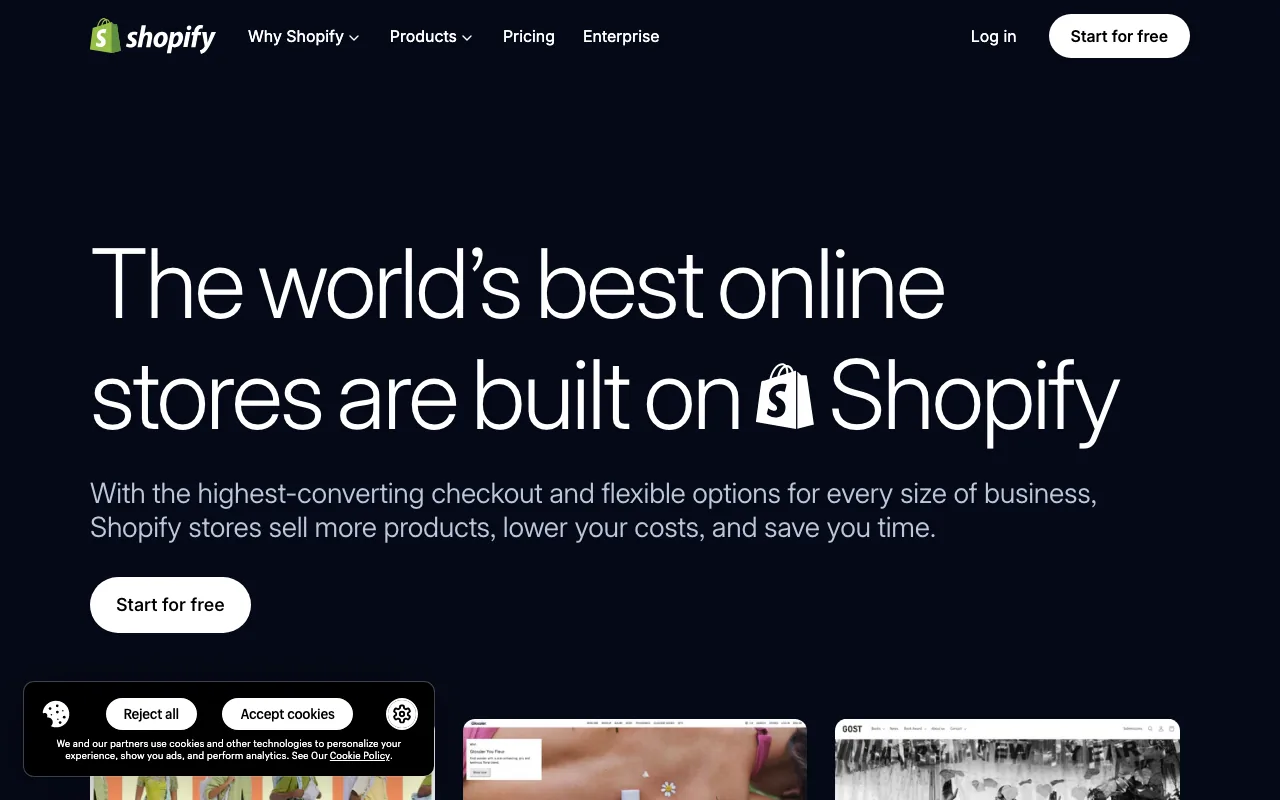
Shopify is Ecwid's best-known competitor, and the default answer for a reason. The admin is built for non-developers, the help docs are exhaustive, the YouTube tutorial coverage is bottomless, and every freelancer on Upwork knows the platform. If "I can ask anyone for help and they'll know the answer" matters to you, nothing else on this list matches.
Compared to Ecwid, the move is from "embeddable widget on someone else's site" to "real standalone store with its own URL." Variants, shipping, taxes, inventory, customers, and orders all live in one dashboard. The product cap is unlimited from the entry plan. Shop Pay handles one-click checkout in a way nothing else here matches.
Where honesty is required: Shopify charges 0.6–2% platform fees on every sale unless you use Shopify Payments. Most real stores run several paid apps that add $50–$400/month on top of the subscription. The full math is in our Shopify transaction fees deep dive and the $100 sale breakdown. If you came to Ecwid for "cheap," moving to Shopify is a real budget conversation, not an automatic upgrade.
What it's actually good at:
- Biggest help ecosystem on the internet. Every question has been answered already
- Best-in-class checkout: Shop Pay genuinely lifts conversion
- Largest app store in ecommerce, with an extension for almost every niche
- Multi-channel (Amazon, TikTok Shop, Instagram, Google) built in
- Mature POS if you also sell in person
Where it falls short vs Ecwid:
- Platform transaction fees on every plan unless you use Shopify Payments (0.6%–2%)
- Apps add up fast. The $29 sticker price is rarely the real monthly cost
- Themes look fine, not designed. You'll usually want a paid theme or a designer
- No embeddable widget for an existing site (Shopify's Buy Button is the closest thing). You're mostly moving the store, not bolting it on
Pricing: Basic $29/mo, Grow $79/mo, Advanced $299/mo billed annually ($39, $105 and $399 billed monthly). Plus by quote.
3. Squarespace
Best for: Creators, makers, and visual sellers who want a beautiful site by default and one subscription for everything (store, blog, gallery, email).
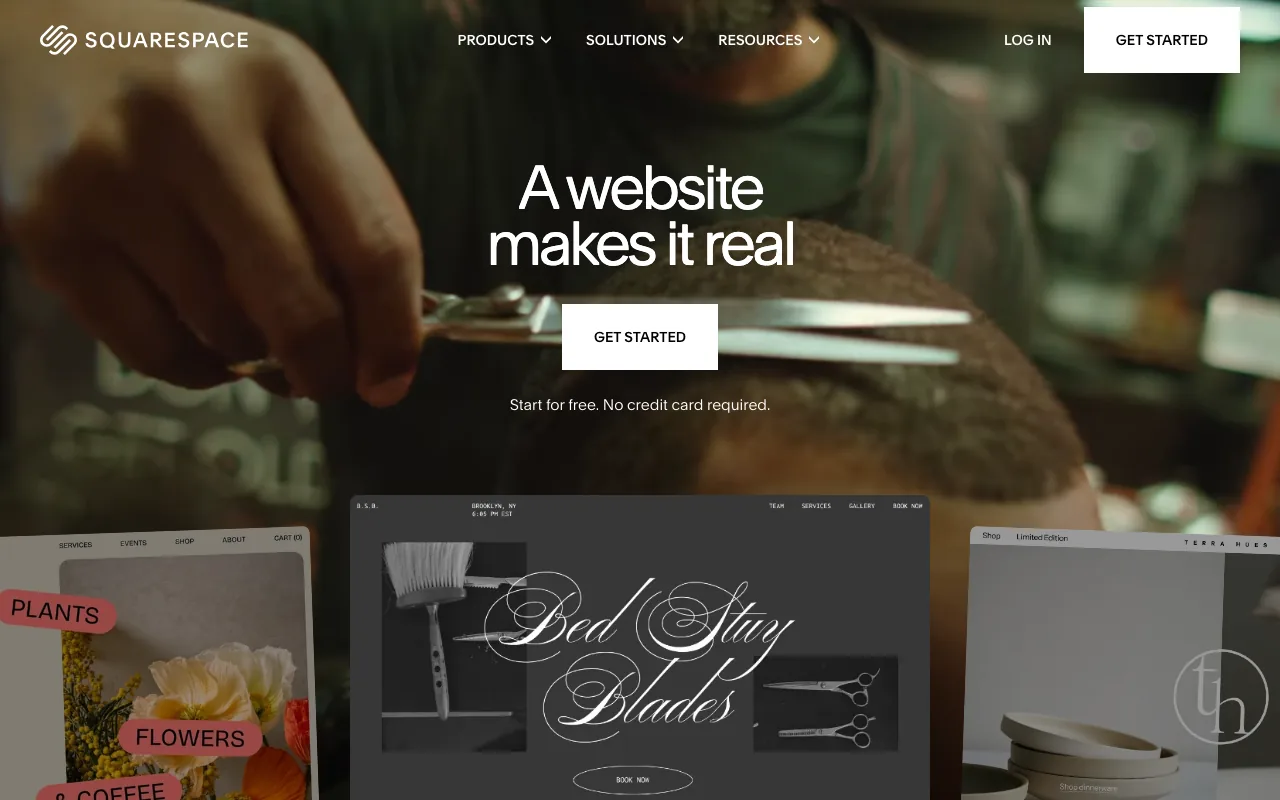
Squarespace is the closest thing on this list to "Ecwid, but the store actually looks designed." Templates are visibly the best of any builder here. The editor is drag-and-drop with Fluid Engine. And the bundle includes a real blog, photo galleries, scheduling, and email tools alongside the store. If your work is visual (photography, ceramics, jewelry, illustration), this is the natural fit.
The trade is depth: Squarespace's ecommerce is solid but lighter than Shopify or BigCommerce on inventory, multi-channel, and reporting. For tens to a few hundred SKUs that's usually fine. For a fast-scaling DTC brand, you'll feel the ceiling. We wrote a full Squarespace alternatives breakdown if you're weighing this side.
What it's actually good at:
- Best default templates of any builder on this list
- 0% transaction fees on product sales on Core, Plus, and Advanced plans
- Real CMS: blog, scheduling, galleries are first-class, not bolt-ons
- Clean admin anyone can navigate without training
Where it falls short vs Ecwid:
- No free plan or $5 tier. Basic ($19/mo annual) can sell but adds a 2% transaction fee; Core at $29/mo is where the fee disappears
- Single-currency display only. International shoppers see your home currency at checkout
- 250-variant cap per product. Fine for most catalogs, hits you if you sell apparel with many size/color combos
- No embeddable widget. Squarespace is a full site, not a drop-in store
Pricing (annual billing, per Tech.co, July 2026): Basic $19/mo, Core $29/mo, Plus $49/mo, Advanced $99/mo. Monthly billing costs more.
4. Wix
Best for: Sellers who want true drag-and-drop "put this exactly here" freedom, plus an AI option to scaffold the whole site from a prompt.
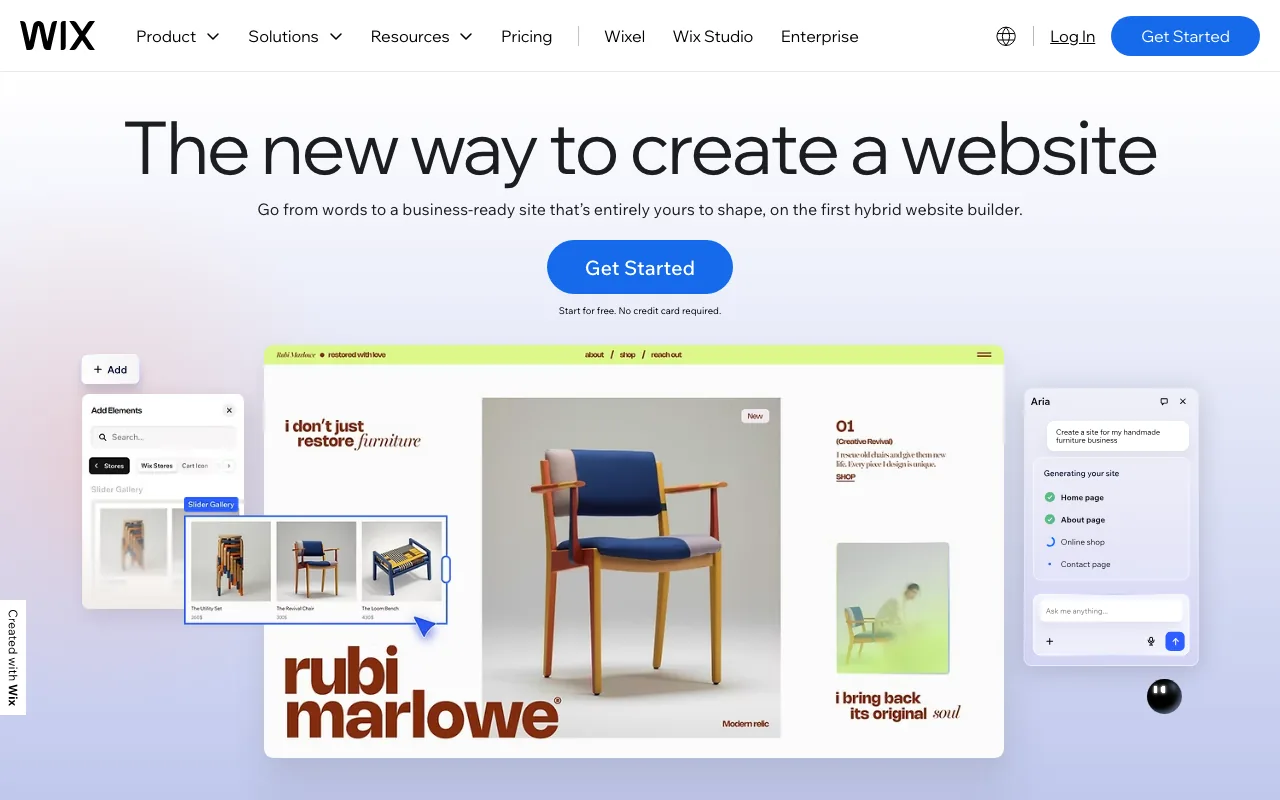
Wix is the most generalist of the alternatives here. Free-canvas drag-and-drop means you can place any element anywhere on the page, which is genuinely different from Squarespace's section-based approach. Wix's AI site generator turns a short brief into a working site in minutes, so if you want the "AI builds it" experience without leaving the traditional builder category, Wix is the gentlest move.
Wix's main advantage over Ecwid is that you're building a whole site, not bolting a store onto one. Your home page, about page, contact form, and store all live in the same editor. Wix also has a large app market, which is the extensibility story Ecwid is missing.
What it's actually good at:
- True free-canvas drag-and-drop, the most editorial freedom on this list short of Webflow
- AI site generator scaffolds a working site from a prompt
- Hundreds of templates to start from
- Free plan exists (can't accept payments, Wix ads on your site); commerce starts at Core $29/mo
- Abandoned cart recovery on commerce plans
Where it falls short vs Ecwid:
- No selling on the free plan at all
- Can't switch templates after publishing without rebuilding
- Renewal pricing jumps after the first year, often substantially
- Mobile performance historically lags modern stacks. Wix has improved, but it still trails newer platforms
More detail in our Wix ecommerce alternatives guide and the Wix Payments fee breakdown.
Pricing (annual billing, US): Light $17/mo (no commerce), Core $29/mo, Business $39/mo, Business Elite $159/mo. Check Wix's plan page for your country.
5. Square Online
Best for: Sellers who run a real-world business (market stall, food truck, pop-up shop, café, craft fair) and want their online store to sync with the same POS.
Square Online has a real free plan, with unlimited products, and the same Square account powers in-person sales. If you're already taking card payments at markets with a Square reader, adding the online store is a 10-minute job. Inventory, customers, and orders unify automatically across online and offline.
The honest tradeoff is design. Square Online's templates are functional, not distinctive. The editor is page-based and limited compared to Wix or Squarespace. You won't ship a portfolio-grade site here. But for "I sell honey at the Saturday market and want a basic web store too," nothing else is this fast or this cheap to start.
What it's actually good at:
- Real free plan with unlimited products (Square's processing fee covers the cost)
- POS sync with Square hardware. Same product catalog, same inventory
- No subscription needed to start. Pay only when you sell
- Quick setup for hybrid online/offline operations
Where it falls short vs Ecwid:
- Design quality lags every other entry on this list
- 3.3% + $0.30 per online card payment on the free plan (2.9% + $0.30 on Plus)
- Limited customization even on paid plans
- Best fit is hybrid retail. Online-only sellers usually find more polish elsewhere
Pricing: Free, Plus $49/mo, Premium $149/mo (per NerdWallet). Processing fees apply on every plan.
6. Gumroad
Best for: Selling digital products (PDFs, music, art, presets, templates, ebooks, courses) when "I just want a checkout link I can paste into my newsletter or social bio" is the whole requirement.
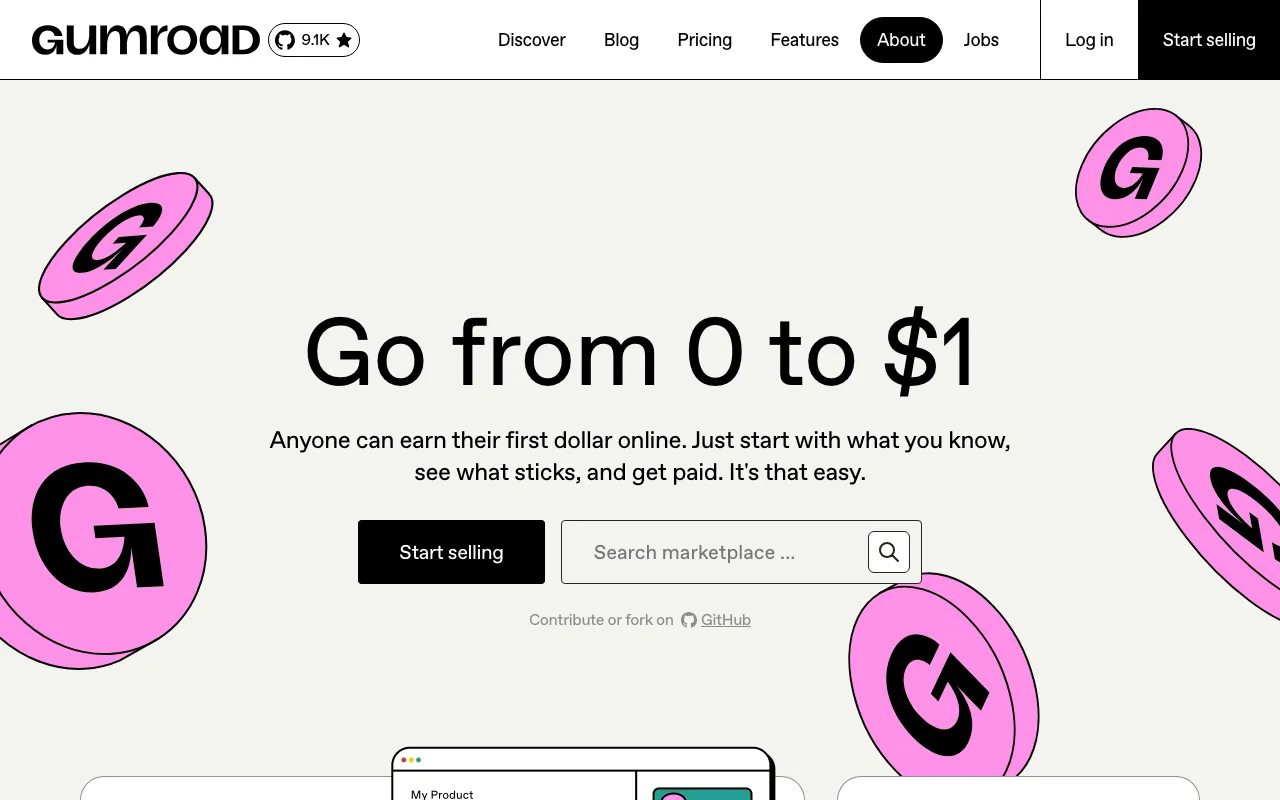
Gumroad is the simplest entry point on the entire list. Sign up, upload your file, set a price, share the link. There's no theme, no editor, no inventory, no shipping settings. The page renders automatically, the file delivers automatically, and Gumroad handles sales tax in many jurisdictions.
For a writer selling an ebook, an illustrator selling brushes, a musician selling beats, or a creator selling a Notion template, this is friction-free. The catch is the take rate: 10% + $0.50 per direct sale, before card processing, and 30% on sales that come through Gumroad's Discover marketplace. That's the highest on the list, and it's why Gumroad isn't the right fit if your average order value is low or you expect to scale into a real catalog.
What it's actually good at:
- Fastest setup of anything on this list. Five minutes start to first sale link
- Free to start, pay only when you sell
- Digital-first: file delivery, license keys, course content, all native
- Built-in audience tools: email subscribers, posts to existing buyers
- No code, no domain needed to start
Where it falls short vs Ecwid:
- 10% + $0.50 per-sale fee is high. On a $20 item, Gumroad keeps $2.50 before card processing
- Limited design control. The product page is mostly Gumroad's design, lightly customized
- Not great for physical products. Possible, not the strength
- No standalone store. You get product pages and a profile page, not a site
Pricing: Free to use. 10% + $0.50 per direct sale, plus card processing.
7. Sellfy
Best for: Sellers who like the Ecwid "embed a store on my existing site" model but want better design defaults, print-on-demand support, and 0% transaction fees.
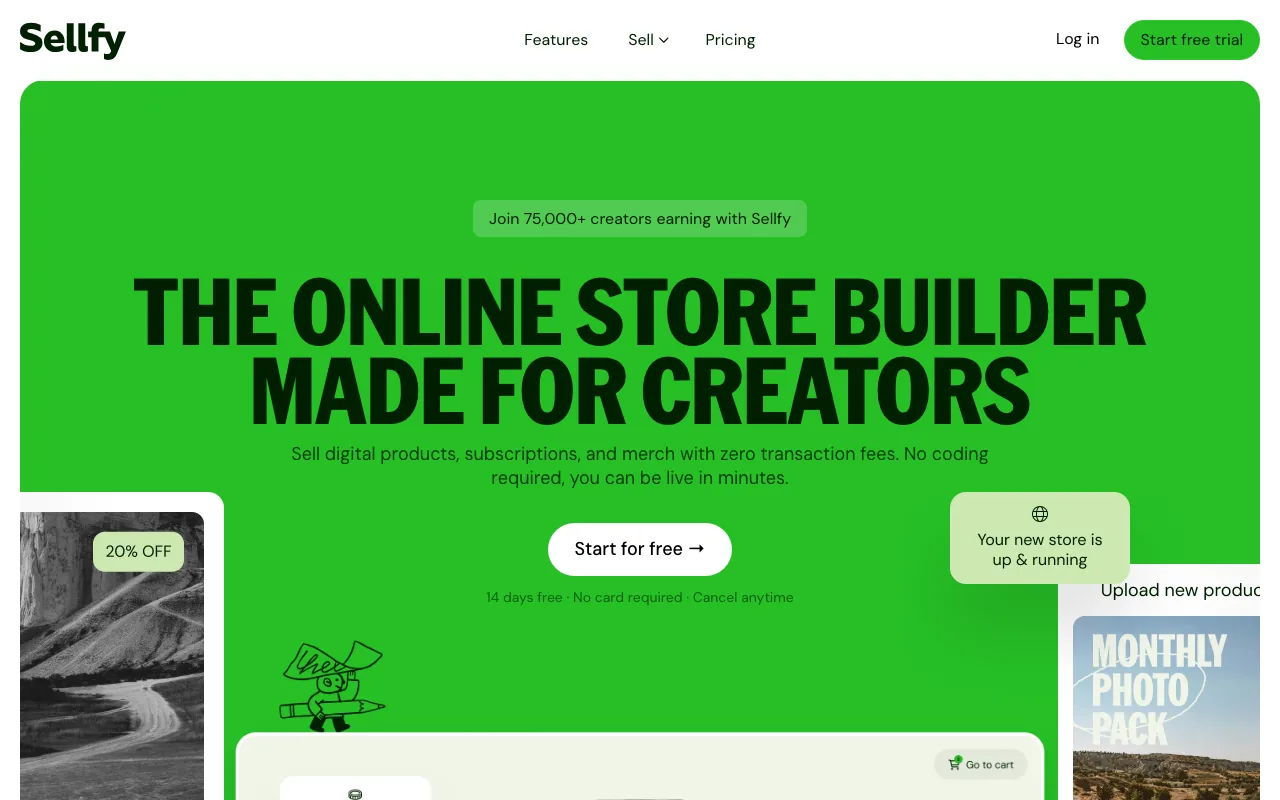
Sellfy is the closest direct replacement for what Ecwid originally was: a creator-focused, embed-anywhere store that also gives you a standalone storefront if you want one. The defaults are nicer than Ecwid's, the editor is more modern, and the platform was built for digital products and print-on-demand from day one. Apparel sellers and digital creators in particular find Sellfy a cleaner fit than Ecwid.
The catch is revenue tiering: Starter at $29/month ($22/mo annual) covers up to $10,000/year in sales, Business at $79/month ($59/mo annual) up to $50,000/year, and Premium at $159/month ($119/mo annual) up to $200,000/year. You're not paying per product, you're paying per revenue threshold. For most starting catalogs that's fine, just know the ceiling exists.
What it's actually good at:
- Embed options: drop products or the whole store into any site (like Ecwid, but prettier)
- 0% platform transaction fees on every plan
- Print-on-demand built in (no Printful or Printify wiring required for basics)
- Digital products native: file delivery, subscriptions
- Customer email marketing included
Where it falls short vs Ecwid:
- Revenue-tiered pricing. You upgrade plans based on sales, not features
- No free plan, only a 14-day trial
- Limited multi-channel compared to Shopify or Ecwid's marketplace selling
- No POS integration (Ecwid has several on its Unlimited plan)
Pricing: Starter $29/mo ($22/mo annual, up to $10K/year in sales), Business $79/mo ($59/mo annual, $50K/year), Premium $159/mo ($119/mo annual, $200K/year).
Honorable Mentions
Shoprocket: Copy-paste embeddable store, the most direct "drop ecommerce into any existing site" replacement for Ecwid. No free plan any more: Starter is $29/mo with unlimited products and 0% transaction fees, after a 14-day trial.
Big Cartel: Maker-focused, has a real free plan (Gold), and the brand is friendlier than most. Mobile performance is genuinely weak in 2026 (we benchmarked it at 34 on Lighthouse). Better for vibe than for speed.
Payhip: Free plan with a 5% transaction fee, designed for digital products and memberships. Quietly excellent for course creators and ebook sellers.
Webnode and Jimdo: Two simple site builders with light ecommerce. Both have gentler onboarding than Ecwid. Both have less depth than anything in the main list.
Ecwid Alternatives in the UK and Europe
Ecwid is popular with European sellers too (German-speaking sellers often search for "Ecwid Alternativen"). Everything above works in the UK and EU, with one exception: Square Online's free plan is not available in every European country, so check before you plan around it. A few Europe-based competitors are also worth a look:
- Bluepark (UK, since 2004): a standalone hosted store rather than a widget. Plans run from £29.99/month + VAT (Retail, up to 500 products) to £44.99 (Business, 2,000 products) and £64.99 (Enterprise, unlimited), with 0% transaction fees, no turnover limits and a 14-day trial. The £14.99 Central plan is a website without products.
- Jimdo (Germany): a simple site builder with a light online store, handy if you want German-language support.
- Shopware (Germany): open-source commerce with strong DACH adoption. More of a mid-market platform than an Ecwid replacement, and usually built with an agency.
EU sellers should also check VAT handling before switching. If you sell to consumers in other EU countries, you'll likely need OSS (One-Stop Shop) VAT reporting, and not every small platform calculates destination-country VAT for you.
Ecwid vs Shopify: The Short Answer
Pick Ecwid if you already have a website you're happy with and just want to add a small store to it, or you sell fewer than 10 products and $5 a month is the budget. Pick Shopify if the store is the business: you want a standalone shop, the biggest app store, Shop Pay, and a clear path to scale. Shopify Basic costs $29/month billed annually against Ecwid Venture's $29, but Shopify has no product cap, while Ecwid caps Venture at 100 products. Shopify adds 0.6–2% per sale if you don't use Shopify Payments; Ecwid never does.
Looking for the Best Ecwid Integration Instead?
Some people searching for Ecwid alternatives really want to keep Ecwid and connect it to something better. Ecwid's most useful integrations fall into three groups:
- Site builders: Ecwid's original job. There's an official WordPress plugin, and Ecwid also drops into Wix, Squarespace and hand-coded sites.
- Sales channels: Facebook and Instagram selling from Venture, and marketplaces from Business (plan details).
- Point of sale: POS integrations (including Lightspeed, Square and Clover) sit on the Unlimited plan.
If the integration you need only exists on the $119–$149 Unlimited plan, that's usually the moment to compare the platforms above.
How to Choose: Three Questions
"How are you starting?"
- From zero, no site yet: Your Next Store, Shopify, Squarespace, Wix
- You have an existing website you want to keep: Sellfy, Shoprocket, or Gumroad checkout links
- You sell at markets/in person too: Square Online
- You sell digital files only: Gumroad, Payhip, Sellfy
"What's your honest monthly budget?"
- $0: Square Online free, Big Cartel Gold, Gumroad (per-sale fee), Payhip free
- $5–$20: Ecwid Starter (10 products), Big Cartel Platinum, Squarespace Basic (2% fee)
- $20–$35: Squarespace Core, Shopify Basic, Wix Core, Sellfy Starter, Ecwid Venture, Your Next Store Starter
- $50–$100: Shopify Grow, Squarespace Plus, Square Online Plus, Ecwid Business, YNS Growth
- $100+: Past the entry-tier conversation. Now it's about features and scale
"What scares you most about launching?"
- "I don't know how to design": Your Next Store (AI does the first draft), Squarespace (templates do the work)
- "I don't know how to set up payments": Shopify (Shopify Payments is a one-click) or Square (already familiar)
- "I don't know how to drive traffic": Squarespace (built-in blog), Wix (built-in SEO), YNS (built for AI search)
- "I don't want a separate site, just a way to sell": Sellfy, Shoprocket, Gumroad
What Staying on Ecwid Quietly Does Well
For balance, a section of things Ecwid still does as well as or better than most alternatives:
- 0% platform transaction fees on every plan. Better than Shopify without Shopify Payments, and better than Squarespace Basic
- The embeddable widget is genuinely useful. If you have a WordPress, Wix, or hand-coded site you want to keep, dropping Ecwid into it is the fastest path to selling
- POS integrations (Lightspeed and others) are solid on the Unlimited plan if you also run a physical store
- Multi-channel selling to Facebook, Instagram, and marketplaces is built in on the mid-tier plans
If those things are the reason you picked Ecwid, the right move might be "stay on Ecwid, upgrade to Venture, and stop trying to make Starter work past 10 products." The alternatives above only win when the embed model, the cheap entry tier, or the Lightspeed framing are not the reason you're there.
How to Migrate from Ecwid (The Gotchas Nobody Mentions)
The CSV export is the easy part. The Ecwid-specific traps are below, and every one of them can cost days of work or chunks of SEO traffic when missed.
1. Customer passwords don't export. Ecwid's customer CSV exports email, name, address, and order history. It does not export hashed passwords. Every returning customer will have to reset their password on the new platform. Send a "we moved, please reset" email before DNS cutover so support tickets don't pile up.
2. Instant Site URLs are relative, not absolute. If you're moving off the yourstore.company.site Instant Site, the CSV's URL column shows /products/Navy-Pants-p538396664, not the full URL. You have to prepend https://yourstore.company.site yourself when building the 301 redirect map. Easy to miss, easy to break.
3. Ecwid's product URL slugs are auto-generated and you can't pre-set them. When you import the same CSV into the new platform, the destination will generate its own slugs. Result: there's no clean way to predict the new URLs before import. Workaround: import to a staging instance first, export the new URLs, then build the redirect mapping. Don't try to bulk-redirect on day one without seeing the destination URLs.
4. Ecwid's native redirect tool doesn't support wildcards. If you have 500 indexed product pages and you're keeping Ecwid live during transition (for SEO equity), you cannot pattern-match redirects in Ecwid. Every redirect is a manual entry. For more than ~50 redirects, do them at the DNS/CDN layer (Cloudflare Rules or your new platform's redirect tool) instead.
5. If Ecwid was embedded on a host site, the host site keeps the SEO equity, not Ecwid. A common Ecwid setup is "WordPress homepage + Ecwid product widget embedded on /shop." If you migrate to a standalone Shopify or YNS store, the host's /shop URLs are what Google indexed, not the Ecwid widget. Plan the redirect from host.com/shop/* → new store URLs, not from company.site/*.
6. Lightspeed Payments doesn't transfer. If you used Lightspeed Payments, payouts and saved customer cards stay with Lightspeed. You'll set up Stripe, Shopify Payments, or whichever processor the new platform uses from scratch. Test with a real $1 order before launch and refund yourself.
7. Subscription products are an Ecwid-specific export gap. If you sell subscriptions (Ecwid Business plan+), the recurring-billing config is not in the standard product CSV. You'll either rebuild the subscription on the new platform's native subscription tool, or migrate customers to a connected app like Stripe Billing manually.
8. Don't cancel Ecwid the same day you switch DNS. Keep Ecwid live for at least 14 days after cutover. Refund/return windows, dispute emails, and customer-service requests all run on Ecwid's clock. Cancel only after order operations have moved.
Budget one weekend for a small catalog (under 100 products), 1–2 weeks if you're redesigning as you migrate, and one full day for the redirect mapping alone if you have more than ~200 indexed product URLs.
FAQ
Is Ecwid no longer free?
Correct, Ecwid is no longer free. The free plan closed to new sign-ups in March 2025, and existing free stores had to move to the $5/month Starter plan by November 20, 2025 or be taken offline (FitSmallBusiness). As of September 2026, Ecwid's pricing page starts at Starter: $5/month for up to 10 products.
What's the best free Ecwid alternative?
For physical products, Square Online: a real free plan with unlimited products, paid for through a 3.3% + $0.30 online card rate. Big Cartel has a free Gold plan for very small shops. For digital products, Payhip (5% per sale) and Gumroad (10% + $0.50) are free to start. US sellers who are happy to process through Shift4 can also use Shift4Shop's $0 End-to-End plan. None are literally free: they charge per sale instead of per month.
Who are Ecwid's main competitors?
The ones most sellers compare it with are Shopify, Wix, Squarespace, Square Online and Big Cartel for standalone stores, and Sellfy and Shoprocket for the embeddable-store model Ecwid is known for. AI store builders like Your Next Store are the newest group: instead of picking a template, you describe the store and the AI builds it.
Ecwid vs Shopify: which is better?
Ecwid is better for adding a small store to a site you already have, and it never charges a per-sale platform fee. Shopify is better when the store is the business: no product cap, the biggest app store, Shop Pay, and far more help available. At $29/month (annual billing), Shopify Basic costs the same as Ecwid Venture but without Venture's 100-product limit.
Bluepark or Ecwid?
They solve different problems. Bluepark is a UK-based, standalone hosted store: from £29.99/month + VAT for up to 500 products, 0% transaction fees, no turnover limits and UK support. Ecwid is cheaper to start ($5/month) and can be embedded in a site you already have, but its entry plans cap products at 10 and 100. If you're a UK business that wants a full shop with UK support, Bluepark is a reasonable pick. If you want to keep your existing website and bolt a store onto it, Ecwid (or Sellfy) fits better.
What is the best Ecwid integration?
It depends on where you sell. For your website, the official Ecwid WordPress plugin is the most-used route, and Ecwid also works inside Wix and Squarespace. For reach, the Facebook and Instagram channels (Venture and up) and marketplace selling (Business and up) matter most. For in-person sales, the POS integrations need the Unlimited plan.
Which Ecwid alternative is easiest to launch with no design background?
For "I don't want to pick a theme": Your Next Store (the AI builds the store from a description). For "I want to follow a tutorial step by step": Shopify (more tutorials exist for Shopify than any other platform). For "I want it to look beautiful by default": Squarespace.
Can I keep my Ecwid store running on someone else's website?
If "Ecwid embedded in my Wix/WordPress/hand-coded site" is the setup you want to preserve, Sellfy and Shoprocket are the most direct replacements. Both work as embeddable stores and both improve on Ecwid's design defaults.
Will I lose SEO if I migrate from Ecwid?
The risk is changing URLs without 301 redirects, which can drop rankings while Google recrawls. If your Ecwid store lived at mystore.company.site/p/123, mapping each top URL to the new platform's URL structure and setting up redirects keeps most of the SEO equity. Stores with disciplined redirects typically recover organic traffic within 4–8 weeks.
Is Ecwid going away?
No public indication of that. Lightspeed continues to develop the product. The complaints in this post are about direction and pricing changes, not platform stability. If you're already on Ecwid and it works for you, there's no urgency to leave, only specific limits that may push you off.
Related Blog Posts
- Best Big Cartel Alternatives in 2026
- Best Squarespace Commerce Alternatives in 2026
- Best AI Store Builders of 2026
- How to Start an Online Store: The Honest Guide
- Wix Ecommerce Alternatives
- Shopify Transaction Fees: The Real Math
- How Much Does an Ecommerce Website Cost?
The honest meta-advice: nobody's first sale was ever lost because their store cost $30/month instead of $5. First sales are lost because the store looked broken, loaded slow, or didn't exist yet. Optimize for "live this weekend" and "looks like a real store." Optimize for "cheapest sticker" later, when you have revenue to optimize against.
Ready to leave Ecwid? Open the Your Next Store live demo on your phone, or describe your store to Elliot and watch it scaffold in under a minute.