Ecommerce Platform Migration: Switch Without Losing SEO
 Jakub Neander
Nov 3, 202612 min read
An ecommerce platform migration rarely kills rankings because of the new platform. It kills them because of the URLs. Products move from /products/blue-mug to /shop/mugs/blue-mug, nobody writes the redirect, and two years of backlinks point at a 404. This guide is the SEO-safe version of the move: the five steps in order, the redirect rules that matter, what to test before you flip the switch, and what to watch for in the weeks after.
Why Migrations Lose Traffic (and Why It's Preventable)
Search engines rank URLs, not stores. When you change platform, you usually change at least some of the following, and each one is a way to lose rankings:
- URL structure. Shopify puts products under
/products/, WooCommerce lets you pick, and a custom build can use anything. If the path changes and there's no redirect, the old page is gone as far as Google is concerned. - On-page signals. Title tags, meta descriptions, headings and internal links often live in theme files or app settings and don't come along in a product CSV.
- Structured data. The old theme or an SEO app may have been emitting Product, Review and Breadcrumb schema. The new one might emit none.
- Rendering and speed. A faster storefront helps. A client-rendered one that hides content from crawlers hurts.
- Indexing slip-ups. A staging site left on
noindexthat goes live as-is is a classic launch-day disaster.
Google's own site move documentation says URL changes, whether protocol, domain or path, are the thing to manage, and that you should expect some temporary fluctuation in rankings while Google processes the move. Well-run migrations typically recover within weeks. Sloppy ones can take months, or never recover the long tail.
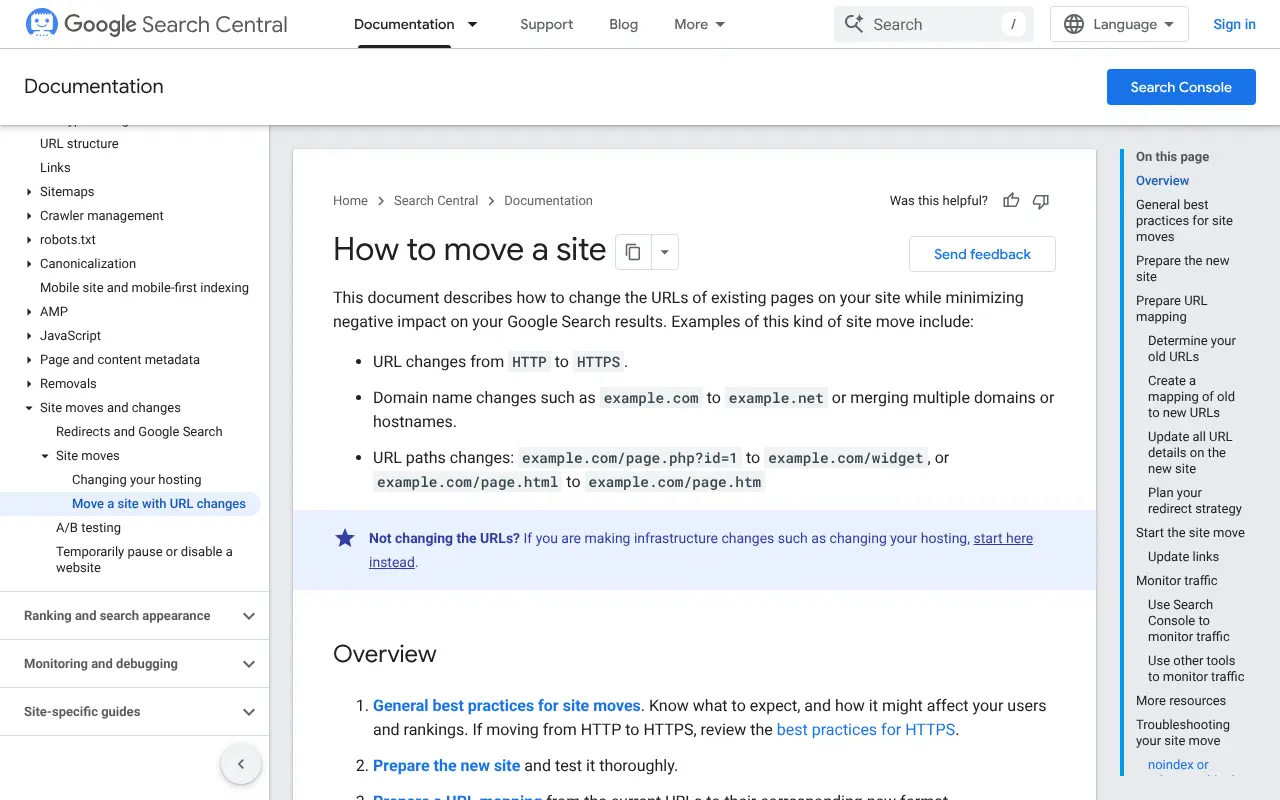
The 5-Step SEO-Safe Migration Path
Step 1: Benchmark Before You Touch Anything
You can't tell whether a migration worked if you don't know where you started. Before any work begins:
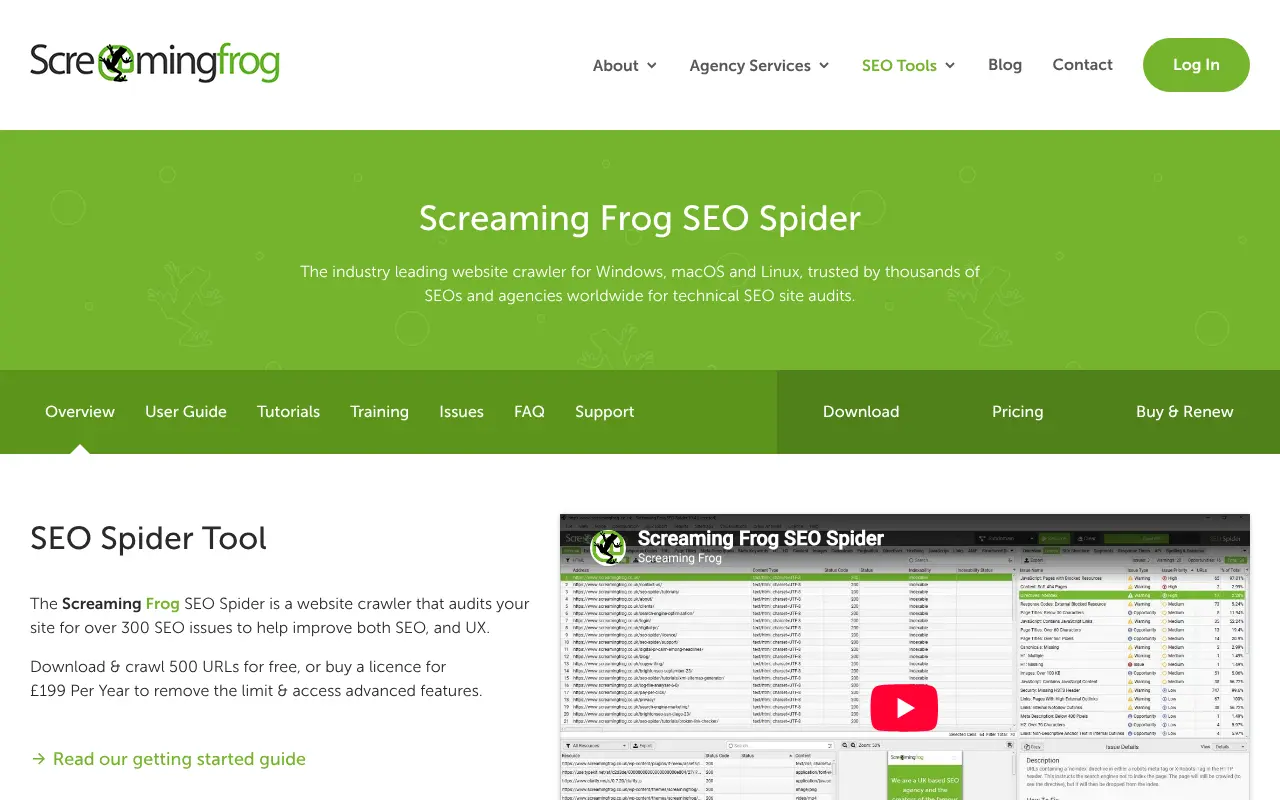
- Crawl the live site. A crawler such as Screaming Frog SEO Spider (free up to 500 URLs, paid beyond that) exports every URL with its status code, title, meta description, canonical and internal link count.
- Export performance by page. From Google Search Console, pull clicks, impressions and average position per URL for the last 12 months. From your analytics, pull revenue per landing page.
- Export backlinks. Any backlink tool will do. Note the 50 to 100 URLs that earn the most external links, because those are the pages you cannot afford to break.
- Save the sitemap and robots.txt as they are today.
- Screenshot key pages, including the home page, top categories and your best sellers, for before-and-after comparison.
If your store has been neglected, this is also the moment to fix what's already broken. Migrating 4,000 URLs of which 600 are thin duplicates just moves the mess. Our ecommerce SEO guide covers what a healthy catalog looks like.
Step 2: Build the URL Map
This is the step that decides the outcome. A URL map is a spreadsheet with two columns: every old URL and the one new URL that replaces it.
| Old URL | New URL | Type |
|---|---|---|
/products/blue-mug | /products/blue-mug | Same, no redirect needed |
/collections/mugs | /category/mugs | 301 redirect |
/pages/shipping | /help/shipping | 301 redirect |
/products/discontinued-item | /category/mugs | 301 to closest match |
Rules that keep this map honest:
- Keep URLs identical wherever you can. The best redirect is the one you never need. If your new platform lets you keep
/products/{slug}, keep it. - Redirect to the closest equivalent, not blindly to the home page. Google treats mass redirects to irrelevant pages as soft 404s.
- Use 301 (permanent) redirects. They tell search engines the move is permanent so signals consolidate on the new URL.
- Avoid chains.
A -> B -> Cwastes crawl budget and leaks value. Point every old URL straight at its final destination. - Include everything that has traffic or links: products, collections, blog posts, static pages, image URLs, PDFs and old campaign landing pages.
- Handle query-string variants (
?variant=123,?utm_source=) so they land on the clean product URL.
For a store with a few hundred products this takes an afternoon. For one with tens of thousands, generate the map by script and review the exceptions by hand.
Step 3: Build and Test on Staging
Build the new store on a staging address that search engines can't index, using noindex and ideally HTTP authentication as well. Then run the same crawler against staging and compare it with the Step 1 export:
- Titles and meta descriptions: are they carried over, or have they reset to defaults?
- Canonical tags: do they point at the final production URL, not the staging domain?
- Structured data: is Product schema (price, availability, reviews) present on every product? Test a sample in Google's Rich Results Test.
- Internal links: do menus, footers and body links use the new URLs directly, rather than going through redirects?
- Redirects: feed your whole old-URL list to a script and confirm each one returns a single 301 to the right destination with a 200 at the end.
- Images: product images keep their alt text and load as WebP or AVIF at sensible sizes.
- Hreflang and currency: for multi-market stores, check alternates before launch, not after.
- Checkout and tracking: place a test order, and confirm analytics and ad pixels fire once, not twice.
Step 4: Cut Over
Pick a quiet window. For many stores that's a weekday morning rather than a Friday night or the week before Black Friday. Never migrate in the six weeks before your peak season unless you have no choice. Our Black Friday ecommerce checklist lays out why peak season is the wrong time for infrastructure changes.
On the day:
- Freeze catalog and content edits on the old store.
- Run the final data import: new orders, new customers and stock levels since the trial import.
- Point the domain at the new platform.
- Switch the redirects on in the same hour and remove the staging
noindex. - Upload the new XML sitemap and submit it in Search Console.
- If the domain itself changed, use Search Console's Change of Address tool. If it didn't, skip it.
- Re-check
robots.txt. A leftoverDisallow: /from staging has ended more than one launch.
Step 5: Monitor for 90 Days
Don't declare victory on launch day. Then check:
- Search Console, daily in week one: Pages report for new 404s and "Crawled, currently not indexed" growth, plus the Crawl Stats report for server errors.
- Weekly: clicks and impressions against the Step 1 baseline, compared by page group (products, categories, blog) rather than only in total.
- Top 100 backlinked URLs: confirm each still resolves in one hop.
- Revenue per landing page: SEO traffic that doesn't convert is a different problem from SEO traffic that vanished.
Keep the redirects live for at least a year, and ideally indefinitely. Google's guidance is to keep them for as long as you can, because users and links keep arriving at old URLs long after the crawler has updated.
What to Expect: The Traffic Dip
Even a clean migration can show a dip, because Google needs to recrawl, process the redirects and re-evaluate the new pages. A dip is normal. What matters is the shape:
| Pattern | What it usually means |
|---|---|
| Small dip, recovery within a few weeks | Healthy migration |
| Sharp drop on specific page types | A template problem: missing titles, schema or canonicals |
| Sharp drop everywhere on day one | Indexing block: noindex, robots.txt or an auth wall |
| Slow bleed over months | Redirects removed too early, or content quietly thinned out |
Treat anything outside the first row as a bug to hunt down, not a mood of the algorithm.
Migrating Without Breaking Things Beyond SEO
SEO gets the attention, but a few non-SEO items cause just as many support tickets:
- Customer accounts and passwords. Password hashes often can't be moved between platforms. Plan a "reset your password" email and tell customers in advance. Some migrations do preserve accounts, so ask your target platform what's supported.
- Order history. Importing historical orders as read-only records is usually enough. You rarely need to recreate fulfilment state.
- Subscriptions. Recurring payment tokens live with your payment processor, not your platform. If you stay on the same processor, you can often keep the saved payment methods. Test this on a small cohort before you migrate everyone.
- Gift cards, discount codes and loyalty points. These are the usual casualties. Inventory them in Step 1.
- Email flows. Rebuild abandoned-cart and post-purchase flows before launch. See abandoned cart emails for what to include.
- Tax and shipping settings. Re-verify every rate, especially for EU VAT. Our EU VAT OSS guide covers what changes when you sell across borders.
Don't Forget AI Search (GEO)
Google is no longer the only thing reading your store. Shoppers now ask ChatGPT, Perplexity and Google AI Overviews what to buy, and those assistants pick products from pages they can crawl and understand. Generative Engine Optimization (GEO) is the work of making your store one they can recommend, and a migration can break it as easily as it breaks SEO:
- AI crawlers blocked. A new
robots.txtthat disallows GPTBot, OAI-SearchBot or PerplexityBot quietly removes you from those answers. - Content loaded by JavaScript. Most AI crawlers don't run scripts. A client-rendered storefront looks like an empty page to them.
- Product data lost. Price, stock, brand, GTIN and reviews in Product structured data are what assistants quote. If the new templates drop them, you drop out of "best X under $50" answers.
- Trust pages unlinked. Assistants look for returns, shipping and contact pages before recommending a store.
Add these to your Step 1 benchmark and your Step 3 staging checks. Our free GEO audit checks all of them on your homepage and a sample of product pages in under a minute: run it on the old store before you start and on the new one before you switch.
The Platform Decides How Much of This You Do by Hand
Every step above is easier or harder depending on where you land. A platform that fights you on URLs, renders in the browser or strips structured data turns a clean plan into months of workarounds. Look for:
- Full control over URL paths and redirects, in bulk, ideally through an API or CSV import.
- Server-rendered pages with editable titles, canonicals and structured data on every template.
- AI-search readiness built in: Product structured data, an
llms.txtfile and AI crawlers allowed by default. - Data export that isn't a fight. You'll want it for this move, and for the next one.
- A bulk redirect manager that handles thousands of rules without a plugin.
If you're leaving Shopify for a developer-owned storefront, read Migrating from Shopify to Headless Commerce, which covers the architecture decisions this guide skips. If you're leaving WooCommerce, WooCommerce alternatives for developers compares the options.
Where Your Next Store Fits
Your Next Store runs a done-for-you migration from Shopify, WooCommerce, Wix, Shoper, Squarespace, BigCommerce and other platforms, with a flat $1 fee. The team imports products, customers and order history, rebuilds the design, and sets 301 redirects for every URL. You get a free preview on a .yns.store address within 48 hours, and your old store stays live until you approve the switch.
Every YNS storefront is server-rendered, with Product structured data on every product page and an llms.txt file, so the new store is ready for AI search from the day it goes live. Not sure where you stand today? Start with a free GEO audit of your current store.

We should be honest about the limits. A migration service doesn't remove the need for Steps 1 and 5: you should still benchmark your own rankings and watch Search Console afterwards, because nobody knows your business as well as you do. And if your store depends on a heavily customized Shopify Plus checkout or dozens of apps, expect a longer scoping conversation about what each of those becomes.
The one-line version: keep URLs the same where you can, 301 the ones you can't, test on staging, and watch Search Console for 90 days.
FAQ
Will I lose my Google rankings when I switch ecommerce platforms?
Not necessarily. A temporary fluctuation is common, but stores that keep URLs stable, redirect every changed URL with a 301 and carry over titles, content and structured data typically recover within weeks. Losses mostly come from missing redirects, blocked indexing and stripped metadata.
How long does an ecommerce platform migration take?
For a small catalog (under a few hundred products) with a standard theme, plan for days to a few weeks including testing. For large catalogs, custom features or multiple markets, plan for one to three months. The URL map and QA take longer than the data import.
Do I need to redirect every old URL?
Redirect every URL that has traffic, backlinks or sales history, to the closest equivalent page. Truly dead URLs with no value can return a 404 or 410. Don't redirect everything to the home page: Google may treat that as a soft 404.
Does a platform migration affect visibility in ChatGPT and AI search?
It can. AI assistants read your store through crawlers, much like Google. If the new store blocks AI crawlers in robots.txt, loads product content with JavaScript or drops Product structured data, assistants stop recommending your products. Run a GEO audit before and after the move to catch this.
Should I change my domain at the same time?
Avoid it if you can. Changing platform and domain together means two sources of ranking volatility and harder debugging. Migrate the platform first, let things settle, then change the domain later if you must.
Related Blog Posts

Before you spend more on ads,
check your store.
Get a free 25-point checklist to find what could be holding back your sales, from product pages to checkout.