Ecommerce ERP Integration: What to Connect and Why
 Michał Miszczyszyn
Nov 16, 202612 min read
An ERP doesn't make your store smarter. A bad ecommerce ERP integration makes it wrong, at scale. Oversold stock, orders keyed in twice, a month-end close where the payouts never match the invoices: these are integration failures, not ERP failures. This guide covers which data to sync between your online store and your ERP, in which direction and how often, the four ways to build the connection, what it costs, and the mistakes that cause most of the pain.
What Ecommerce ERP Integration Means
An ERP (enterprise resource planning) system is the operational record of a business: inventory across locations, purchasing, costs, accounting, and often manufacturing and warehousing. Your online store is where orders happen. Ecommerce ERP integration is the plumbing that moves data between the two automatically, so nobody retypes an order into the ERP and nobody updates stock on the website by hand.
When it works, the ERP knows about every web order within minutes, the store shows stock the warehouse can actually ship, and finance closes the month from one set of numbers. When it doesn't, you get the classic symptoms: a product shows "in stock" online while the shelf is empty, or the same order lands in the ERP twice.
Do You Actually Need an ERP Yet?
Most small stores don't. An ERP is a big commitment: license, implementation, training, and a system that every process now runs through. Before you buy one, check whether a lighter stack covers you:
- Accounting software (QuickBooks, Xero, or a local equivalent) for the books.
- Inventory software for stock across a couple of channels. We compared the options in our guide to inventory management software for ecommerce.
- Your commerce backend for orders, customers and per-variant stock.
That stack carries plenty of stores to seven figures. The signs you've outgrown it are operational, not about revenue:
- Stock lives in more than one warehouse, store or 3PL, and nobody trusts the totals.
- You buy from suppliers on purchase orders and need landed costs per SKU.
- You manufacture or assemble (bills of materials, work orders).
- You sell wholesale with customer-specific prices and payment terms, as covered in our guide to B2B ecommerce.
- Finance spends days each month reconciling spreadsheets exported from five tools.
If two or more of these are true, an ERP will probably pay for itself. If none are, an ERP integration project is a way to spend six figures on a problem you don't have.
What Data to Sync (and Which Way It Flows)
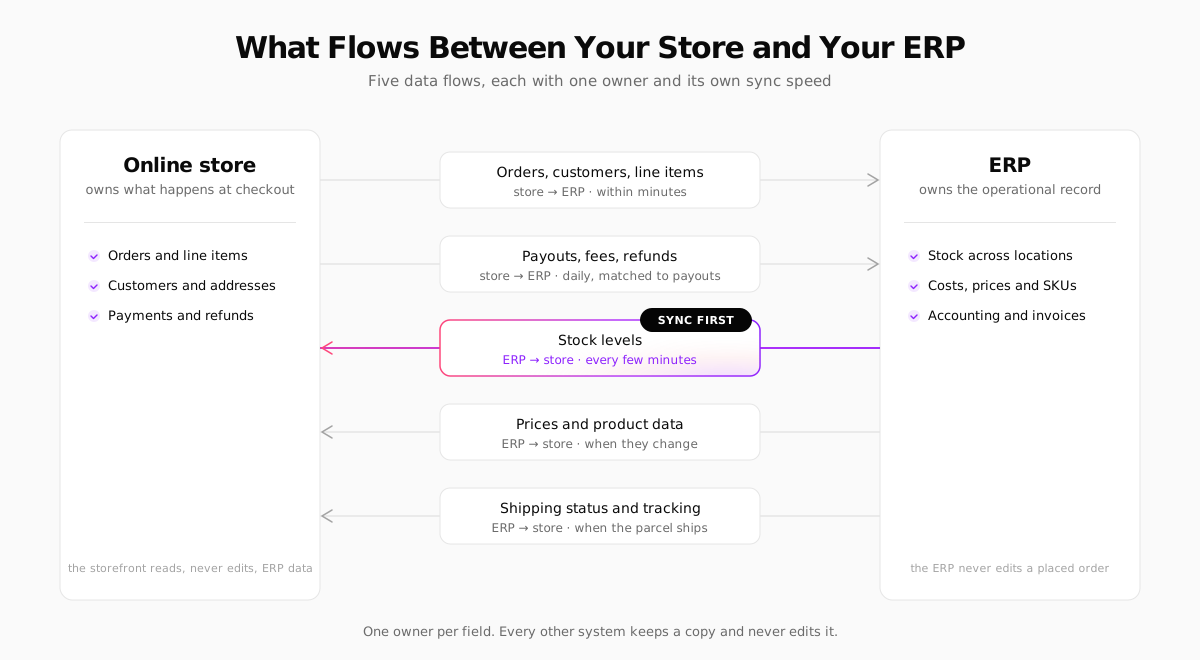
Every ecommerce ERP integration comes down to the same five data flows. The rule that keeps them sane: each field has exactly one owner. The owner is the only system allowed to change it. Every other system keeps a read-only copy.
Orders and customers: store to ERP
The store owns everything that happened at checkout: line items, the prices actually paid after discounts, shipping method, addresses and taxes. The ERP needs a copy of each order within minutes so the warehouse can pick it and stock is committed. Customers usually ride along with the order rather than syncing as a separate flow.
Payments, fees and refunds: store to ERP
This is the flow most integrations forget. Your payment provider pays out a net amount: sales minus processing fees minus refunds, a few days later. If the ERP only receives gross orders, finance has to match payouts by hand. Sync refunds as their own records, and import payout reports (Stripe and most providers export them) so each deposit is matched to the orders it contains.
Stock levels: ERP to store
Once you have an ERP, it owns stock. It sees purchase orders arriving, transfers between locations and adjustments the store never hears about. Push available stock to the store frequently: this is the flow where a delay costs real money, because every minute of stale stock is a chance to sell something you don't have. If you sync only one thing in real time, sync this.
Prices and product data: ERP to store
Base prices, cost, SKUs, barcodes, weights and dimensions usually belong to the ERP. Marketing copy, photos and SEO fields usually belong to the store or a PIM (product information management) tool. Decide this per field, write it down, and never let both sides edit the same one.
Shipping status and tracking: ERP to store
When the warehouse ships, the tracking number and status flow back to the store, which emails the customer. If you use a 3PL, it often sits in the middle of this flow. We cover how that works in our guide to ecommerce fulfillment.
Four Ways to Build an Ecommerce ERP Integration
| Approach | How it works | Best for | Watch out for |
|---|---|---|---|
| Native connector | The ERP or platform vendor ships a ready-made app | Popular platform and ERP pairs | Fixed field mappings, edge cases left out |
| Middleware (iPaaS) | A hosted integration platform runs prebuilt flows you configure | Several systems, a team without developers | Another subscription, another place for errors to hide |
| Custom API integration | Your developers call both APIs from a sync job | Custom storefronts, unusual workflows | You own the maintenance, monitoring and retries |
| Flat file (CSV/SFTP) | Scheduled exports and imports | Legacy ERPs, low order volume | Batch delays, silent failures when a column moves |
Native connectors
The easiest path, if one exists for your pair. Microsoft's Shopify Connector for Business Central is built by Microsoft and comes preinstalled in new Business Central sign-ups. NetSuite and Odoo have connectors for the large platforms too, some first-party and some from partners. The catch: a connector maps fields the way its authors decided, and anything unusual (bundles, custom statuses, multiple warehouses per order) can need workarounds.
Middleware
Integration platforms such as Celigo, Boomi or MuleSoft sit between your systems and run flows like "new order → create sales order in ERP" with retries, error queues and logs. Smaller stores often use general automation tools like Zapier or Make for the same job at lower volume. Middleware makes sense when you connect more than two systems: store, ERP, 3PL, marketplaces, CRM.
Custom API integration
If your store is custom or headless, or your ERP is niche, a small sync service calling both REST APIs is often simpler than bending a connector. It's also the most flexible: you decide exactly which fields move and how conflicts are resolved. The price is ownership. Someone has to watch it, and someone has to fix it at 2 a.m. in November.
Flat files
Unglamorous and still common. Many older on-premise ERPs only speak CSV over SFTP. It works fine for daily order batches at low volume. It's dangerous for stock, because a batch that fails silently leaves the store selling from yesterday's numbers.
ERPs That Online Stores Commonly Use
You'll find dozens of ERPs. These four come up most often for small and mid-sized online sellers, each with a different trade-off.
Odoo: modular and budget-friendly
Odoo is a suite of apps (inventory, accounting, purchasing, manufacturing, CRM, even its own website builder) that you switch on as needed. It's open-core: a free Community edition you host yourself, and a paid Enterprise edition, advertised at the time of writing at one price for all apps, billed per user. Store integrations mostly come from its app ecosystem and partners, so check who maintains the connector you pick.
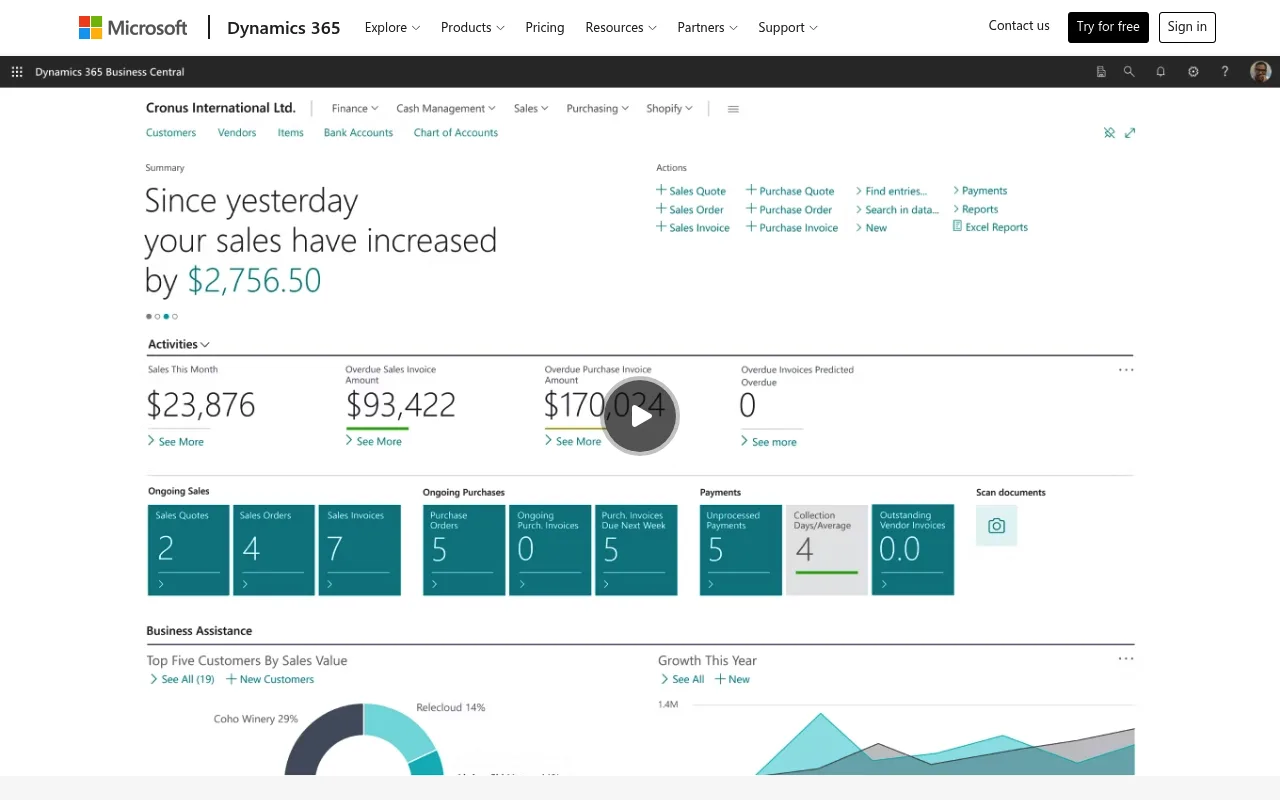
Microsoft Dynamics 365 Business Central: the Microsoft-shop choice
Business Central targets small and mid-sized businesses, plugs into Microsoft 365, and is sold and implemented mostly through partners. Its first-party Shopify connector is the clearest native path if you sell on Shopify. For other platforms, you'll use its API or middleware.
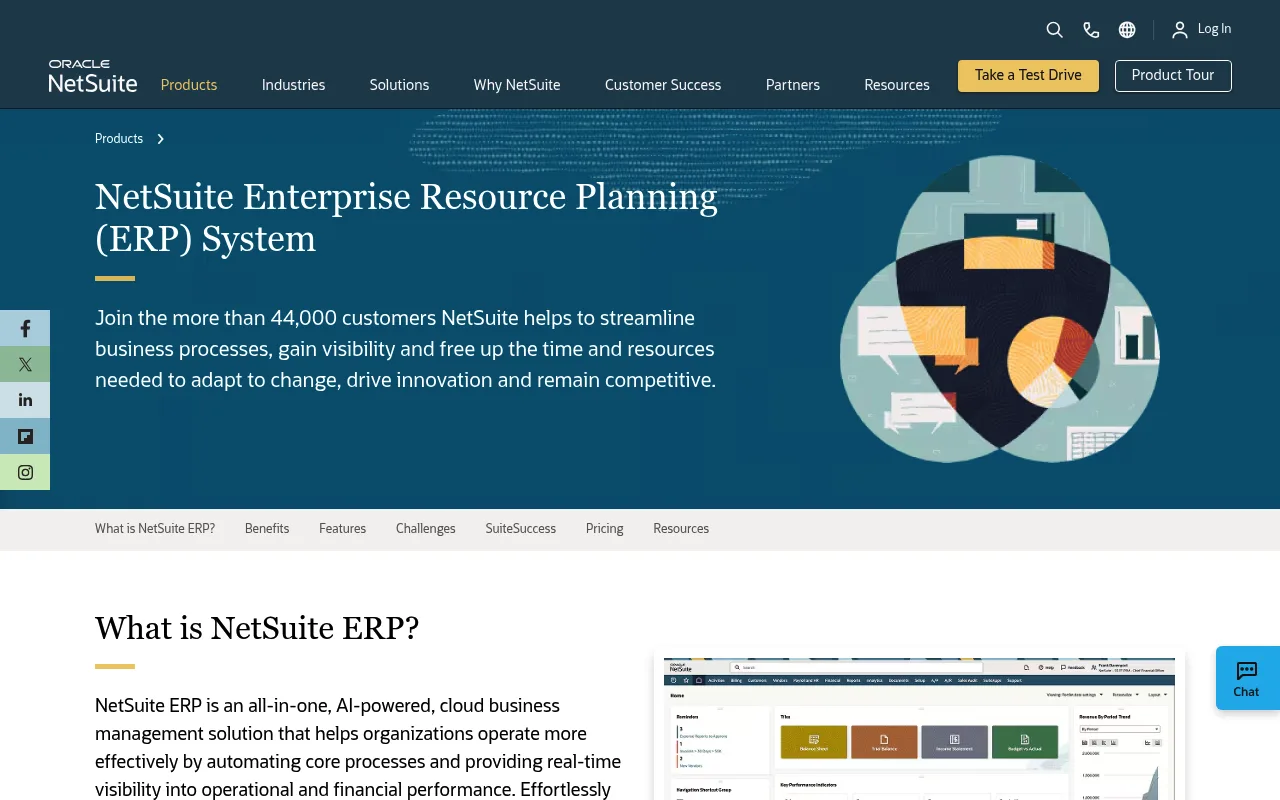
Oracle NetSuite: the cloud ERP many brands grow into
NetSuite says it serves more than 44,000 customers and is the default answer for fast-growing direct-to-consumer and wholesale brands that want one cloud system for finance, inventory and order management. It's powerful and correspondingly priced: the license, modules and implementation add up, so it's rarely the first ERP for a small store.
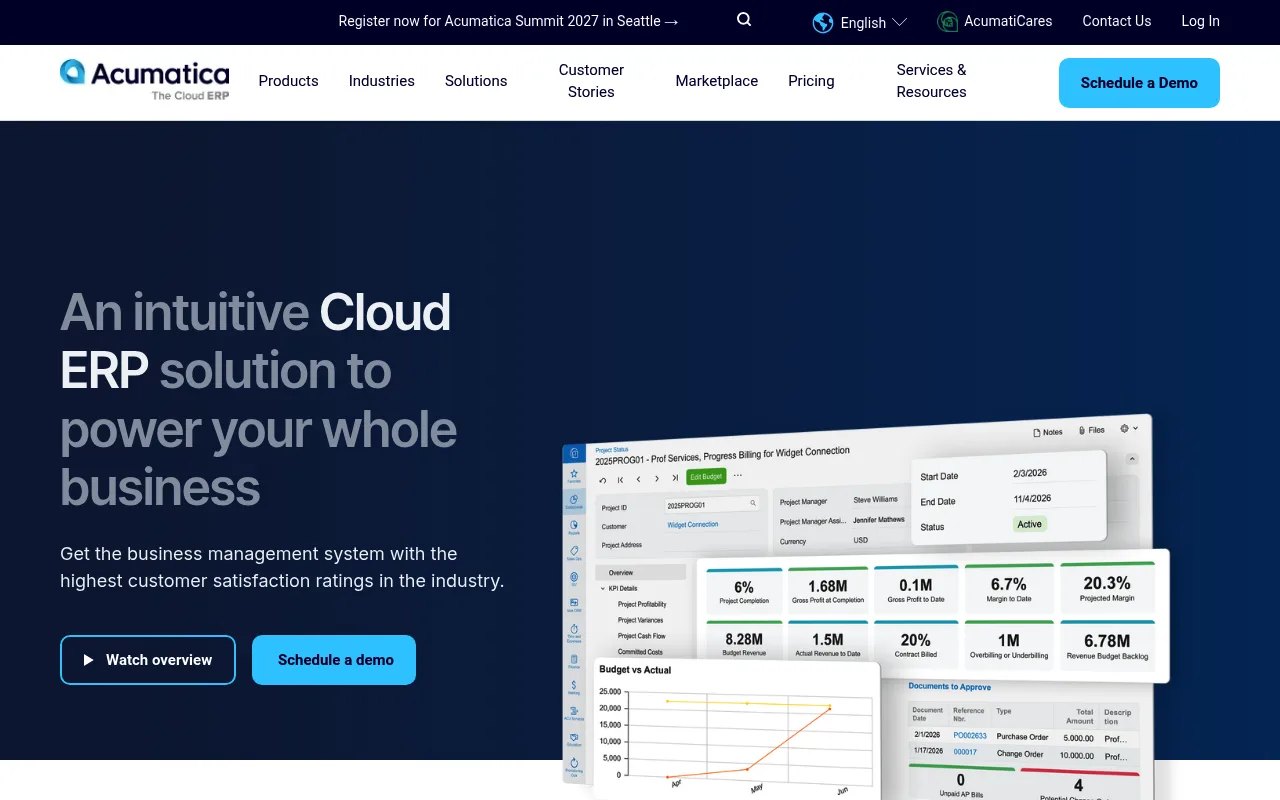
Acumatica: priced by resources, not seats
Acumatica is a cloud ERP popular with distributors and manufacturers. Its pricing is based on the resources you use rather than the number of users, which helps when many people need occasional access (warehouse staff, sales reps).
Ask every ERP vendor the same question: "Show me an order from my store platform flowing in, with a discount, a partial refund and a split shipment." A demo with a clean single-item order proves nothing. The edge cases are where integrations break.
Real-Time, Hourly or Nightly? Choosing Sync Speeds
Not every flow needs to be instant. Matching the speed to the cost of being wrong keeps the integration cheap and calm:
| Data | Suggested sync | Why |
|---|---|---|
| Stock levels | Every few minutes, or on change | Stale stock means overselling |
| New and changed orders | Every few minutes | The warehouse can't pick what it can't see |
| Shipping status and tracking | When the parcel ships | Customers check their email, not your ERP |
| Prices | When they change | Rarely changes, but must be correct at checkout |
| Product attributes | Hourly or nightly | Low risk if a description lags |
| Payouts and fees | Daily | Matches how providers pay out |
There are two ways to get changes from one system to another. Webhooks push an event the moment something happens; they're fast but you need a public endpoint, signature checks and a plan for missed events. Polling asks "what changed since last time?" on a schedule; it's slightly slower but simple and self-healing, because a failed run is just repeated next time. Many robust integrations use both: webhooks for speed, a periodic poll to catch anything the webhooks missed.
What a Custom Sync Job Looks Like
Here's the core of a polling sync against the Your Next Store REST API. It pulls orders that changed since the last run and pushes the ERP's stock back to the store. The ERP side is a placeholder: swap in your ERP's API client.
Three habits matter more than the code itself:
- Make every write idempotent. Use the store's order id as the ERP's external reference and upsert, so running the same sync twice changes nothing.
- Use SKUs as the shared key. If the same product has different identifiers in each system, fix that first. Most "the integration is broken" tickets are really "the SKUs don't match" tickets.
- Log and alert on failures. A sync that fails quietly is worse than no sync, because everyone trusts numbers that stopped updating.
When the warehouse ships, the job closes the loop by setting the order to shipped with the tracking number through PATCH /api/v1/orders/:id, and the store sends the customer their shipping email.
Tax, Invoices and the EU Angle
An ERP records tax; it usually shouldn't calculate it at checkout. In the US, sales tax depends on the buyer's address and your nexus in each state, so most stores calculate it at checkout with a tax service and pass the result to the ERP as a finished number. We cover how that works in our guide to ecommerce sales tax.
In the EU, the bigger change is e-invoicing. Several countries now require structured electronic invoices for business-to-business sales, filed through a government system:
- Poland made its national e-invoicing system, KSeF, mandatory in 2026: from February for the largest taxpayers and from April for most other businesses.
- Belgium has required structured B2B e-invoices since January 2026.
- Germany has required businesses to be able to receive e-invoices since January 2025, with mandatory issuing phased in from 2027.
- At EU level, the VAT in the Digital Age (ViDA) package brings digital reporting for cross-border B2B sales from July 2030.
For a store selling to businesses, decide which system issues the legal invoice: the store, the ERP or a dedicated invoicing tool. Then make sure the other systems only reference it. Two systems issuing invoices for the same order is a compliance problem, not just a bookkeeping one. For EU consumer sales, VAT and the One-Stop Shop are covered in our EU VAT OSS guide.
Always check the current rules where you sell. This section summarizes US sales tax and EU e-invoicing rules as of November 2026. Requirements, thresholds and deadlines change and vary by country, so confirm the details with your tax adviser or local tax authority before you design your invoicing flow. This is general information, not tax or legal advice.
What Ecommerce ERP Integration Costs
Integration costs vary widely, so treat any number you see online, including ours, as a starting point for quotes:
- Native connectors: often included with the ERP or sold as a monthly subscription. Cheapest to start, but budget time for configuration and testing.
- Middleware: a monthly platform fee that scales with the number of flows and the volume, plus setup by you or a partner.
- Custom integration: developer time to build (days for a simple order and stock sync, weeks for a full one), then ongoing maintenance whenever either API changes.
- Implementation partner: most mid-market ERP projects run through partners, and their fees for configuration, data migration and training are often larger than the first year's license.
The hidden cost is data cleanup. Duplicated SKUs, products with missing weights and customers with three addresses all have to be fixed before the first sync, and it's almost always more work than planned.
Common Ecommerce ERP Integration Mistakes
- Two owners for one field. Prices edited in both the ERP and the store admin, and the last sync wins at random.
- Syncing gross orders but not payouts. Revenue matches, cash doesn't, and finance reconciles by hand forever.
- Stock synced nightly. Fine for a slow catalog; a disaster during a sale or a product drop.
- No duplicate protection. A retry after a timeout creates the same order twice in the ERP.
- Forgetting cancellations and partial refunds. The happy path works in the demo; the edge cases arrive in week one.
- No owner for the integration. Every system has an admin except the plumbing between them.
- Going live in Q4. Launch an ERP integration in a quiet month, run it in parallel with the old process for a few weeks, and only then switch the old process off.
Where Your Next Store Fits
Your Next Store is a commerce backend and storefront, not an ERP, and it's built to be the "online store" side of the diagram above. Products, variants, orders, customers and per-variant stock live in its backend, and everything is reachable through a REST API with keys scoped per store and to the capabilities each integration needs.
For ERP and back-office integration, that means:
- Orders out:
GET /orders?updatedSince=…returns only orders created or changed since your last run, which makes frequent polling cheap. Orders can also be exported to a file from the admin. - Stock in: an inventory endpoint to read stock per SKU and adjust it, with a reason (restock, correction, damaged, return) recorded on each change.
- Status and tracking back: update an order's status and tracking number from your ERP or warehouse system, and record invoices issued elsewhere on the order.
- Ready-made connections: an integration with Base.com (formerly BaseLinker), the order and marketplace hub many Central European sellers run, that syncs orders, statuses, tracking, stock and prices in both directions, plus add-ons for invoicing tools.
To be clear about the limits: YNS doesn't ship native connectors for NetSuite, Business Central, Odoo or Acumatica today, and it doesn't push outgoing webhooks for orders. For those ERPs you'll connect through the API, either with a small sync job like the one above or through middleware. If you want the full picture of what the API covers, see our comparison of ecommerce APIs and the pricing.
FAQ
What is ecommerce ERP integration?
It's the automatic exchange of data between your online store and your ERP system. Orders, customers and payments flow from the store to the ERP, and stock levels, prices and shipping status flow back, so neither side needs manual data entry.
Which data should I sync between my ecommerce store and ERP first?
Stock levels and orders. Stock from the ERP to the store prevents overselling, and orders from the store to the ERP let the warehouse ship on time. Payouts, product attributes and customer data can follow once those two are reliable.
Is it better to use a connector or build a custom ERP integration?
Use a native connector if one exists for your store platform and ERP and your workflows are standard. Choose middleware when you connect several systems, and a custom API integration when your storefront is custom or your workflows don't fit a connector's fixed mappings.
How often should inventory sync between an ERP and an online store?
Every few minutes, or on every change if both systems support it. Nightly stock syncs work only for slow-moving catalogs and are risky during sales, launches and the holiday season.
The Bottom Line
The ERP you pick matters less than the rules you set for the data between it and your store. Give every field one owner, sync stock first and fastest, make every write safe to repeat, and watch the integration as carefully as you watch your checkout. Your ERP is only as accurate as the last sync that worked.
Related Blog Posts

Before you spend more on ads,
check your store.
Get a free 25-point checklist to find what could be holding back your sales, from product pages to checkout.