Ecommerce Chatbots: AI Customer Service for Online Stores
 Jakub Neander
Nov 13, 202612 min read
An ecommerce chatbot is worth it when it answers the questions you already answer five times a day, and a liability when it answers the ones it shouldn't. The tools got good: AI agents now read your catalog and policies and reply in any language at 3 a.m. But 64% of customers told Gartner they would rather companies didn't use AI for service at all. This guide covers what to automate, what it really costs per conversation, how to set one up in a week, and where the law now requires you to say it's a bot.
What Is an Ecommerce Chatbot?
An ecommerce chatbot is a chat widget on your store that answers shoppers without a person typing the reply. In 2026 that covers three quite different things:
| Type | How it answers | Good at | Weak at |
|---|---|---|---|
| Rule-based flows | Buttons and decision trees you build ("Track order", "Returns") | Predictable, cheap, never invents anything | Anything off-script; feels like a phone menu |
| AI customer service agent | A language model grounded in your help docs, policies and (often) order data | Free-text questions, many languages, order lookups when connected | Can state things confidently that aren't true |
| AI shopping assistant | A language model grounded in your product catalog | "Which one should I buy?", comparisons, adding to cart | Usually can't see orders, so no "where is my parcel?" |
This post is about the first two: the customer service chatbot whose job is to resolve questions so you or your team don't have to. If your main goal is selling, the trade-offs are different, and we covered them in AI shopping assistants: do they increase sales?
In practice the lines blur. Most AI agents can recommend products, and some shopping assistants answer policy questions. What matters is the data the bot can read, because that decides which questions it can actually resolve.
What an Ecommerce Chatbot Should (and Shouldn't) Answer
Before you compare vendors, sort your questions by what the bot would need to know to answer them correctly. That one exercise tells you which tool you need and how much it can realistically take off your plate.
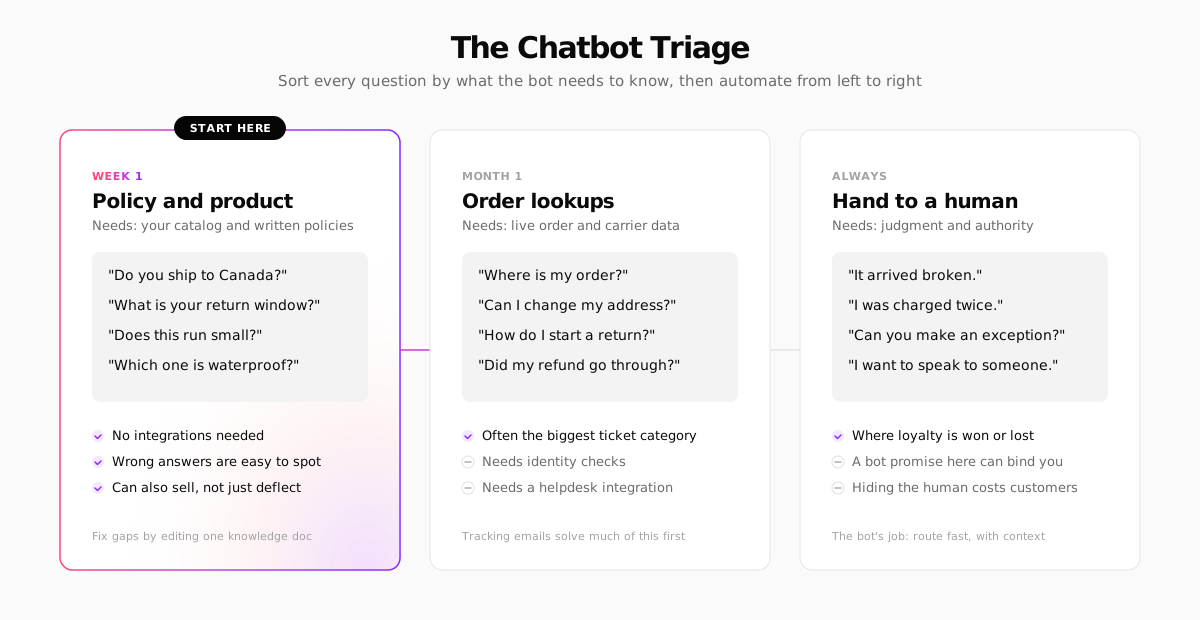
Policy and product questions are the place to start. Shipping zones, return windows, sizing, materials, care instructions, "is this compatible with…". The answers live in documents you control, so a bot grounded in those documents gets them right, and when it doesn't, you fix one paragraph.
Order lookups are usually the biggest single category. Published vendor benchmarks put "where is my order?" (WISMO) at roughly a fifth to a third of ecommerce support tickets, and more in peak season. A bot can only answer these if it's connected to your orders and carrier tracking, and it needs to verify who's asking before it reads out an address. Before you pay a bot to answer WISMO, check that your shipping confirmation emails include a tracking link. That alone removes a lot of these tickets for free.
Complaints, payment problems and exceptions go to a human. A damaged parcel, a double charge or a "can you make an exception?" is where a customer decides whether to come back. These are also the conversations where a bot's answer is most likely to become a promise you're held to (more on that below).
Do this before you shop for a tool: export your last 200 support emails or chats and tag each one as policy, product, order, or human. The ratio tells you more about the right chatbot than any vendor demo.
What an AI Chatbot for Ecommerce Costs in 2026
AI chatbots have mostly moved away from per-seat pricing to paying per conversation the bot handles. That aligns cost with value, but it also means your bill grows with your traffic. Here's what the main options list on their own pricing pages as of November 2026:
| Tool | How it's billed | Listed price |
|---|---|---|
| Intercom Fin | Per "outcome" (a resolved conversation or completed workflow), plus helpdesk seats | $0.99 per outcome; seats from $29/mo monthly. With another helpdesk, a monthly minimum (e.g. 50 outcomes) applies |
| Gorgias AI Agent | Per automated interaction, on top of a ticket-based helpdesk plan | $0.90–$1.00 per interaction; $1.50 above your plan's allowance. Plans from $10/mo |
| Tidio Lyro | Monthly bundles of AI conversations | 50 free conversations (lifetime), then from $32.50/mo for 50 conversations a month |
| Zendesk AI agents | Automated resolutions on top of Zendesk Suite seats | Quote-based for most stores; check the current page |
To estimate your bill, work from your own numbers, not the vendor's resolution rate. A simple model:
Then compare that with what those 320 conversations cost you today in hours. If you answer them yourself at three minutes each, that's 16 hours a month. Whether $317 is cheap or expensive depends entirely on what those 16 hours are worth to you.
Read the definition of "resolved." Each vendor counts it differently. Intercom counts an outcome when the customer confirms, stops asking after Fin replies, or a workflow completes, including handoffs. Gorgias counts an interaction as automated if no human agent gets involved within 72 hours. A customer who gave up and emailed you instead can still count as a resolution.
The Best Ecommerce Chatbot Tools, by Store Type
There's no single best ecommerce chatbot. The right one depends mostly on which helpdesk you already use and whether you need order actions.
Gorgias: for Shopify stores with real ticket volume
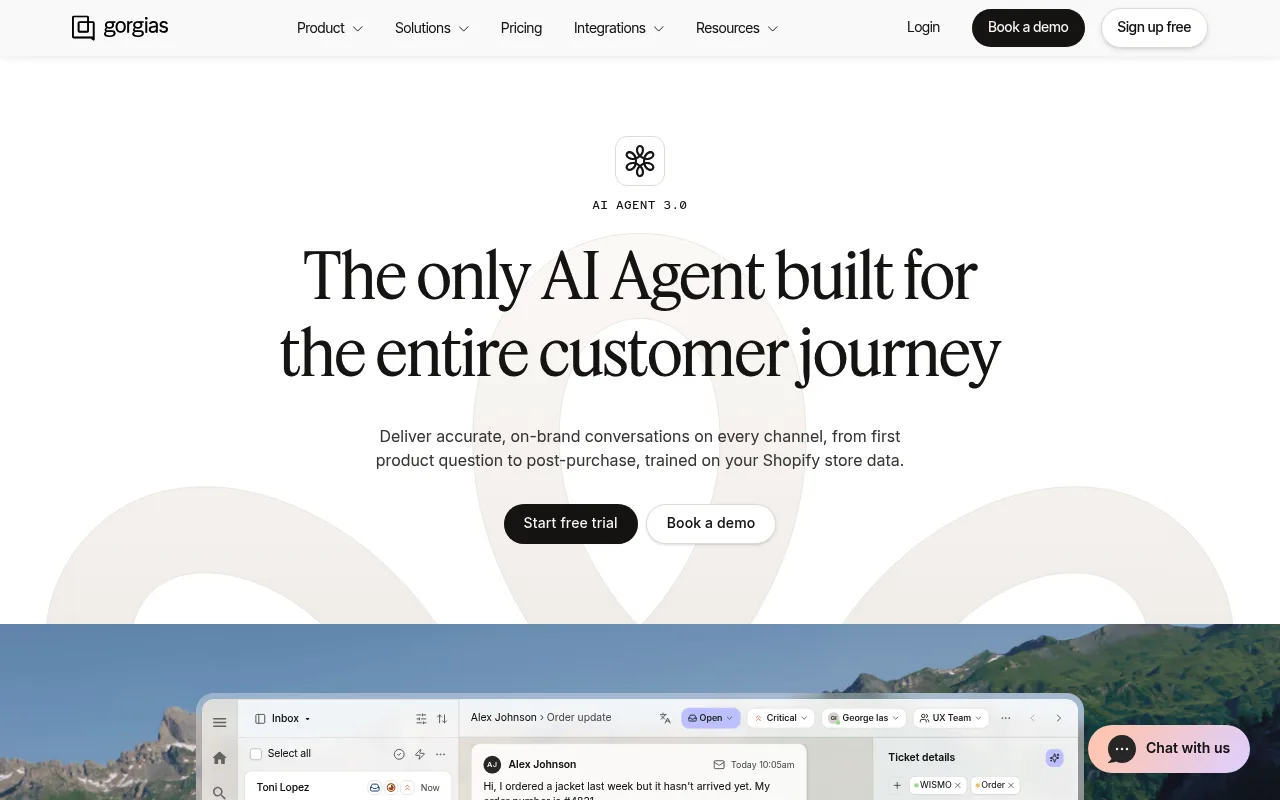
Gorgias is a helpdesk built for ecommerce, and its AI Agent sits inside the same inbox your team works from. Its strength is order actions: it's trained on your Shopify store data, so it can look up an order, change an address or start a return, and hand anything else to a person with the ticket already tagged. It fits best when you already live in Shopify and have enough volume to need a shared inbox.
Intercom Fin: the most widely used AI agent
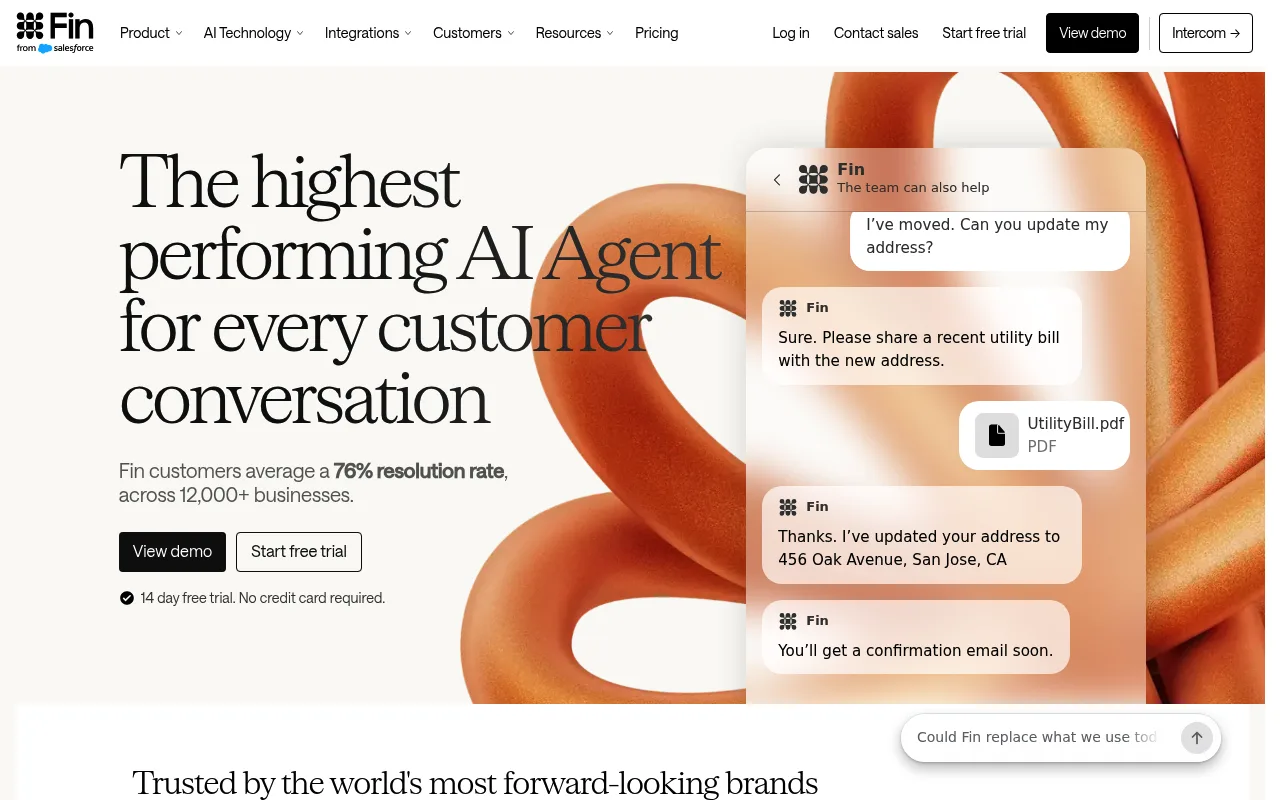
Fin (from Intercom, now part of Salesforce) is a standalone AI agent that works inside Intercom or on top of Zendesk, Salesforce and other helpdesks. Fin says its customers average a 76% resolution rate across 12,000+ businesses. Treat that as the vendor's own average, not a forecast for your store, but its outcome-based pricing at least means you don't pay for conversations it fails. It suits stores that already use Intercom or want an agent that isn't tied to one ecommerce platform.
Tidio Lyro: for small stores testing the waters
Tidio combines live chat, a ticket inbox and the Lyro AI agent, with a free plan and integrations for Shopify, WooCommerce, Wix and others. The first 50 Lyro conversations are free, which makes it the cheapest way to find out whether your customers will talk to a bot at all. Self-serve plans top out around 1,000 AI conversations a month, so busier stores end up in a sales conversation.
Zendesk: when you already run Zendesk
If your team already works in Zendesk, use its AI agents (or Fin on top) before you switch helpdesks. For a solo founder or a two-person team it's usually more platform than you need.
How to Set Up a Customer Service Chatbot in a Week
The bot is only as good as what you feed it and what you let it do. This is the order that works.
-
Tag your recent tickets (day 1). Use the policy / product / order / human split above. Pick the two or three most common questions as the bot's first job.
-
Write the knowledge doc (day 1–2). Not your marketing copy: the facts a new support hire would need. Write it as plain notes, one topic per heading:
-
Decide what it may never do (day 2). No discounts, no refunds, no promises about delivery dates it can't see, no medical or legal claims. Most tools let you add these as rules or guardrails.
-
Build the handoff (day 3). Every conversation needs a visible way to reach a person, and the person should see the full transcript. Gartner's advice from the same survey: tell customers when they're being handed over and move them to an agent without losing context.
-
Say it's a bot (day 3). Name it if you like, but make it obvious it's AI. In the EU that's now a legal requirement (see below), and everywhere else it's what keeps trust intact.
-
Try to break it (day 4). Ask about products you don't sell, policies you haven't written, a discount, a competitor, the CEO's home address. Fix the knowledge doc and rules after every bad answer.
-
Launch to a slice of traffic and read transcripts (day 5–7). Watch four numbers: resolution rate, handoff rate, customer satisfaction on bot conversations, and "false resolutions", the customers who left the chat and emailed you anyway.
For the technical side, load the widget script after the page is interactive. Chat widgets are often among the heaviest third-party scripts on a store, and a slower product page can cost you more than the bot saves. Our guide to ecommerce website speed covers how to measure that.
What Nobody Tells You About Ecommerce Chatbots
What the bot says can bind you. In Moffatt v. Air Canada, a Canadian tribunal held the airline responsible for a refund policy its chatbot made up, and rejected the argument that the bot was a separate entity. Write your return policy once, feed the bot that text, and forbid it from improvising exceptions.
Even the poster child walked it back. Klarna's AI assistant famously handled two-thirds of its customer service chats in its first month, the workload of 700 agents. A year later its CEO said the push had gone too far on cost and lowered quality, and Klarna started hiring human agents again. The lesson for a small store: automate the repetitive questions, and keep a person for the rest.
The knowledge doc goes stale. You change the free-shipping threshold for Black Friday, forget the bot, and it quotes the old number for a week. Put "update the bot" on the same checklist as "update the banner."
Per-resolution pricing punishes your best weeks. A launch, a viral post or a carrier delay can triple conversations overnight. Set a monthly cap or alert if your tool supports one.
The transcripts are the real product. The questions shoppers ask a bot are better research than any survey: missing sizes, unclear policies, products people expect you to stock. Read them weekly.
Chatbot Rules: EU, UK and US
A chatbot talks to consumers and stores what they type, so disclosure and data protection rules apply.
- European Union. Under Article 50 of the AI Act, systems that interact directly with people must make clear they're talking to an AI, unless that's obvious. That duty has applied since 2 August 2026 and was not postponed by the Digital Omnibus that delayed other parts of the Act. Chat transcripts are personal data under GDPR, so you need a lawful basis, a data processing agreement with the vendor and a retention period. Our GDPR guide for ecommerce covers the basics.
- United Kingdom. UK GDPR covers the transcripts, and consumer protection law applies to what the bot tells customers about prices, delivery and refunds.
- United States. There's no federal chatbot law, but the FTC's rules on deceptive practices apply to what a bot claims. California's BOT Act (SB 1001) makes it unlawful to use a bot to mislead someone about its artificial identity to encourage a purchase, and disclosing it's a bot is the safe harbor.
Always check the current rules where you sell. This guide summarizes EU, UK and US rules on chatbot disclosure and chat data as of November 2026. Regulations change and vary by country and state, so confirm the details with your local regulator or a privacy specialist before you launch. This is general information, not legal advice.
An Ecommerce Chatbot Built Into Your Store
Your Next Store has its own shopper-facing chat, Store Chat, so you can skip a third-party widget if your main need is answering pre-purchase questions. Here's what it does and, just as important, what it doesn't.
- It answers from your live catalog and a store knowledge box you write in plain notes: shipping, returns, sizing, warranty. It replies in whatever language the shopper writes in.
- It sells, too. Answers can include product cards, and when a shopper says "I'll take it", it adds the product to the same cart the cart icon shows, then links to checkout. It only adds products you have in stock, and shoppers can't talk it into a discount.
- It can't see orders. That's a deliberate limit: it won't answer "where is my order?" or touch refunds. Order status comes from automatic tracking emails and the customer's account page, and anything that needs a person goes through the contact form into your inbox.
- Spending is capped. It costs $99/month (or $82/month on the annual rate, included on the Pro plan), plus AI usage from your store's balance. You set a monthly limit, and when it's reached the chat says it's temporarily unavailable instead of running up a bill.
- It tells you what to stock. A "searches with no matching products" list shows what shoppers asked for that your catalog couldn't answer.
So if your support load is mostly WISMO and refunds, a helpdesk-based agent like Gorgias or Fin is the better fit, and you can still add one to a YNS storefront like any other script. If it's mostly "which one should I get?" and "do you ship to…?", Store Chat covers it without another vendor. The help center article on Store Chat walks through the setup.
FAQ
Is a chatbot worth it for a small online store?
It's worth testing once you answer the same handful of questions every day. Start with a free or low-volume tier, point it at your policies and product data only, and keep a clear route to a human. If it doesn't cut your support time or lift conversion within a month, turn it off.
What's the difference between live chat and an ecommerce chatbot?
Live chat connects a shopper to a person in real time, so someone has to be online. A chatbot answers automatically, around the clock. Most stores use both: the bot answers what it can and hands the rest to live chat or email with the transcript attached.
Can an AI chatbot handle returns and refunds?
It can explain your return policy and, if it's connected to your orders, start a return. Leave refunds, exceptions and damaged-item claims to a person. Those are judgment calls, and anything a bot promises in them may be treated as your promise.
Related Blog Posts
Before you spend more on ads,
check your store.
Get a free 25-point checklist to find what could be holding back your sales, from product pages to checkout.