Set custom prices with price lists
Create a price list with a discount off retail, then set fixed prices for the products you've negotiated separately.
A price list is the deal you give a client. It has two parts: a percentage off retail that covers your whole catalog, and optional fixed prices for individual products. You can reuse one list for many clients, for example "Restaurants" or "Resellers 20%".
Create a price list
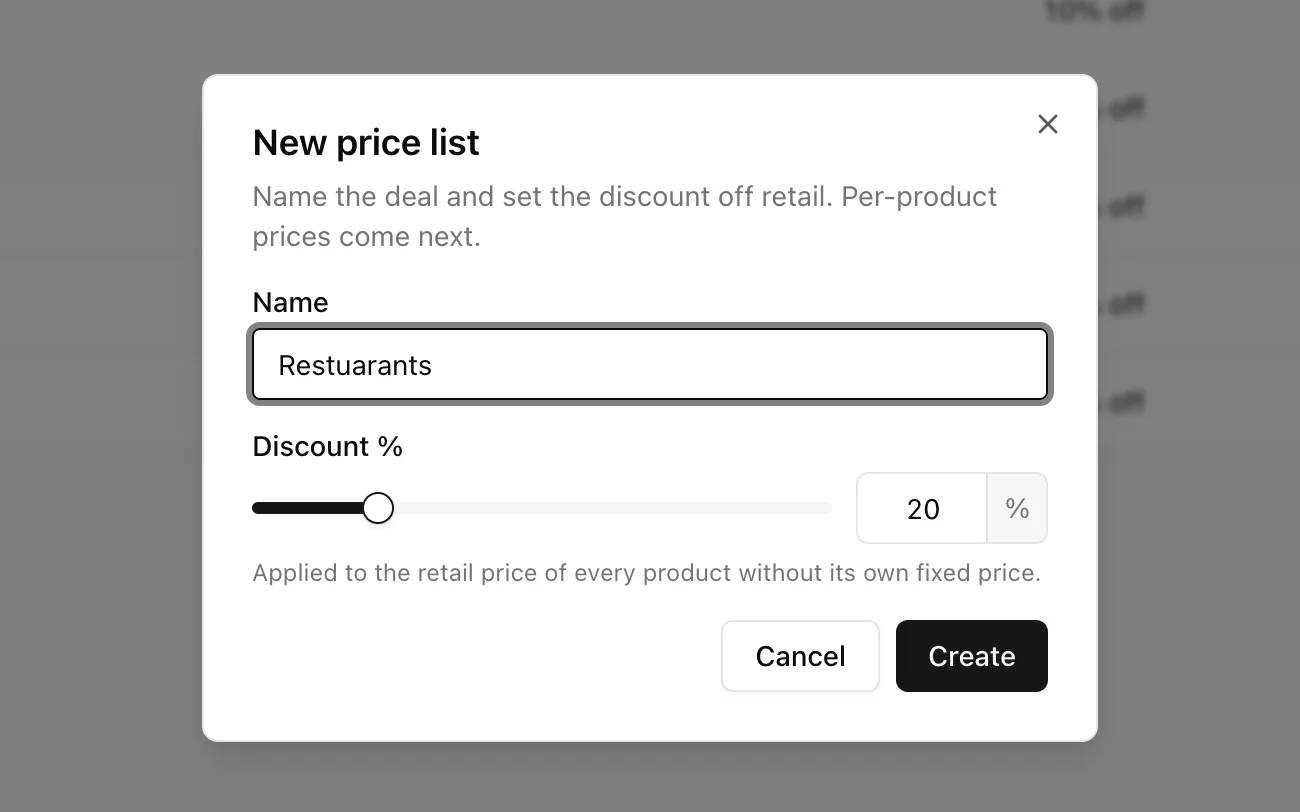
- Go to Wholesale → Price lists and click New price list.
- Enter a Name that describes the deal, such as "Restaurants".
- Set the Discount %, a whole number from 0 to 100. It applies to every product that doesn't have its own fixed price.
- Click Create.
Tip: You can also create a list while adding a client. Pick New list… in the price list menu.
Set fixed prices for specific products
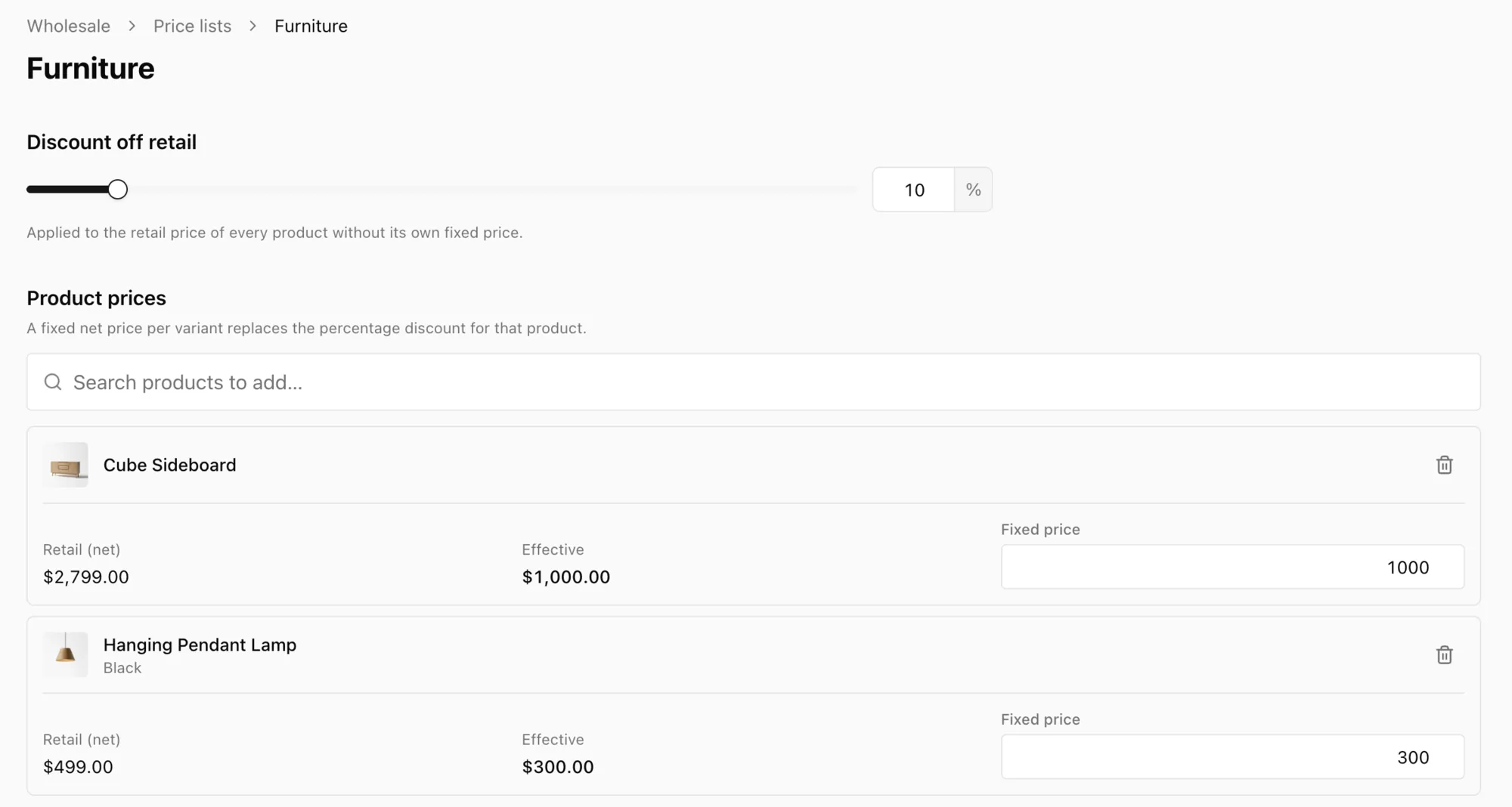
Open the list from Price lists and go to Product prices.
- Search for a product in Search products to add….
- Enter its Fixed price. This is the net price, before tax. You set it per variant, so each size or roast can have its own price.
- Click Save.
The table shows each product's Retail (net) price, the Effective price the client pays, and your Fixed price. To go back to the percentage for a product, use Remove product.
How a client's price is worked out
For each product, YNS checks two things in order:
- Does the list have a fixed price for this variant? If so, that's the price. A fixed price of 0 makes the item free.
- If not, the discount applies. The percentage is taken off your retail net price and rounded to the nearest cent.
| Retail (net) | Price list | Client pays |
|---|---|---|
| 100.00 | 20% off | 80.00 |
| 100.00 | 20% off, fixed price 75.00 | 75.00 |
| 100.00 | 0% off | 100.00 |
Wholesale prices are net. Tax is added on top at checkout, just like retail. Sales, volume tiers and loyalty discounts never apply to a wholesale price.
Note: Fixed prices are saved in your store's currency. Once any exist, you can't change the store currency until you remove them. YNS won't convert them for you. Lists that only use a discount aren't affected.
Archive a price list
Open the list and click Archive. An archived list disappears from the pickers, so you can't assign it to a new client. Clients who already have it keep their prices. This lets you stop offering a deal without changing it for anyone who already has it.
Archived lists stay in the Archived tab. Click Restore to bring one back.
FAQ
Can I offer volume discounts or a minimum order quantity?
Not yet. Each product has one flat wholesale price, with no quantity tiers or minimums.
What if two of us edit the same list at once?
The first save wins. The second person sees "Someone else saved this price list first" and the page reloads with the latest version.
Does changing a list affect orders already placed?
No. Orders keep the prices they were placed at. A change only affects new orders.
What's next
- Give the list to a buyer in Add clients and assign their prices.