How buyers sign in at id.yns.store
What your wholesale client sees, from the invitation email to their ordering panel. There's no password to set up.
Your wholesale clients don't create an account on your storefront. They sign in at id.yns.store, the Your Next Store account for shoppers, using a one-time code sent to their email. This page walks through what they see, so you can help them if they get stuck.
1. The invitation
When you add a client or click Send invitation, the buyer gets an email from your store:
- Subject: "Blue Bean Roasters invited you to order wholesale", with your store's name
- Button: Open wholesale panel
The button opens the sign-in page with their email address already filled in.
2. Sign in with an email code
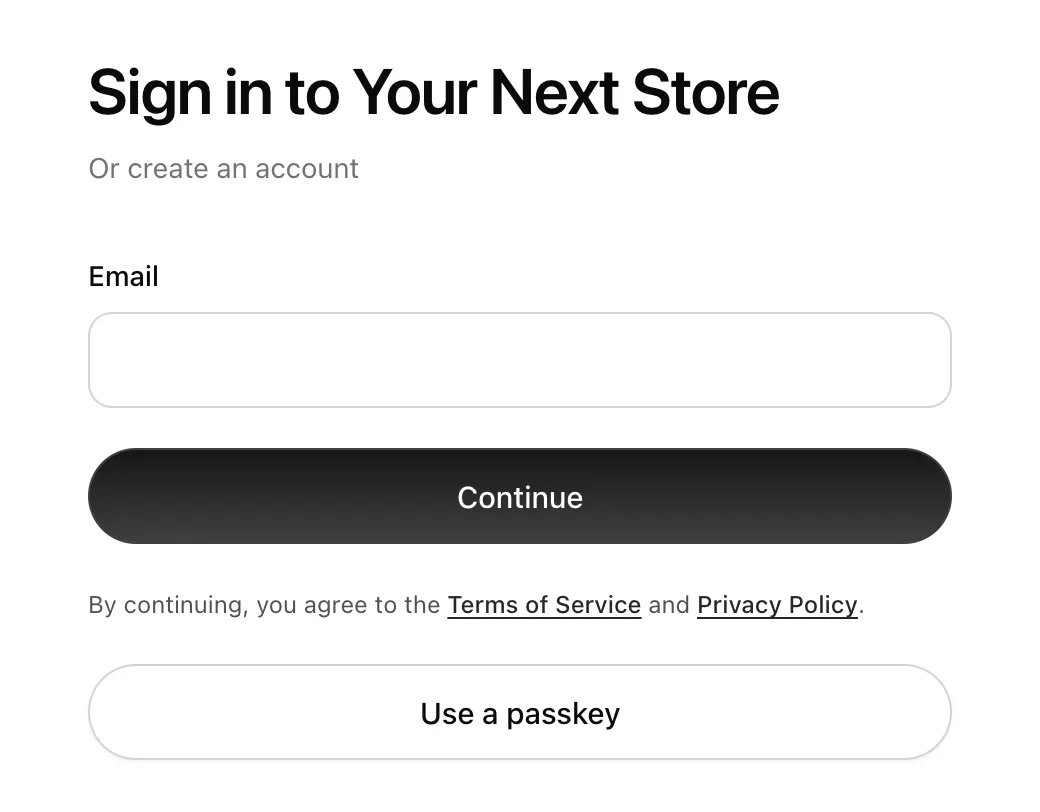
- The page says Sign in to Your Next Store. The buyer checks their email and clicks Continue.
- YNS emails them a 6-digit code with the subject "Your code".
- They enter it and click Verify and continue.
The code works for 5 minutes, only once, and allows 3 tries. If it expires, they can send a new one, or click Use another email to start over.
The same steps sign in an existing account or create a new one, so there's nothing separate to sign up for.
The email must match. The deal is tied to the address you added. If the buyer signs in with a different email, their panel says "No wholesale accounts yet". Ask them to sign out and use the invited address, or change the client's email to match.
3. Optional: a passkey
After the first sign-in, the buyer can click Create a passkey to sign in next time with Face ID, Touch ID, or their device's PIN. After that, Use a passkey on the sign-in page skips the email code. They can also click Not now.
4. Their ordering panel
After signing in, the buyer goes straight to your store's ordering panel. If they buy wholesale from more than one YNS store, they first see a Wholesale page listing each store, and click Open ordering panel on yours.
The menu at the top has Orders, Wholesale, Profile and Security.
5. Business details
Under Profile → Business, the buyer adds their Company, Tax ID, Billing address and Phone. These are printed on their wholesale orders, and the company name appears in your Clients list. Encourage new clients to fill this in before their first order.
FAQ
Do buyers need a password?
No. They sign in with an email code or a passkey.
Can a buyer use the panel link without the invitation?
Yes. The link from Copy buyer panel link goes to the same place. They sign in with the email you added.
Does signing in at id.yns.store sign them in to my storefront?
No. The wholesale panel is separate from any shopper account on your storefront.
What's next
- See what happens once they're in: How buyers order at their prices.