Next.js Commerce vs Your Next Store: Which to Choose?
 Michał Miszczyszyn
Sep 24, 20268 min read
Next.js Commerce and Your Next Store are both free, open-source Next.js templates built on React Server Components. The question that actually matters isn't which template looks better in a demo, it's what each one needs running behind it. Next.js Commerce ships wired to Shopify's Storefront API. Your Next Store ships wired to its own managed commerce backend. This guide compares both honestly: architecture, pricing, what you get out of the box, and when each one is the right call.
What Is Next.js Commerce?
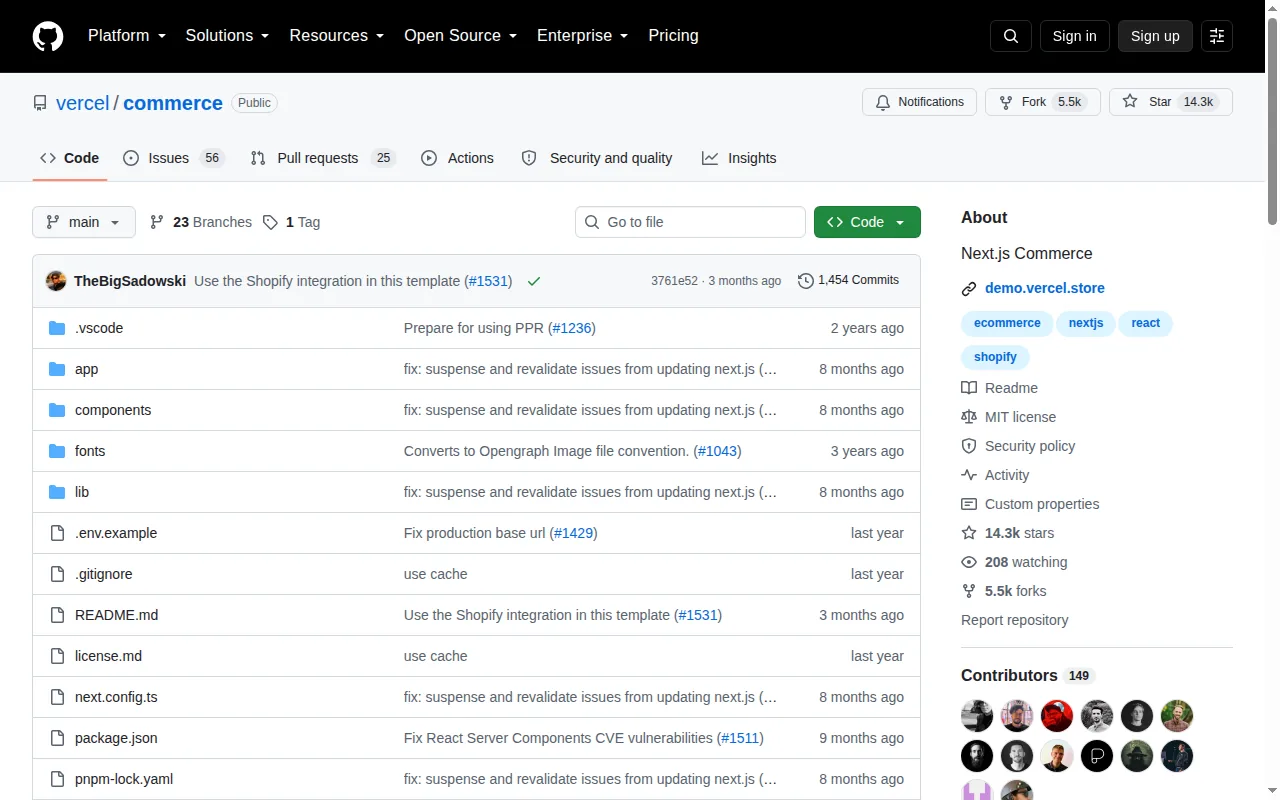
Next.js Commerce is Vercel's official open-source ecommerce template: a Next.js App Router storefront built with React Server Components, Server Actions and Suspense, MIT-licensed, with 14.3k GitHub stars at the time of writing.
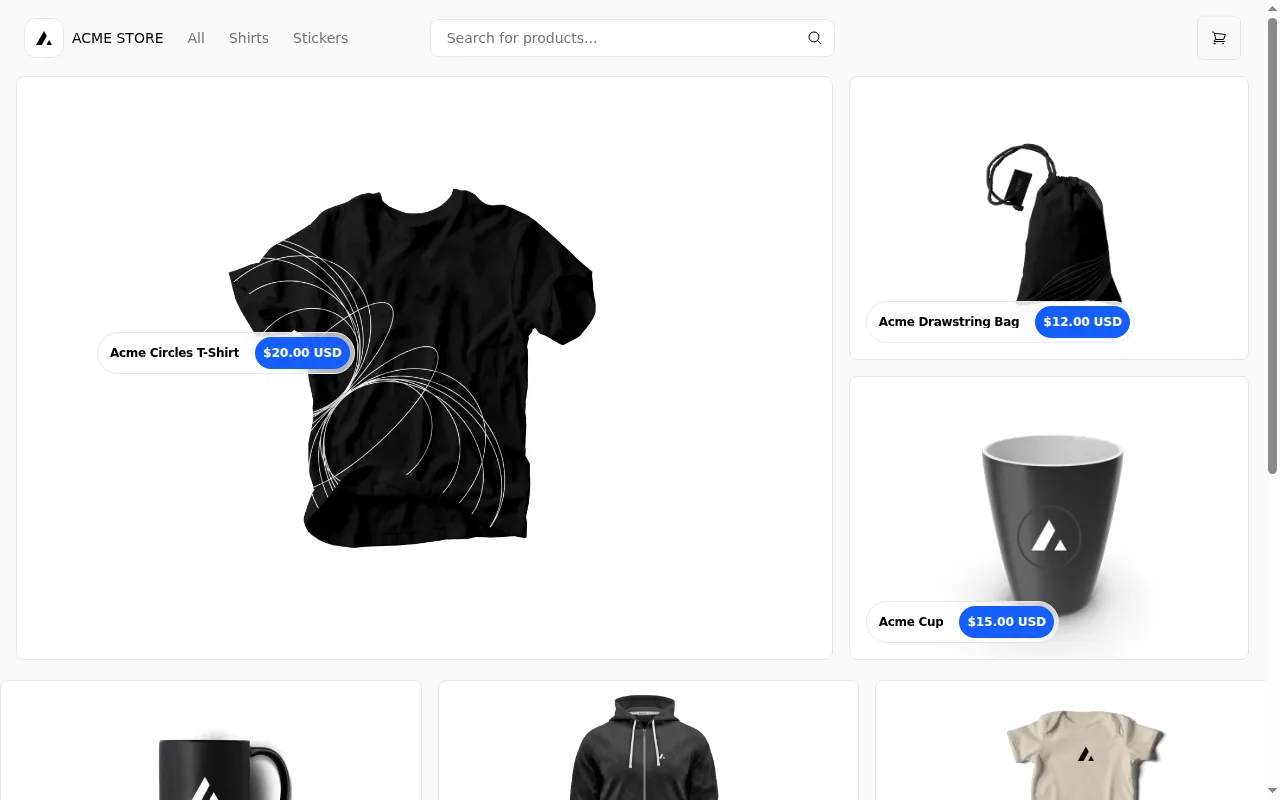
The current version (v2) made a deliberate simplification: earlier versions supported ten different commerce backends through a plugin system, but Vercel dropped that in favor of a single, deeply integrated Shopify provider. The README is explicit about it: this is a Shopify storefront template first. If you want a different backend, the documented path is to fork the repository and rewrite lib/shopify yourself, which is exactly what the BigCommerce, Medusa, Saleor, Swell and Wix community forks have each done independently.
What Is Your Next Store?
Your Next Store is also a free, open-source Next.js template (also on the Vercel template marketplace), but it's paired with a purpose-built managed backend instead of a third-party platform. The storefront calls the Commerce Kit SDK, which talks to YNS's own REST API for products, carts, orders, customers and inventory, all stored in PostgreSQL. Payments are processed through Stripe, but Stripe never touches product data: that distinction trips people up, so we cover it in our Stripe integration breakdown.

The backend also ships an admin dashboard, team management, and an AI store builder that edits the storefront's actual code from a chat interface and deploys the result. None of that comes from the open-source template itself; it comes from the managed platform the template is designed to pair with.
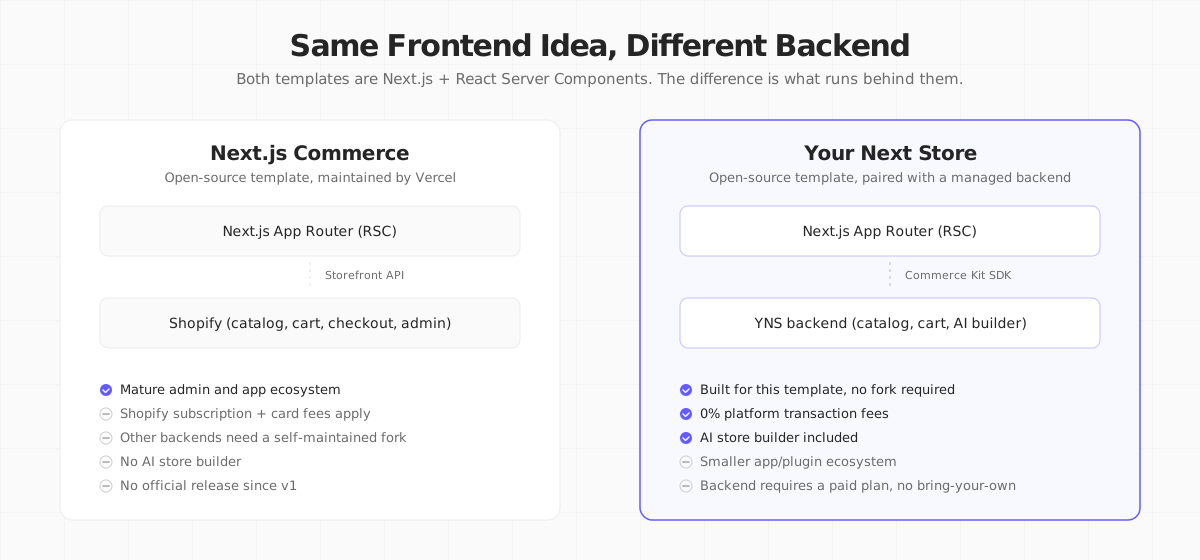
Same Frontend Idea, Different Backend
Both templates make the same architectural bet: React Server Components can replace the Backend-for-Frontend layer that classic headless commerce needed, so a Server Component can await the commerce API directly and return JSX. Where they diverge is what's on the other end of that await.
Next.js Commerce vs Your Next Store at a Glance
| Next.js Commerce | Your Next Store | |
|---|---|---|
| Frontend license | MIT, open source | MIT, open source |
| Frontend stack | Next.js App Router, RSC, Server Actions | Next.js 16, RSC, Tailwind, TypeScript |
| Backend | Shopify (Storefront API) | YNS managed backend (PostgreSQL + REST API) |
| Other backends | Community forks (BigCommerce, Medusa, Saleor, Swell, Wix) | Not applicable, built as one pair |
| Admin dashboard | Shopify's | YNS's own |
| AI store builder | No (Shopify Magic exists separately, inside Shopify) | Yes, built in |
| Multi-store from one account | One Shopify store per deployment | Yes, multi-tenant backend |
| Backend pricing | Shopify Basic $39/mo ($29/mo yearly) and up, plus card fees | YNS Starter $30/mo and up, 0% platform fees |
| Maintainer | Vercel | YNS |
| Checkout | Shopify Checkout (hosted) | Stripe Checkout Sessions (hosted) |
The Backend Difference: Shopify vs a Purpose-Built API
This is the decision that actually matters, because the frontend code in both cases looks similar.
Next.js Commerce means running Shopify
Choosing Next.js Commerce is choosing Shopify with a custom frontend. You get Shopify's admin, its app ecosystem (thousands of apps for reviews, loyalty, subscriptions), its fraud detection and its checkout, which Shopify reports converts up to 36% better than the competition. You also inherit Shopify's pricing: Basic starts at $39/mo ($29/mo billed yearly), Grow at $105/mo ($79/mo yearly), and Advanced at $399/mo ($299/mo yearly), each with its own card processing rate. We break down the full cost picture, including what the plan price doesn't cover, in Shopify's transaction fees, explained.
Your Next Store means running the YNS backend
Choosing Your Next Store is choosing a smaller, newer platform built specifically for this frontend. Plans start at $30/mo (Starter) up to $360/mo (Pro), with 0% platform transaction fees on every plan; only Stripe's own processing fees apply. You get an admin dashboard, translations, and the AI store builder, but a much smaller third-party app ecosystem than Shopify's, because YNS is a newer platform built around a REST API rather than a decade-old app marketplace.
Neither backend is free. "Open-source Next.js template" describes the frontend in both cases. The real cost, and the real lock-in, lives in whichever backend you connect it to.
Swapping the Backend: The Fork Reality
Next.js Commerce's official position is refreshingly honest about this: the maintained repository is Shopify-only, and the multi-provider forks (BigCommerce, Medusa, Saleor, Swell, Wix, and others) are community-maintained, not Vercel-maintained. If you pick one, you are taking on the fork's update cadence, not Vercel's.
Your Next Store doesn't have this problem, but only because it doesn't try to solve the same one: the template isn't built to plug into an arbitrary backend. It's built for exactly one backend, so there's no fork to choose or maintain, at the cost of not being able to bring your own commerce platform the way BigCommerce or Medusa users of Next.js Commerce can.
When to Choose Next.js Commerce
- You already run, or want to run, Shopify and just want a custom Next.js storefront instead of a Liquid theme.
- You need Shopify's mature app ecosystem: specific apps for loyalty, subscriptions or complex tax scenarios that would take months to build yourself.
- You want the option to try a different provider fork (BigCommerce, Medusa, Saleor) without leaving the RSC architecture, and you're comfortable maintaining that fork yourself.
- Your team has Shopify operational experience already and doesn't want to learn a new admin.
When to Choose Your Next Store
- You want a full commerce backend and an AI-assisted admin without paying Shopify's per-transaction card markup on lower plans or managing a separate CMS for blog and translations.
- You're launching a new store and don't have existing Shopify data to migrate.
- You want 0% platform transaction fees regardless of plan, with only Stripe's standard rates on top.
- You'd rather describe a storefront change in chat and have an AI agent edit the actual code than dig through Liquid sections or app settings.
How Your Next Store Fits
We built Your Next Store because we wanted the "one codebase, RSC-native" idea Next.js Commerce popularized, paired with a backend that doesn't charge a transaction fee and that a non-developer can extend through an AI chat interface instead of an app store.
- Same architectural bet. Next.js 16, React Server Components, one deploy, no separate BFF service.
- A backend built for this exact template, not retrofitted onto it: products, carts, orders, inventory and customers in PostgreSQL, reached through the Commerce Kit SDK.
- AI store builder. Describe a change in chat, watch it applied to the real code with a live preview, then deployed.
- 0% platform transaction fees, on every plan, starting at $30/mo.
- Open source storefront. Fork it on GitHub under MIT, same as Next.js Commerce.
The RSC storefront, without the Shopify bill. YNS pairs the same architectural ideas as Next.js Commerce with a backend built for zero transaction fees and an AI builder.
Your Next Store is open source. Star the repo on GitHub: github.com/yournextstore/yournextstore
FAQ
Is Next.js Commerce free?
The template code is free and MIT-licensed. Running a store with it isn't: Next.js Commerce requires a Shopify store behind it, and Shopify's cheapest plan is $39/mo ($29/mo billed yearly), plus card processing fees on every sale.
Can I use Next.js Commerce without Shopify?
Only by using or maintaining a community fork built for another backend (BigCommerce, Medusa, Saleor, Swell, Wix, and a few others exist), since the officially maintained vercel/commerce repository is wired specifically to Shopify's Storefront API. Vercel does not maintain these alternate-backend forks itself.
Does Your Next Store use React Server Components like Next.js Commerce?
Yes. Both templates are built on the Next.js App Router with React Server Components, Suspense and modern data fetching. The frontend architecture is genuinely similar; the backend each one talks to is where they differ.
The Bottom Line
Next.js Commerce and Your Next Store agree on the frontend question: React Server Components, one codebase, no separate BFF. They disagree on the backend question, and that's the one that determines your actual monthly bill, your admin experience and how much of the stack you're responsible for maintaining. Pick Next.js Commerce if you want or already have Shopify underneath a custom frontend. Pick Your Next Store if you want a backend built for this exact template, with 0% transaction fees and an AI builder included.