A wholesale order is **reserved** first, not charged. That gives you and the buyer time to confirm everything before money changes hands.
## How the buyer pays
After placing an order, or by clicking **Pay** in **My orders**, the buyer sees a payment page: "This order has been prepared for you. Review the items and choose how to pay." It also shows **Reserved until** and the date the reservation ends.
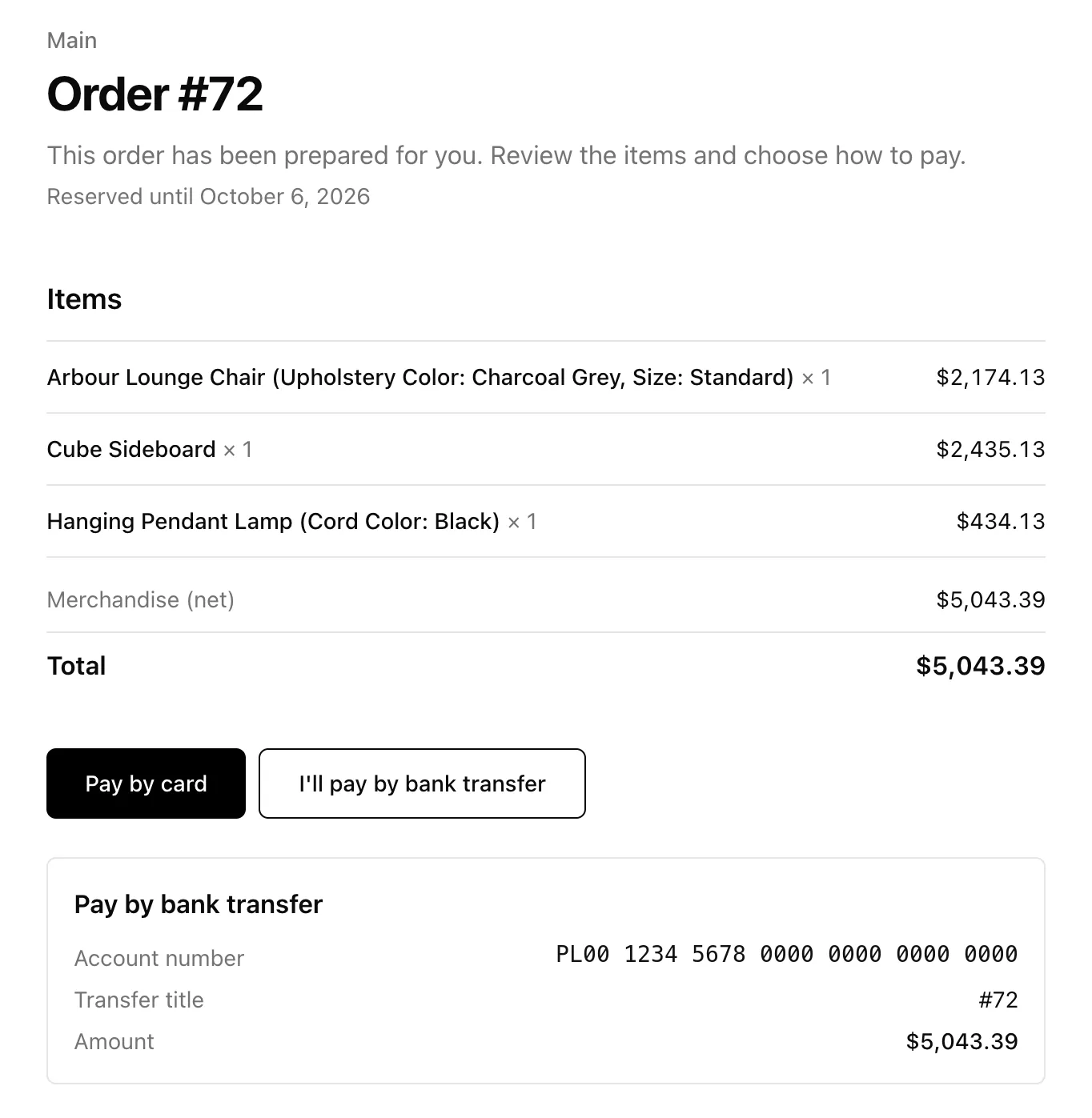 | Option | Shows when | What you need |
|---|---|---|
| **Pay by card** | You accept card payments | [Stripe connected](/help/payments/connect-stripe) |
| **Pay by bank transfer** | You've added bank details | Your account under **Settings → Payments → Bank transfer** |
If neither is set up, the page says "Contact the seller to arrange payment." The order is still reserved, and you settle up however you normally would.
## Mark an order paid yourself
For cash, an invoice paid outside YNS, or an account the buyer settles monthly, open the order and click **Mark as paid**.
> **Note:** There are no built-in payment terms such as "net 30" yet. To give a client credit, leave the order reserved and mark it paid when the money arrives. If you need longer than 14 days, raise the reservation length in **Settings → Payments**.
## Type an order for a client
When an order comes in by phone, text or email:
1. Open the client under **Wholesale → Clients** and click **Create order**. You can also go to **Orders → Create order** and pick the client.
2. Every price fills in at their rate automatically. A banner confirms it: "Wholesale price list applied: Restaurants (20% off retail)".
3. Add a shipping line if you need one, then save and send the payment link.
The buyer sees this order in their panel under **My orders** too. For more about building orders by hand, see [Create draft orders and invoices](/help/orders/draft-orders).
## Spot wholesale orders
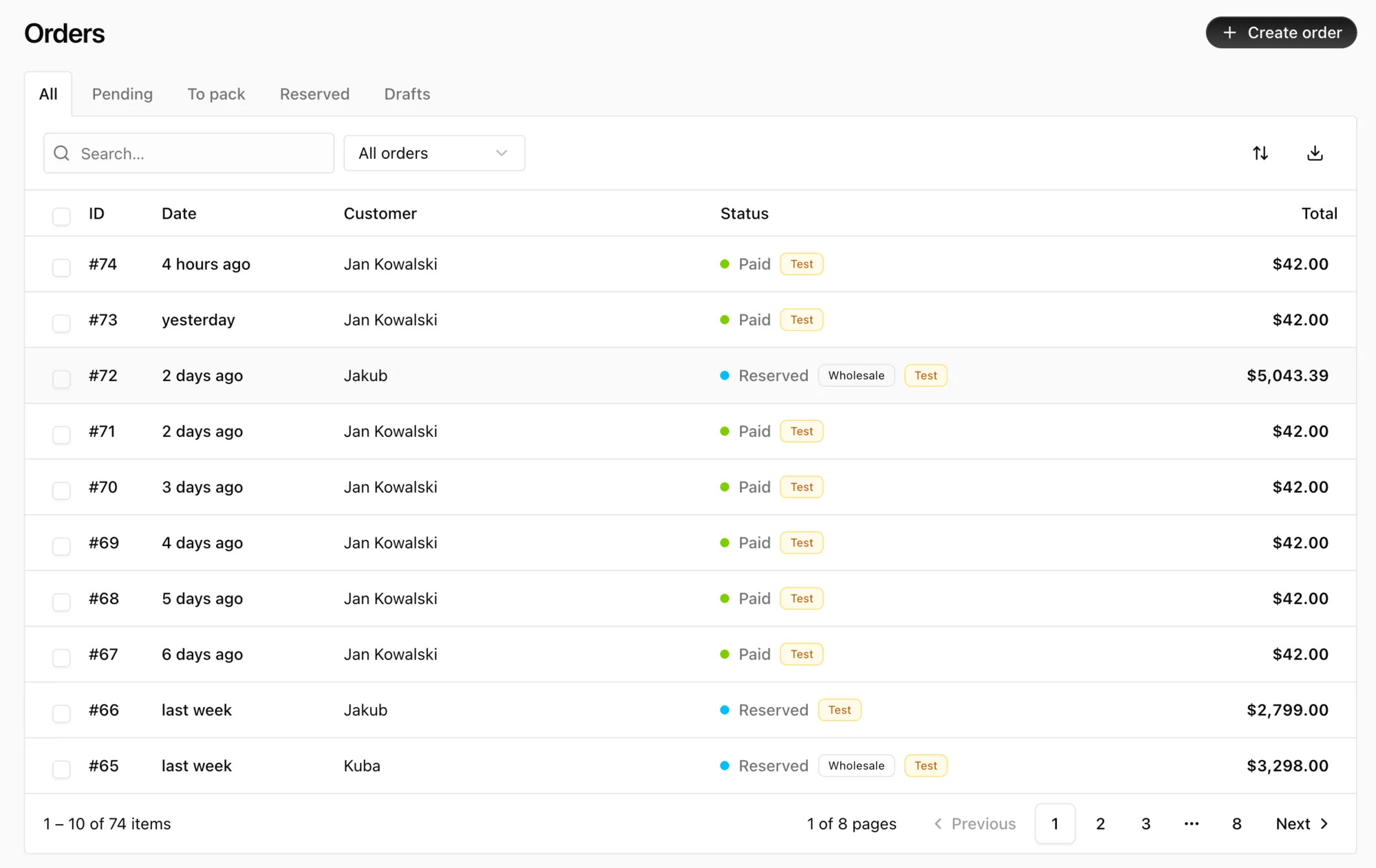
Orders placed through a client's deal, by them or by you, have a **Wholesale** badge in the orders list and in the order details. Everything else works like a retail order: fulfillment, refunds, invoices. See [View and manage orders](/help/orders/manage-orders).
| Option | Shows when | What you need |
|---|---|---|
| **Pay by card** | You accept card payments | [Stripe connected](/help/payments/connect-stripe) |
| **Pay by bank transfer** | You've added bank details | Your account under **Settings → Payments → Bank transfer** |
If neither is set up, the page says "Contact the seller to arrange payment." The order is still reserved, and you settle up however you normally would.
## Mark an order paid yourself
For cash, an invoice paid outside YNS, or an account the buyer settles monthly, open the order and click **Mark as paid**.
> **Note:** There are no built-in payment terms such as "net 30" yet. To give a client credit, leave the order reserved and mark it paid when the money arrives. If you need longer than 14 days, raise the reservation length in **Settings → Payments**.
## Type an order for a client
When an order comes in by phone, text or email:
1. Open the client under **Wholesale → Clients** and click **Create order**. You can also go to **Orders → Create order** and pick the client.
2. Every price fills in at their rate automatically. A banner confirms it: "Wholesale price list applied: Restaurants (20% off retail)".
3. Add a shipping line if you need one, then save and send the payment link.
The buyer sees this order in their panel under **My orders** too. For more about building orders by hand, see [Create draft orders and invoices](/help/orders/draft-orders).
## Spot wholesale orders
Orders placed through a client's deal, by them or by you, have a **Wholesale** badge in the orders list and in the order details. Everything else works like a retail order: fulfillment, refunds, invoices. See [View and manage orders](/help/orders/manage-orders).
 ## FAQ
### What happens when a reservation expires?
The order is cancelled and its stock goes back on sale. Create a new order if the buyer still wants the items.
### Are invoices generated for wholesale orders?
Yes. Once the order is paid, [invoices](/help/orders/invoices) work just like they do for retail. Orders placed from the panel carry the business details the buyer entered on their profile as the billing address.
## What's next
- Review your whole setup in [Sell wholesale to business buyers](/help/wholesale/overview).
- Make sure buyers can pay by card: [Connect Stripe to get paid](/help/payments/connect-stripe).
## FAQ
### What happens when a reservation expires?
The order is cancelled and its stock goes back on sale. Create a new order if the buyer still wants the items.
### Are invoices generated for wholesale orders?
Yes. Once the order is paid, [invoices](/help/orders/invoices) work just like they do for retail. Orders placed from the panel carry the business details the buyer entered on their profile as the billing address.
## What's next
- Review your whole setup in [Sell wholesale to business buyers](/help/wholesale/overview).
- Make sure buyers can pay by card: [Connect Stripe to get paid](/help/payments/connect-stripe).