# Ecommerce SEO: A Technical Guide for Developers
A practical guide to ecommerce SEO: crawlability, JSON-LD, faceted navigation, and Core Web Vitals. Fix what actually moves rankings.
*Published 2026-09-07*
Most ecommerce SEO advice is written for marketers: write better meta descriptions, add more blog posts, build more links. None of that matters if Google can't crawl your product pages, can't parse what you're selling, or gives up waiting for the page to render. **Ecommerce SEO is a technical problem before it's a content problem**, and it behaves nothing like SEO for a blog or a marketing site. Here's the developer's version: the five layers that actually move rankings, in the order they actually matter.
## Why Ecommerce SEO Isn't the Same Game as Blog SEO
A blog has a few hundred URLs, each one hand-written. A mid-sized store has thousands: every product, every color and size variant, every category, and every possible combination a filter can produce. That's the entire problem in one sentence. Ecommerce SEO isn't about writing better copy. It's about controlling scale.
Three things make ecommerce sites structurally different from content sites:
- **URL count explodes.** A catalog of 2,000 products with 5 filterable attributes can generate hundreds of thousands of crawlable filter combinations, most of which nobody should ever rank.
- **Content is thin by default.** A product page is a photo, a price, and a paragraph the manufacturer wrote for every retailer selling the same item. Google sees that paragraph on 40 other domains.
- **Pages change constantly.** Stock levels, prices, and availability shift daily. A search engine that indexed your page last week may be showing a shopper a price or an "in stock" badge that's no longer true.
None of this is solved by writing more content. It's solved by getting the technical layer right first, then building content and links on top of it.
## The Ecommerce Technical SEO Stack
Ecommerce SEO problems cluster into five layers, and they're not equally important. A store with a beautiful blog and broken canonical tags will lose to a store with plain product descriptions and clean crawl paths. Fix layers from the bottom up.
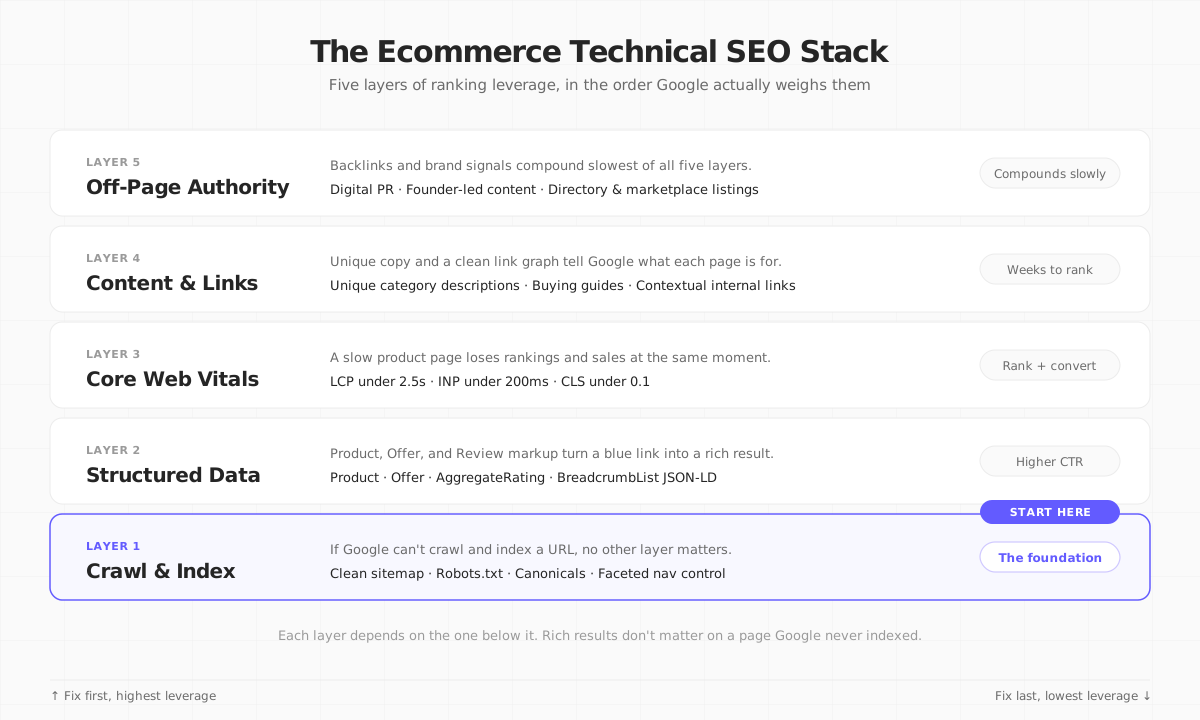
### Layer 1: Crawlability and Indexation
If Googlebot can't reach a page, or reaches it and decides not to index it, nothing else in this article matters. Start here:
- **A sitemap that reflects reality.** Auto-generate it from your product database, not a static file someone edits by hand. Stale sitemaps that 404 or redirect are a common source of wasted crawl budget.
- **Canonical tags on every page, including the ones you think don't need them.** A product available in three colors that each render at their own URL needs one canonical target, or Google indexes three near-duplicate pages competing against each other.
- **A robots.txt that blocks the right things.** Internal search results pages, cart, and checkout URLs should never be crawlable. They provide no value in search and burn crawl budget that should go to product and category pages.
- **HTTP status codes that mean what they say.** A discontinued product should 301 to its replacement or category, or return a real 404/410. A "soft 404" (a page that says "not found" but returns HTTP 200) confuses crawlers and wastes their time.
### International SEO: One Domain, Multiple Markets
If you sell in the US, EU, and UK from the same storefront, add `hreflang` tags connecting the language/region variants of each page. Without them, Google may show a US shopper your `/en-gb/` page, or index near-duplicate `/us/` and `/uk/` product pages against each other instead of serving the right one per market. Pair `hreflang` with a consistent URL pattern (subdirectories like `/uk/product/x` are easier to maintain than separate ccTLDs) and make sure prices and currency actually match the region Google is shown, or you'll bleed trust signals fast.
## Faceted Navigation: Ecommerce's Own Duplicate Content Problem
Faceted navigation (the filters for size, color, price, brand) is the single largest source of duplicate and near-duplicate content on ecommerce sites. Every filter combination is a new URL. Google's own crawling documentation is blunt about the cost: [most filter URLs should never be crawled in the first place](https://developers.google.com/crawling/docs/faceted-navigation), because crawling and rendering them consumes resources Google would rather spend on your real pages. In practice, [a meaningful share of a large store's crawl budget](https://searchengineland.com/guide/faceted-navigation) can go to filter URLs that carry zero SEO value.
You have four real options for handling a given facet, and the right one depends on whether that specific filter combination has actual search demand:
| Strategy | How it works | Best for | Watch out for |
|---|---|---|---|
| **Disallow in `robots.txt`** | Blocks crawling of the URL pattern entirely | High-volume, zero-demand combinations (e.g. `?sort=price&color=red&size=8`) draining crawl budget on large catalogs | Google can't see a canonical or noindex tag on a URL it's not allowed to crawl, so don't stack those on the same path |
| **`noindex, follow`** | Google can crawl and pass link equity through, but the URL itself is excluded from search | Facets shoppers use but that have no independent search volume | Still costs crawl budget. Fine at a few hundred URLs, a real problem at a few hundred thousand |
| **`rel="canonical"` to the parent** | Tells Google to consolidate ranking signals onto the unfiltered category page | Sort orders and toggles that shouldn't rank on their own (`?sort=`, `?in_stock=true`) | Doesn't reduce crawling by itself, only consolidates signals after the crawl |
| **Index as a real category page** | Full ranking eligibility, appears normally in search | A facet combination people actually search for (e.g. "waterproof hiking boots" as its own indexed category) | Needs genuinely unique content, not just a filtered product grid with the H1 swapped |
Don't guess which facets have demand. Pull the query list from Google Search Console and check search volume for your top attribute combinations before deciding what to index. The wrong default (indexing everything) is far more common than the wrong opposite.
## Structured Data: Making Product Pages Machine-Readable
Structured data (JSON-LD) doesn't directly boost rankings, but it's how you become eligible for rich results: the star ratings, price, and stock badges that sit inside a normal search listing. Google's own case studies back this up with real numbers: [Rotten Tomatoes measured a 25% higher click-through rate](https://developers.google.com/search/docs/appearance/structured-data/intro-structured-data) on pages after adding structured data, and the same documentation reports even larger lifts for other publishers.
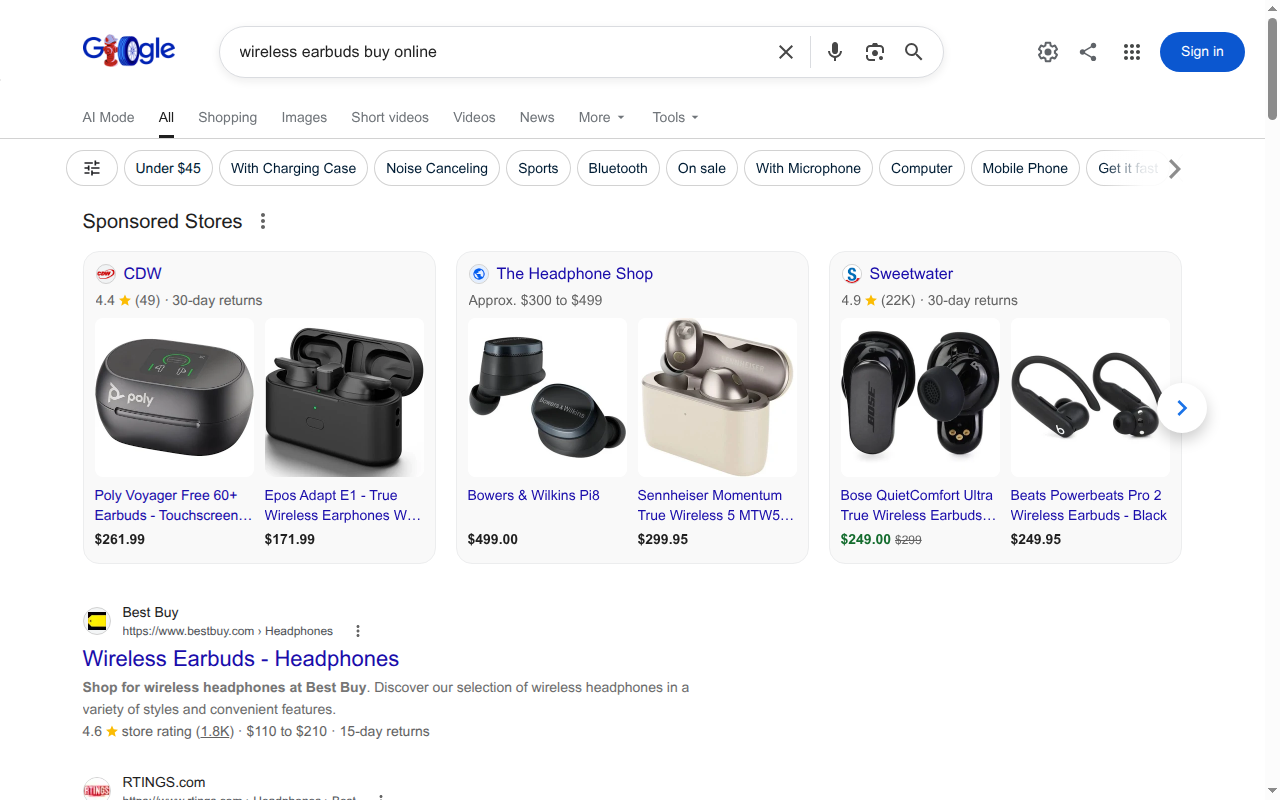
For an ecommerce product page, three schema types matter most:
```tsx
// A minimal Product + Offer + AggregateRating JSON-LD block
export function ProductJsonLd({ product }: { product: Product }) {
const jsonLd = {
"@context": "https://schema.org",
"@type": "Product",
name: product.name,
image: product.images.map((img) => img.url),
description: product.description,
sku: product.sku,
offers: {
"@type": "Offer",
priceCurrency: product.currency,
price: product.price,
availability: product.inStock ? "https://schema.org/InStock" : "https://schema.org/OutOfStock",
url: `https://example.com/product/${product.slug}`,
},
...(product.rating && {
aggregateRating: {
"@type": "AggregateRating",
ratingValue: product.rating.value,
reviewCount: product.rating.count,
},
}),
};
return ;
}
```
A few things that trip teams up in practice:
- **The price and availability in your JSON-LD must match what a shopper actually sees on the page.** Google spot-checks this, and a mismatch is grounds for losing rich result eligibility.
- **`AggregateRating` requires real reviews.** Don't hardcode a `4.8` rating with no visible reviews backing it. That's a policy violation, not a growth hack.
- **Add `BreadcrumbList` schema on category and product pages.** It's the easiest rich result to earn and it clarifies your site hierarchy for crawlers at the same time.
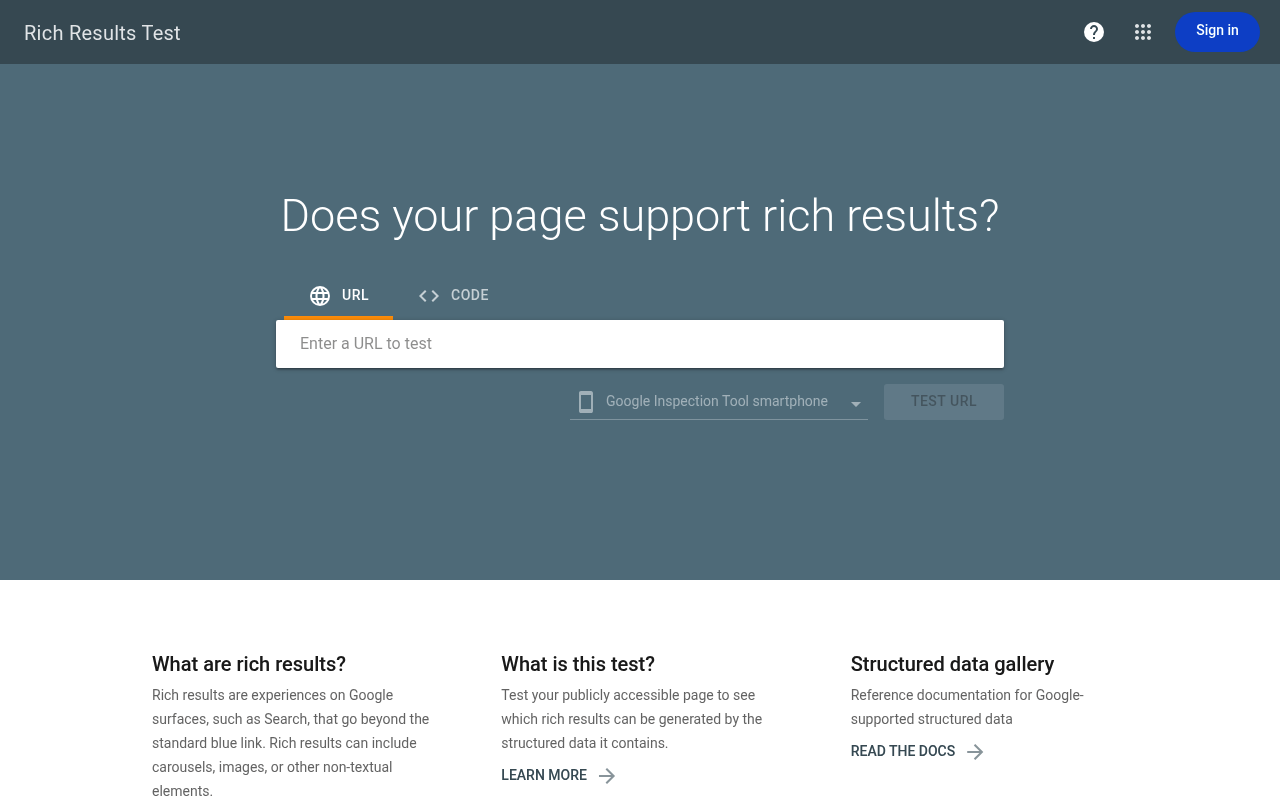
Always validate with [Google's Rich Results Test](https://search.google.com/test/rich-results) before shipping, and again after any redesign that touches the product template.
## Core Web Vitals: The Layer Where Speed and Rankings Meet
Google [confirmed Core Web Vitals as a ranking signal](https://developers.google.com/search/docs/appearance/core-web-vitals) in 2021, and for ecommerce specifically, a slow page loses on two fronts at once: it ranks lower, and the shoppers who do land on it convert worse. The thresholds haven't moved: **LCP under 2.5 seconds, INP under 200 milliseconds, CLS under 0.1.**
The most common cause of a failing INP score on ecommerce sites is the same thing that helps merchandising teams move fast: heavy client-side JavaScript for filtering, cart updates, and personalization, all shipped as a bundle the browser has to parse before the page becomes interactive. We covered the fix for this in detail, including [React Server Components and Partial Prerendering](/blog/partial-prerendering-in-nextjs), in our [ecommerce site speed optimization guide](/blog/ecommerce-website-speed-optimization). The short version: render as much as possible on the server, and stream in the dynamic parts (stock counts, personalized recommendations, cart state) instead of shipping a client-side app that rebuilds the whole page.
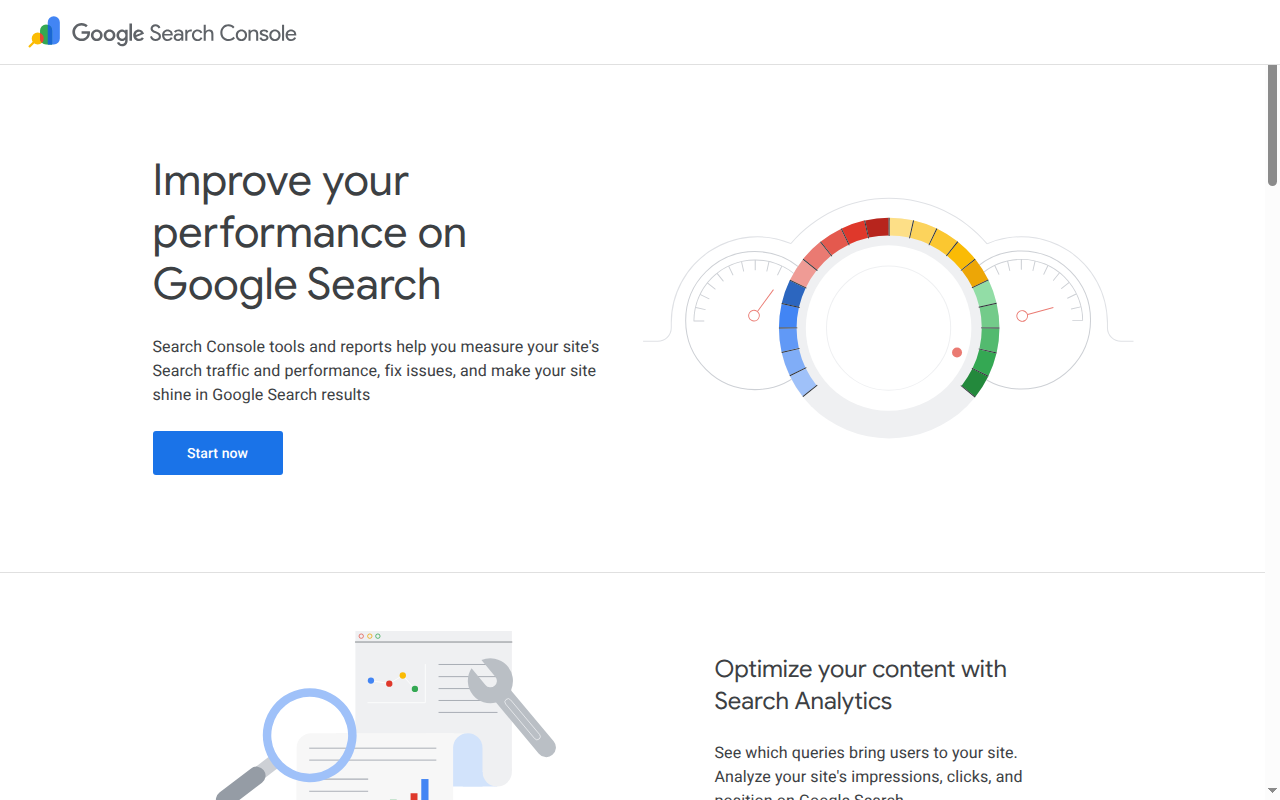
Google Search Console is where you'll actually see whether this is working: its Core Web Vitals report groups URLs by template and flags which ones are failing, at the scale a manual audit can't match on a large catalog.
## Content and Internal Linking That Actually Ranks
Once crawling, structured data, and speed are solid, content and links are what separate a page that's merely indexable from one that ranks. Two things matter more than volume of content:
### Write category pages like they're landing pages, not filters with an H1
A category page that's just a grid of products with 40 words of boilerplate above it has nothing for Google to differentiate it from a hundred competitors selling the same catalog. A category page with a genuine buying guide, a comparison of the top attributes shoppers care about, and links to the specific products that fit different use cases gives Google (and shoppers) an actual reason to land there instead of a competitor's.
### Keep every product reachable in 3-5 clicks from the homepage
Crawl depth correlates directly with how often a page gets crawled and how much ranking signal reaches it. If a product is buried six clicks deep in a category tree, it's effectively invisible to both shoppers and crawlers. Flatten the hierarchy, and link related and complementary products directly from product pages rather than relying only on category navigation to surface them.
Run a crawl depth report (Screaming Frog, Sitebulb, or your own crawler script) quarterly. Catalogs grow, categories get reorganized, and products that were three clicks from home when you launched quietly drift to six clicks deep a year later.
## Ecommerce SEO for AI Search (GEO)
A growing share of shopping research now happens inside AI Overviews and chat-based assistants instead of a traditional ten-blue-links results page. The technical work in this article is what makes a product eligible to be cited there too: an AI system extracting product facts leans on the same clean HTML, structured data, and fast-rendering pages that traditional crawlers need. If your price and availability only render after a client-side JavaScript call, an AI crawler that doesn't execute JavaScript sees an empty page, full stop.
The practical addition for 2026: publish an `llms.txt` file at your domain root summarizing what you sell and linking to your key category and policy pages, and keep your structured data complete rather than partial. Generative Engine Optimization (GEO) isn't a separate discipline from technical SEO. It's the same foundation with a stricter requirement: no rendering trick that a human browser tolerates but a crawler skips.
## How Your Next Store Handles Ecommerce SEO for You
Most of this article describes work you'd otherwise do by hand: writing sitemap logic, deciding what to noindex, wiring up JSON-LD per product template, and monitoring Core Web Vitals across a growing catalog. [Your Next Store](https://yournextstore.com/) builds the foundation in by default rather than leaving it as a checklist.
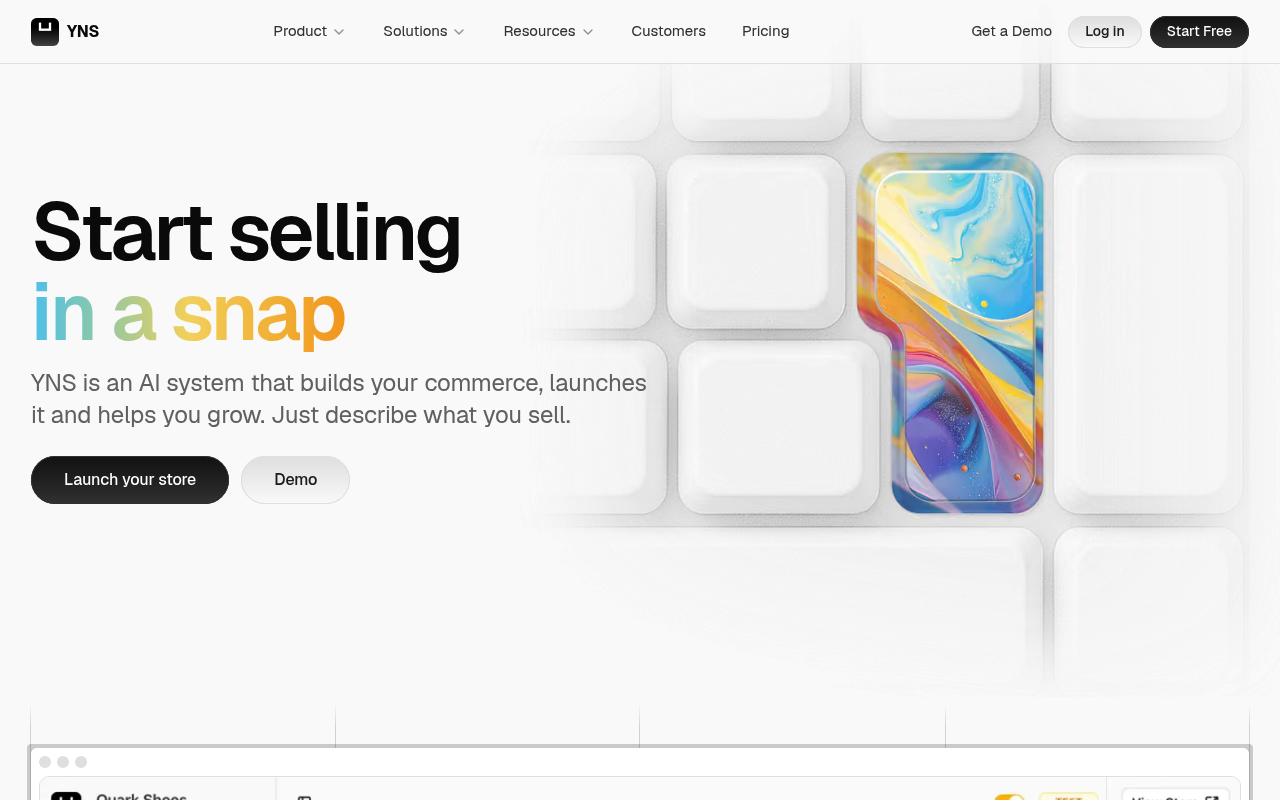
On the managed platform:
- **Structured data ships automatically.** Product, Offer, and breadcrumb JSON-LD are generated from your catalog data, not hand-maintained per template.
- **Dynamic sitemaps stay in sync with your product database.** Add or archive a product and the sitemap reflects it on the next crawl, no manual regeneration step.
- **An SEO audit with AI-discoverability checks** flags missing schema, thin category content, and content-hierarchy issues that affect both traditional search and GEO, including `llms.txt` coverage.
- **The storefront is built on React Server Components and Partial Prerendering**, the same architecture covered in the Core Web Vitals section above, so the speed layer isn't something you bolt on afterward.
[million.yournextstore.com](https://million.yournextstore.com/) runs a million-product catalog on this exact backend: a far more honest test of whether the sitemap and crawl-budget story holds up than a demo store with 40 SKUs.
The [open-source storefront template](https://github.com/yournextstore/yournextstore) gives you the same RSC/PPR foundation if you'd rather self-host and wire up the managed backend yourself; you just own the JSON-LD and sitemap wiring at that point instead of getting it generated for you. Either path starts from the same architecture: a store that's fast and machine-readable by default, not one you have to retrofit.
**Ship a store that's crawlable, structured, and fast from day one.** No sitemap scripts or schema plugins required.
Your Next Store is open-source. See the storefront architecture behind these techniques:{" "}
github.com/yournextstore/yournextstore
## FAQ
### What's the difference between ecommerce SEO and regular SEO?
The core ranking factors (crawlability, content quality, backlinks) are the same. What's different is scale and page type. A blog optimizes a few hundred hand-written pages; an ecommerce site optimizes thousands of programmatically generated product and category pages, many with near-identical content and a constantly changing catalog. That shifts the priority from writing better copy to controlling duplicate content, structured data, and crawl budget at scale.
### How long does ecommerce SEO take to show results?
Technical fixes (fixing crawl errors, adding structured data, resolving Core Web Vitals issues) can show measurable improvement in Google Search Console within 2-6 weeks, once Google recrawls the affected pages. Content and internal linking improvements typically take 2-4 months to move rankings meaningfully. Off-page authority (backlinks, brand mentions) compounds slowest, often 6-12 months for a new or smaller domain to see substantial gains.
### Do I need to worry about ecommerce SEO differently for the EU or UK than the US?
Yes, for two reasons unrelated to the technical layer itself. First, if you serve multiple regions from one domain, you need `hreflang` tags so Google shows the right country/language variant, and your displayed prices and currency need to match the region being served. Second, EU cookie-consent requirements (GDPR) commonly block analytics and some third-party scripts until a user consents, which can distort Core Web Vitals field data (from real users) versus lab data (from a tool like Lighthouse that doesn't hit a consent wall) if you're not accounting for it when diagnosing performance issues.
## Related Blog Posts
- [Ecommerce Site Speed Optimization: The 2026 Guide](/blog/ecommerce-website-speed-optimization)
- [Partial Prerendering in Next.js](/blog/partial-prerendering-in-nextjs)
- [What Is Headless Commerce? (And Why Merchants Are Switching)](/blog/what-is-headless-commerce)
- [How to Build an E-commerce Website with Next.js](/blog/how-to-build-ecommerce-website-nextjs)
- [Ecommerce Checkout Optimization: The 2026 Playbook](/blog/ecommerce-checkout-optimization)